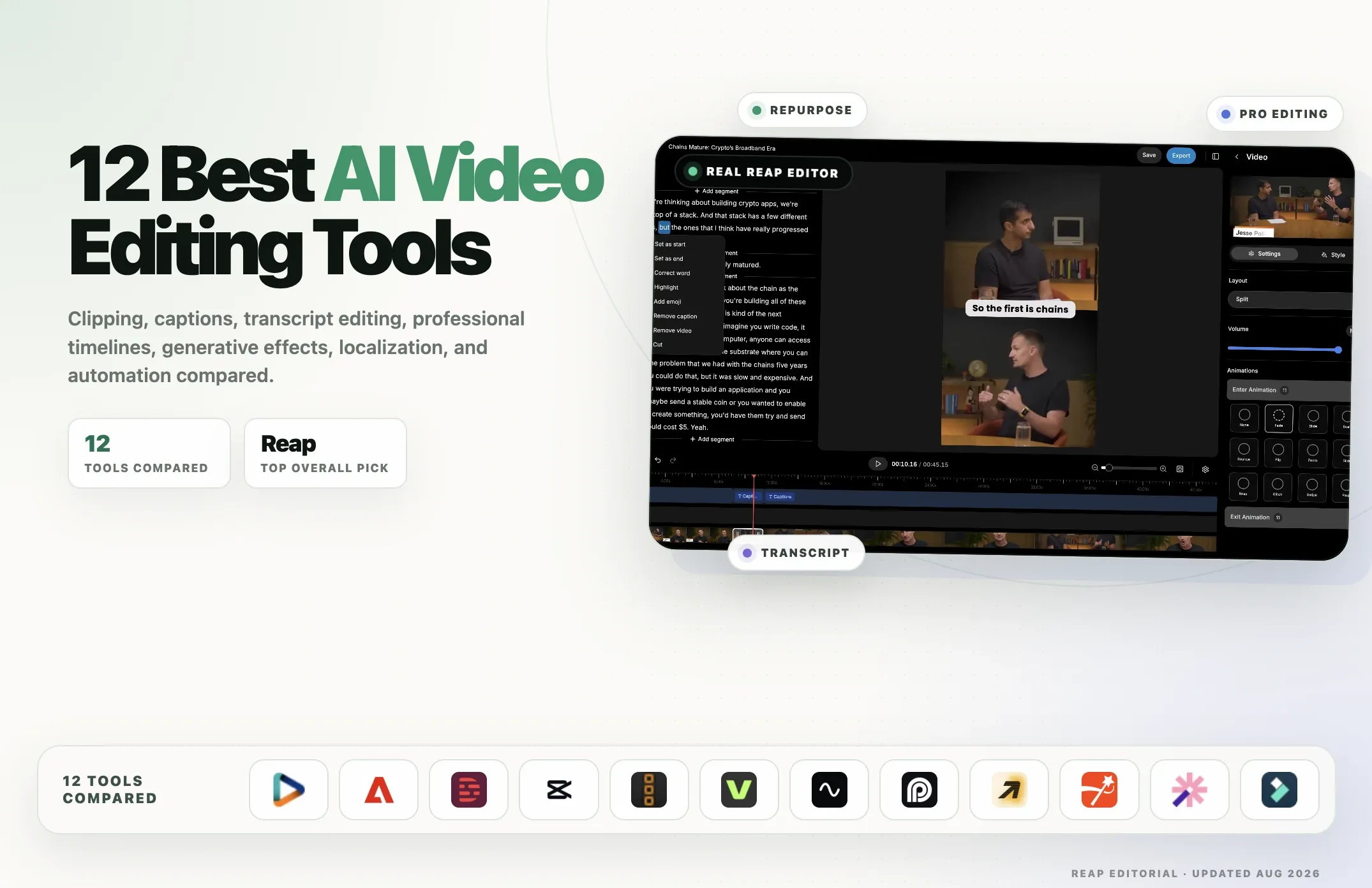
The best AI video editor depends on what you need to make. Some tools turn podcasts and webinars into short clips. Others let you edit through a transcript, handle detailed timeline work, or transform footage with generative AI.
This guide compares 12 AI video editors by editing workflow, features, pricing and limitations. Start with the table below to find the tools suited to your work, then read their individual reviews.
Reap is our recommendation for turning long recordings into captioned, reframed clips. For other workflows, we explain where tools such as Descript, Premiere Pro and Runway may be a better fit.
Best AI Video Editors Compared: Features and Use Cases
|
Tool |
Best for |
AI clipping |
Transcript editing |
AI captions |
Generative editing |
Localization |
Automation / API |
Main platform |
|---|---|---|---|---|---|---|---|---|
|
Reap |
Repurposing, localization & automation |
✅ |
✅ |
✅ |
Limited |
✅ |
✅ |
Web |
|
Adobe Premiere Pro |
Professional editing |
Partial |
✅ |
✅ |
✅ |
✅ |
Limited |
Desktop |
|
Descript |
Transcript-first editing |
✅ |
✅ |
✅ |
✅ |
✅ |
Limited |
Desktop / Web |
|
CapCut |
Social-first editing |
✅ |
Partial |
✅ |
✅ |
✅ |
Limited |
Desktop / Web / Mobile |
|
DaVinci Resolve 21 |
Professional editing & color |
Partial |
Partial |
✅ |
Limited |
Partial |
Limited |
Desktop |
|
VEED |
Browser-based general editing |
✅ |
✅ |
✅ |
✅ |
✅ |
✅ |
Web |
|
Riverside |
Recording-to-editing workflows |
✅ |
✅ |
✅ |
Partial |
✅ |
Limited |
Web |
|
OpusClip |
Automatic short-form clipping |
✅ |
Partial |
✅ |
Partial |
✅ |
✅ on higher tiers |
Web |
|
Runway |
Generative video editing & VFX |
❌ |
❌ |
Limited |
✅ |
Limited |
✅ |
Web |
|
Submagic |
Short-form polish & captions |
✅ with Magic Clips |
✅ |
✅ |
Partial |
✅ |
✅ |
Web |
|
Vizard |
Long-form repurposing |
✅ |
✅ |
✅ |
Partial |
✅ |
✅ |
Web |
|
Filmora 15 |
Beginner-friendly desktop AI editing |
✅ |
✅ |
✅ |
✅ |
✅ |
Limited |
Desktop |
Disclosure: This guide is published by Reap. We compare Reap with other editors by workflow, features, pricing and limitations, and recommend alternatives where they may be a better fit. This is a feature comparison, not a hands-on benchmark of all 12 tools.
Quick answer: If your priority is turning existing videos into many social-ready assets with clipping, captions, reframing, localization, publishing, and agent/API automation, choose Reap. If your priority is a professional timeline, choose Premiere Pro or DaVinci Resolve. If you want to edit primarily through words, start with Descript.
Best AI video editor by use case
|
If you need... |
Best fit |
|
Long-form video repurposing + automation |
Reap |
|
Professional timeline editing |
Adobe Premiere Pro |
|
Transcript-first editing |
Descript |
|
Social-first editing on desktop and mobile |
CapCut |
|
Professional editing with a strong free option |
DaVinci Resolve 21 |
|
Browser-based all-purpose editing |
VEED |
|
Recording + editing + repurposing |
Riverside |
|
Automatic highlight clipping |
OpusClip |
|
Prompt-based generative visual changes |
Runway |
|
Caption-heavy short-form polish |
Submagic |
|
Long-video-to-short workflow |
Vizard |
|
Beginner-friendly desktop editing |
Filmora 15 |
How to Compare AI Video Editors
Compare AI video editors against the work you need to finish:
- Editing workflow: Do you need automatic clipping, transcript editing, a timeline, or generative video tools?
- Control after AI processing: Can you correct captions, adjust cuts and framing, and refine the result?
- Export restrictions: Check watermarks, resolution, supported formats and free-plan limits.
- Pricing and usage: Compare included processing minutes or credits, paid features and billing terms.
- Publishing and automation: Consider scheduling, collaboration and API access if your workflow requires them.
The reviews below explain each tool’s strengths and limitations. Check the linked product and pricing pages before choosing a plan.
Three types of AI video editors in 2026
Before comparing products, it helps to understand that the category has split into three broad groups.
1. AI-first video editors
Tools such as Reap, OpusClip, Vizard, and Submagic begin with automation. You upload content, and AI performs a large part of the repetitive workflow.
These tools are especially useful for:
- podcasts
- webinars
- interviews
- courses
- talking-head content
- social repurposing
- high-volume content workflows
2. Professional or traditional editors with AI
Adobe Premiere Pro, DaVinci Resolve, CapCut, and Filmora still give you a conventional editing environment, but AI increasingly handles specific tasks inside it.
These tools are better when you need:
- precise timeline editing
- multi-layer compositions
- effects
- audio mixing
- color work
- detailed manual control
3. Generative video editing platforms
Runway sits in a different category. The focus is not simply cutting a timeline faster. Generative editing can change what appears in the footage itself: backgrounds, objects, characters, lighting, visual style, or entire generated shots.
For many creators, the best workflow may combine tools from more than one group.
1. Reap — Best for AI repurposing, localization, and automation
Reap is our top pick for creators and teams whose workflow starts with existing video and ends with multiple publish-ready assets.
Instead of treating clipping, captions, reframing, localization, and distribution as separate jobs, Reap puts them into one workflow. You can use AI clipping to find moments from long-form content, refine clips in the AI video editor, add animated captions, reframe for different platforms, translate or dub content, and schedule finished videos.
Reap is particularly strong when one source video needs to become many outputs.
What Reap does well
- AI clipping from long videos using multi-signal analysis
- Prompt-first clipping when you want clips about specific topics or moments
- AI virality scoring
- Transcript-based video editing
- 50+ animated caption styles
- Captions and subtitles in 100+ languages
- Romanized caption output such as Hinglish, Romanized Urdu, and Arabizi
- AI dubbing in 80+ languages
- Automatic speaker detection and reframing
- Multiple output aspect ratios
- Brand templates with reusable fonts, caption styles, logos, intros, and outros
- Social publishing and scheduling
- REST video editing API, CLI, webhooks, and MCP support for AI-agent workflows
The automation layer is one of Reap's most unusual strengths. Developers can use the API directly, while AI-agent users can connect Reap through MCP and operate video workflows from natural-language instructions. If that is your use case, see our guide to using Reap MCP for AI video workflows and our guide to automating video clipping with API, MCP, n8n, and other workflows.
Where Reap is not the best fit
Reap is not a replacement for a deep professional post-production suite.
If your work depends on advanced color grading, complex compositing, large multi-camera timelines, detailed sound design, or frame-level filmmaking workflows, Premiere Pro or DaVinci Resolve is a better primary editor.
Best for
- podcasters
- creators repurposing long-form content
- marketing teams
- agencies producing clips at scale
- multilingual content teams
- developers building automated video workflows
- AI-agent users who want video tools available through MCP
Pricing
Reap has a free plan with 1 hour of AI clipping and captions per month. Paid plans currently start at $9.99/month when billed annually for Creator, with month-to-month pricing available. See Reap pricing for current limits and plan details.
Choose Reap if: your bottleneck is turning existing content into many branded, localized, social-ready assets.
Choose something else if: your primary job is cinematic or professional timeline post-production.
2. Adobe Premiere Pro — Best professional AI-assisted video editor
Adobe Premiere Pro remains one of the strongest choices for professional editors because AI is being added without removing the precision of a full timeline.
Premiere can handle complex edits, layered audio, titles, effects, color, professional media management, and high-end delivery workflows. Adobe has also expanded its AI layer with features such as media intelligence, automatic caption translation, speech enhancement, generative tools, and its new Premiere AI Assistant.
The Premiere AI Assistant, currently in beta, can take natural-language instructions and perform multi-step project and timeline tasks such as organizing footage, generating transcripts, adding markers, and assembling rough edits.
That makes Premiere increasingly relevant to the "AI video editor" category without turning it into a fully automatic editor.
What Premiere does well
- deep professional timeline editing
- precise multi-track control
- professional color and audio workflows
- text-based editing and transcription
- AI-assisted media organization
- caption translation
- speech enhancement
- generative features through Adobe Firefly
- AI Assistant for project setup and rough assembly
- strong ecosystem with After Effects, Audition, Photoshop, and Frame.io
Limitations
Premiere has a much steeper learning curve than AI-first tools.
It is also not designed primarily around "upload one podcast and automatically generate a week's worth of social clips." You can create short-form content in Premiere, but high-volume repurposing still involves more manual workflow than a dedicated platform such as Reap or OpusClip.
The AI Assistant is also still in public beta, so its capabilities are evolving.
Best for
- professional editors
- agencies with editing teams
- filmmakers
- brand and commercial production
- creators who need detailed timeline control
Pricing
Premiere currently starts at $22.99/month for individuals on Adobe's annual plan billed monthly, with a free trial available. See Adobe's Premiere plans for current pricing.
Choose Premiere over Reap if: detailed professional editing is the core job.
Choose Reap over Premiere if: the main job is automated clipping, localization, and high-volume distribution from long-form content.
3. Descript — Best transcript-first AI video editor
Descript changed how many creators think about editing by making the transcript the editing surface.
Delete a sentence from the transcript and the corresponding video or audio can be removed. That model works particularly well for podcasts, interviews, screen recordings, educational content, and talking-head videos.
Descript has expanded beyond basic text editing with Underlord, its AI co-editor. Underlord can work from natural-language instructions and help with editing, clips, captions, audio cleanup, and other tasks.
What Descript does well
- excellent transcript-based editing
- automatic transcription
- text-based removal of words and sections
- filler-word removal
- Studio Sound
- captions
- AI clip creation
- AI voice tools
- Underlord conversational editing
- screen recording
- collaboration
Limitations
Descript is strongest when the spoken word drives the edit.
For cinematic visual editing, detailed color work, complex compositing, or heavy motion graphics, Premiere or DaVinci is stronger. For high-volume long-video-to-social distribution with broader automation and publishing, Reap is more purpose-built.
Best for
- podcasts
- interview editing
- talking-head creators
- screen recordings
- teams that prefer editing text instead of timelines
Pricing
Descript has a free plan. Paid plans currently begin with its Hobbyist tier at $16 per person/month when billed annually or a higher month-to-month rate. See Descript pricing for current AI credits and media-hour limits.
Choose Descript if: you want your transcript to be the main editing interface.
Choose Reap if: you need to turn long-form video into many clips, languages, formats, and scheduled outputs.
4. CapCut — Best social-first AI video editor
CapCut is no longer accurate to describe as a manual-only editor.
It combines hands-on editing, templates, effects, mobile workflows, automatic captions, AI generation features, and automated repurposing. Its Long Video to Shorts workflow can automatically identify highlights, create short clips, reframe footage, and generate captions.
That makes CapCut one of the most complete social-first editing products for creators who want both AI assistance and manual creative control.
What CapCut does well
- desktop, web, and mobile editing
- strong social templates and effects
- AI long-video-to-short-video clipping
- automatic captions
- subject tracking and smart cropping
- text-to-video and generative AI tools
- hands-on timeline editing
- easy social-first workflows
Limitations
CapCut is broad, which is both its strength and its weakness.
For teams that want a repeatable long-form-to-multi-platform automation system, Reap's workflow, localization features, publishing layer, and API/MCP access are more specialized. For professional post-production, Premiere and DaVinci provide deeper control.
Best for
- TikTok, Reels, and Shorts creators
- mobile-first creators
- users who like templates and manual control
- beginners who want a broad toolset
Pricing
CapCut offers free editing options, while paid features and Pro pricing can vary by platform and region. Check CapCut for the current plan available in your market.
Choose CapCut if: you want a flexible social editor across desktop, web, and mobile.
Choose Reap if: your priority is repeatable repurposing, multilingual output, automation, and publishing from one source video.
5. DaVinci Resolve 21 — Best professional value
DaVinci Resolve 21 combines professional editing, color correction, visual effects, motion graphics, and audio post-production in one desktop application.
Its free version is one of the strongest values in video software.
Resolve 21 expands the AI layer with tools including content-aware media search and other Neural Engine features. The broader DaVinci AI Neural Engine also powers features such as facial recognition, object detection, smart reframing, speed retiming, super scaling, and color-related automation.
What DaVinci Resolve does well
- professional timeline editing
- industry-leading color workflows
- Fusion visual effects and compositing
- Fairlight audio post-production
- smart reframing
- AI-powered media and object analysis
- strong multi-user and Blackmagic Cloud workflows
- capable free version
Limitations
Resolve has a significant learning curve and requires a more traditional editing mindset.
It can automate specific editing tasks, but it is not an AI-first repurposing platform. A creator who simply wants five captioned vertical clips from a podcast will usually get there faster in Reap, OpusClip, Vizard, or Riverside.
Best for
- professional editors
- filmmakers
- colorists
- creators who want a powerful free desktop editor
- teams working on complex post-production
Pricing
DaVinci Resolve is available for free. DaVinci Resolve Studio 21 is $295 as a one-time purchase from Blackmagic Design.
Choose Resolve if: you want professional editing depth and excellent value.
Choose an AI-first editor if: your main problem is repetitive content repurposing rather than post-production craft.
6. VEED — Best browser-based general AI video editor
VEED has grown from a simple browser editor into a broad AI video creation and editing platform.
Its current AI editor can automate tasks such as subtitles, audio cleanup, B-roll, silence removal, resizing, and social optimization. VEED also supports text-command editing, transcript workflows, AI generation, avatars, dubbing, and clipping.
That makes it useful for marketers and teams that want a general-purpose editor without installing desktop software.
What VEED does well
- browser-based editing
- automatic subtitles
- transcript and text-command editing
- audio cleanup
- AI B-roll
- long-form clip generation
- AI video generation
- avatars and voice tools
- resizing for social platforms
- collaboration and brand workflows
Limitations
VEED tries to cover a large part of the video creation stack, so users with a narrow workflow may prefer a more specialized product.
Reap is more focused on long-form repurposing, multilingual distribution, and agent/API automation. Premiere and DaVinci provide more professional post-production depth.
Best for
- marketing teams
- browser-first creators
- business content
- users who want generation and editing in one web product
Pricing
VEED offers a free starting option and paid plans with expanded AI, export, branding, and team features. See VEED pricing for current plan pricing and AI-credit limits.
Choose VEED if: you want an all-purpose browser editor with a broad AI creation stack.
7. Riverside — Best recording-to-editing workflow
Riverside is strongest when recording is part of the workflow.
It combines remote recording with transcription, text-based editing, AI audio tools, clips, show notes, captions, and repurposing. Its Magic Clips feature automatically finds highlights from recordings or uploaded video and turns them into short clips.
Riverside is therefore a strong option for podcasters and interview-based creators who want to record and repurpose in the same environment.
What Riverside does well
- high-quality remote recording
- text-based editing
- Magic Clips
- automatic captions
- AI audio cleanup
- silence and filler-word removal
- eye-contact correction
- transcription
- AI show notes and content derivatives
- up to 4K clip exports on supported plans
Limitations
Riverside's biggest advantage is its integrated recording environment. If you already have finished long-form videos and primarily need scalable repurposing, that advantage matters less.
It is also not a replacement for Premiere or DaVinci when the project requires deep visual editing.
Best for
- podcasters
- interviews
- remote recording
- webinars
- teams that want record → edit → repurpose in one product
Pricing
Riverside has a free plan and multiple paid plans. Because plan structure and AI-credit allowances change, check Riverside pricing for current limits.
Choose Riverside if: recording and editing are part of the same workflow.
Choose Reap if: the source video already exists and your main challenge is turning it into many localized, publish-ready outputs.
8. OpusClip — Best dedicated automatic clipping tool
OpusClip is one of the best-known AI clipping platforms.
It analyzes long-form video, identifies moments that can work as standalone clips, adds captions, reframes content, and helps publish the results. Current plans also include features such as virality scores, brand templates, filler and silence removal, multiple aspect ratios, B-roll on higher tiers, social scheduling, and dubbing.
It is a strong choice if your central problem is:
"I have long videos. Find the best short clips for me."
What OpusClip does well
- AI clipping
- virality scoring
- animated captions
- auto reframe
- filler and silence removal
- multiple aspect ratios
- social auto-posting and scheduling
- B-roll on higher tiers
- export workflows for Premiere Pro and DaVinci Resolve
- API options on higher tiers
Limitations
OpusClip is more clipping-centered than a traditional video editor.
If you need deep timeline work, use Premiere, Resolve, CapCut, or Filmora. If you need broader multilingual workflows, romanized subtitles, and agent-native automation, compare it carefully with Reap.
Best for
- podcasters
- interview content
- creators who want automatic highlights
- teams focused mainly on short-form clipping
Pricing
OpusClip offers a free plan. Its Starter plan is currently $15/month, while higher tiers add team, B-roll, scheduling, dubbing, and API features. See OpusClip pricing for current credit limits.
Choose OpusClip if: automatic highlight clipping is the main job.
9. Runway — Best for generative video editing and visual transformation
Runway should not be compared with Reap or OpusClip as if all three solve the same problem.
Runway is primarily a generative video platform.
Its Edit Studio, powered by Aleph 2.0, can transform existing footage with prompts. You can replace backgrounds, swap products or characters, remove objects, add elements, change the look of a shot, and create visual effects without performing every step manually.
This is a different kind of AI video editing.
What Runway does well
- generative video
- prompt-driven visual editing
- object and background changes
- visual effects
- shot restyling
- video-to-video workflows
- access to multiple generative models
- API options for generative workflows
Limitations
Runway itself notes that its traditional video editor is no longer the main development focus and recommends a local editor for larger projects requiring more than quick edits.
It is also not designed primarily for clipping podcasts, transcript editing, caption-heavy social workflows, or social scheduling.
Best for
- generative filmmakers
- creative agencies
- concept work
- VFX experimentation
- product and advertising visuals
- creators who need to change what appears inside a shot
Pricing
Runway has a free plan with one-time credits. Paid plans currently start at $12/month when billed annually for Standard. See Runway pricing for current credit allocations.
Choose Runway if: your goal is generative visual transformation.
Do not choose Runway as your only editor if: you mainly need long-form editing, social clipping, or traditional post-production.
10. Submagic — Best for caption-heavy short-form polish
Submagic is built around making short-form videos feel polished quickly.
It is particularly known for animated captions, but the product now goes beyond captions. Current plans include text-based trimming, B-roll, audio tools, AI hooks, silence and bad-take removal, translation, publishing, and API/integration access. Its Magic Clips add-on can turn long videos into short clips.
So describing Submagic as "just a caption tool" is no longer accurate.
What Submagic does well
- animated AI captions
- short-form editing
- B-roll
- text-based trimming
- clean-audio tools
- bad-take and silence removal
- translated captions
- brand kits
- publishing
- Magic Clips for long-form repurposing
- API/integration options
Limitations
The product remains strongly optimized around short-form content.
If you need professional timeline editing, use Premiere or Resolve. If you need a broader long-form-to-many-assets system with dubbing, extensive language support, scheduling, and agent/API workflows, Reap may fit better.
Best for
- short-form creators
- caption-heavy editing
- social editors
- teams that want fast polish rather than deep post-production
Pricing
Submagic currently lets users try a small number of videos for free. Paid plans start at $19 per member/month, with Magic Clips available as an add-on. See Submagic pricing for current limits.
Choose Submagic if: your main goal is making short-form videos look polished quickly.
11. Vizard — Best alternative for long-form repurposing
Vizard is another AI-first platform centered on turning long videos into reusable content.
It supports AI clipping, automatic subtitles, subtitle translation, automatic reframing, AI B-roll, keyword highlighting, editing, direct publishing, scheduling, and API access.
That makes Vizard much closer to Reap and OpusClip than to Premiere or DaVinci.
What Vizard does well
- AI-generated clips
- full browser editor
- automatic subtitles
- translation
- automatic reframing
- AI B-roll
- social publishing
- scheduling
- API access
- team and brand workflows on paid tiers
Limitations
The biggest question is not whether Vizard can generate clips — it can.
The more useful comparison is whether its workflow, editing control, language stack, branding, publishing, and automation model match your team's needs better than Reap or OpusClip.
Best for
- podcasts
- webinars
- interviews
- teams repurposing long recordings
- creators who want a browser-first clipping workflow
Pricing
Vizard has a free plan with monthly credits and 720p exports. Paid Creator and Business plans increase monthly credits, export quality, storage, social accounts, and collaboration. See Vizard pricing for the current price at your required credit level.
Choose Vizard if: you want another strong browser-based long-form repurposing option.
12. Filmora 15 — Best beginner-friendly desktop AI editor
Filmora 15 sits between lightweight creator tools and professional desktop editors.
It provides a conventional timeline but continues to add AI tools around it. Filmora 15 includes features such as AI Mate, Smart Short Clips, AI Extend, AI video enhancement, object removal, dynamic captions, eye-contact correction, smart scene tools, and generative creation features.
Its AI Mate can interpret natural-language requests and apply or guide editing actions, while Smart Short Clips can identify important moments from longer content and turn them into vertical social videos.
What Filmora does well
- approachable desktop timeline
- AI Mate conversational assistant
- Smart Short Clips
- AI Extend
- AI video enhancement
- automatic captions
- eye-contact correction
- object removal
- generative video features
- strong library of templates and effects
Limitations
Filmora is easier to learn than Premiere or DaVinci, but it does not offer the same professional depth.
It also is not as purpose-built around automated multi-video repurposing and publishing as Reap, OpusClip, or Vizard.
Best for
- beginner and intermediate editors
- YouTube creators
- users moving beyond template-only tools
- creators who want AI inside a familiar desktop timeline
Pricing
Filmora offers a free version with export limitations. Current US pricing includes paid annual options and a $79.99 perpetual plan for Filmora 15, although AI features can also depend on credits and plan level. See Filmora pricing for current plan details.
Choose Filmora if: you want an approachable desktop editor with a growing set of AI tools.
Pricing and value comparison
Pricing changes frequently, and AI-credit limits can matter more than the headline subscription price. This table is therefore a starting point rather than a substitute for checking the current plan before purchasing.
|
Tool |
Free option |
Paid starting point / model* |
Best value when... |
|
Reap |
✅ |
From $9.99/mo billed annually |
You repurpose and localize video repeatedly |
|
Adobe Premiere Pro |
Trial |
$22.99/mo on annual plan billed monthly |
Professional editing is core work |
|
Descript |
✅ |
From $16/mo billed annually |
Transcript editing saves your team time |
|
CapCut |
✅ |
Varies by region / platform |
You need broad social editing |
|
DaVinci Resolve 21 |
✅ |
Studio: $295 one-time |
You want pro desktop editing |
|
VEED |
✅ |
Subscription / AI-credit model |
You want browser-based general editing |
|
Riverside |
✅ |
Subscription model |
Recording is part of your workflow |
|
OpusClip |
✅ |
Starter: $15/mo |
Automatic clipping is the main job |
|
Runway |
✅ |
Standard from $12/mo billed annually |
Generative video is central |
|
Submagic |
Limited trial |
Starter: $19/member/mo |
Short-form polish is the bottleneck |
|
Vizard |
✅ |
Credit-based paid plans |
You process lots of long-form video |
|
Filmora 15 |
✅ with limitations |
Annual + $79.99 perpetual options |
You want an approachable desktop editor |
*Pricing checked August 18, 2026. Prices, regional taxes, annual discounts, credits, and feature limits can change.
How to choose the right AI video editor
Do not start by asking which tool has the longest feature list.
Start with the repetitive job that costs you the most time.
Choose an AI-first repurposing editor if...
You already have long-form content and repeatedly need to:
- find clips
- make vertical versions
- add captions
- translate content
- keep branding consistent
- publish across social platforms
Start with Reap, OpusClip, Vizard, Riverside, or Submagic depending on how much automation and editing depth you need.
Choose a professional editor with AI if...
Your work depends on:
- precise cuts
- multiple video and audio layers
- advanced sound
- detailed color grading
- compositing
- VFX
- client delivery
Start with Adobe Premiere Pro or DaVinci Resolve.
Choose a transcript-first editor if...
Most of your video is spoken content and you think in words rather than frames.
Start with Descript.
Choose a social-first editor if...
You want:
- mobile access
- trends and templates
- quick effects
- hands-on editing
- easy publishing formats
Start with CapCut.
Choose a generative editor if...
You need AI to change the actual content of the shot rather than simply cut it.
Start with Runway.
Which AI video editor should you choose?
For most people, the answer depends on what happens before and after the edit.
If you are a professional editor working on a film, commercial, high-end YouTube production, or client project with complex post-production, Adobe Premiere Pro or DaVinci Resolve is the safer starting point.
If you edit podcasts and interviews mainly through dialogue, Descript can be faster because the transcript becomes the editing interface.
If you create social content manually and want templates, effects, mobile access, and a broad AI toolkit, CapCut is difficult to ignore.
If your work depends on generative shots and visual transformations, Runway belongs in your stack, but it probably should not be your only editor.
And if your workflow looks like this:
one long video → many clips → captions → multiple aspect ratios → translated or dubbed versions → branded outputs → scheduled social posts
then Reap is our recommendation.
Reap is designed around that entire chain rather than a single editing action. You can clip long videos with AI, edit the results, add captions in 100+ languages, localize content, publish it, and automate the workflow through the API or MCP.
Turn your recording into clips with Reap
Upload your podcast, webinar or interview, generate clips, then review the cuts, captions and framing before exporting.