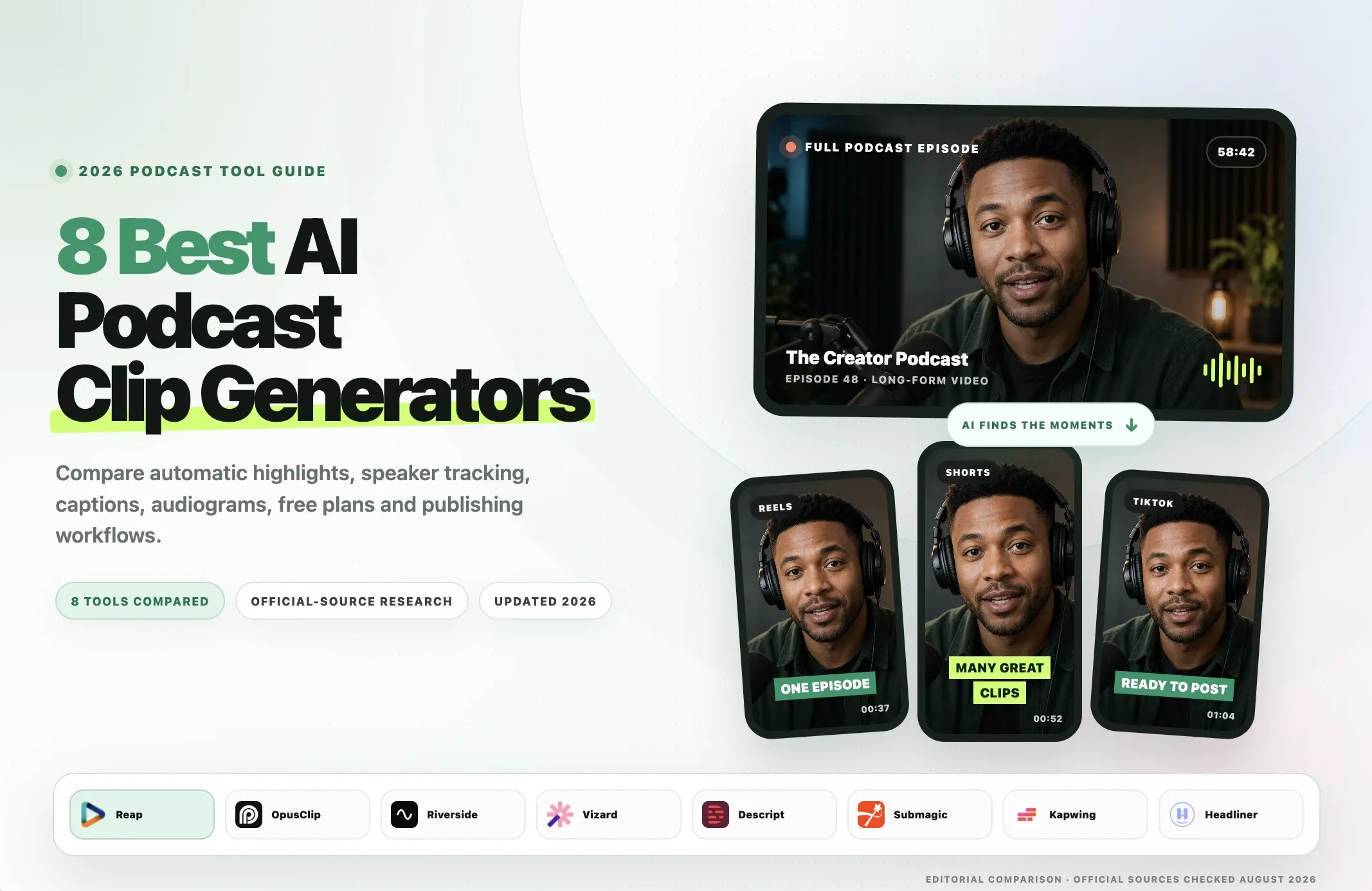
The best AI podcast clip generators turn long podcast recordings into short, captioned, platform-ready clips without forcing you to scrub through an entire episode manually.
For most podcasters, the right tool depends on the workflow around the clip. Reap is our pick when you want automatic clipping, prompt-based moment selection, speaker-aware reframing, captions, branding, and publishing in one workflow. OpusClip is a strong fit for high-volume automatic clipping. Riverside makes sense when you record and repurpose in the same studio. Descript is better when you want transcript-first manual control.
This guide compares eight current tools:
- Reap
- OpusClip
- Riverside
- Vizard
- Descript
- Submagic
- Kapwing
- Headliner
If you are comparing a podcast clip generator, AI podcast clip generator, podcast clip maker, or other podcast clipping software, this page focuses on one job: turning long podcast content into useful social clips for YouTube Shorts, Instagram Reels, TikTok, and other channels.
For broader podcast editing rather than automatic clipping, see AI video editing for podcasters.
Quick Comparison
|
Tool |
Best for |
Automatic highlight detection |
Speaker-aware reframe |
Audio-only workflow |
Captions / subtitles |
Publish or schedule |
Free access |
Paid entry |
Main limitation |
|---|---|---|---|---|---|---|---|---|---|
|
Reap |
End-to-end podcast repurposing |
Yes, plus prompt and topic control |
Yes |
Separate Audiogram Maker; moment selection is separate |
100+ languages, SRT/VTT, Romanized scripts |
Yes |
Up to 1 hour/month |
Creator $9.99/mo billed annually |
Audiogram flow does not auto-pick the shareable audio moment |
|
OpusClip |
High-volume auto-clipping |
Yes, ClipAnything + Virality Score |
AI reframe |
Yes, dedicated podcast-to-video workflow |
20+ languages on current clipping pages |
Post on paid plans; scheduler on Pro |
60 credits/month |
Starter $15/mo |
Many advanced workflow features sit above Free/Starter |
|
Riverside |
Recording to clips |
Yes, Magic Clips |
Yes, speaker focus controls |
Yes, Magic Clips can add a background image |
100+ transcription/caption languages |
Publishing built in; scheduling on higher plan |
Free plan includes Magic Clips |
Pro $29/mo or $24/mo billed annually for fuller controls |
Best value when you also use Riverside to record or host |
|
Vizard |
Batch clipping and speaker-aware social clips |
Yes, v1 or more curated v2 |
Yes, active-speaker identification |
Current official pages conflict; verify before relying on audio-only upload |
30+ auto-subtitle languages; broader translation support |
Direct publish; scheduling on paid plans |
60 credits/month |
Creator starts from 600 credits/month; price is dynamically rendered |
Audio-only support is inconsistently documented |
|
Descript |
Transcript-first manual control |
Yes, Create Clips / Underlord |
Center Active Speaker, Automatic Multicam |
Audio editing yes; social video needs a visual layout |
Dynamic captions, transcript editing |
Export/share rather than a clipping-first scheduler |
1 media hour/month |
Hobbyist $24/mo or $16/mo billed annually |
Less automatic than clipping-first tools if you want many ready-made clips |
|
Submagic |
Short-form social polish |
Magic Clips add-on |
AI eye tracking / social editing features |
No dedicated audio-first podcast workflow documented |
Auto captions, translation on Pro |
Pro can publish to TikTok, YouTube, Instagram |
3 short videos to try |
Starter $19/mo + Magic Clips $19/mo monthly |
Long-form clipping is a paid add-on with its own episode limits |
|
Kapwing |
Collaborative browser workflow |
Yes, Repurpose Studio |
Yes, Auto Speaker Focus |
Yes, audiogram and audio repurposing workflows |
100+ languages, subtitle editing |
Export-focused workflow |
Free to start; shared credit pool |
Pro $24/mo or $16/mo billed annually |
Repurpose Studio uses 2 credits per source minute |
|
Headliner |
Audio-first podcasts and audiograms |
Yes, automatic clips and podcast automations |
Video clipping includes autoframing |
Yes, core strength |
Captions, transcription, audiograms |
Yes, podcast/social auto-posting |
Forever Free; video tools currently free for a limited time |
Basic $9.99/mo or $7.99/mo billed annually |
Current free video offer is promotional and may change |
The shortest recommendation
If you want one podcast clip maker that covers the most steps after the episode is recorded, choose Reap.
If you need high-volume automatic clipping from many video sources, compare Reap, OpusClip and Vizard closely.
If recording the podcast and creating the clips should happen in the same system, Riverside is the more natural fit.
If you want to manually shape the story through the transcript, Descript is stronger.
If your podcast is audio-first, Headliner deserves serious consideration before you choose a video-first clipping platform.
How We Evaluated the Tools
This comparison uses official product documentation rather than pretending we ran a controlled benchmark that we did not run.
We evaluated each product against the same podcast-specific questions:
- Can it automatically identify podcast highlights?
- Can you guide the AI toward a topic, speaker, or type of moment?
- Does it keep the active speaker visible when a video podcast is converted to vertical?
- Can it add and edit captions?
- Can it handle audio-only podcast content?
- Can it export or publish to social platforms?
- What does the free plan or trial actually allow?
- What is the current paid entry point or processing model?
- Is the product better for one episode at a time or a repeatable high-volume workflow?
- What is the main tradeoff?
We do not use vendor terms such as "viral" as proof that a clip will perform well. A virality score, engagement score, or "best moment" label is a product signal, not a guarantee of reach.
We also avoid comparing credit numbers as if they are equivalent. One Reap Media Credit, one OpusClip credit, one Vizard credit, and one Kapwing credit do not necessarily buy the same operation.
1. Reap: Best for End-to-End Podcast Repurposing
Best for: podcasters, agencies, and content teams that want clipping, captions, reframing, branding, and publishing in one workflow.
Reap's AI video clipping tool can automatically find podcast moments or follow prompt and topic instructions when you want specific types of clips. It supports clip-length ranges from under 30 seconds through 90 seconds to 3 minutes.
Highlight detection: Reap uses multi-signal analysis across spoken content, pacing, facial signals, vocal tone, pauses, and topic relevance. Generated clips also receive an AI Virality Score for prioritization. Treat that score as a review signal, not a guarantee of performance.
Captions and speaker controls: clips can include automatic captions in 100+ languages, 50+ premium caption styles on paid plans, translation, Romanized scripts, keyword highlights, emojis, and SRT/VTT export. Auto speaker detection and tracking can keep the active speaker centered in vertical layouts.
Audio-only: Reap has a separate Audiogram Maker for MP3, M4A, and WAV with waveforms, captions, branding, and portrait, square, or landscape output. The Audiogram workflow does not automatically choose the shareable audio moment, so select or trim the moment first.
Free and paid: Free includes up to 1 hour/month of clipping with 720p watermarked export. Creator is $9.99/month billed annually with up to 10 hours/month, 1080p, Brand Templates, and publishing. Studio is $29/month billed annually with up to 20 hours/month, 4K, and team features. See Reap pricing.
Advantages: prompt-directed clipping, 100+ caption languages, Romanized captions, speaker-aware reframe, Brand Templates, scheduler/publisher, MCP on every plan (including Free), and API/CLI on paid plans.
Limitation: audio-only audiogram creation is a separate workflow from automatic video highlight selection.
Verdict: Reap is our pick when "podcast to clips" means a complete social-repurposing workflow rather than only finding timestamps.
2. OpusClip: Best for High-Volume Automatic Clipping
Best for: creators and teams processing many long videos from different sources.
OpusClip supports local video plus imports from YouTube, Google Drive, Vimeo, Zoom, Riverside, Loom, Twitch, Facebook, LinkedIn, X, StreamYard, and other sources.
Highlight detection: ClipAnything analyzes visual, audio, and sentiment cues. Paid clipping workflows include a Virality Score and AI Copilot controls for timeframe, clip length, and refinement.
Captions and reframe: automatic captions, animated templates, emoji/keyword highlights, and AI reframe are built into the workflow. Current clipping pages list 20+ supported languages.
Audio-only: OpusClip now documents a podcast-to-video workflow for MP3 and WAV that can add captions, waveforms, and brand elements.
Publishing: Starter supports posting to YouTube Shorts, TikTok, and Instagram Reels. Pro adds a broader scheduler, more aspect ratios, bulk export, team features, and integrations.
Free and paid: Free includes 60 credits/month with watermarked clips. Starter is $15/month with 150 credits/month. Pro is $29/month monthly or $14.50/month billed annually.
Advantages: broad import support, mature clipping workflow, prompt/refinement controls, audio-to-video support, and social posting.
Limitations: several editing, team, scheduler, and automation features require higher tiers.
Verdict: OpusClip is a strong choice when high-volume automatic clipping and source flexibility matter more than keeping the whole workflow inside a podcast-specific platform.
3. Riverside: Best for Recording to Clips in One Workspace
Best for: podcasters who record in Riverside or want recording, editing, clipping, hosting, and publishing together.
Riverside Magic Clips automatically identifies highlights from recorded or uploaded audio and video.
Highlight detection: Riverside generates Magic Clips and scores them from 70 to 99 relative to other clips in the same batch. Paid users can generate additional sets and control duration, speaker focus, and keywords.
Captions and speaker controls: Magic Clips can add animated captions, and paid controls let you choose which speaker or speakers to focus on. This is useful for interviews and multi-guest podcasts where a fixed center crop is not enough.
Audio-only: Riverside explicitly supports Magic Clips from audio recordings and can add a background image when no video is available.
Publishing: clips can be edited and exported, while the wider platform includes podcast hosting and publishing. Higher plans add more audience-growth and scheduling features.
Free and paid: Free includes an automatically generated Magic Clips set. Pro is $29/month monthly or $24/month billed annually and adds fuller Magic Clips controls, 4K, unlimited transcription, and 15 hours of separate-track downloads.
Advantages: recording-to-clips continuity, speaker-focus controls, audio-only support, and a full podcast platform.
Limitation: if you only need a clip generator, you may be paying for recording and hosting features you do not use.
Verdict: Riverside is the most natural fit when the podcast production workflow begins with recording, not with an already-finished episode.
4. Vizard: Best for Flexible Batch Clipping and Speaker Focus
Best for: teams that want high-volume long-to-short processing, speaker-aware layouts, and flexible clipping models.
Vizard uses a simple processing model where one credit generally equals one minute of AI clipping or transcription.
Highlight detection: Vizard offers a higher-volume v1 clipping model and a newer v2 model designed to return fewer, more complete clips. v2 is billed at 1.25 times the v1 rate.
Captions and speaker controls: current podcast and speaker-focus pages document automated highlights, active-speaker identification, multi-speaker layouts, auto reframe, subtitles in 30+ languages, and broader translation support.
Audio-only: Vizard's current podcast-editor page says audio or video can be uploaded, while an older help-center article still says audio uploads are unsupported. Confirm audio-only support in the live product if that is a requirement.
Publishing: paid plans include 4K, scheduled social posts, larger uploads, and API access.
Free and paid: Free includes 60 credits/month, a 60-minute upload limit, 720p export, and three-day storage. Paid Creator tiers begin at 600 credits/month. The current pricing page dynamically renders the USD price, so we do not freeze a value that was not reliably exposed during verification.
Advantages: clear credit-to-minute model, v1/v2 clipping choice, active-speaker framing, scheduling, and API.
Limitations: conflicting official documentation around direct audio-only uploads; v2 uses more credits.
Verdict: Vizard is a strong batch-clipping option when speaker tracking and the tradeoff between clip volume and clip completeness matter.
5. Descript: Best for Transcript-First Editing Control
Best for: podcasters who want to shape the story manually through the transcript.
Descript treats text as the main editing surface. Import or record a podcast, edit the transcript, use Create Clips/Underlord to suggest highlights, then refine the selected moments.
Highlight detection: Descript can repurpose media into clips and highlights, but its main advantage is the ability to correct boundaries and wording directly through transcript editing.
Captions and speaker controls: Descript includes dynamic captions, speaker detection, Center Active Speaker, and Automatic Multicam features depending on plan and usage.
Audio-only: audio and podcast editing are core Descript workflows. To turn an audio-only moment into a social video, you still need a visual layout, so it is not as audiogram-specific as Headliner.
Publishing: Descript is primarily an editor and export workflow, with additional AI tools for social copy, show notes, and summaries.
Free and paid: Free includes 1 media hour/month. Hobbyist is $24/month monthly or $16/month billed annually with 10 media hours and 400 AI credits. Creator is $35/month monthly or $24/month billed annually with 30 media hours, 800 AI credits, and 4K export.
Advantages: strong editorial control, transcript editing, podcast audio tools, captions, speaker focus, and manual boundary correction.
Limitation: less hands-off than clipping-first tools when your goal is a large batch of ready-made social clips.
Verdict: choose Descript when editorial precision matters more than maximum clipping automation.
6. Submagic: Best for Social Caption Styling and Polish
Best for: creators who prioritize animated captions, hooks, B-roll, and short-form finishing.
Submagic is primarily a short-form editor. Long-form clipping is sold through the Magic Clips add-on.
Highlight detection: the current Magic Clips add-on covers 10 long videos per month on standard plans, with custom limits available separately.
Captions and editing: Submagic's strengths include animated captions, text-based trimming, B-roll, hook titles, audio cleanup, and caption translation on Pro.
Audio-only: current pricing and Magic Clips pages focus on long-form video, not a dedicated podcast-audiogram workflow.
Publishing: Starter exports 1080p. Pro adds direct publishing to TikTok, YouTube, and Instagram, plus Brand Kit and translation. Business adds 4K/60 FPS and higher API allowances.
Free and paid: users can try three short videos. Starter is $19/member/month and Magic Clips is another $19/member/month, making the monthly Starter + Magic Clips workflow $38. With annual billing, the current effective combined price is $24/month.
Advantages: strong social-caption aesthetics, hooks, B-roll, trimming, and direct publishing on Pro.
Limitations: long-form clipping is a paid add-on with its own episode limit, and audio-only podcast support is not a core documented workflow.
Verdict: Submagic is best when the finishing style of the social clip matters as much as finding the podcast moment.
7. Kapwing: Best for Collaborative Browser Repurposing
Best for: teams that want AI clipping, transcript editing, speaker focus, captions, and collaborative review in a browser.
Kapwing Repurpose Studio lets you upload a long video or paste a URL, then prompt the AI with topics, duration, aspect ratio, or other instructions.
Highlight detection: Repurpose Studio combines AI analysis with user prompts, which is useful when you want clips around a specific guest answer or campaign theme instead of generic highlights.
Captions and speaker controls: clips can include subtitles, transcript editing, automatic resizing, and Auto Speaker Focus for podcasts and interviews.
Audio-only: Kapwing supports audiograms and audio-to-social workflows with waveforms and background images.
Publishing: the core workflow is edit and export. Kapwing's strongest adjacent feature is collaboration through shared workspaces, comments, and Brand Kit.
Free and paid: the current credit guide lists a small lifetime Free pool, 1,000 credits/month on Pro, and 4,000 on Business. Repurpose Studio costs 2 credits per source minute. Pro is $24/member/month or $16/month billed annually.
Advantages: prompt-guided clipping, speaker focus, transcript editing, audiograms, Brand Kit, and team collaboration.
Limitations: Repurpose Studio consumes credits faster than basic subtitling, so high-volume usage needs capacity planning.
Verdict: Kapwing is a strong podcast clip creator when several people need to edit and approve clips together.
8. Headliner: Best for Audio-Only Podcasts and Audiograms
Best for: audio-first podcasters, audiograms, RSS-driven automation, and recurring podcast promotion.
Headliner is more podcast-specific than most general AI clipping tools. It can clip and caption podcast video, transcribe episodes, create audiograms, connect podcast feeds, and automate promotional assets.
Highlight detection: Headliner offers automatic podcast clipping and back-catalog automation. Its documentation describes clip selection informed by podcast and social engagement data. Treat that as vendor methodology, not an independent quality benchmark.
Captions and video controls: Headliner supports captions, transcription in 100+ languages, branded templates, video clipping, and autoframing for video podcasts.
Audio-only: this is its clearest advantage. Automatic Audiograms can connect to a podcast feed, generate visual assets with waveforms and captions, and auto-post without requiring a video episode.
Publishing: Basic and Pro include auto-posting to social media and YouTube, with automation built around recurring podcast releases.
Free and paid: Forever Free currently includes free video clips, captioned clips, audiogram allowances, and limited transcription/editing. Headliner explicitly says the current free video-tool offer is for a limited time. Basic is $9.99/month or $7.99/month billed annually. Pro is $25.99/month or $19.99/month billed annually.
Advantages: audio-first design, audiograms, RSS automation, social auto-posting, and simple flat-rate pricing.
Limitation: the current free video promotion may change, and a video-first clipper may offer deeper speaker/reframe controls for complex video podcasts.
Verdict: Headliner is the strongest fit here for an audio-first show that needs recurring visual promotion.
Which Podcast Clip Generator Fits Which Workflow?
|
Workflow |
Best fit |
Why |
|
End-to-end video podcast repurposing |
Reap |
Clipping, captions, speaker-aware reframe, branding, and publishing stay connected |
|
High-volume auto-clipping |
OpusClip |
Broad imports, mature clipping workflow, and scalable credits |
|
Record and repurpose in one studio |
Riverside |
Recording, Magic Clips, hosting, and publishing in one product |
|
Batch clipping with speaker focus |
Vizard |
Credit-per-minute processing, active-speaker layouts, v1/v2 model choice |
|
Transcript-first editorial control |
Descript |
Strong manual control over clip boundaries and spoken content |
|
Social caption styling |
Submagic |
Caption-first short-form finishing and B-roll/hook tools |
|
Team browser workflow |
Kapwing |
Shared workspaces, prompt clipping, speaker focus, and Brand Kit |
|
Audio-first podcast promotion |
Headliner |
Audiograms, feeds, automation, and social auto-posting |
Can a Podcast Clip Generator Make Audiograms From Audio-Only Episodes?
Yes, but this is where the category splits.
A normal AI podcast clip generator is usually designed for video podcasts: it finds a moment, crops the active speaker, adds captions, and exports a vertical clip.
An audiogram maker takes audio and builds a visual video around it, usually with:
- an animated waveform;
- captions;
- artwork or a background;
- episode or clip title;
- logo and brand elements.
For audio-only podcasts, the strongest documented options in this list are:
- Headliner: audio-first podcast promotion and Automatic Audiograms are core workflows.
- Riverside: Magic Clips can use audio recordings and add a background image.
- Reap: Audiogram Maker supports MP3, M4A, and WAV with captions, waveform presets, Brand Templates, and multiple aspect ratios. Moment discovery is separate.
- Kapwing: Repurpose Studio includes audiogram and audio-to-social workflows.
- OpusClip: its current podcast-to-video tool documents MP3/WAV input and branded video output.
Vizard's current official pages disagree about direct audio uploads, so verify the current product before using it for an audio-only back catalog.
If audio-first promotion is your main goal, do not choose a tool only because it ranks highly for video clipping.
How Do AI Podcast Clip Generators Find the Best Moments?
Different tools use different signals, but most modern systems go beyond simple keyword matching.
An AI clipping system may analyze:
- transcript meaning;
- topic shifts;
- complete questions and answers;
- speech intensity;
- pacing and pauses;
- emotion or vocal tone;
- faces and speaker changes;
- visual activity;
- clip length;
- social-video patterns.
Reap's current clipping workflow describes multi-signal analysis across speech, pacing, facial signals, vocal tone, pauses, and topic relevance.
OpusClip's ClipAnything describes visual, audio, and sentiment analysis.
Riverside generates Magic Clips and scores them relative to other clips in the batch.
Vizard now offers a higher-volume v1 clipping model and a v2 model optimized for fewer, more complete clips.
The important distinction is between finding an interesting sentence and finding a complete clip.
A good podcast clip needs enough setup to make sense without the full episode and a clean endpoint that does not cut off the payoff.
That is why even the best AI podcast clip generator still benefits from a human review before publishing.
How to Turn a Podcast Into Clips for Shorts, Reels and TikTok
The workflow is similar across platforms.
1. Start with the full episode
Upload the podcast video, paste a supported link, or connect the source platform.
For audio-only shows, use an audiogram-capable workflow.
2. Generate or find highlights
Let the AI propose moments, or use prompt/topic controls when you already know what type of content you want.
Examples:
- strongest guest story;
- controversial opinion;
- practical advice;
- funny exchange;
- product insight;
- founder lesson.
3. Review clip boundaries
The selected moment should work without the listener needing the previous five minutes of context.
Check the first and last sentence carefully.
4. Reframe the active speaker
For YouTube Shorts, TikTok, and Reels, 9:16 is usually the default social format.
On multi-speaker podcasts, use speaker-aware framing rather than a fixed crop when possible.
5. Add and correct captions
AI-generated captions should be reviewed for:
- names;
- numbers;
- brand terms;
- technical words;
- punctuation;
- speaker overlap.
6. Apply consistent branding
Use the same caption style, font, logo, colors, and layout across episodes.
Consistency is more valuable than changing the template on every clip.
7. Export or publish
Export the clip, or use a built-in publisher/scheduler if the tool supports the platforms you need.
For a more technical workflow, see how to automate video clipping.
The same clips also work beyond Shorts, Reels and TikTok: you can upload them as Spotify Clips through Spotify for Creators, or post them on Threads to promote the episode.
Best Free Podcast Clip Generators
"Free" means very different things in this category.
|
Tool |
Free access relevant to podcast clipping |
|
Reap |
Up to 1 hour/month of AI clipping, 720p watermarked output |
|
OpusClip |
60 credits/month, 1080p clips with watermark and short retention |
|
Riverside |
Free plan includes automatically generated Magic Clips; paid plans add more controls/sets |
|
Vizard |
60 credits/month, 720p, 60-minute max upload, 3-day storage |
|
Descript |
1 media hour/month and limited AI tools |
|
Submagic |
3 short videos to try; Magic Clips long-form clipping is a paid add-on |
|
Kapwing |
Free to start with a small lifetime credit pool |
|
Headliner |
Forever Free; video tools are currently free for a limited time, plus audiogram allowances |
For a free podcast clip generator, choose based on what you actually want to test.
Use Reap or OpusClip to evaluate a dedicated video clipping workflow.
Use Riverside if recording and clipping are both relevant.
Use Descript to evaluate transcript-first editing.
Use Headliner if the show is audio-first.
Do not assume a free plan is suitable for batch-processing an entire podcast archive.
Podcast Clip Generator vs Podcast Video Editor
These terms overlap, but the intent is different.
A podcast clip generator is optimized to find moments and turn them into short assets quickly.
A podcast video editor gives you more control over the full episode, timeline, audio cleanup, multicam layout, B-roll, and other production tasks.
Tools such as Reap, OpusClip, Vizard, and Riverside emphasize automated repurposing.
Descript is closer to a full transcript-first editor.
If your main goal is editing the complete episode rather than generating social clips, see our AI video editing tools comparison and AI video editing for podcasters.
Final Recommendation
Choose Reap for an end-to-end video podcast workflow, OpusClip for high-volume clipping, Riverside for recording-to-clips, Vizard for batch processing and speaker focus, Descript for transcript-first control, Submagic for social polish, Kapwing for collaboration, and Headliner for audio-first podcasts.
For Reap, the value is not a promise that AI can guarantee a viral clip. No tool can promise that. The value is keeping moment discovery -> clip -> captions -> reframe -> brand -> publish in one workflow.
Podcasters who want this as a repeatable weekly workflow can see how reap works as a podcast clip maker built for podcasters.