The best AI tool for YouTube Shorts depends on what you are starting with.
If you already have a podcast, interview, webinar, course, livestream, or long YouTube video, choose a clip-first tool that can find strong moments, reframe them to 9:16, add captions, and prepare them for publishing.
If you are starting with an idea, outline, or script, choose a text-to-video tool with stronger visual generation and manual editing.
If budget is the priority, compare the real free-plan limits, including source minutes, watermarks, export resolution, credits, storage, and whether you can actually download the result.
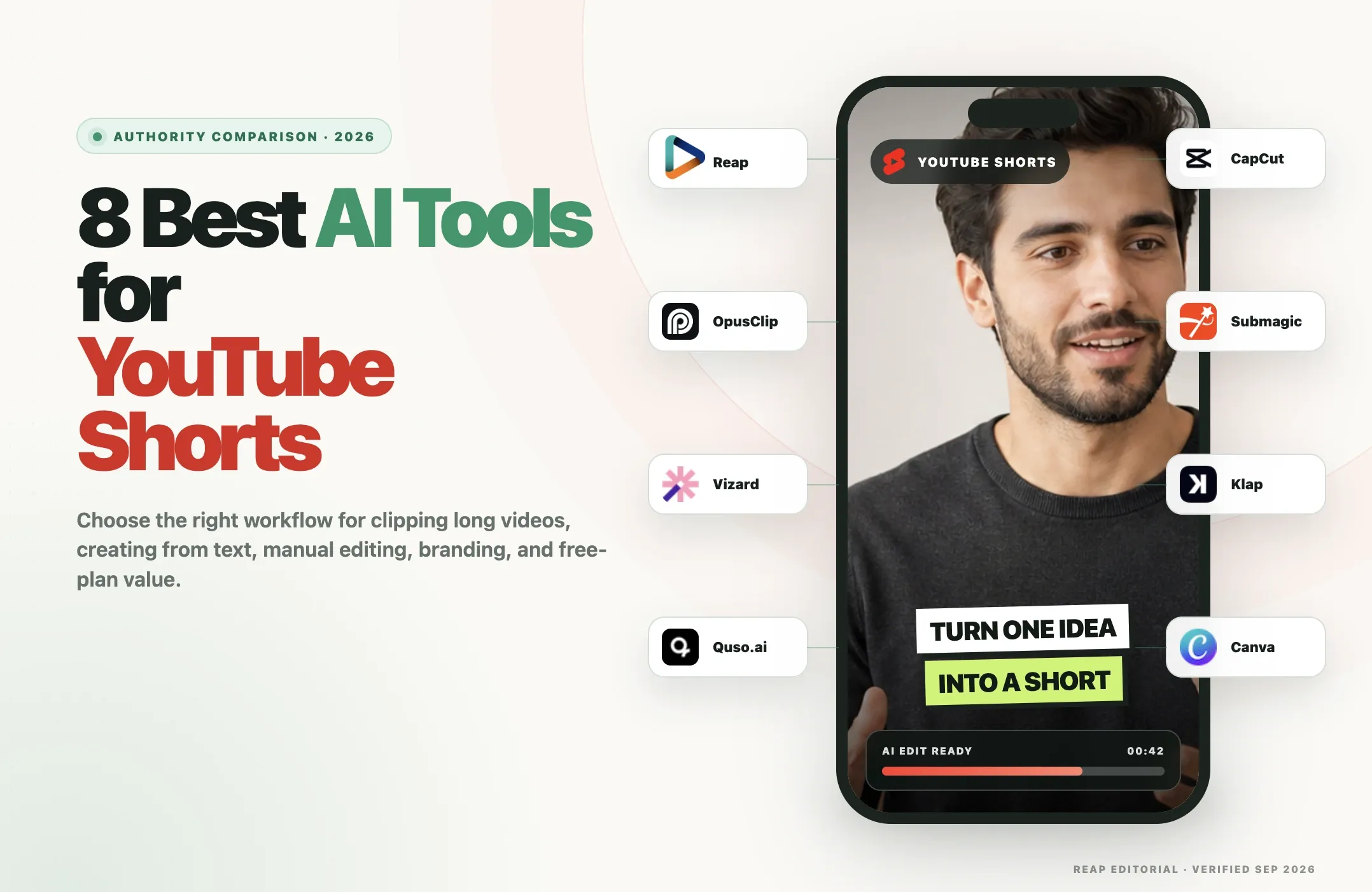
This guide compares eight current YouTube Shorts makers:
- Reap
- OpusClip
- Vizard
- Quso.ai
- CapCut
- Clip
- Klap
- Canva
Disclosure and verification note: Reap publishes this article and is one of the products included. Reap product details reflect the current Reap product and documentation. Competitor features, pricing, and free-plan details were checked against official vendor pages on September 1, 2026. This is an official-source comparison, not a controlled same-input benchmark, so we do not publish fabricated accuracy scores, clip-quality ratings, or claim that all eight tools were hands-on tested under identical conditions.
Quick Comparison
|
Tool |
Best for |
Long video -> Shorts |
Text/script -> Short |
Manual editing |
Free access |
Paid entry |
Main limitation |
|---|---|---|---|---|---|---|---|
|
Reap |
End-to-end long-video repurposing |
Yes |
No dedicated text-to-video workflow |
Text-based and clip editing |
1 hour clipping, 720p watermark |
Creator $9.99/mo billed yearly |
Built around existing source footage, not generative text-to-video |
|
OpusClip |
High-volume auto-clipping |
Yes |
No full script-to-video workflow |
Yes on paid plans |
60 credits/mo, watermark |
Starter $15/mo |
Advanced automation and team features move up the tiers |
|
Vizard |
Speaker-aware clipping and teams |
Yes |
Not the core workflow |
Full browser editor |
60 credits/mo, 720p |
Paid Creator starts from 600 credits/mo; verify checkout price |
Public pricing is dynamically rendered |
|
Quso.ai |
Clipping plus scheduling/content stack |
Yes |
Yes, ideas/scripts/link workflow |
Yes |
75 credits/mo, 720p |
Lite $29/mo or $19/mo billed yearly |
Broader product can be more than a creator needs for Shorts alone |
|
CapCut |
Faceless Shorts from a prompt, script, or link |
No, generates new videos instead |
Yes, prompt to finished video |
Timeline editor |
50 credits (~5 videos), watermark |
Basic $19/mo |
Not built to find highlights in long recordings |
|
ClipTalk |
Captions and short-form polish |
Magic Clips add-on |
AI generation exists, but not the main clipping workflow |
Text-based short-form editing |
3 short videos/mo with watermark |
Starter $19/mo; Magic Clips +$19/mo |
Long-video clipping is a separate add-on |
|
Klap |
Focused long-video-to-Shorts conversion |
Yes |
No |
Transcript editor |
1 video free to start, no card |
Basic $14/mo billed yearly |
Not designed for Shorts from text prompts |
|
Canva |
Brand/template-led Shorts from ideas and assets |
Highlights can create short clips |
Yes, via AI video/script tools |
Strong design editor |
Free plan with AI allowance |
Pro $144/year for one person |
AI video generation is scene-based rather than a dedicated long-video clipping engine |
Which YouTube Shorts maker is best?
For turning long videos into Shorts, start with Reap, OpusClip, Vizard, Quso.ai, or Klap.
For creating a YouTube Short from text, Quso.ai, CapCut, ClipTalk and Canva are more relevant.
For hands-on manual editing, CapCut is the strongest fit.
For brand teams, Canva, Quso.ai, Reap, and Vizard deserve closer attention because their workflows extend beyond a single export.
How We Compared the Tools
We used the three search intents that already matter most for this page:
- Long video to YouTube Shorts
- Text or script to YouTube Short
- Free or low-cost Shorts creation
For each product we checked:
- supported inputs;
- automatic clip selection;
- text/script generation;
- captions;
- vertical reframing;
- manual editing;
- brand controls;
- free-plan restrictions;
- current paid entry;
- direct publishing or scheduling;
- main limitation.
We did not assign numerical ratings because we did not run the same two source tasks through every tool.
That distinction matters.
A long-video clipper should be judged on moment selection, context, speaker framing, caption correction, and editing control.
A text-to-video generator should be judged on visual relevance, pacing, voice, script control, and manual correction.
Putting both into one fake 9.4/10 score would hide the actual tradeoffs.
Best AI Tools for Turning Long Videos into YouTube Shorts
This is the most important workflow if you already publish long-form content.
Typical sources include podcasts, interviews, webinars, courses, livestreams, talking-head videos, long YouTube uploads, and screen recordings.
Best overall workflow: Reap
Reap combines automatic and prompt-based clip selection with captions, vertical reframing, active-speaker tracking, Brand Templates, and publishing.
It is strongest when the goal is not simply to cut one Short, but to create a repeatable long-video-to-Shorts workflow.
Best for high-volume automatic clipping: OpusClip
OpusClip has broad source support, automatic clip selection, Virality Score, AI reframe, animated captions, and direct posting.
Its Pro tier adds a social scheduler, bulk export, more integrations, team workspace, and broader editing controls.
Best for speaker-aware team workflows: Vizard
Vizard combines AI clips with Speaker Auto-focus, Speaker AI Smart Cut, captions, manual editing, team workspace, and publishing.
Its newer clipping model is specifically positioned around fewer, more complete clips rather than maximizing raw output count.
Best all-in-one social stack: Quso.ai
Quso.ai combines clipping, editing, captions, social scheduling, analytics, and Brand Kit features.
It can also start from an idea, script, or video link, which makes it more flexible than a pure clipper.
Best focused converter: Klap
Klap is intentionally narrow.
It takes an existing long video, finds candidate moments, reframes them to 9:16, adds captions, and lets you refine clips through a transcript editor.
Klap explicitly says it is not a text-to-video tool.
Best AI Tools for Creating YouTube Shorts From Text or Scripts
This is a different problem from clipping.
If you are starting from a written idea rather than source footage, prioritize generation and editing instead of highlight detection.
Quso.ai
Quso.ai's current YouTube Shorts Maker says it can start from an idea, a script, bullet points, or a YouTube link.
That makes it one of the clearest hybrid tools in this comparison.
CapCut
CapCut's current YouTube Shorts Maker supports script-driven creation and can automatically match visuals, transitions, captions, and audio.
The big advantage is what happens next: CapCut gives you a much deeper manual editor than most clipping-first tools.
Canva
Canva can generate video from text prompts through Magic Media and Canva AI Video, while Magic Design for Video can combine your own clips and images into a short video.
Its script-to-video workflow is especially useful when the final Short needs templates, brand colors, typography, stock assets, graphics, and manual design control.
One important limitation is that Canva's AI generation works in short generated scenes or assets. It is not the same as a dedicated 30-minute-video-to-ten-Shorts clipping engine.
What about Reap, OpusClip, Vizard and Klap?
These products are strongest when you already have video.
Reap can use prompts to tell the clipping system what moments or types of assets to find, but it starts from real source footage.
Klap explicitly describes itself as a long-video clipper rather than text-to-video.
OpusClip and Vizard are also primarily repurposing tools in this comparison.
Best Free AI YouTube Shorts Makers
"Free" is not one feature.
You need to know what the free tier actually lets you export.
|
Tool |
Free-plan reality |
|---|---|
|
Reap |
Up to 1 hour of AI clipping, animated captions, 720p exports, watermark |
|
OpusClip |
60 credits/month, up to 1080p, auto reframe/captions, watermark, clips become non-exportable after 3 days |
|
Vizard |
60 credits/month, 720p, editor access, 3-day storage |
|
Quso.ai |
75 credits/month, 720p, chapters/short videos, TikTok publishing, 7-day retention |
|
CapCut |
Broad free editor; individual AI tools, templates, assets, and export behavior may be plan-gated |
|
ClipTalk |
50 credits (about 5 videos), watermarked renders; free script and idea tools work without an account |
|
Klap |
One video free to start, no credit card; current tool pages say no watermark |
|
Canva |
Free plan, large template/media library, and a limited AI allowance |
For long-video clipping, Reap, OpusClip, Vizard, Quso.ai, and Klap all provide a meaningful way to test the workflow.
For manual creation from scratch, CapCut and Canva are more relevant.
1. Reap: Best for End-to-End Long-Video-to-Shorts Workflows
Best for: creators, podcasters, agencies, and teams turning existing long videos into branded YouTube Shorts at scale.
Reap AI Clipping starts with real source footage. Upload a video, paste a supported link, or use automation, then let Reap find moments automatically or guide the output with prompts and topics.
Long video to Shorts
Reap can:
- automatically generate multiple clips from one source;
- accept prompt-based editorial direction;
- focus on specific topics;
- target clip-length ranges;
- reframe to 9:16 or square;
- track the active speaker;
- add captions by default;
- add hooks, keyword highlights, and emojis;
- keep the original landscape when needed.
This makes it particularly useful for podcasts, interviews, webinars, educational videos, and talking-head content.
Text-to-video
Reap is not a dedicated text-to-video generator.
Prompt clipping tells Reap what to find or create from your existing footage. It does not generate an entire Short from a blank text prompt.
That makes Reap a better fit for creators who already own valuable long-form content.
Captions and language support
Reap supports captions in 100+ languages, including Native and Romanized script workflows.
You can also translate captions, choose caption styles, highlight keywords, and add relevant emojis.
Branding and publishing
Paid plans add reusable Brand Templates, higher-resolution exports, scheduling/publishing, and automation through API, CLI, and MCP.
That wider workflow matters for teams that want one system to take a source video through clip creation and onward to distribution.
Free plan and pricing
The current free plan includes 60 credits, which is up to one hour of clipping at the current one-credit-per-source-minute rate, with 720p exports.
Creator starts at $9.99/month billed yearly and includes 600 credits, which is up to 10 hours of clipping when the allowance is used entirely for clipping. Paid plans also unlock higher export quality and automation features.
Main limitation
Reap is built around existing video.
If your main goal is "write a script and generate an entirely new Short," use Quso.ai, CapCut, or Canva instead.
Verdict
Choose Reap when your YouTube Shorts strategy starts with long videos you already have and you want clipping, captions, reframing, branding, and publishing to remain connected.
2. OpusClip: Best for High-Volume AI Clipping
Best for: creators and teams that need a mature automatic clipping workflow and broad import support.
OpusClip is one of the best-known AI clipping tools for turning long-form footage into short social videos.
Long video to Shorts
Its current pricing and product pages document:
- AI clipping;
- Virality Score;
- AI Copilot;
- auto reframe;
- animated captions;
- 20+ transcription languages;
- text/timeline editing on paid plans;
- direct social posting;
- multiple aspect ratios on Pro.
The Pro plan also expands imports to many platforms and adds bulk export, team workspace, scheduling, custom fonts, B-roll, and broader automation.
Text-to-video
OpusClip is primarily an existing-video repurposing product in this comparison.
Its AI generation features can add elements such as B-roll and voiceover, but it is not our first choice for starting a full Short from only a written script.
Free plan and pricing
Free currently includes:
- 60 credits/month;
- up to 1080p rendered clips;
- auto reframe;
- AI captions with keyword/emoji highlighting;
- watermark;
- 3-day export availability.
Starter is $15/month with 150 credits.
Pro is $29/month, or $14.50/month billed annually.
Main limitation
The feature difference between Free, Starter, and Pro is meaningful. If you need team workspace, scheduler, broad imports, bulk export, custom branding, or deeper editing, evaluate the Pro tier rather than judging OpusClip by Starter alone.
Verdict
Choose OpusClip when automatic long-video clipping and source flexibility matter more than text-to-video generation.
3. Vizard: Best for Speaker-Aware Clipping and Team Workflows
Best for: teams working with interviews, podcasts, webinars, and multi-speaker videos.
Vizard's YouTube Shorts Maker combines AI clipping with Speaker Auto-focus, Speaker AI Smart Cut, captions, manual editing, team workspace, and publishing.
Long video to Shorts
Current Vizard pages document:
- AI short-clip generation;
- active-speaker detection;
- automatic speaker focus;
- AI Virality Score;
- subtitles in 30+ languages;
- translation in 130+ languages;
- trimming, crop, text, logos, images, and Brand Kit tools;
- direct YouTube publishing.
Its 2026 clipping update also introduced a v2 model designed for fewer, more complete clips. That model costs 1.25x the v1 processing rate.
Text-to-video
Vizard's strongest public workflow remains long-video repurposing.
For this article, we would choose it for clipping and editing rather than for generating a Short from a blank script.
Free plan and pricing
Free includes:
- 60 credits/month;
- private workspace;
- one social account;
- AI-generated clips;
- 720p;
- full editor;
- 3-day storage.
Paid Creator plans start from 600 credits/month, with 4K, social scheduling, and 100 GB storage.
Vizard's public pricing page currently renders the dollar amount dynamically, so verify the final checkout price before subscribing.
Main limitation
The pricing page is less transparent to cite in a static comparison because the amount changes dynamically with the selected credit tier.
Verdict
Choose Vizard when multi-speaker framing, manual editing, collaboration, and flexible long-video clipping matter.
4. Quso.ai: Best for Clipping Plus Social Content Workflows
Best for: creators who want long-video clipping, script/idea workflows, scheduling, analytics, and brand tools in one product.
Quso.ai's YouTube Shorts Maker is one of the more flexible tools in the list because it can start from a script, bullet points, an idea, or a video link.
Long video to Shorts
Quso.ai documents:
- AI content repurposing;
- AI video clipping;
- auto reframe;
- animated captions;
- text-based video editing;
- filler-word removal;
- B-roll tools;
- multi-platform scheduling;
- analytics.
The current main site says it supports imports from YouTube, Vimeo, X, Facebook, Twitch, Rumble, Loom, LinkedIn, Zoom, Google Drive, Dropbox, and local upload.
Text or script to Short
This is one of Quso.ai's strongest differentiators.
Its YouTube Shorts Maker explicitly supports:
- ideas;
- scripts;
- bullet points;
- video links.
That makes it relevant to the large search cluster around YouTube Shorts maker from text.
Captions and publishing
Quso.ai's main product page currently says it provides animated captions and AI subtitles in 100+ languages.
Paid plans can publish and schedule across TikTok, Instagram, YouTube, LinkedIn, Facebook, and X.
Free plan and pricing
Free currently includes:
- 75 credits/month;
- 720p;
- chapters and short videos;
- TikTok publishing;
- CutMagic;
- 7-day data retention.
Lite is $29/month, or $19/month billed yearly.
Essential and Growth add more credits, storage, planning, Brand Kit, analytics, and team-oriented features.
Main limitation
Quso.ai covers a lot more than Shorts creation. If you only need one focused clipping or editing function, the broader social stack may be unnecessary.
Verdict
Choose Quso.ai when you want one product that can handle both source-video repurposing and idea/script-driven Shorts, then schedule the results.
5. CapCut: Best for Manual Editing and Script-to-Short Creation
Best for: creators who want the most hands-on control after AI generates or clips a Short.
CapCut's YouTube Shorts Maker supports script-driven Shorts creation and long-video conversion inside a broad editing ecosystem.
Text or script to Short
CapCut's current Shorts page documents a workflow that can:
- generate from scripts;
- match visuals;
- add transitions;
- add audio;
- add captions;
- format the result as a Short.
CapCut also supports AI script-to-video and other AI generation tools through its wider product.
Long video to Shorts
CapCut can also convert and edit existing videos for Shorts.
The key difference is that CapCut feels more like an editor with AI features than a dedicated automated highlight engine such as Reap or OpusClip.
That is an advantage when you want precise manual control.
Manual editing
This is where CapCut stands out.
It provides a deep editing environment with:
- timeline editing;
- text;
- transitions;
- effects;
- templates;
- captions;
- audio;
- filters;
- manual crop and reframing;
- AI tools layered into the editor.
Free access and pricing
CapCut offers a broad free experience, but its official help center says Pro pricing varies by region, device, platform, taxes, and promotions.
CapCut also separates subscription access from AI credits. The exact subscription price should be checked inside the user's own account.
Main limitation
CapCut is difficult to compare with one universal price or one simple free-limit row because access varies by platform and account.
It can also require more hands-on editing than a clip-first tool.
Verdict
Choose CapCut when you want AI assistance but still want to manually control the final YouTube Short.
6. ClipTalk: Best for Faceless Shorts From a Prompt or Script
Best for: faceless channels, marketers, and creators who start with an idea or script instead of footage. ClipTalk is a text-to-video generator for YouTube Shorts, TikTok, and Reels. Instead of cutting clips from a recording, it generates each scene as an AI image or video clip, adds voiceover and synced captions, and assembles everything into a finished Short.
Text or script to Short
ClipTalk can start from:
- a one-sentence idea or prompt;
- a full script;
- an article or web page;
- a product;
- photos;
- a link. From that input it writes the script, splits it into scenes, generates visuals for each scene, and adds voiceover, word-by-word animated captions, and music. Its AI video agent can also look at what is trending in your niche and draft new videos on a schedule, which you approve before posting.
Voices and characters
ClipTalk advertises 140+ AI voices and characters across 30+ languages, including UGC-style creators, professionals, story characters, and talking animals. You can build a character from a single photo, and the Pro plan adds voice cloning.
Manual editing
After generation, you can:
- edit the script;
- regenerate a scene or recreate it in a different style;
- swap caption styles;
- add your own media and remove backgrounds;
- remove silences and filler words;
- ask the agent for changes in plain language, such as "shorten the intro and add music." Editing features such as auto-captions and silence removal do not use credits. Credits are spent on AI generation of images, video, and audio.
Long video to Shorts
This is not ClipTalk's job. It generates new videos rather than finding the best moments inside an existing podcast, webinar, or interview. ClipTalk's own comparison pages say that pulling highlights from a long recording is a clipper's job. If you already have long-form footage, use Reap, OpusClip, Vizard, Quso.ai, or Klap instead.
Main limitation
ClipTalk is a generator, not a repurposing tool, so it cannot turn your existing long videos into Shorts. Because plans are credit-based, the number of videos you get depends on length and on which AI models you use. Generated visuals should still be reviewed before publishing.
Verdict
Choose ClipTalk when you are starting from an idea or script, want a finished faceless Short without filming or editing, and do not have source footage to clip.
7. Klap: Best for a Focused Long-Video-to-Shorts Workflow
Best for: creators who want a simple existing-video-to-Shorts tool without a large social-content suite.
Klap is explicit about what it does: it turns existing long videos into short clips.
Its own AI Clip Generator page also explicitly says it is not a text-to-video tool.
Long video to Shorts
Current Klap product pages document:
- long-video analysis;
- automatic clip extraction;
- Virality Score;
- 9:16 auto reframe;
- speaker tracking;
- animated captions;
- transcript editing;
- prompt-based selection;
- direct publishing/scheduling;
- source videos up to 4 hours on current tool pages.
Klap also supports imports from major video sources and direct upload.
Text-to-video
No.
If your starting point is a script or prompt with no footage, Klap itself recommends choosing another type of tool.
That clarity is useful because it prevents comparing two different jobs.
Free plan and pricing
Klap's current tool pages offer one video free to start without a credit card.
Its current pricing page lists:
- Basic: 100 clips/month, $14/month billed yearly
- Pro: 300 clips/month, $39/month billed yearly
- Pro+: 1,000 clips/month, $94/month billed yearly
All current pricing-page plans include AI clipping, unlimited social accounts, and analytics.
Main limitation
Klap is intentionally specialized.
It is not the choice for generating Shorts from text, and users wanting a deep manual design editor may prefer CapCut or Canva.
Verdict
Choose Klap when you want a focused long-video-to-Shorts converter and do not need a broader creation suite.
8. Canva: Best for Template-Led and Brand-Led Shorts
Best for: creators and brand teams starting from ideas, scripts, templates, graphics, and existing visual assets.
Canva's Short Video Maker is fundamentally different from clip-first tools.
It is a design and editing platform with AI generation layered into the workflow.
Text or script to Short
Canva currently provides multiple relevant AI paths:
- Magic Media can generate short video assets from text prompts;
- Canva AI Video generates longer AI video clips with sound from prompts;
- Magic Write can help create or improve scripts;
- Magic Design for Video can arrange your own clips and images into a short video;
- Canva's script-to-video workflow combines AI assistance with manual editing.
Magic Media's current help center says each generated video is 4 seconds long, while Canva's current Magic Design help describes Canva AI Video as generating 8-second video clips with sound.
That means Canva is best understood as a scene-building and design workflow, not a one-click full 30-to-60-second Short generator.
Long video to Shorts
Canva also has an AI-powered Highlights tool that can identify key moments from footage.
But if automatic highlight extraction from long podcasts or webinars is the main priority, a clip-first system such as Reap, OpusClip, Vizard, Quso.ai, or Klap is more specialized.
Manual editing and branding
This is Canva's major strength.
You get:
- drag-and-drop video editing;
- large template library;
- stock media;
- typography;
- graphics;
- animations;
- brand controls;
- reusable designs;
- AI-generated media.
Free plan and pricing
Canva Free includes a large design/template library plus a limited AI allowance.
Canva Pro is currently $144/year for one person, or $12/month equivalent when billed yearly.
Main limitation
Canva's generative video output is built from short generated scenes and editable design assets. It is not a dedicated high-volume long-video clipping engine.
Verdict
Choose Canva when brand design, templates, generated visual assets, and manual control are more important than automatic long-video highlight detection.
How to Choose the Right YouTube Shorts Maker
Start with the source material.
You already have a long video
Prioritize:
- moment selection;
- clip boundaries;
- captions;
- active-speaker framing;
- prompt/topic controls;
- direct publishing;
- source-minute allowance.
Best-fit tools: Reap, OpusClip, Vizard, Quso.ai, Klap.
You have a script or idea
Prioritize:
- text/script generation;
- visual relevance;
- voice/audio;
- stock or generated media;
- manual correction;
- branding.
Best-fit tools: Quso.ai, CapCut, Canva.
You already have the final short clip and need polish
Prioritize:
- captions;
- hooks;
- B-roll;
- effects;
- text;
- audio cleanup.
Best-fit tools: C, CapCut.
You work with a team or brand library
Prioritize:
- shared workspace;
- Brand Kit or templates;
- comments/review;
- storage;
- publishing;
- permissions.
Best-fit tools: Reap, Vizard, Quso.ai, Canva.
How to Turn a Long Video into YouTube Shorts
The workflow is similar across most clip-first products.
1. Import the source
Upload the original video or paste a supported link.
Use the cleanest source available so transcription, captions, and reframing have better input.
2. Generate clip candidates
Let the AI find highlights automatically, or use prompts/topics when you know what type of moment you want.
3. Check context
A Short should work without the full episode.
Make sure the clip has:
- enough setup;
- a clear idea;
- a complete ending;
- no misleading cut.
4. Reframe to 9:16
Keep the active speaker or important visual information inside the vertical frame.
Speaker tracking is especially useful for podcasts and interviews.
5. Correct captions
Review:
- names;
- numbers;
- technical words;
- punctuation;
- timing.
6. Apply branding
Use consistent fonts, caption styles, colors, logos, and layouts.
7. Export or publish
Download the final Short or publish directly when the tool supports YouTube.
Do not assume every generated candidate is ready to publish without review.
For a deeper long-video clipping comparison, see our top AI clipping tools.
Final Recommendation
There is no single YouTube Shorts maker that is best for every starting point.
Choose Reap if your main job is turning long videos into Shorts and you want clipping, captions, speaker-aware reframing, branding, publishing, and automation in one workflow.
Choose OpusClip for high-volume automatic clipping and broad import support.
Choose Vizard for speaker-aware clipping plus team editing.
Choose Quso.ai if you want both long-video repurposing and idea/script-driven creation inside a social-content stack.
Choose CapCut if manual editing control matters most.
Choose ClipTalk for faceless Shorts generated from a prompt, script, or link.
Choose Klap for a focused long-video-to-Shorts tool.
Choose Canva for brand-led, template-led, and AI-assisted creation from ideas and visual assets.
The most important decision is not which product has the biggest feature list.
It is whether the tool matches the job you are actually trying to do.
If you publish Shorts regularly, see how reap works as a YouTube Shorts maker for content creators.