reap for church

Carry every message beyond Sunday.

Turn sermons, Bible studies, devotionals, testimonies, and church podcasts into clear, branded sermon clips your community can revisit throughout the week.

Your team decides what a clip says. reap handles the work around that decision.

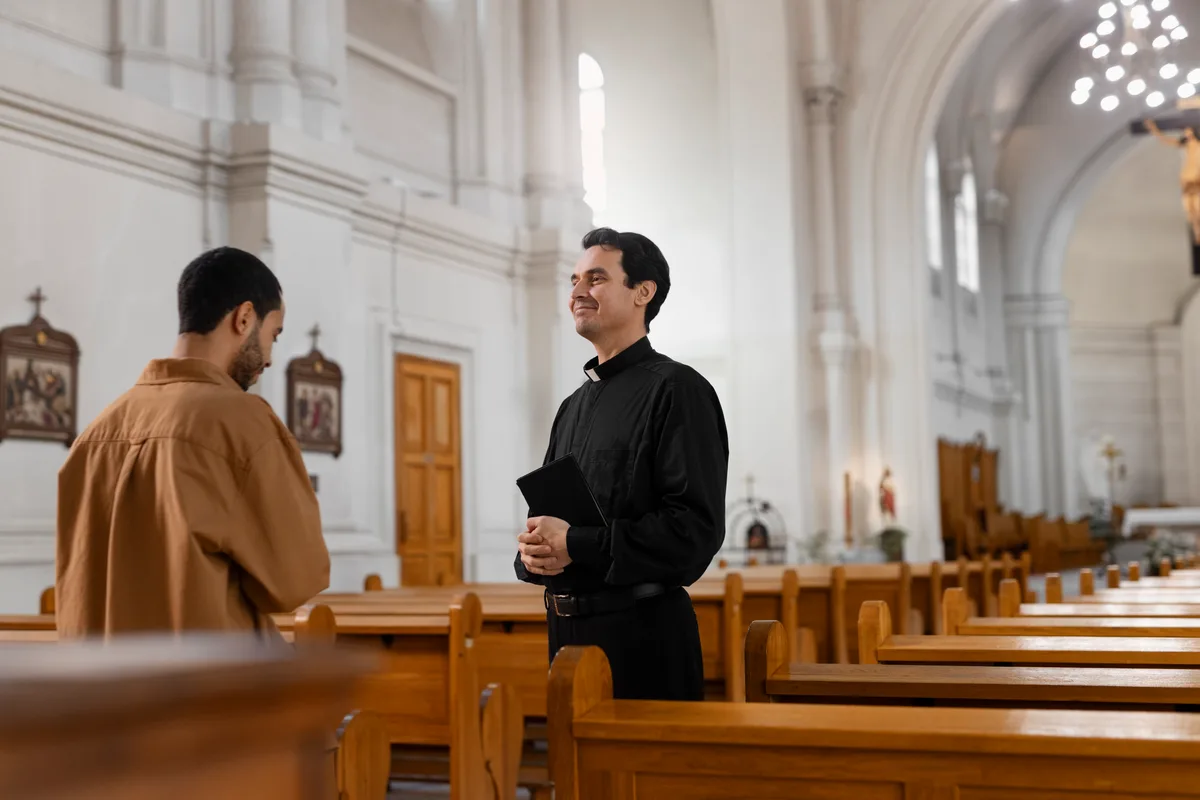
A minister in a church talking with someone beside the pews
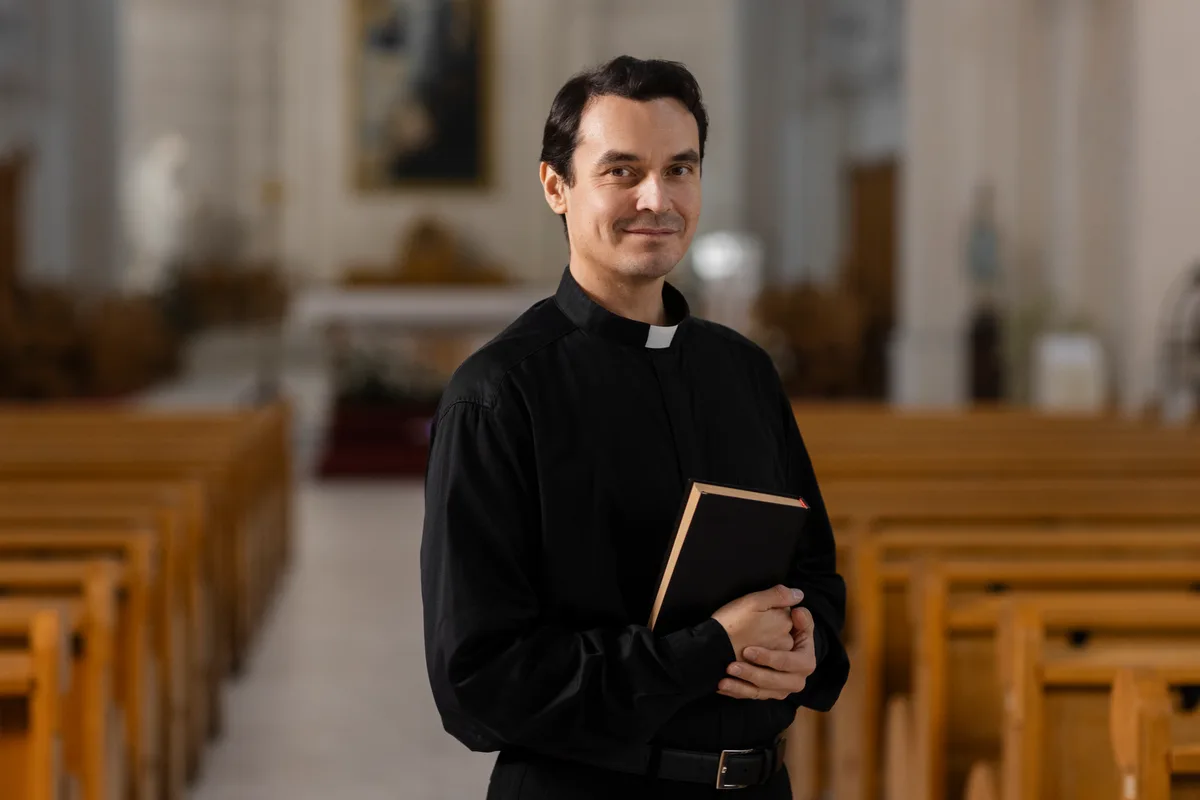
A minister holding a book, standing in the aisle of a church
A minister turned in a pew, talking with people during a service
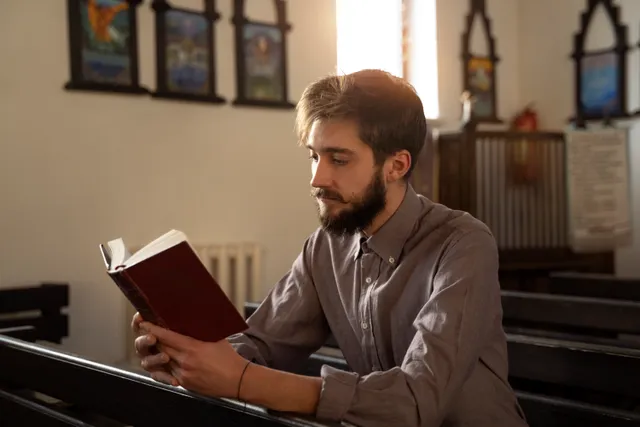
A person sitting alone in a pew, facing the front of the church
Two people walking together down the centre aisle of a church

One service. Every clip a week needs.

  • Sermon clips From the full message
  • Testimony cuts Shared with permission
  • Bible study clips From a teaching session
  • Devotional cuts One thought, one clip
  • Announcements For the week ahead
  • Podcast cuts From church episodes
  • Localized versions 100+ caption languages

Captions, translation, and dubbing are paid-plan capabilities. Every clip opens in the editor before it goes anywhere.

The service ends. The message can keep serving.

A full sermon is worth keeping whole, and plenty of people will never watch it that way. Sermon clips give them a way back to it.

  • Get the recording off the livestream platform
  • Rewatch the message to remember where things were
  • Write down the timestamps worth keeping
  • Cut each clip on its own
  • Check the captions for names and references
  • Reapply the church's look to every export
  • Crop it again for vertical
  • Render a version for each place it goes
  • Write the posts and queue them up

The usual route

  1. Service ends, recording sits there
  2. Find and pull the file
  3. Rewatch the message to place moments
  4. Cut, caption, and restyle each clip
  5. Re-crop and re-export per format
  6. Post them one at a time

With reap

  1. Service ends, recording goes in
  2. Upload, or paste the link
  3. Review the moments it comes back with
  4. Set the boundaries and check the context
  5. Church template and formats applied
  6. Export or schedule the approved set

One message, many moments

Create a week of useful moments from one message.

Most of what a church records is teaching, and teaching holds up in pieces: the main point, the passage explained, the story, the application.
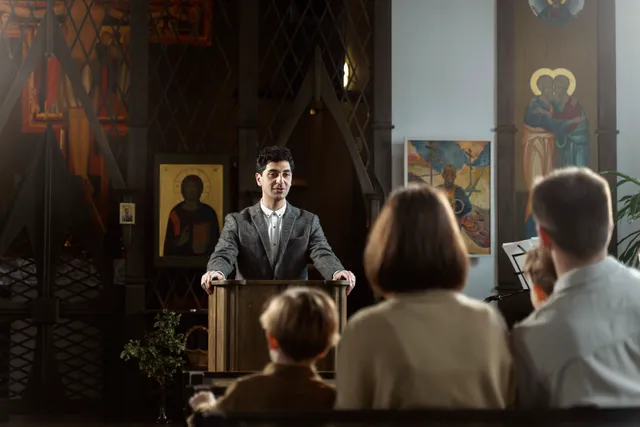
A person preaching from a lectern to a seated congregation

Sunday sermon

The weekend teaching, recorded in full
  • The main point, stated plainly
  • One passage explained
  • A practical application
  • The closing thought
Hands turning the pages of an open bible on a table

Bible study

A midweek or small-group teaching session
  • The core explanation
  • Background context
  • A discussion question
  • The takeaway for the week
A person in headphones reading into a microphone

Church podcast

An episode with a guest or co-hosts
  • A guest insight
  • The topic highlight
  • An episode teaser
  • An audiogram for audio-only
A person sitting in a pew reading, lit by a window

Testimony

A personal story shared on camera
  • The turning point
  • An encouraging reflection
  • A community story
A minister talking with someone beside the pews

Ministry update

An announcement, briefing, or project report
  • The announcement itself
  • A volunteer invitation
  • Event details
  • A project update
A minister turned in a pew, talking with people

Conference message

A session from a gathering or training day
  • A speaker insight
  • The main takeaway
  • A session teaser
  • One teaching clip
  1. SunThe full service recordingSource
  2. MonThe main teaching point
  3. TueOne passage explained
  4. WedA practical application
  5. ThuA reflection prompt
  6. FriThe story from the message
  7. SatA look at what is coming
Explore AI video clipping

Your call, every time

AI produces a draft. Your team decides.

A suggested clip is a starting point. It opens with the transcript beside it, so trimming means selecting words.

  • Move the in and out points until the clip starts on the right word
  • Read the surrounding transcript before deciding where a clip should end
  • Fix a name or a term in the transcript, and the captions follow
  • Restyle, resize, and reposition captions off the part of the frame that matters
  • Add text overlays or B-roll, then preview the clip before it leaves reap
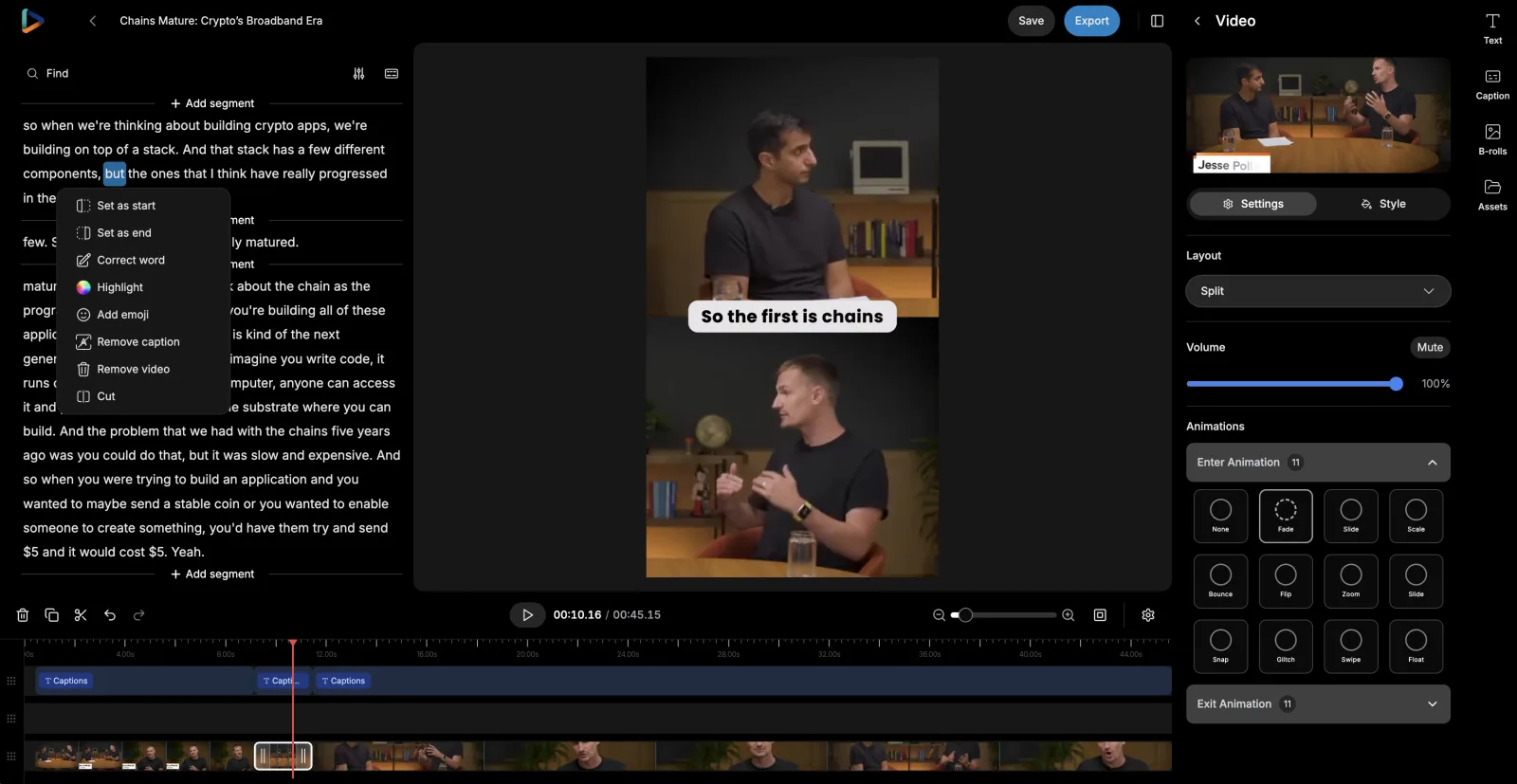
Every suggested clip stays editable, so reap is as much a church video editor as an AI sermon editor. See the AI video editor.

reap's editor: the clip transcript on the left with a word selected and its context menu open, the preview in the middle, and layout and animation settings on the right
Setting the clip’s start and end from the transcript

Captions

Make every word easier to follow.

Most short-form video is watched sound-off. Captions come back in 100+ languages, timed word by word, in your church’s saved style.

Brand templates

Keep every ministry video recognizable.

Recognition is built from repetition. A brand template saves your caption style, font, and logo once, then applies them as new clips are created.

Church kitBrand template
Caption style
Deep Dive preset
Font
Your church sans, uploaded
Logo
Top left
Intro / Outro
Series opener · Service times
Applies to
New clips in this project

Saved once · nobody restyles a clip on a Monday

A portrait clip of a minister holding a book, carrying the church's saved caption style
9:16Shorts, Reels, TikTok
A square clip of a minister talking with someone, carrying the same logo slot
1:1Feed posts
A landscape clip of a minister talking with people in a pew, in the same saved style
16:9Website and YouTube

Plan-based: 3 templates on Creator, 6 on Studio, unlimited on Enterprise. Brand template docs.

One recorded frame prepared as landscape, square, and portrait versions, with the speaker kept in frame in each
One source, reframed for portrait, square, and landscape

Channel formats

One message, prepared for different ways of watching.

A service is recorded wide and watched upright. Auto reframe produces a starting crop for each format, tracking whoever is speaking.

  • Speaker detection and tracking keeps whoever is talking in frame
  • A dynamic layout switch between single-crop, zoom-out, and split framing
  • Portrait, square, and landscape from one recording
  • Manual framing control, and a preview before anything exports

Check the framing before export: a crop tuned to the speaker can lose a slide or an interpreter. How auto-reframing works.

Reach further

Help more people follow the message.

Plenty of congregations hold more than one language on a Sunday. Once a clip is approved, translate its captions, output Roman script, or dub the audio.

  1. Approved clip
  2. Transcript
  3. Translated captions
  4. Roman script
  5. Dubbed audio
  6. Fluent review

Each step is a choice, not a chain you have to run in full. A church might take translated captions for three languages and dubbing for one.

Caption translation

Changes the written text. The clip keeps the speaker's own voice, and the captions read in the viewer's language. The lightest version to produce.

Roman script

Changes how a language is written. Hinglish, Romanized Urdu, Arabizi: captions the way many congregations actually read and type on social.

AI dubbing

Changes the spoken audio. Approved clips re-voiced in 80+ languages and regional variants, on a monthly plan allowance.

Multilingual sermon clips run on a monthly dubbing allowance: 2 hours on Creator, 5 on Studio. AI captions and subtitles.

Distribution

Evangelize digitally to reach more people.

One message is worth more than one post. Turn it into church social media clips, pick the account, and spread the week out.

reap's monthly content calendar with clips from one recording scheduled across several days
Scheduled posts in reap’s content calendar

For teams that record every week

Create a repeatable post-service workflow.

A church that meets on the same days does the same production work every week. There are three levels to run that at.

In the reap dashboard

For one church, or for the message you want to sit with.

  • Upload the recording, or paste a YouTube, Twitch, X, or Vimeo link
  • Describe the moments you are looking for, then review what comes back
  • Refine in the editor, then export or schedule to a connected account

No-code automation

For a rhythm that repeats: same service, same steps, every week.

  • Triggers: a new project or a new upload in your reap studio
  • Actions: create clips, captions, transcription, dubbing, or a reframe
  • Read project status, details, and clips back to drive the next step
Zapier integration guide

Developer and agent workflows

For ministries with engineering help, or an agent already in the loop.

  • REST API and CLI to submit recordings and collect finished clips
  • Webhooks so you are told when a project finishes, instead of polling
  • MCP server, so an agent can run a clipping job in plain language
Video editing API

Planning Center, ProPresenter, and church management systems are custom automations you build, not native integrations. See the API, MCP server, or the clipping agent.

Keep the judgment. Drop the rebuilding.

None of this touches the decisions that matter. What changes is the production work stacked around them.

TaskDoing it by handWith reap
Finding momentsRewatch the whole message and write down timestamps.Generate candidate teaching moments from the recording, then review them.
Checking contextCarry timestamps between separate tools and hope the trim holds.Read the surrounding transcript and adjust the boundaries before anything is published.
CaptionsTranscribe and style captions on every clip separately.Generate editable captions and apply a reusable preset from the church template.
FormatsRebuild the clip for each aspect ratio a platform wants.Create the supported formats from one source, then check the framing.
BrandingReapply the church's look to every export by hand.Save it once as a brand template and apply it as clips are created.
Other languagesMove between separate transcription, translation, and dubbing tools.Produce supported language versions in the same workflow.
PublishingDownload files, organize them, and schedule them somewhere else.Export, or schedule approved clips to connected accounts from the calendar.

One workflow, used differently by every kind of ministry.

AI for church looks different in every ministry: a full media department, or one person with a phone and an hour on Monday.

Local churches

One service, one recording, and whoever is free on Monday. The week's clips come out of what was already preached, so nothing new has to be filmed to keep the page alive.

Multisite churches

The same message goes out across campuses that each have their own accounts. One saved template keeps every version recognizable while each site posts on its own rhythm.

Church media teams

The bottleneck is rarely taste, it is the third re-crop of the same clip. Formats, captions, and branding come off one pass so the team spends its hours on judgment instead.

Teaching ministries

A series holds a dozen explanations worth keeping on their own. Each one becomes a clip that answers a single question properly rather than a trailer for the whole thing.

Church podcasts

Episodes run long and land in a feed people scroll past. Pull the guest's answer, the exchange worth hearing, and an audiogram for the audio-only version.

Conference ministries

A gathering produces more recorded teaching in three days than a church does in a quarter. Clip the sessions while people are still in the room talking about them.

Youth ministries

Camp teaching, midweek sessions, and student-led moments are worth keeping. Footage involving minors needs consent and your safeguarding policy settled first, before anything is uploaded or clipped.

Multilingual ministries

A congregation reading four languages should not wait for four edits. Translated captions, Roman script, and dubbing come off the clip your team already approved.

Church plants

Nobody is on staff for this yet. The point is a repeatable Monday hour that produces something worth posting, not a production process you have to hire for.

Faith-based educators

Lectures and course sessions get watched once and archived. Cut the explanations students come back to, and caption them so they can be read as well as heard.

Built with reap.

Every step of the workflow above is a product capability with its own page. These are parts of one connected system, not separate tools you have to stitch together.

Frequently Asked Questions

Yes. Upload the recording, or paste a link from YouTube, Twitch, X, or Vimeo, and reap works as an AI sermon clip generator: it returns candidate sermon video clips you review before anything is exported. Paid plans take sources up to 180 minutes, with uploads up to 5 GB on Free and 10 GB on paid plans, so a full service recording usually goes in whole. reap works from a finished recording: it does not run your livestream, capture the broadcast, or clip a service while it is happening.

For most churches the practical starting point is the sermon. reap is AI for church media teams: it transcribes the message, suggests sermon clips, captions them in 100+ languages, and schedules them to your church social media accounts. It does not write sermons, check scripture, or make theological judgments, and every clip is reviewed by your team before it goes out.

Yes, from video. Sermon transcription comes with every upload: timed text in 100+ languages that you can correct and use to edit clips, with TXT, SRT, VTT, and CSV exports. Audio-only files such as MP3 are not accepted, so upload the video recording of the service.

Yes. Prompt-first clipping is available on paid plans, so you can ask for the clearest explanation of the main point, the section covering this week's passage, the story that supports the teaching, or the closing application, and reap returns moments from the recording that match. The clipping setup also has a genre selector, and sermons and teaching sessions sit with the Talking Head and Presentation options. Treat what comes back as a shortlist to watch, not a decision about what the message was about.

Yes, and this is the part that matters most for teaching content. Every clip a sermon clip maker suggests is a draft: it opens in reap's editor with the transcript beside it, so you can move the in and out points until the clip starts and ends on the right words, watch the surrounding context, correct the transcript, restyle or reposition the captions, and preview the finished clip. Nothing leaves reap until someone on your team exports or schedules it.

That stays with your team, and reap gives you the tools to do it rather than doing it for you. Because trimming is transcript-based, you can read what comes immediately before and after a suggested clip and widen the boundaries when a qualification or a scripture reference sits just outside them. A practical habit: watch the clip against the surrounding minute, confirm the point is complete, check that any passage cited is quoted correctly, and have the speaker or a ministry leader approve the excerpt before it is published.

Captions are generated automatically in 100+ languages and are editable, and sermon transcription needs a review pass on this kind of source. Book names, personal and place names from scripture, Hebrew and Greek terms, denominational and theological vocabulary, and quoted passages are the usual places transcription slips, along with overlapping speech and congregational response. Fixing a word in the transcript carries through to the burned-in captions, and you can export SRT or VTT files as well.

Yes, through brand templates. A template saves a caption preset, uploaded fonts, a logo overlay, and intro and outro cards, and applies them as new clips are created. Templates and custom fonts are plan-based: 3 on Creator, 6 on Studio, unlimited on Enterprise. Two limits worth knowing: a template applies to clips created after it is saved rather than restyling clips you already exported, and reap does not generate sermon-series artwork or import anything from your presentation software.

Yes. Paid plans output 9:16, 16:9, and 1:1 from one recording, with 9:16 on Free. Auto reframe gives you a starting crop with speaker detection and tracking, and a dynamic layout switch between single-crop, zoom-out, and split framing. Check the framing before export: reap does not know whether your clip depends on a scripture slide, a presentation screen, a sign-language interpreter, or a second person on the platform, and a crop tuned to the speaker can lose any of them. Framing is adjustable by hand.

Both, and they are different things. Subtitle translation covers 100+ languages and changes the written text while the original audio stays; reap can also output Roman script for languages your community reads that way. AI dubbing changes the spoken audio and covers 80+ languages on a monthly allowance of 2 hours on Creator and 5 on Studio. For teaching content, have someone fluent in the target language review the result before it goes out, and check quoted scripture against an approved translation in that language rather than letting it be machine-translated.

Yes. Approved clips can be scheduled from reap's content calendar to connected accounts: TikTok, Instagram Reels, YouTube Shorts, and LinkedIn on Creator, adding X and Facebook on Studio. You pick the clip and account, write the post copy, and set the date and time, and there is a bulk scheduler for queueing several at once. reap does not publish to every platform, does not post anything you have not approved, and does not provide engagement analytics or attendance reporting.

On the Studio plan, yes. A Team Studio workspace gives you up to 3 member seats, Admin and Member roles, and shared projects, templates, and assets, so the recording, its clips, and the publishing calendar sit in one place rather than in someone's downloads folder. Be clear about what is not there: reap has no formal approval stages, no timestamped review comments, and no pastoral sign-off tooling, so who checks a clip before it is published is a process your team defines.

Not natively. reap has no integration with Planning Center, ProPresenter, Church Online Platform, or church management systems, and it does not capture or record a livestream. What it does have is direct import from YouTube, Twitch, X, and Vimeo, plus a REST API, CLI, webhooks, an MCP server, and a Zapier integration on paid plans, which is how teams connect it to the tools they already run. Anything built that way is your own automation rather than a native integration.

No, and it is worth being direct about it. reap does not verify scripture references, select or compare Bible translations, fact-check a sermon, interpret doctrine, or understand the pastoral intent behind a message. It works from what was said in the recording. Theological accuracy, the meaning of a passage, and whether an excerpt fairly represents the teaching are judgments your team makes, and the review step exists so that they can.

That depends on rights you hold rather than on anything reap provides. Recorded worship, licensed songs, and performance footage carry their own copyright and licensing terms, and reap does not grant, check, or clear any of them. reap has no worship lyric import and no music licensing. Follow your church's existing licences and policies, and when a clip's rights are unclear, teaching content you recorded yourself is the safer source.

No. reap removes the repetitive production work sermon repurposing puts between a service recording and a finished clip: locating moments, cutting each one, typing captions, restyling every export, and re-cropping for each format. It does not decide what is worth sharing, whether a clip represents the message fairly, or how your church should sound. Those are the parts your media team, your communications lead, and the speaker keep, and the workflow is built to hand them back a starting point rather than a finished decision.

Your Sunday message can serve the whole week.

Help every message keep reaching people

Find meaningful moments, keep their context, add accurate captions, apply your church’s visual identity, and prepare approved clips for sharing. The free plan includes 1 hour of processing; plans are on the pricing page.

Start with reapSee how clipping works