
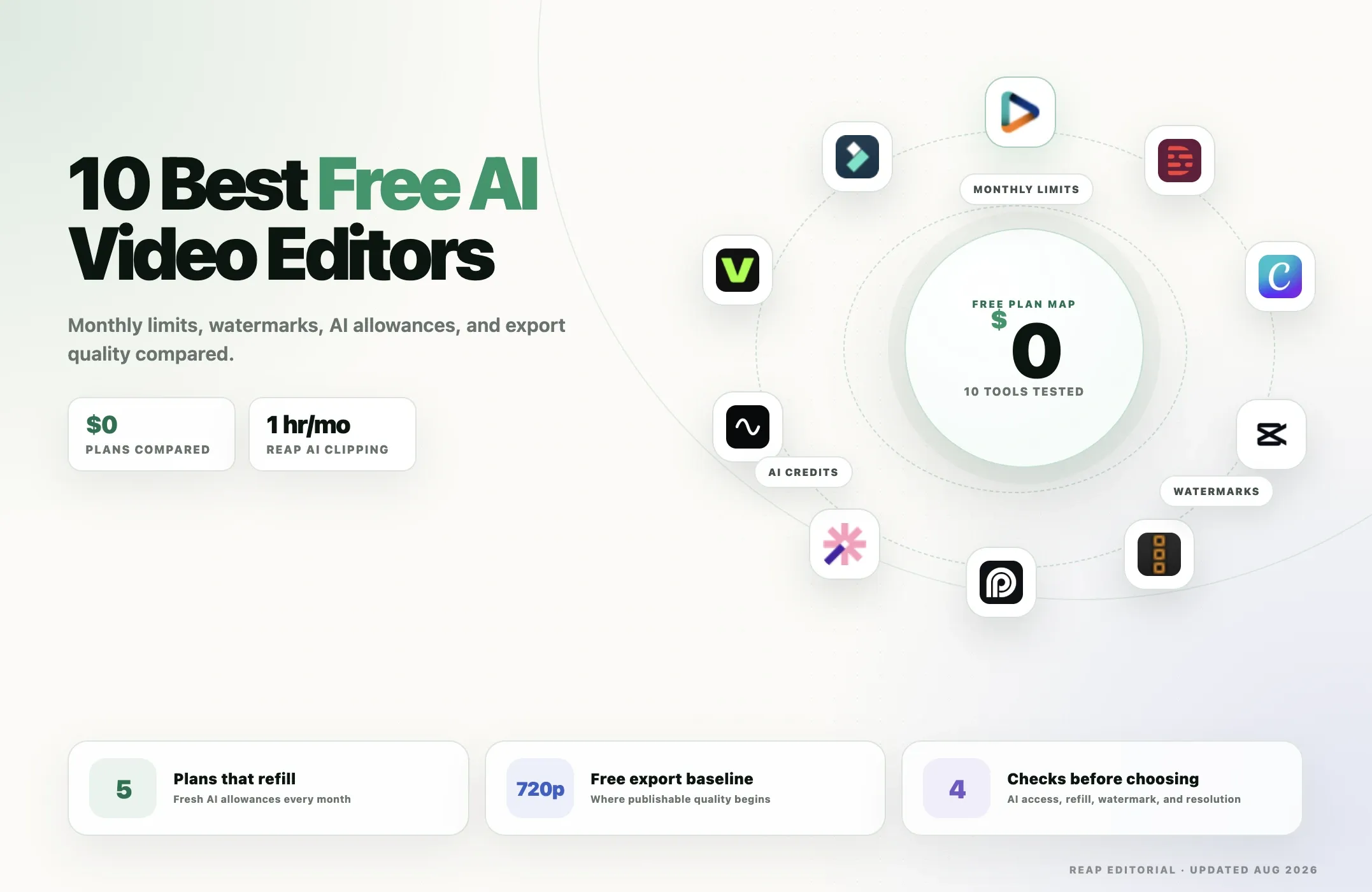
A lot of video editors call themselves "free."
The problem is that free can mean very different things.
One tool may give you a real monthly allowance with AI clipping and captions. Another may let you edit for free but watermark every export. Some give you a few AI credits once and never refill them. Others offer a capable free editor while keeping their most important AI features behind a paid plan.
So instead of asking only, "What is the best AI video editor?", this guide asks a more useful question:
What can you actually create, edit, and export without paying?
For AI-first repurposing, Reap is our top free pick because its free plan refreshes monthly and includes one hour of AI clipping, one hour of AI captions, and 720p exports. Descript is stronger if you want to edit through a transcript. Canva is one of the easiest free options for design-led video creation. CapCut remains a strong social editor, although free access to advanced AI features can vary. And DaVinci Resolve is the strongest traditional professional editor you can use for free, although many of its most advanced AI features are reserved for Resolve Studio.
This page focuses specifically on free-plan value. If free limits are not your main concern, see our broader comparison of the best AI video editing tools in 2026.
Quick comparison: best free AI video editors
|
Tool |
Free access |
Watermark on free exports |
Free export quality |
Recurring AI allowance |
Best free use case |
|---|---|---|---|---|---|
|
Reap |
Real free plan |
Limited exports / plan rules apply |
720p |
Yes — monthly |
AI clipping + captions |
|
Descript |
Real free plan |
720p free export is watermark-free |
720p |
Yes — monthly |
Transcript-based editing |
|
Canva |
Real free plan |
Depends on assets/features used |
Standard free exports |
Yes — monthly |
Beginner + marketing videos |
|
CapCut |
Free editor + variable AI access |
Varies by workflow / assets |
Varies by platform |
Varies by feature |
Social-first editing |
|
DaVinci Resolve 21 |
Full free desktop version |
No standard Resolve watermark |
Up to Ultra HD 3840×2160 |
Not a credit plan |
Professional editing |
|
OpusClip |
Real free plan |
Yes |
Up to 1080p |
Yes — monthly |
Automatic short-form clipping |
|
Vizard |
Real free plan |
Yes |
720p |
Yes — monthly |
Long-video repurposing |
|
Riverside |
Real free plan |
Yes |
720p |
Feature-based |
Recording + Magic Clips |
|
VEED |
Free plan |
Yes |
720p |
Mostly limited / trial AI access |
Browser editing |
|
Filmora 15 |
Free version / trial |
Yes on normal free exports |
Feature-dependent |
AI access uses credits |
Desktop editing + AI testing |
The short answer
If you want a free AI editor that performs real AI work every month, start with Reap, Descript, OpusClip, Vizard, or Canva.
If you want a powerful free traditional editor, use DaVinci Resolve.
If you want a social-first editor with lots of hands-on control, CapCut is still a strong option, but check which AI features are currently free in your region before building your workflow around them.
What does "free AI video editor" actually mean?
Free video editing products usually fall into four groups.
1. Real recurring free plans
These give you a monthly allowance that refreshes.
Examples include:
- Reap
- Descript
- OpusClip
- Vizard
- Canva
These are the most useful if you plan to keep using the tool without paying.
2. Free editors with paid AI
Some editors are genuinely useful without a subscription, but their most advanced AI tools sit in a paid tier.
DaVinci Resolve is the clearest example. The free version is extremely powerful for editing, color, audio, and visual effects, while Resolve Studio unlocks the full DaVinci AI Neural Engine feature set.
3. Free plans with watermark or export restrictions
VEED, Riverside, Vizard, OpusClip, and Filmora all impose some combination of watermark, resolution, project-storage, or export restrictions on free users.
That does not make the free plan useless. It simply means the tool may be better for testing or occasional work than for publishing client-ready content every day.
4. Limited free AI trials
Some AI features are free only for a limited number of uses.
CapCut, for example, says free usage limits for advanced features can vary depending on the feature and testing phase. Filmora also uses trial and credit-based access for many AI tools.
If a feature is central to your workflow, check whether it is part of a recurring free plan or only a temporary trial.
How we ranked the best free AI video editors
We did not rank these tools by total paid capability.
That would defeat the point of this article.
Instead, we focused on what a user can access without paying.
Free-plan sustainability
Does the free allowance refresh monthly, or is it a one-time trial?
AI features included for free
Can you actually use AI clipping, transcription, captions, generative features, cleanup, or other automation without upgrading immediately?
Export quality
720p may be enough for testing and some social posts, while 1080p or 4K matters more for professional work.
Watermarks
A free editor can still be difficult to use publicly if every video carries the vendor's branding.
Editing control
Can you fix the AI result manually after it is generated?
Monthly limits
Minutes, credits, storage, project expiry, AI uses, and export limits all affect how useful a "free" plan really is.
Best use case
A tool does not have to be best at everything. The most useful question is whether its free plan solves your specific editing problem.
1. Reap — Best free AI video editor for repurposing
Reap is our top pick for creators who want AI to do more of the repetitive work instead of simply giving them a free timeline.
The free plan includes 1 hour of AI clipping and 1 hour of captioning per month, with 720p exports. That monthly refresh is important because it makes Reap useful beyond a one-time test.
The core workflow is designed around existing video:
long video → AI clips → captions → editing → social-ready output
Reap can analyze podcasts, interviews, webinars, tutorials, and other long-form videos, find useful moments, and generate short clips. It also includes caption workflows and editing tools inside the same product.
What you get free
- 60 minutes of AI clipping per month
- 60 minutes of captioning per month
- 720p exports
- AI-generated short clips
- animated captions
- browser-based workflow
- editing access around generated content
The free plan has tighter export limits than paid plans, so it is best for testing the workflow or maintaining a light monthly content cadence.
What becomes more useful on paid plans
Paid Reap plans unlock higher-quality exports and the broader automation stack, including features such as API, CLI, MCP, dubbing, translation, brand templates, and higher processing allowances.
If you eventually need automation, see Reap's video editing API and MCP server.
Best for
- podcasters
- YouTubers
- interview creators
- webinar teams
- agencies testing AI clipping
- creators who want AI to find clips automatically
Not best for
Reap is not a replacement for a full cinematic timeline editor.
If your priority is professional color grading, visual effects, multi-camera finishing, or detailed audio post-production, use DaVinci Resolve or another professional editor.
Verdict: Reap has one of the more useful recurring free AI plans because the free allowance covers actual AI clipping and captions every month instead of only basic manual editing.
2. Descript — Best free AI video editor for transcript editing
Descript is one of the best free AI editors if your content is driven by speech.
Instead of forcing you to work only on a traditional timeline, Descript transcribes your video and lets you edit through the text. Remove words from the transcript and the corresponding media changes with it.
That makes the free plan particularly useful for:
- podcasts
- interviews
- talking-head videos
- tutorials
- screen recordings
What you get free
Descript's current Free plan includes:
- 1 media hour per month
- 100 AI credits per month
- text-based video editing
- transcription
- dynamic captions
- screen recording
- speaker detection
- limited access to Underlord, Descript's AI co-editor
- limited AI Speech access
- 720p watermark-free export
That last point is a major advantage.
A lot of free online editors add a watermark. Descript currently allows 720p watermark-free export on the free plan, although the media and AI allowances are limited.
Where the free plan becomes restrictive
One media hour per month disappears quickly if you work with long podcasts or frequent uploads.
Paid plans increase media hours, AI credits, export quality, and access to Underlord and other AI tools.
Best for
- spoken-content editing
- podcasters
- course creators
- interview editors
- users who dislike traditional timelines
Verdict: If you want to edit video by editing words, Descript has one of the strongest free plans in this list.
3. Canva — Best free AI video editor for beginners and marketing
Canva is not a traditional post-production editor, but it is one of the easiest places for a beginner to create and edit marketing videos for free.
Canva Free includes the drag-and-drop editor, a large library of free templates and media, 5GB of cloud storage, and access to a recurring AI allowance.
Its free plan currently provides access to up to 200 uses of Standard AI tools or up to 20 uses of Premium AI tools, depending on which tools you use.
That makes Canva different from products that offer only a one-time AI trial.
What you get free
- drag-and-drop video editing
- templates
- millions of free photos, graphics, videos, and audio assets
- 5GB cloud storage
- limited Canva AI access
- up to 200 Standard AI uses or up to 20 Premium AI uses
- basic brand controls
- easy social and marketing formats
Canva's AI allowance is shared across different AI features, so the number of actual video generations or edits you get depends on which tools you use.
Where Canva is strongest
Canva is especially good for videos that combine:
- text
- brand design
- stock assets
- simple motion
- social layouts
- presentations
- marketing graphics
It is less suited to long-form repurposing than Reap or Vizard and less suited to professional timeline editing than DaVinci Resolve.
Best for
- beginners
- social media managers
- marketers
- small businesses
- brand-led video content
Verdict: Canva is one of the best free options when the video is part of a broader design and marketing workflow rather than a complex editing project.
4. CapCut — Best free social-first video editor
CapCut remains one of the most recognizable creator editors because it combines manual editing with templates, captions, effects, social formats, and a growing collection of AI features.
The important thing to understand in 2026 is that not every CapCut AI feature has the same free limit.
CapCut's own help documentation says advanced features can have different free-use limits depending on processing requirements and testing phases. Some features may give several free uses, while others may move behind CapCut Pro.
So CapCut is definitely a free video editor, but you should not assume every advanced AI feature is permanently unlimited at $0.
What you can use for free
Depending on your platform, region, account, and current feature availability, free CapCut users can access:
- core timeline editing
- trimming and splitting
- social formats
- effects and templates
- text and basic captions
- some AI features with usage limits
- mobile, desktop, or web workflows
CapCut also supports long-video-to-short-video workflows, but advanced AI availability can change.
Why CapCut is still valuable
CapCut gives creators more manual control than many AI-first clipping products.
If you want to:
- cut manually
- add effects
- use templates
- create TikTok/Reels-style edits
- adjust timing yourself
CapCut is an excellent place to start.
The free-plan caveat
Do not build a business-critical workflow around one advanced CapCut AI feature without checking whether its free access is recurring in your region.
CapCut explicitly says feature limits and subscription pricing can vary.
Best for
- TikTok creators
- Instagram Reels
- YouTube Shorts
- mobile editing
- hands-on social editing
Verdict: CapCut is arguably the best free social editor here, but its free AI value is less predictable than products with fixed monthly allowances.
5. DaVinci Resolve 21 — Best free professional video editor
DaVinci Resolve 21 is the strongest free traditional editor in this comparison.
Blackmagic offers a full free version for Mac, Windows, and Linux that combines:
- editing
- color correction
- visual effects
- motion graphics
- audio post-production
The free version supports most 8-bit formats at up to 60fps and Ultra HD 3840×2160, and Blackmagic also includes collaboration and HDR grading.
That is an exceptional amount of editing capability for $0.
The important AI caveat
DaVinci Resolve is on this list because AI is increasingly part of the Resolve ecosystem, but many of the most advanced AI features are a reason to upgrade to DaVinci Resolve Studio.
Blackmagic says Studio adds the DaVinci AI Neural Engine, along with features such as advanced tracking and additional AI-powered tools.
So if your question is:
"What is the most powerful free video editor?"
Resolve is one of the strongest answers.
If your question is:
"What free editor will automatically turn my podcast into Shorts?"
Reap, OpusClip, or Vizard will get you there faster.
What you get free
- professional timeline editing
- up to Ultra HD 3840×2160
- up to 60fps for supported free-version formats
- professional color tools
- Fusion visual effects
- Fairlight audio tools
- collaboration
- no standard Resolve watermark
Best for
- filmmakers
- YouTubers
- professional editors
- color work
- audio post-production
- users willing to learn a professional tool
Verdict: DaVinci Resolve is the best free professional editor on this list, but it is not the most automated free AI editor.
6. OpusClip — Best free AI editor for automatic highlight clips
OpusClip is built around a clear job:
Upload a long video and let AI find short clips.
Its recurring Free plan gives users 60 credits per month and includes AI clipping, automatic reframing, and AI captions.
That makes OpusClip one of the strongest genuinely free AI clipping options.
What you get free
According to OpusClip's current plan page:
- 60 credits per month
- AI clipping
- Virality Score
- auto reframe
- AI captions
- emoji and keyword highlighting
- up to 1080p rendered clips
Important free-plan limits
There are meaningful restrictions:
- free exports include an OpusClip watermark
- editing is not included on the free plan
- clips stop being exportable after 3 days
Those limitations matter.
The AI can generate the content, but the free tier gives you less control over polishing and long-term project access.
Best for
- podcasters
- interview creators
- automatic highlights
- users who want a recurring free clipping allowance
Reap vs OpusClip free
Both are worth testing if automatic clipping is your priority.
OpusClip offers up to 1080p clips on the free tier but adds a watermark and restricts editing. Reap's free plan uses 720p exports but gives you its broader Reap workflow around clipping and captions.
Verdict: OpusClip has a strong recurring free clipping plan, especially if your main goal is automatic highlight discovery.
7. Vizard — Best free alternative for long-video repurposing
Vizard is another strong AI-first option for turning long videos into short content.
Its Free plan currently includes 60 credits per month, where one credit is generally tied to one minute of uploaded video.
What you get free
- 60 credits per month
- AI-generated clips
- full access to the browser video editor
- automatic subtitles
- AI clipping
- auto reframe
- AI emojis and keyword highlighting
- 1 connected social account
- 720p exports
Important free-plan limits
Vizard's free plan also has restrictions:
- watermark removal requires a paid plan
- project storage lasts only 3 days
- export length is limited
- higher-quality exports require an upgrade
The 3-day storage limit is particularly important if you like returning to projects later.
Best for
- podcasts
- webinars
- interviews
- creators testing long-form repurposing
- users who want AI clips plus a browser editor
Verdict: Vizard is a good recurring free option for long-video repurposing, but the watermark and short storage window make the free plan better for quick workflows than long-term project management.
8. Riverside — Best free AI editor if you also need recording
Riverside is different from most tools in this comparison because its workflow starts before the edit.
It is primarily known for remote recording, but its editor includes text-based editing and Magic Clips, which can identify useful moments from longer recordings.
What you get free
Riverside's Free plan currently includes:
- 2 hours of multi-track recording as a one-time allowance
- unlimited single-track recording and editing
- full editing tools
- Magic Clips
- up to 720p video
- 44.1 kHz audio
- unlimited video calls
The biggest limitation
Free video exports carry a Riverside watermark.
Paid plans remove the watermark, raise export quality to 4K, and add more advanced AI and recording features.
Best for
- podcasters
- interview shows
- remote recording
- users who want recording and editing in one place
When Riverside makes more sense than Reap
If your entire workflow begins with guests joining a remote studio, Riverside's recording layer is a major advantage.
If the long-form video already exists and the main goal is clipping, captioning, localization, or publishing, Reap is more directly focused on that post-recording workflow.
Verdict: Riverside is the best free option here when recording is as important as editing.
9. VEED — Best free browser editor for trying an all-in-one suite
VEED is a broad browser-based editor with video editing, subtitles, AI tools, media generation, and team features.
Its free plan is useful for trying the interface and doing simple browser edits without installing anything.
What you get free
VEED says free users can access basic editing such as:
- trim
- crop
- resize
- text
- music
- browser-based editing
- 720p export
It also provides limited or one-time access to some AI tools such as:
- Auto Edits
- AI B-roll
- audio cleanup
Important free-plan limits
Free VEED exports include a watermark.
The more advanced AI editing workflow is also significantly more useful on paid plans, so the free tier is better described as a way to test the product than an unlimited AI editing solution.
Best for
- browser-first users
- simple marketing videos
- users testing an all-in-one editor
- quick subtitle and social workflows
Verdict: VEED's free plan is useful for evaluation and simple edits, but the watermark and limited AI access make it weaker for recurring professional publishing than the best recurring free AI plans.
10. Filmora 15 — Best free desktop AI editor to learn and test
Filmora 15 is a beginner-friendly desktop editor with a growing collection of AI features.
Current Filmora 15 features include tools such as:
- AI Mate
- Smart Short Clips
- AI Video Enhancer
- Dynamic Captions
- AI Object Remover
- AI Extend
- Smart Scene Cut
The software itself can be downloaded and used for free, which makes it easy to test the editing experience.
The big catch
Normal free exports include a Filmora watermark.
Wondershare currently offers some promotional ways for new users to receive limited watermark-free trial exports, but those should not be confused with a permanently watermark-free free plan.
Many AI features also consume AI credits.
Why Filmora is still worth including
Filmora gives beginners a familiar desktop timeline without the learning curve of DaVinci Resolve.
It is useful if you want to learn:
- timeline editing
- transitions
- effects
- captions
- AI-assisted editing
- desktop workflows
before deciding whether to pay.
Best for
- beginner desktop editors
- YouTube creators
- users who want a traditional editor with AI features
- people evaluating software before purchasing
Verdict: Filmora is a good free learning and testing environment, but the watermark makes the free version less practical for ongoing published work.
Also worth considering: Runway for generative AI video
Runway deserves a mention, but it solves a different problem from most tools above.
Runway is focused on generative video rather than long-form clipping or traditional editing.
Its Free plan currently includes a one-time allocation of 125 credits, not a monthly refill. Those credits can be used with selected generative models, and free generated videos include a watermark.
The plan also includes a limited number of video editor projects.
Runway is worth testing if you want to:
- generate video
- transform visual scenes
- experiment with generative footage
- test image-to-video workflows
But because the 125 free credits are one-time rather than recurring, we would not rank it above products that provide a sustainable monthly free allowance for editing.
Which free AI video editor is best for you?
The answer becomes much easier once you define what "editing" means in your workflow.
Choose Reap if you want AI to create clips from existing long videos
Best for:
- podcasts
- interviews
- webinars
- tutorials
- long-form YouTube content
The free plan refreshes monthly, which makes it practical for ongoing experimentation and light usage.
Choose Descript if your transcript is the edit
Best for:
- spoken content
- podcasts
- interviews
- screen recordings
The 720p watermark-free free export is especially attractive.
Choose Canva if you want simple marketing and branded videos
Best for:
- businesses
- marketing teams
- social posts
- beginners
You also get a recurring AI allowance inside a much larger design platform.
Choose CapCut if you want social editing and hands-on control
Best for:
- TikTok
- Reels
- Shorts
- mobile creators
Just verify which AI tools are currently included free in your account.
Choose DaVinci Resolve if you want the most powerful free traditional editor
Best for:
- YouTube
- filmmaking
- professional editing
- color and audio post
Do not choose it because you expect one-click AI repurposing.
Choose OpusClip or Vizard if your only priority is automatic short-form clipping
Both have recurring free monthly allowances and are worth comparing directly with Reap.
Choose Riverside if recording is part of the same workflow
Its free editor makes the most sense when you already use Riverside to record podcasts or interviews.
Which free plans are actually sustainable?
This is one of the most important differences in the market.
Best recurring free AI allowances
Reap
- 1 hour AI clipping/month
- 1 hour captions/month
Descript
- 1 media hour/month
- 100 AI credits/month
Canva
- recurring AI allowance
- up to 200 Standard AI uses or 20 Premium AI uses depending on the tools used
OpusClip
- 60 credits/month
Vizard
- 60 credits/month
These are the plans we would prioritize if your goal is to keep using AI every month without immediately paying.
Better for testing than long-term free use
Runway
- 125 one-time credits
VEED
- core editor is free, but many AI tools are trial-limited and free exports are watermarked
Filmora
- editor can be used for free, but normal free exports are watermarked and AI tools can consume credits
Riverside
- useful free editing and Magic Clips, but published video carries the Riverside watermark
CapCut
- very capable free core editor, but advanced AI free limits can vary over time
When should you pay for an AI video editor?
A free plan is enough if you are:
- learning the product
- making occasional videos
- testing AI clipping
- experimenting with captions
- producing low-volume content
Paying becomes worth considering when free limits create more friction than the subscription costs.
Typical upgrade triggers include:
You need watermark-free exports
This is the clearest reason to upgrade from products such as OpusClip, Vizard, Riverside, VEED, or Filmora.
You need 1080p or 4K
720p is fine for testing, but many brands and creators will want higher-quality publishing.
You process long-form content every week
A 60-minute free allowance disappears quickly if you publish long podcasts, webinars, or interviews.
You need team workflows
Brand kits, shared workspaces, approvals, multiple social accounts, and collaboration features often live in paid tiers.
You need automation
If you want video processing to happen automatically from an API, AI agent, Zapier workflow, or backend system, a paid plan will often be necessary.
Reap's paid plans, for example, extend the workflow into API, CLI, and MCP automation.
You need localization
Translation, dubbing, and large-scale multilingual workflows generally require more processing than free plans can support.
Free AI video editor vs paid AI video editor
A free plan should answer one question:
Can this workflow solve my problem?
You do not need every premium feature to answer that.
Use the free tier to test:
- Is the AI output actually useful?
- How much correction does it require?
- Does the interface fit your workflow?
- Can you get from raw video to a publishable result quickly?
- Which limitation do you hit first?
Once you know that, paying for the right editor becomes easier.
If free limits are no longer your primary concern, compare the full products in our guide to the best AI video editing tools in 2026.
Final verdict: what is the best free AI video editor in 2026?
There is no single free editor that wins every category.
But there are clear winners by workflow.
Reap is our top free AI-first choice for repurposing because the free plan refreshes monthly and includes actual AI clipping and captions.
Descript is the strongest choice if you want transcript-based editing and a watermark-free 720p export.
Canva is excellent for beginners, social marketing, and design-led video creation.
CapCut remains one of the best free hands-on social editors, although advanced AI availability is less predictable.
DaVinci Resolve is the strongest free professional editor, but many of its advanced AI capabilities belong to the paid Studio version.
OpusClip and Vizard are strong free alternatives for automated long-form clipping.
The best approach is simple:
Pick the free plan that matches your bottleneck, use it until you understand the workflow, and only pay when the free limit is the thing holding you back.
If your bottleneck is turning long videos into short, captioned content, you can start with Reap for free.
.webp)