YouTube decides whether your upload is a Short before anyone watches a second of it. Get the shape or the length wrong and a clip you made for the Shorts feed lands as a tiny horizontal long-form video that almost nobody sees. Get the size wrong in a smaller way and it shows up in the Shorts feed with black bars, a cropped face, or soft, smeared detail.
This guide gives you the exact YouTube Shorts size, dimensions, aspect ratio, and resolution for 2026, explains the rules YouTube uses to classify a video as a Short, compares Shorts to regular YouTube video sizes, and shows the fastest way to turn the long horizontal videos already on your channel into correctly sized Shorts.
Quick answer: what size is a YouTube Short?
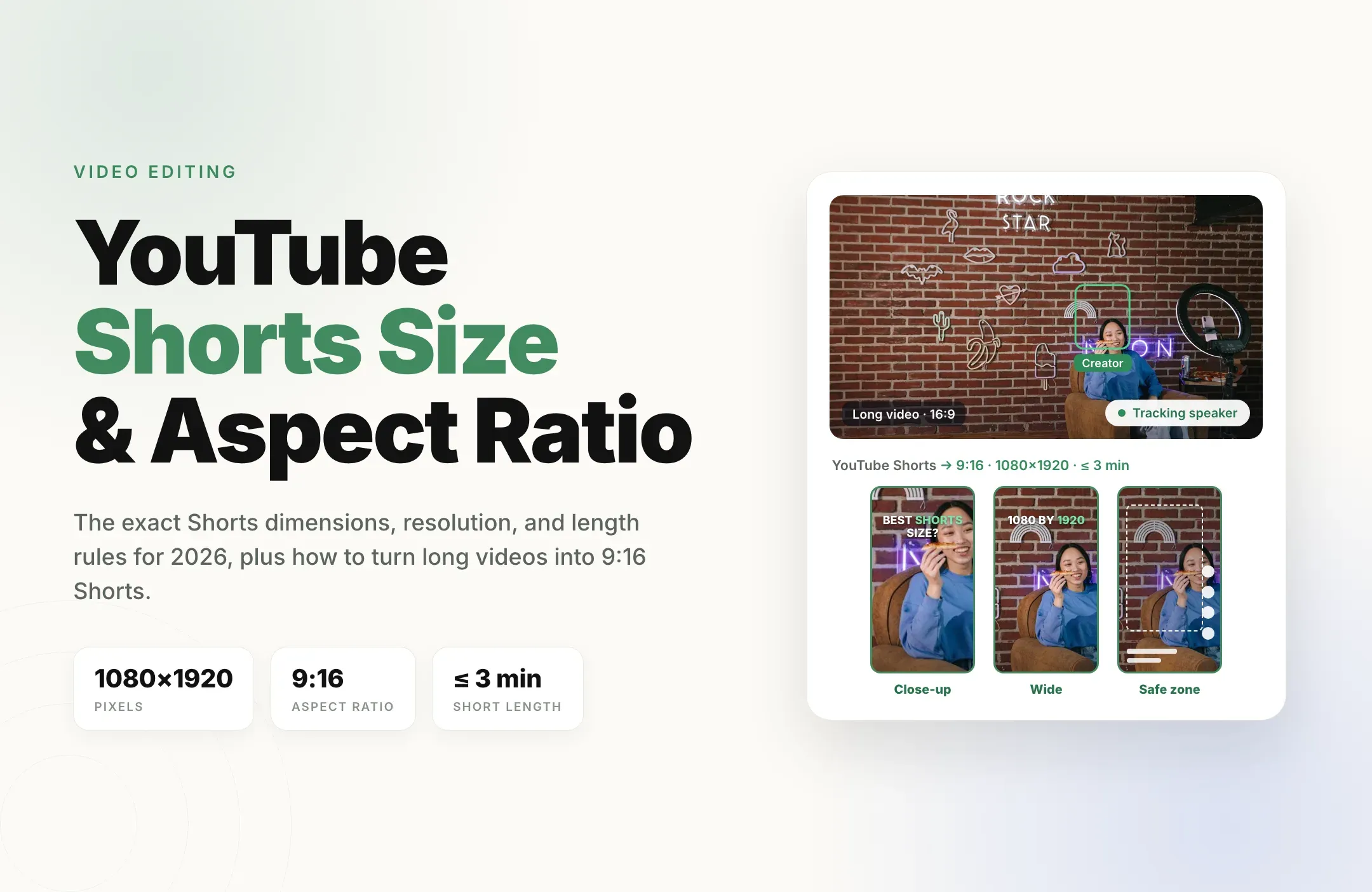
The best YouTube Shorts size is 1080 x 1920 pixels in a 9:16 vertical aspect ratio, exported as an MP4 with H.264 video and AAC audio, at 24 to 60 frames per second, and 3 minutes or shorter. That fills the phone screen in the Shorts feed and meets YouTube's rule for what counts as a Short.
The rest of this guide covers the details around that answer: why a square video can still be a Short, why a horizontal one never is, where the Shorts buttons cover your video, and how to fix footage that starts out the wrong shape.
YouTube Shorts specs in 2026
YouTube publishes the length and shape rules for Shorts and general encoding recommendations for all uploads. These are the settings to export with.
|
Spec |
Recommended setting |
Notes |
|---|---|---|
|
Dimensions |
1080 x 1920 pixels |
Full HD vertical. 2160 x 3840 (4K vertical) also works. |
|
Aspect ratio |
9:16 |
Square (1:1) also counts as a Short, but only 9:16 fills the screen. |
|
Length |
Up to 3 minutes |
Longer vertical videos are treated as long-form. |
|
File format |
MP4 |
YouTube's recommended container. |
|
Codec |
H.264 video, AAC audio |
Matches YouTube's recommended upload encoding. |
|
Frame rate |
24, 25, 30, or up to 60 fps |
Keep the frame rate of your source. Use 60 fps for gaming and fast motion. |
|
Bit rate (1080p) |
8 Mbps, or 12 Mbps at 48 to 60 fps |
YouTube's recommendation for SDR uploads. Higher is fine; much lower looks blurry. |
|
Minimum resolution |
720 x 1280 in practice |
YouTube accepts lower, but it looks soft in the Shorts player. |
Shorts size, dimensions, aspect ratio, and resolution
These four words get used interchangeably, but each one controls a different problem.
- Aspect ratio is the shape of the frame. YouTube uses it to decide whether a video is a Short at all, so it matters more on YouTube than on any other platform.
- Dimensions are the pixel width and height. 1080 x 1920 and 720 x 1280 are both 9:16, just at different sizes.
- Resolution is how much detail the frame holds. 1080 x 1920 is full HD; 720 x 1280 is noticeably softer after YouTube compresses it.
- File size comes from resolution, length, frame rate, and bit rate together. A 3-minute Short at 1080p is a small file by YouTube's standards.
YouTube Shorts resolution: 720p, 1080p, or 4K?
- 1080 x 1920 (1080p) is the right default. It is sharp on every phone and is what most Shorts are made at.
- 2160 x 3840 (4K vertical) is worth it only if your source footage is 4K. It keeps a little more detail after compression, but the file is much larger and takes longer to process. YouTube recommends 35 to 45 Mbps for 4K at 24 to 30 fps.
- 720 x 1280 (720p) still counts as a Short and is fine for testing, but it looks noticeably softer than 1080p in the feed.
Whatever you pick, keep the 9:16 shape. Resolution changes how sharp the Short looks; aspect ratio decides whether it is a Short at all.
What makes a video a YouTube Short
On YouTube, the size of your video is not only about how it looks. It decides which feed the video goes to. According to YouTube's help center, a video uploaded on or after October 15, 2024 is categorized as a Short when it is:
- Square or vertical, meaning 1:1 or taller, such as 9:16.
- Three minutes or shorter.
Two consequences follow. A horizontal 16:9 video is never a Short, no matter how short it is; it stays long-form. And a vertical video longer than three minutes is also long-form. You do not need to add #Shorts to the title for a video to be classified; the shape and length do the work.
There is one more rule that catches people out. A Short longer than one minute that has an active copyright claim, including a Content ID match on music, is blocked globally until the claim is resolved. Shorts under a minute are not affected. If you use licensed music, keep the Short under a minute or use tracks from YouTube's own audio library. For more on picking a length, see our guide to the best video length for Shorts, Reels, and TikTok.
YouTube Shorts aspect ratio: 9:16 vs 1:1 vs 16:9
Here is how each shape is treated when you upload it.
|
Aspect ratio |
Example size |
Counts as a Short? |
How it looks |
|---|---|---|---|
|
9:16 (vertical) |
1080 x 1920 |
Yes, up to 3 minutes |
Fills the whole screen in the Shorts feed |
|
1:1 (square) |
1080 x 1080 |
Yes, up to 3 minutes |
Plays in the middle of the screen with empty space above and below |
|
16:9 (horizontal) |
1920 x 1080 |
No |
Published as a regular long-form video |
Square Shorts are allowed, but they waste most of a tall phone screen, so faces and captions end up small. Unless you are reposting a square clip as is, export Shorts at 9:16. Do not add black bars to the file to force a shape: YouTube's help center says to avoid baking padding into your video, and its player adds its own padding where it needs to, for example around vertical videos in a desktop browser.
YouTube Shorts size vs regular YouTube video size
Most channels publish both, and the two formats are opposites. Use this table when you plan a long video and the Shorts you will cut from it.
|
Spec |
YouTube Short |
Regular YouTube video |
|---|---|---|
|
Dimensions |
1080 x 1920 |
1920 x 1080 (or 3840 x 2160 for 4K) |
|
Aspect ratio |
9:16 vertical (or 1:1) |
16:9 horizontal |
|
Length |
Up to 3 minutes |
Up to 15 minutes, or 12 hours once your account is verified |
|
Where it appears |
Shorts feed, Shorts shelf, channel Shorts tab |
Home, search, suggested videos, channel Videos tab |
|
Recommended thumbnail |
2160 x 3840 (9:16) |
3840 x 2160 (16:9) |
The key takeaway: you cannot reuse a long-form export as a Short. A horizontal file will always land as long-form, so every Short needs its own vertical version of the footage. For the full long-form specs, including every resolution from 240p to 8K and YouTube's bit rates, see our guide to YouTube video size and dimensions.
YouTube Shorts thumbnail size
Shorts appear as vertical tiles in the Shorts shelf, in search, and on your channel's Shorts tab, so the thumbnail should be designed for a 9:16 frame. YouTube's help center recommends:
- 2160 x 3840 pixels (9:16), with a minimum height of 640 pixels. A 1080 x 1920 image is the same shape and also works.
- JPG or PNG, up to 2 MB from the mobile app or 50 MB from a computer.
- A verified account, which custom thumbnails require.
Keep the subject and any text in the center, because the tile is cropped tighter in some views and anything near the top or bottom edge can be cut off. Custom Shorts thumbnails are still rolling out, so if you do not see the upload option, pick a strong frame from the video instead. Step-by-step instructions are in our guide on how to add a YouTube Shorts thumbnail.
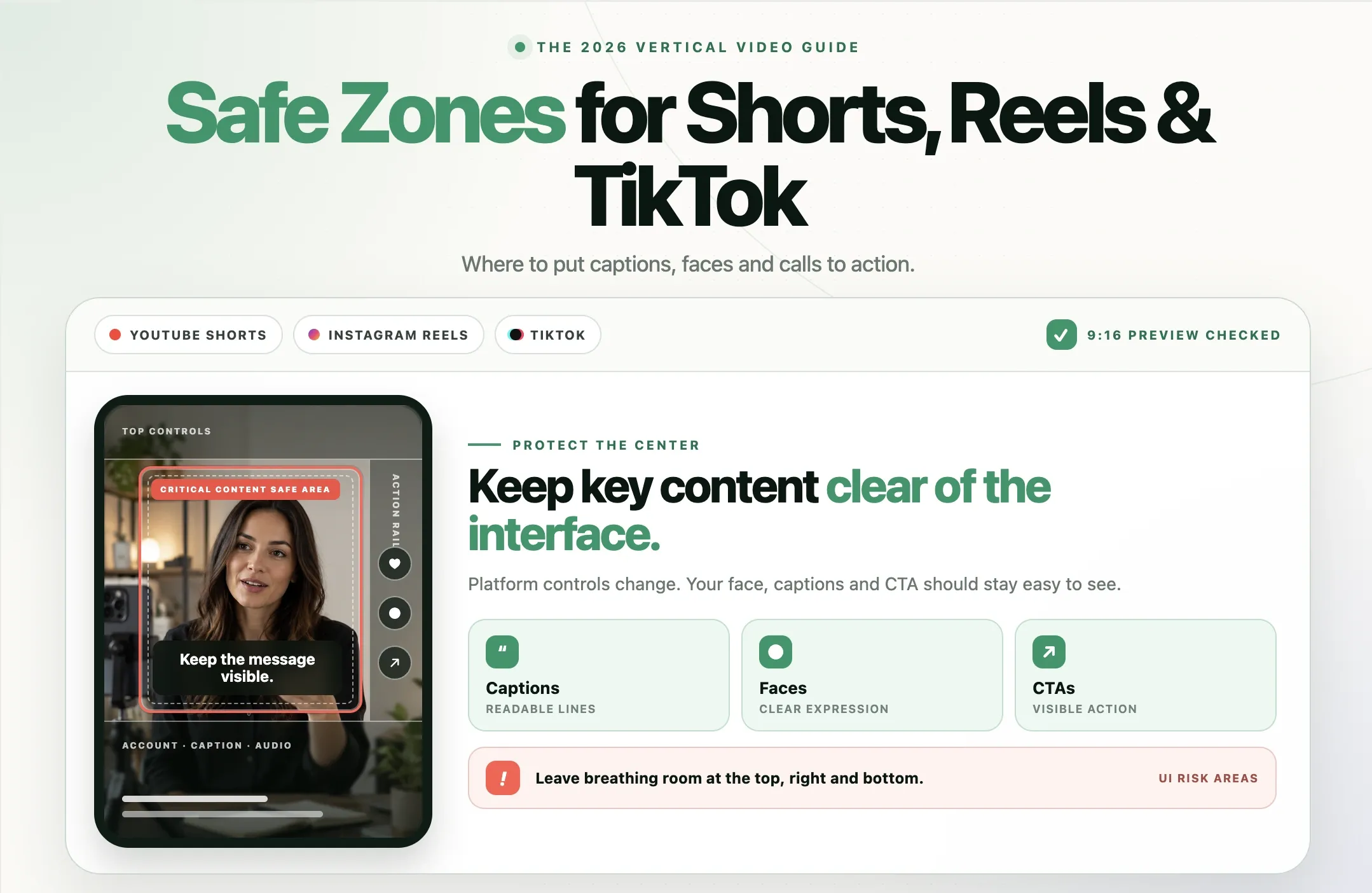
YouTube Shorts safe zones
The Shorts player covers part of your 1080 x 1920 frame. The like, dislike, comment, share, and remix buttons run down the right side. The channel name, subscribe button, title, and sound or product information sit along the bottom. A search and menu bar sits across the top.
Keep faces, products, and burned-in captions in the central area of the frame: up from the bottom, in from the right edge, and below the top bar. YouTube changes the layout over time and by device, so preview your Short on a phone before publishing. Our guide to YouTube Shorts, Reels, and TikTok safe zones covers the layout in detail.
The real problem: your best Shorts are inside your long videos
For most channels, the best material for Shorts already exists. It is in your long-form uploads: the sharpest answer in an interview, the payoff of a tutorial, the funniest moment of a stream, the key point of a podcast episode. All of it is horizontal 16:9, which YouTube will never treat as a Short.
Turning those moments into Shorts by hand means finding each moment, cutting it, building a vertical sequence, and keyframing the crop so the speaker stays in frame. A plain center crop is faster but often cuts people out, especially in two-person shots. Done manually, that work is what stops most channels from posting Shorts consistently.
How to turn a long YouTube video into Shorts with Reap
Reap is built for exactly this. It finds the strongest moments in a long video, converts them to vertical with Auto Reframe, and adds captions, so each Short comes out at the right size. Here is the workflow.
- Paste a YouTube link or upload a file. Use a video already on your channel, a podcast episode, a webinar, or a stream VOD.
- Let AI find the moments. Reap's clipping pulls standalone moments that work on their own, so you are not scrubbing a 40-minute timeline. You can also trim your own picks.
- Reframe to 9:16. Auto Reframe converts the 16:9 footage to vertical and tracks the active speaker, so the crop follows the conversation instead of sitting in the middle. You can adjust the crop on any clip before export.
- Add captions in the safe area. Generate captions in 100+ languages, pick from 50+ animated caption styles on paid plans, and place them in the center of the frame, clear of the Shorts buttons.
- Keep each clip under 3 minutes and publish. Download a vertical MP4 or schedule it straight to YouTube (and to TikTok, Reels, and LinkedIn) from Reap's publishing calendar.
The Creator plan exports at full 1080 x 1920 and the Studio plan at up to 4K. The free plan exports at 720p with a watermark, which still works as a Short and is enough to test the workflow on your own videos. To run this on every upload automatically, see how to automate YouTube Shorts creation.
Example: one long video, a week of Shorts
Say you published a 25-minute interview in 16:9. From that one upload you can pull:
- A 40-second hook where your guest makes a surprising claim, reframed to 9:16 with the speaker tracked.
- A 75-second explanation of a single idea, captioned for silent viewing.
- A 30-second back-and-forth between you and the guest, with the crop following whoever is talking.
- A 2-minute story that works as a self-contained Short, still under the 3-minute limit.
Each one exports at 1080 x 1920 and qualifies as a Short. When you publish, link each Short to the full interview as its related video in YouTube Studio (this needs advanced features turned on), so viewers who like the clip can go straight to the long version. That loop, Shorts bringing viewers to long-form, is the main reason to make Shorts from your own videos. The same vertical exports also fit TikTok and Instagram Reels, which use the same 1080 x 1920 frame.
Common YouTube Shorts size problems and how to fix them
My vertical video was published as a regular video, not a Short
Either it is longer than 3 minutes or it is not actually vertical or square. Check the exported file's dimensions (a 1920 x 1080 file is horizontal even if the content looks vertical inside black bars) and trim to 3 minutes or less.
My Short has black bars or looks zoomed in
The video is square, or it is horizontal footage padded into a vertical frame. Reframe the footage to a true 9:16 frame so it fills the screen, rather than placing a horizontal video inside a tall canvas.
My Short looks blurry
The source is below 1080 x 1920 or the bit rate was too low. Export at full HD with at least 8 Mbps (12 Mbps at 60 fps) and avoid re-exporting the same file several times.
My Short is blocked in every country
It is longer than one minute and has a copyright claim, often from background music. Remove or replace the claimed audio, dispute the claim if it is wrong, or keep music-heavy Shorts under one minute.
My captions are hidden behind the buttons
They are outside the safe area. Move captions up from the bottom and keep them clear of the right-side buttons, then preview on a phone.
YouTube Shorts size checklist before you upload
- Aspect ratio is 9:16 (1:1 only if you mean it).
- Dimensions are 1080 x 1920 pixels.
- Length is 3 minutes or less (under 1 minute if the audio might be claimed).
- File is an MP4 with H.264 video and AAC audio.
- Bit rate is at least 8 Mbps at 1080p (12 Mbps at 48 to 60 fps).
- Faces, products, and captions are in the central area, clear of the buttons.
- Thumbnail, if you can upload one, is 9:16 (2160 x 3840 recommended) as a JPG or PNG.
- The Short is linked to the full video as its related video.
Final thoughts
YouTube Shorts size comes down to one target: 1080 x 1920 pixels, 9:16, under 3 minutes, exported as an H.264 MP4. On YouTube that shape is not just about looks; it decides whether your video is a Short at all.
The bigger win is using what you already have. Your long-form videos hold dozens of Shorts, and Reap pulls them out, reframes them to vertical while following the speaker, captions them, and schedules them to your channel. Try Reap for free and turn your next long video into a week of Shorts.