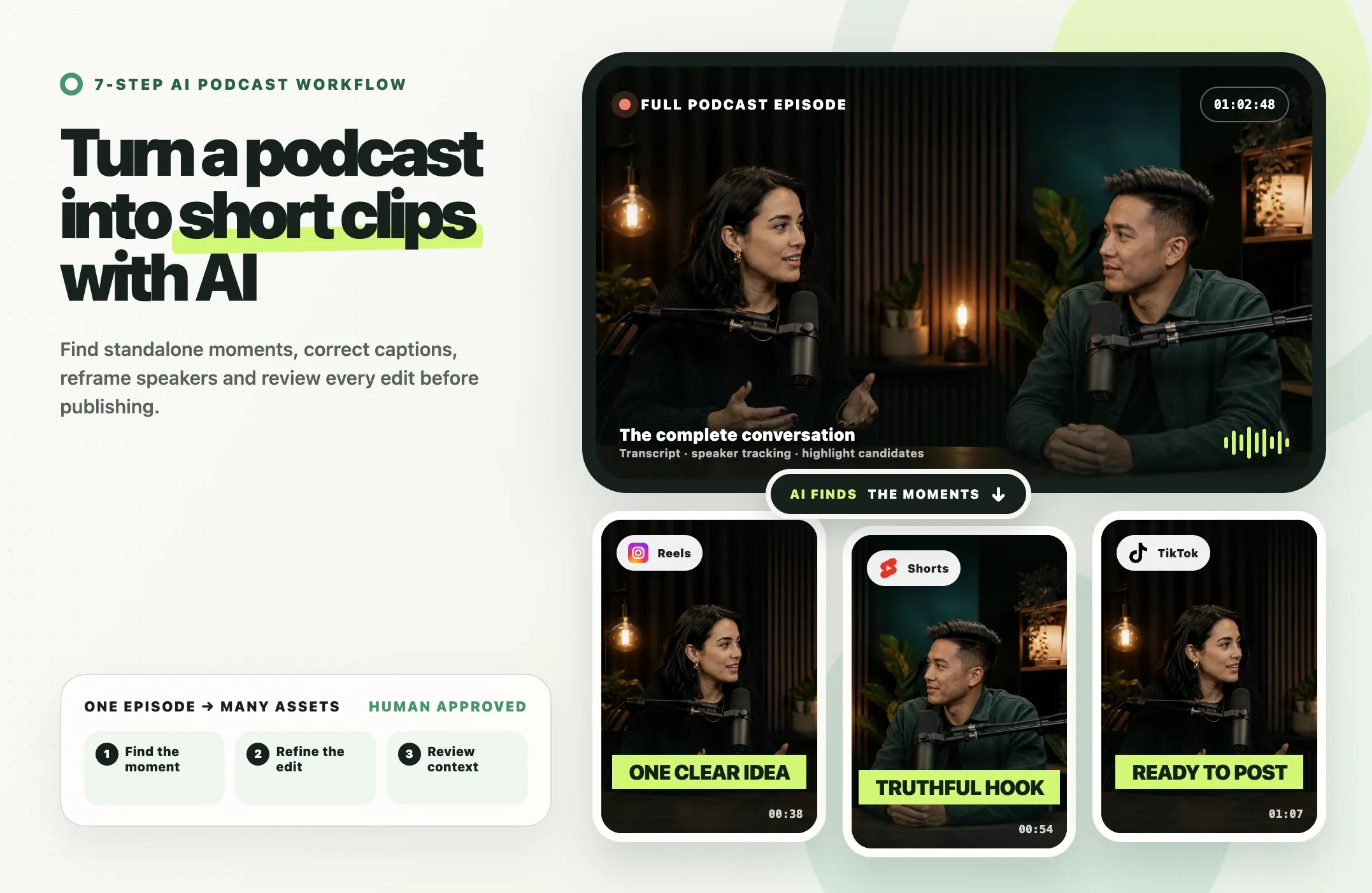
Turning a full podcast episode into useful short clips is not just a matter of asking AI to find the loudest quote.
The reliable workflow is: import the episode, generate a transcript, find moments that work without extra context, tighten the opening and ending, correct captions, reframe the active speaker, review the edit for accuracy and rights, then export platform-specific versions.
AI should create candidates and first-draft edits. A person should approve the final selection, context, captions, framing and publishing decision.
That approach works whether you are making podcast clips for TikTok, Instagram Reels, YouTube Shorts, LinkedIn, or other social channels.
Quick Answer: How Do You Turn a Podcast into Short Clips?
Use an AI clipping workflow to analyze the full episode and suggest moments that can stand on their own.
Then review each candidate for five things:
- Does the clip make sense without the full podcast?
- Does the opening create interest without changing the speaker's meaning?
- Does the clip finish the thought instead of cutting off the payoff?
- Are the captions, names, numbers and terminology correct?
- Is the active speaker framed properly for the destination format?
After that, apply consistent branding and export a version for the platform you plan to publish on.
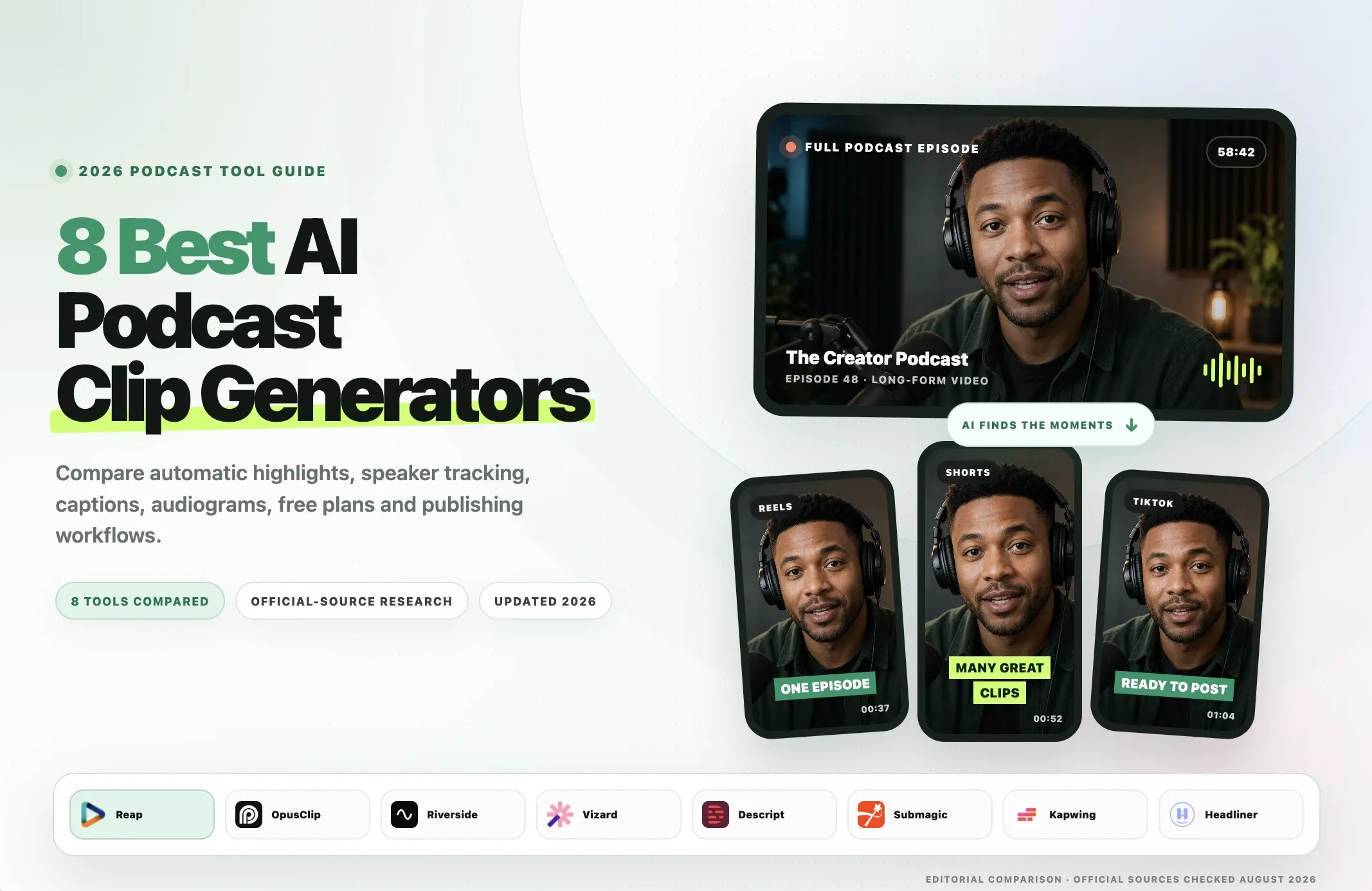
If you are still choosing software, see our separate comparison of the best podcast clip generators. This guide focuses on how to make good podcast clips, not which product ranks first.
What Makes a Good Podcast Clip?
A strong podcast clip is not simply a short section of a long recording.
It should work as a piece of content by itself.
The best candidates usually contain one of these:
- a clear lesson;
- a surprising answer;
- a strong story;
- a useful framework;
- a disagreement;
- a memorable example;
- a question with a complete answer;
- a concise explanation of a difficult idea.
A clip should make sense without the full episode
This is the most important test.
If a viewer needs the previous ten minutes of the podcast to understand who is being discussed, what the argument is about or why the statement matters, the clip probably needs more context.
Sometimes the fix is simple:
- start five seconds earlier;
- keep the host's question;
- add the guest's setup sentence;
- include the final sentence that completes the thought.
Other times, the moment simply does not work as a standalone clip.
The hook should be truthful
A strong opening helps, but the hook should not distort what the speaker meant.
You can tighten dead space, remove an unnecessary lead-in or start at the strongest sentence, but do not turn a qualified statement into an absolute claim just because the shorter version sounds more dramatic.
A useful test is:
Would the speaker agree that this clip accurately represents what they said?
If the answer is uncertain, include more context.
The clip needs a payoff
A common AI clipping mistake is selecting an interesting beginning but cutting off the conclusion.
Good podcast clips usually have a simple narrative shape:
setup -> tension or question -> answer or payoff
The payoff does not need to be dramatic. It just needs to complete the idea.
How to Turn a Podcast into Short Clips with AI
The following seven-step workflow works for video podcasts, interviews, webinars and other long conversational content.
1. Import the Highest-Quality Episode File
Start with the cleanest source you have.
Whenever possible, use the original exported video rather than a heavily compressed repost.
A cleaner source gives the clipping workflow better material for transcription, speaker detection, reframing, caption timing and final export quality.
If your AI video editor supports direct links, you can also import from a supported source rather than downloading and re-uploading the file.
Choose the right source for multi-speaker podcasts
If the episode contains two or more speakers, a layout that clearly shows faces makes automatic speaker tracking easier to evaluate.
For example:
- side-by-side interview;
- two-camera podcast;
- panel discussion;
- remote interview layout.
The goal is not to make AI recognition perfect. The goal is to give the final editor enough visual information to keep the current speaker visible.
2. Generate and Correct the Transcript
For spoken-content video, the transcript becomes the foundation of the clipping workflow.
AI can use it to understand topics, questions and answers, names, repeated ideas, topic changes and potential standalone moments.
But transcription should be treated as a first draft.
Before approving an important clip, check:
- people's names;
- company names;
- product names;
- statistics;
- dates;
- technical terms;
- acronyms;
- currencies;
- quoted phrases.
A caption that changes "$15 million" to "$50 million" is not a cosmetic error.
What if the podcast is in another language?
Modern AI clipping workflows can support multilingual transcription and captions, but language coverage varies by product.
For example, Reap supports caption workflows in 100+ languages and can also produce Native or Romanized script in supported workflows.
If you publish multilingual podcast clips:
- select the correct spoken language when you know it;
- review names and terminology;
- check punctuation and line breaks;
- verify translations before publishing;
- do not assume a large language count means equal quality for every accent and subject.
This directly matters for teams trying to turn one podcast into clips for different audiences without rebuilding the entire edit.
3. Find Moments That Work Without Extra Context
This is where AI can save the most repetitive review work.
An AI podcast clipping workflow can scan the episode and suggest candidates based on the transcript, topic shifts, speech patterns, speaker changes and other signals.
But you should review the candidates as an editor.
Look for moments with:
- one clear point;
- enough setup;
- a natural beginning;
- a complete ending;
- relevance to your target audience.
Use prompts when "find the best moments" is too vague
Generic highlight detection is useful when you do not know what you want.
Prompt-based clipping is better when you do.
For example:
Find the guest's strongest lessons about hiringFind moments where the guest disagrees with common startup adviceCreate clips about pricing, retention and onboardingFind three stories with a clear setup and payoffSkip the intro and sponsor sectionFind moments that would make sense to someone who has never heard the full episode
This is especially useful for agencies and production teams creating podcast clips for a specific campaign.
Do not force a fixed clip count
A 60-minute podcast does not automatically contain ten good clips.
Some episodes may contain many distinct stories and lessons.
Others may contain three or four strong standalone moments.
A useful workflow should optimize for usable clips, not a predetermined number.
4. Tighten the Hook and Ending
Once you have a candidate, improve the boundaries.
Tighten the beginning
Remove long pauses, filler before the point, duplicated setup, irrelevant greetings and verbal restarts that do not add meaning.
But keep enough information for the viewer to understand the statement.
The goal is to make the opening more direct without changing what the speaker meant.
Protect the ending
Check the final five to ten seconds carefully.
Common problems include:
- cutting just before the answer;
- ending before the example;
- removing a qualification that changes the meaning;
- cutting during a laugh or unfinished sentence;
- leaving no room for the final word to land.
A complete ending often matters more than shaving another three seconds from the clip.
5. Add Accurate Captions and Speaker Framing
Captions and framing are two separate jobs.
Correct the captions
AI-generated captions should be reviewed for:
- names;
- numbers;
- technical terms;
- timing;
- punctuation;
- line breaks.
Do not assume the transcript is correct because the captions look polished.
For branded podcast clips, use consistent caption styling across episodes. That can include font, size, position, highlights, animation, colors and logo placement.
Reframe the active speaker
A horizontal podcast recording often needs to become vertical for TikTok, Reels and Shorts.
A simple center crop may fail when two people are speaking.
Speaker-aware reframing can:
- detect who is talking;
- move the crop;
- switch focus between speakers;
- keep faces inside the vertical frame.
Still review the result manually.
Fast interruptions, people talking over each other, screensharing and unusual layouts can confuse automatic framing.
6. Review Context, Rights and Brand Fit
Before publishing, review more than editing quality.
This is the step that keeps an efficient AI workflow from becoming a misleading one.
Context
Ask:
- Does the clip preserve what the speaker meant?
- Did removing the previous sentence change the meaning?
- Is the clip missing an important qualification?
- Could a reasonable viewer misunderstand the statement?
Rights and permissions
Confirm that you are allowed to publish the guest segment and any music, images, screen recordings, third-party footage, slides or other copyrighted assets included in it.
If your guest agreement or release limits repurposing, follow those terms.
Private or sensitive material
Podcasts can include information that should not become a standalone social clip even if it appears in the recorded episode.
Review for:
- private information;
- confidential business details;
- personal contact information;
- statements about identifiable third parties;
- material that may need additional context.
Brand fit
A moment can be entertaining and still be wrong for the audience you are trying to build.
Ask whether the clip supports the podcast's subject, the host's positioning, the audience you want and the business or campaign goal.
7. Export, Publish and Measure Results
Once the content is approved, export the correct format for the destination.
Then measure what happens.
Useful signals include:
- average watch time;
- retention;
- completion rate;
- rewatches;
- shares;
- saves;
- comments;
- profile visits;
- clicks to the full episode;
- subscriber or follower growth connected to the clip.
Do not treat views alone as proof that the clipping strategy is working.
A clip with fewer views but more qualified visits to the full episode may be more valuable.
Use the results to decide which topics to clip again, which guests generate strong standalone moments, which clip lengths fit your audience and which platforms deserve more output.
Podcast Clip Selection Checklist
Use this before approving a clip.
|
Check |
Question |
|---|---|
|
Standalone value |
Can a new viewer understand the point without the full episode? |
|
Hook |
Does the first sentence create interest without changing the speaker's meaning? |
|
Context |
Are the people, topic and references clear? |
|
Payoff |
Does the clip complete the idea or story? |
|
Accuracy |
Does the edit preserve the original meaning? |
|
Captions |
Are names, numbers, terminology and timing correct? |
|
Framing |
Are the active speakers visible in the chosen aspect ratio? |
|
Rights |
Do you have permission to publish the segment and included assets? |
|
Brand fit |
Does the topic support the audience and positioning you want? |
This checklist is more useful than asking whether a moment sounds "viral."
Best Formats for TikTok, Reels, YouTube Shorts and LinkedIn
Platform interfaces and limits change, so always preview the final post before publishing.
|
Destination |
Common aspect ratio |
Practical use |
|
TikTok |
9:16 |
Vertical discovery clips |
|
Instagram Reels |
9:16 |
Episode promotion and vertical social clips |
|
YouTube Shorts |
9:16 |
Short-form discovery connected to your channel |
|
|
9:16, 1:1 or 16:9 |
Business insights, interviews and founder content |
|
Standard YouTube |
16:9 |
Longer highlights and compilations |
|
Website or newsletter |
16:9 or responsive |
Embedded previews and episode promotion |
Keep text away from interface elements
A vertical export can technically be 9:16 and still be difficult to watch.
Do not place critical captions too close to the bottom, behind platform controls, over the speaker's mouth or outside a comfortable mobile reading area.
Preview the clip in the destination app rather than assuming one caption position works everywhere.
How Does AI Find Podcast Highlights?
AI clipping tools can use several signals to find candidate moments.
Depending on the product, those can include:
- transcript meaning;
- topic changes;
- questions and answers;
- pauses;
- pace;
- voice emphasis;
- faces;
- speaker changes;
- visual activity;
- keywords;
- requested topics or prompts.
The best workflow combines automatic detection with editorial direction.
Automatic detection is useful for discovery
Use it when:
- you have not reviewed the episode;
- you want a first batch quickly;
- you are processing many episodes;
- you want to discover moments you did not mark during recording.
Prompt-based selection is useful for intent
Use it when:
- you know the campaign topic;
- you want a specific guest's answers;
- you need clips about one product;
- you want disagreements, lessons or stories;
- you want to exclude the intro or sponsor section.
The AI should reduce review time. It should not replace the final judgment about meaning and context.
AI Podcast Clipping vs Manual Editing
AI and manual editing solve different parts of the workflow.
|
Task |
AI-first workflow |
Manual workflow |
|
Scan a long transcript |
Fast candidate generation |
Editor reviews the full episode |
|
Find topic-based moments |
Prompt or topic search |
Manual search and markers |
|
Create first clip boundaries |
Automatic first draft |
Editor sets in/out points |
|
Add captions |
Automatic first draft |
Manual transcription or caption import |
|
Reframe speakers |
Automatic tracking where supported |
Manual keyframing/crops |
|
Check context |
Human review required |
Human review |
|
Check names and facts |
Human review required |
Human review |
|
Rights and publishing decision |
Human decision required |
Human decision |
|
Final creative judgment |
Human review |
Human review |
AI is strongest at producing the first draft.
Human editing remains important where the decision depends on context, truthfulness, nuance or rights.
How to Create Clips From an Audio-Only Podcast
An audio-only podcast cannot be reframed in the same way as a video podcast because there is no speaker footage to crop.
Instead, create an audiogram or another visual format.
A typical audio-only workflow is:
- choose the shareable audio moment;
- trim the beginning and ending;
- generate accurate captions;
- add a waveform or visualizer;
- add podcast artwork, a background or branded media;
- choose portrait, square or landscape;
- export the video asset.
Reap's Audiogram Maker supports audio-first workflows with waveform presets, captions, branding and multiple output orientations.
For an audio-only show, the important distinction is between finding the moment and visualizing the moment. Some tools automate both. Others expect you to choose the audio segment first.
What AI Podcast Clipping Can and Cannot Do
AI can help with
- transcript generation;
- highlight candidates;
- topic-based search;
- first-draft clip boundaries;
- captions;
- vertical reframing;
- speaker tracking;
- repetitive formatting;
- versioning for social output.
AI cannot reliably decide every editorial question
It may not understand:
- sarcasm;
- irony;
- private context;
- whether a statement needs the previous sentence;
- contractual publishing rights;
- whether a third-party statement is sensitive;
- whether the clip accurately represents the guest;
- whether a technically interesting quote fits your brand.
That is why a human review step should be part of every AI podcast clipping workflow.
Common Podcast Clipping Mistakes
1. Starting too late
The quote sounds interesting but the viewer does not know what the guest is talking about.
Fix: include the minimum setup required for the answer to make sense.
2. Cutting off the payoff
The clip ends before the example, answer or conclusion.
Fix: prioritize a complete thought over an arbitrary duration.
3. Manufacturing a hook
The edit removes qualifications and makes the speaker sound more absolute than they were.
Fix: tighten the opening without changing the meaning.
4. Publishing captions without review
Names, numbers and specialized terms are wrong.
Fix: proofread every public clip, especially high-stakes or technical content.
5. Using one fixed vertical crop for every speaker
The wrong person remains centered.
Fix: use speaker-aware reframing or manually correct the crop.
6. Treating every episode as a fixed number of clips
The team publishes weak moments to hit a quota.
Fix: optimize for the number of good standalone moments, not a predetermined output count.
7. Ignoring rights and context
The clip includes third-party media, a private remark or a statement that needs more context.
Fix: add a publishing review step before scheduling.
8. Posting the same edit everywhere without previewing it
Captions or faces are covered by the platform interface.
Fix: preview the export on the actual destination and adjust safe areas when needed.
Build a Repeatable Podcast Repurposing Workflow with Reap
Once the neutral workflow is clear, Reap can be used to implement it.
For a video podcast, Reap can:
- generate AI clip candidates;
- accept prompt-based creative direction;
- focus clips on specific topics;
- target different clip-length ranges;
- add captions in 100+ languages;
- translate captions in supported workflows;
- use Native or Romanized script;
- add keyword highlights and emojis;
- reframe to portrait or square;
- track the active speaker during reframing;
- apply reusable Brand Templates;
- export the final clips;
- schedule or publish through supported social workflows.
For teams processing many episodes, paid Reap workflows also support API and MCP automation.
The useful division of labor is:
Reap creates the first draft -> a person approves the context and edit -> Reap handles the repeatable production and publishing steps.
Example prompt ideas for podcast clipping
If a generic clipping run is too broad, prompts can make the output more intentional.
Try requests such as:
Find three lessons about customer retentionFind the guest's strongest founder storyFind moments where the guest challenges common adviceCreate short clips about hiring and team cultureSkip the first five minutes and sponsor sectionFind answers that make sense without the host's previous questionFind one 30-second hook and two 60-90 second explanations about pricing
The prompt should describe the editorial goal. Settings such as orientation, resolution, caption style and speaker tracking can remain separate production controls.
For a deeper product comparison before choosing a workflow, see 8 Best AI Podcast Clip Generators in 2026.