You upload a recorded interview, use AI to find a useful moment and add captions. Before publishing the clip, you reach a question about AI-generated content.
Should you turn the label on?
Now imagine a different edit. The interview includes a realistic scene generated from a prompt, or the guest's recorded voice has been replaced with synthesized speech. Both projects used AI, but the finished videos give viewers different reasons to ask what is real.
On September 29, 2026, TikTok's Irish newsroom published an update about AI transparency, literacy and tests targeting AI-generated spam. It puts a practical question back in focus: how should creators describe the role AI played in their videos?
This guide explains AI video disclosure for organic posts on YouTube, TikTok and Instagram. It also shows how to review a clip prepared with Reap before deciding what to disclose in the destination platform.
Quick Answer: Do AI-Edited Videos Need an AI Label?
Not every use of AI in a video workflow requires the same disclosure. Review what changed in the finished video and apply the rules of the platform where you are posting.
YouTube explicitly lists caption creation among uses that do not require disclosure. That does not establish a universal exemption for every AI edit on every platform.
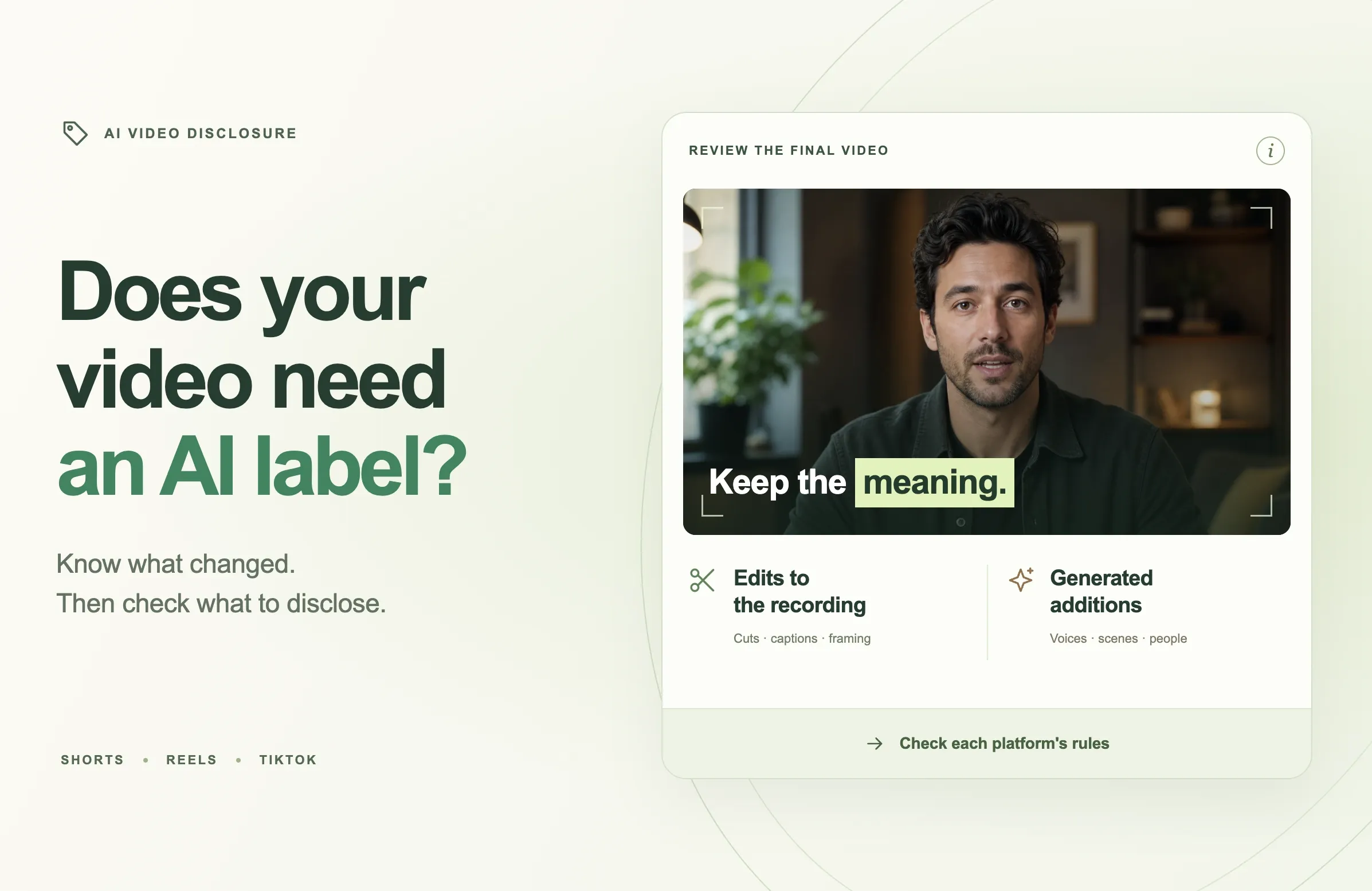
For a useful first review, separate faithful editing of recorded material from generated or altered people, speech and events. Then check each platform's guidance below. An editor's product name or an export filename cannot answer the disclosure question for you.
Why AI Video Disclosure Is Back in Focus
TikTok's September 29 update discusses educational resources, transparency technology and tests aimed at accounts posting AI-generated spam. It is a timely reason to review your process, rather than evidence that every AI-assisted caption or cut suddenly needs a new label.
Creators often use several tools on one video. One selects passages from an interview. Another generates subtitles. A third may create a realistic image or synthesize a voice. Saying “AI was used” leaves those differences unexplained.
For an editing team, the most useful record is specific: what came from the recording, what was changed and what was newly generated. That record helps the person publishing the video make a decision without reconstructing every production step.
The goal is to make the finished video's origins understandable. Start with the version people will actually watch, including the audio, background shots, subtitles and opening title.
AI-Assisted Editing and Synthetic Content Need Different Reviews
Before checking platform rules, make a simple inventory of the edit.
Editing recorded material
Consider an interview that becomes a short clip. You choose a complete answer, remove an unrelated introduction, crop the frame for a phone screen and correct a misspelled name in the captions.
The review should establish whether the clip still represents what the guest said. Check the question that prompted the answer, any qualifications and the context around the selected passage.
An AI-assisted selection can be faithful or misleading, just as a manual selection can. The fact that software chose the passage does not tell you whether the passage works on its own.
Generating or replacing material
A second version might add a lifelike image of the guest visiting a location they never visited. Another might replace the guest's speech with newly synthesized words.
Those changes require a different review because they affect what the audience may believe was recorded. Identify the generated component and its role in the story before deciding how to present it.
The distinction is especially useful for B-roll. A decorative illustration and a realistic image presented as evidence do different jobs. Ask whether a viewer would reasonably understand an insert as an illustration or mistake it for footage of the event being discussed.
Mixed videos
A video can contain both authentic and synthetic material. Keep a short production note identifying the relevant passage, for example: “Original interview throughout; generated location illustration during the discussion of a hypothetical studio.”
That note is an internal editing aid. It helps you assess the whole upload and write accurate context where needed; it is not a replacement for the platform's disclosure controls.
What YouTube Requires for AI Disclosure
YouTube requires disclosure of realistic, meaningfully AI-generated or altered content. Its exceptions include certain production and repair tasks, plus cloning your own voice for voiceovers or dubs.
The own-voice example should not be extended to every speaker, technique or destination platform.
Following YouTube's upload guidance, disclose qualifying content through Attributes → AI use during upload.
In practice, keep a note of the decision alongside the exported file. If an editor later adds a generated scene or replaces the narration, review the changed version before posting. A decision made about an earlier cut may no longer fit the final one.
What TikTok Requires for AI-Generated Content Labels
TikTok's AI-content guidance encourages labeling fully generated or significantly AI-edited content and requires labels for realistic AI-generated images, audio and video. Its explanation distinguishes significant alteration from minor corrections or enhancements.
The help page also describes automatic labels, including those associated with Content Credentials, alongside creator-applied labels. It says an automatic AI-generated label cannot be removed from the post.
For a repurposed interview, document whether the work involved selecting recorded speech or creating new speech and imagery. Do not treat YouTube's named examples as TikTok's exact list of exceptions.
Use the AI-generated content option in TikTok's posting settings when the upload meets its requirements. Review the final version rather than relying on whether an earlier draft received a label.
How Instagram's AI Info Labels Work
Meta's published labeling approach describes two routes to AI labeling: signals it detects in content and disclosure by the person posting it. It distinguishes detected AI-generated material from material only edited using AI; for the latter, AI information may appear in the post menu.
Meta has also stated that creators must use its disclosure tool for organic content containing photorealistic video or realistic-sounding audio that was digitally created or altered.
Review the work behind the label
An Instagram AI info label is not a complete production history. It does not, by itself, explain which frames, sounds or elements were affected.
If several people worked on a Reel, ask the editor for a short list of generated additions before publishing. “Captioned and cropped” describes a different process from “replaced the speaker's voice and generated a location shot.” That detail makes the decision easier to review.
Check the disclosure control on the final upload
Use Instagram's available AI-disclosure controls when the content meets Meta's requirements. Check the current in-app wording and help guidance for your account rather than relying on an old screenshot of the publishing screen.
Do not treat the absence of an automatic label as confirmation that the content needs no disclosure. Your production record and the platform's requirements are more useful than guessing what its detection system will recognize.
Four Editing Examples and What to Check
The following examples are illustrative. They show how to examine an edit; they are not reports of upload tests or predictions about automatic labeling.
Imagine a podcast guest discussing lessons from opening a small recording studio.
|
Version |
What changed |
Main review question |
|---|---|---|
|
Captioned interview excerpt |
Selected a complete answer, added accurate captions and adjusted the crop |
Does the excerpt preserve the guest's meaning? |
|
Excerpt with generated footage |
Added a realistic image of a studio interior |
Could viewers mistake the image for the guest's actual studio? |
|
Dubbed version |
Replaced the recorded speech with synthesized audio |
Whose voice is used, what words changed and what does the destination require? |
|
Recut answer |
Removed a qualification from the guest's statement |
Does the edit create a claim the guest did not make? |
A captioned excerpt
The guest says, “We waited until we had repeat clients before signing a larger lease.” You keep the full thought, correct the captions and crop the frame around the speaker.
Review the words and surrounding context. A title such as “When we chose a bigger studio” accurately introduces the discussion. “Every creator needs a bigger studio” would make a broader claim than the recording supports.
YouTube's caption example is relevant here. For other destinations, review their own criteria rather than assuming that one platform's wording applies everywhere.
A realistic generated insert
You add a polished studio interior created with AI while the guest describes their first premises. Without context, viewers might assume they are seeing the actual location.
One editorial option is to use real footage supplied for the story. If you retain a generated illustration, make its purpose clear and assess the upload under the destination's synthetic-content rules. A short insert still belongs in the review of the whole video.
A dubbed interview
Treat dubbing as a separate production decision from translated subtitles. Review the translated meaning, the voice being used and whether the result changes what viewers think the guest said.
Keep the original recording available for comparison. Have a qualified speaker of the target language check consequential wording, names and qualifications. Then apply the destination's disclosure guidance to the actual audio technique used.
A misleading cut
Suppose the guest says, “I would not recommend renting a studio before you have clients.” Removing “not” reverses the advice.
The first task is to repair the edit. No label can restore the meaning of a missing word. Review both the audio and captions, because a transcription error can create the same problem without any deliberate change to the recording.
A Reap Workflow for Reviewing Clips Before Upload
Build the disclosure review into your ordinary editing process. You do not need to turn every production into a long audit; a clear source, a checked edit and a short handoff note can make the work manageable.
Start with the original recording
In Reap's clipping workflow, upload your video or use a supported source link. Configure the relevant clip settings, including orientation and caption style, and generate candidates for review.
Choose a passage that contains a complete idea. For the studio interview, keep the condition that made the advice useful: the guest waited for repeat clients before expanding.
Save enough source context to check the selection later. The person approving the Short should be able to locate the original answer without searching through an entire recording again.
Check the transcript and the cut together
Reap's editor supports transcript correction, trimming, caption adjustments and layout changes. Use those controls to refine the selected passage.
Listen while reading. Pay particular attention to negations, quantities, dates and named people. Then watch the edit without the transcript panel: does the opening title accurately introduce what the speaker says?
If you correct a subtitle, confirm that it matches the audio. If the speaker misspoke, silently replacing their sentence with a different claim is not the same as fixing a transcription error.
Review every added element
Check any B-roll, images, voiceovers or other additions made during production, including work completed outside Reap. Record whether each is original footage, supplied material, an illustration or generated media.
For practical visual choices, see our guide to B-roll and how to use it. The insert should support the explanation without implying evidence you do not have.
Prepare a short publishing note
Use a small handoff record alongside the export:
- Source: Interview title and relevant time range.
- Edits: What was cut, corrected or reframed.
- Additions: Any generated pictures, speech or music, with their location in the edit.
- Destination review: The disclosure decision for each platform and the date checked.
Keep the note specific to the exported version. If the video changes after review, update the note before it reaches the publishing queue.
Complete disclosure in the destination platform
Watch the export, then review the upload settings and any labels in the platform where it will appear. A prepared video file and a completed platform disclosure are separate parts of the workflow.
This process uses Reap to prepare and review the edit. It does not assume that Reap checks platform policy, applies every destination's AI label or controls how an upload is automatically classified.
Disclosure, Reach and Monetization Are Separate Questions
YouTube says disclosure does not limit a video's audience or affect its eligibility to earn money. TikTok says its AI-generated content setting does not affect distribution when the content complies with its Community Guidelines.
Those statements do not promise views or audience trust. A viewer can still dislike a video, misunderstand its premise or leave before the explanation starts.
For editorial planning, separate three questions: did you describe the production accurately, does the post meet the platform's other requirements, and does it give the audience something useful?
Our guide to original versus reposted content covers a related but different issue: how to create meaningful new edits rather than simply republish someone else's material. For the broader quality question, read what AI slop means for creators and brands.
After publishing, use performance data to improve the hook, pacing and relevance. A low view count alone cannot tell you that an AI label caused the result.
Final Thoughts
The most useful AI-disclosure question is specific: what did AI change in the video people will watch?
Start with the recording, identify generated additions and review the platform's requirements for the finished edit. Keep captions accurate, preserve the speaker's meaning and carry the decision through to the actual upload.
With Reap's AI clipping workflow, you can turn a long recording into editable short clips, then review the words, framing and context before export. Make that review part of your publishing routine so each clip is both clear and accurately presented.