Instagram is adding a faster way to turn a folder of raw clips into a usable Reel.
Announced on August 25, 2026, Instagram First Draft automatically trims selected footage, removes pauses and assembles the remaining moments into an initial edit. Instagram says it can create that first pass in under 10 seconds.
The important phrase is first pass. First Draft is not designed to make every creative decision for you. It handles the repetitive opening stage so you can spend more time on the hook, story, captions, sound and final polish.
Quick answer: Instagram First Draft is an automatic rough-cut tool inside the Instagram iPhone app. Select or record clips, tap First Draft and Instagram will remove pauses, trim footage and arrange useful sections into an editable Reel. You can then reorder, shorten, remove or replace clips before adding captions, music, text and other finishing touches.
Rollout note: First Draft is initially rolling out on iPhone. Features can reach accounts gradually, so updating Instagram does not guarantee that the button will appear immediately. Instagram has not announced a confirmed Android release date.
What is Instagram First Draft?
Instagram First Draft is a built-in Reels editing feature that creates an initial cut from one or more video clips. It looks for sections it can shorten, removes gaps and puts selected moments together in a single sequence.
The feature targets the part of editing that often prevents a Reel from getting started. A creator may have five or ten usable clips but still need to review them one by one, find the cleanest sections and remove dead air. First Draft attempts that assembly automatically.
Instagram describes the result as a starting point, not a final decision. The edits remain reversible, which means you can:
- Reorder clips
- Adjust the beginning or end of a clip
- Remove a clip
- Replace parts of the sequence
- Discard the result and start again
- Continue into Instagram's full editor before publishing
That distinction matters. Automatic trimming can remove obvious friction, but only the creator knows the intended point, tone and audience.
What does Instagram First Draft do?
First Draft performs three main jobs.
1. It trims selected clips
Instead of placing every file at its full length on the timeline, First Draft selects shorter sections and assembles them into one edit. This can be especially useful when each raw recording includes setup time before or after the meaningful action.
2. It removes pauses
For talking-head videos, the feature identifies gaps between spoken sections and cuts some of that silence. The result should feel tighter than the raw recording without requiring you to make every cut manually.
Silence removal still needs review. A pause can be accidental dead air, but it can also be part of a joke, reveal, emotional beat or explanation. Faster is not always better.
3. It assembles an editable Reel
First Draft places the trimmed sections into a sequence that can be reviewed before moving to the full Reels editor. The sequence is editable, so you remain responsible for the final order and meaning.
Instagram has demonstrated the tool with multi-clip montages, talking-head videos and day-in-the-life footage. Those formats have obvious removable material and a sequence that can be improved quickly through a rough cut.
Is Instagram First Draft an AI editor?
No. Instagram confirmed to The Verge that First Draft does not use AI.
That correction is worth making because automatic editing is often described as AI editing by default. First Draft may analyze footage and make automated trimming decisions, but Instagram is not presenting it as an AI feature.
It is also separate from Meta's Edits app. First Draft is currently built into the main Instagram app. Edits remains a broader standalone mobile editor with a larger set of production tools.
How to use Instagram First Draft for Reels
You can begin from existing footage in your gallery or record new footage with Instagram's camera.
Method 1: Use clips from your Reels gallery
- Update Instagram to the latest version available for your iPhone.
- Open Instagram and start creating a new Reel.
- Open the Reels gallery.
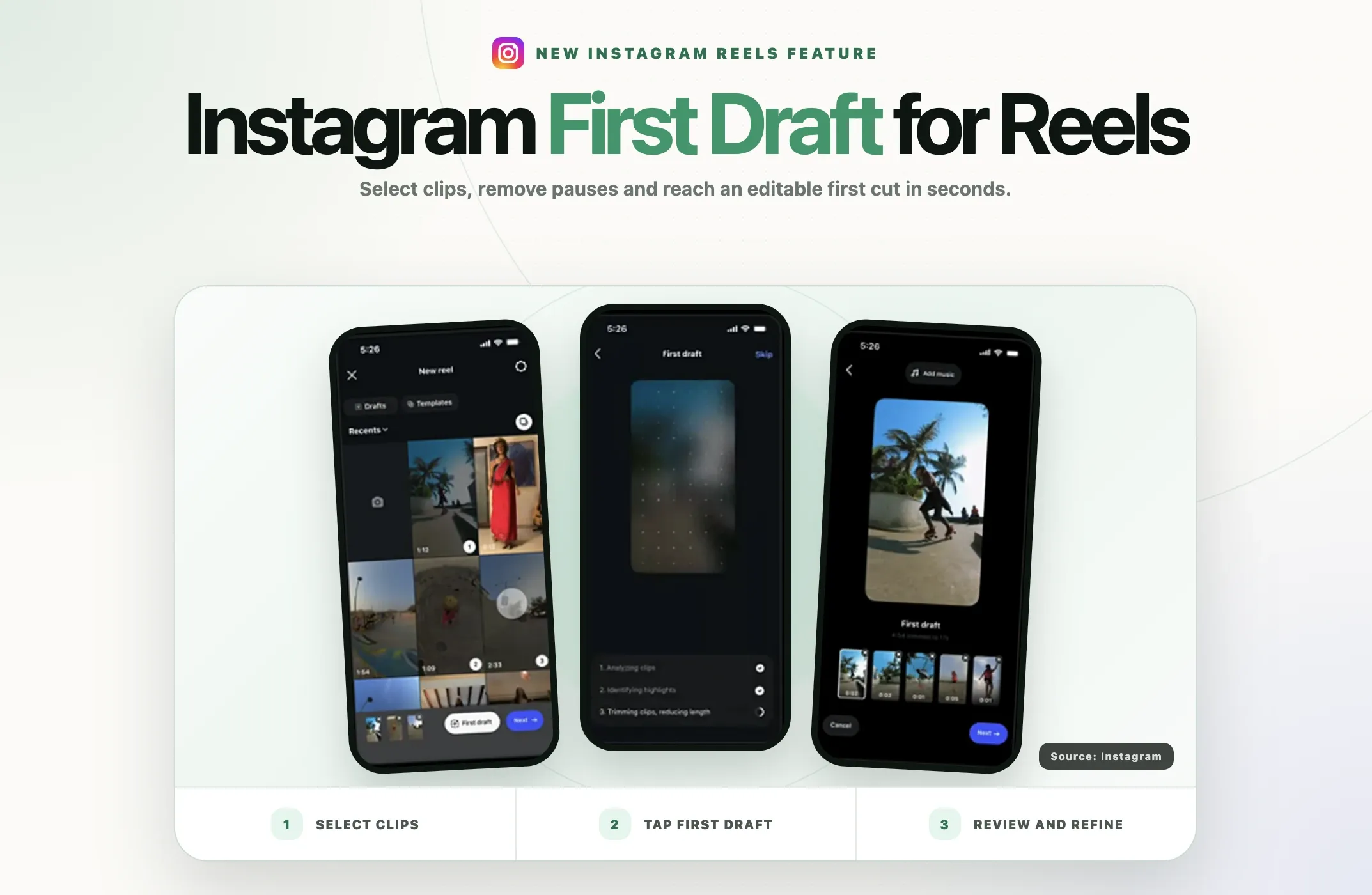
- Select the clips you want to include. The feature is designed to work particularly well with multiple clips.
- Tap First Draft at the bottom of the screen.
- Wait while Instagram trims and assembles the footage.
- Watch the entire generated edit before making changes.
- Reorder, remove or adjust any section that does not support the story.
- Continue to the full editor to add captions, text, music, voiceover, effects or overlays.
- Preview the finished Reel with sound on and off before publishing.
Method 2: Record in the Instagram camera
- Open Instagram's camera and choose Reel.
- Record the clips you need.
- Tap First Draft.
- Review the automatic cut.
- Correct the sequence and restore anything important that was removed.
- Finish the Reel in the full editor, then preview and publish it.
The exact button position may vary as Instagram tests the interface. If you do not see First Draft, check that you are using an iPhone, update the app and try again later. Server-side rollouts often reach accounts in stages.
What to check before publishing the automatic edit
The generated sequence can save time, but a usable draft is not the same as a publishable Reel. Review these areas before posting.
Rewrite the first two seconds
An automatic editor can identify a clean moment without identifying the strongest opening. Start with the outcome, conflict, surprise or question that gives someone a reason to keep watching.
For example, “I tested three setups” is more specific than “Today I want to talk about my setup.” The subject becomes clear immediately, and the viewer knows what they will get.
Restore context the trim removed
A sentence may sound fluent after a pause is removed while losing the name, condition or qualification that made it accurate. Listen for pronouns with no clear subject, answers without their questions and claims separated from necessary context.
Check pacing instead of chasing speed
Fast cuts are useful when they remove friction. They are distracting when every breath disappears. Keep short pauses that improve comprehension, signal a new idea or give a visual moment room to land.
There is no universal ideal duration for every Reel. The best edit is the shortest version that delivers a complete payoff. Our guide to the best video length for Shorts, Reels and TikTok explains how to choose length by the job of the video rather than copying one fixed number.
Add accurate captions
First Draft focuses on the rough cut. Captions still need to be generated, styled and checked. Correct names, product terms, numbers and any words that change the meaning of a sentence.
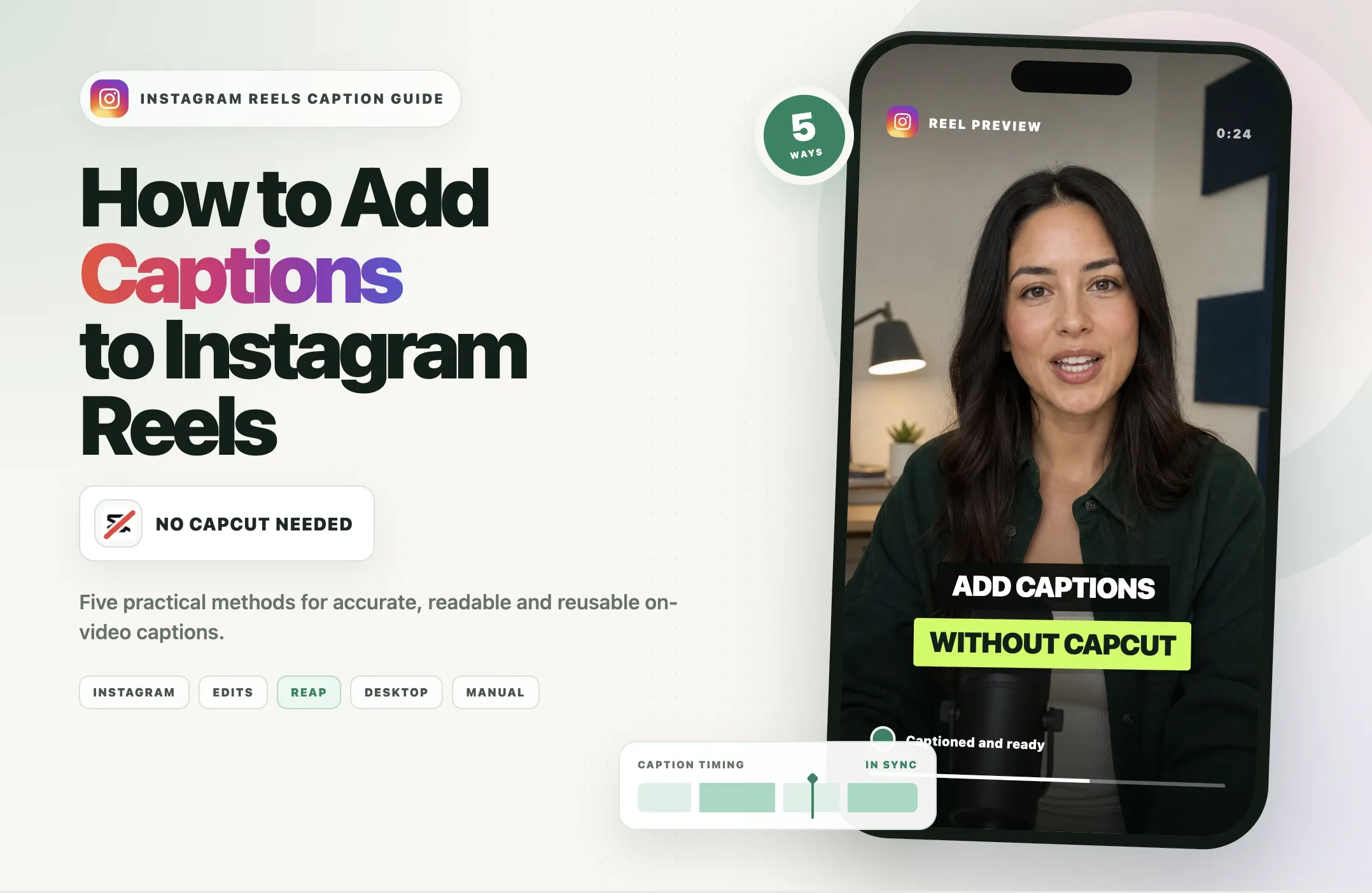
Keep captions away from the bottom and right edges where Instagram's interface can cover them. If you need more control over subtitle styling, use the workflow in our guide on adding captions to Instagram Reels without CapCut.
Use music to support the message
Music should not compete with dialogue. Lower the background track until speech remains easy to understand on phone speakers. Match transitions to the rhythm only when doing so improves the story, not because every clip needs a beat cut.
Add B-roll with a purpose
Use a visual example when the speaker names an object, action, location or result. Avoid covering every sentence with unrelated stock footage. B-roll should clarify, prove or reset attention.
Finish with one clear next step
A strong Reel should know what it wants the viewer to do next. That action may be saving the tip, commenting with an answer, opening a linked resource, viewing the next Reel in a series or visiting a product page.
Best uses for Instagram First Draft
|
Format |
Why First Draft can help |
What to review manually |
|---|---|---|
|
Talking-head tip |
Removes pauses and shortens setup time |
Hook, sentence meaning, captions and breathing room |
|
Day-in-the-life Reel |
Builds a starting sequence from many short moments |
Chronology, story arc, time labels and music |
|
Event recap |
Reduces a large camera roll into an initial montage |
Best establishing shot, key people, brand moments and ending |
|
Product demonstration |
Trims repeated setup and inactive sections |
Step order, claims, close-ups and call to action |
|
Behind-the-scenes video |
Combines several candid clips quickly |
Context, consent, continuity and brand tone |
|
Travel or food montage |
Creates a fast visual sequence from multiple shots |
Shot variety, location context, rhythm and color consistency |
First Draft is less useful when timing must be exact, a client requires frame-level approvals or the story depends on complex dialogue, graphics and layered audio. In those cases, use a fuller editor from the beginning.
Instagram First Draft vs the Reels editor, Edits and Reap
These tools solve different parts of the workflow.
|
Tool |
Best starting material |
Primary job |
Best fit |
|---|---|---|---|
|
Instagram First Draft |
One or more phone clips |
Creates a quick, reversible rough cut |
Fast native Instagram creation |
|
Instagram Reels editor |
A rough cut or selected clips |
Adds text, captions, audio, effects and final adjustments |
Finishing and publishing inside Instagram |
|
Meta Edits |
Mobile footage and planned social edits |
Provides a broader standalone mobile editing workspace |
Creators who want more control while staying in Meta's ecosystem |
|
Reap |
Podcasts, interviews, webinars, tutorials and other long videos |
Finds complete moments, creates clips, reframes and captions them |
Repurposing one long recording into multiple short videos |
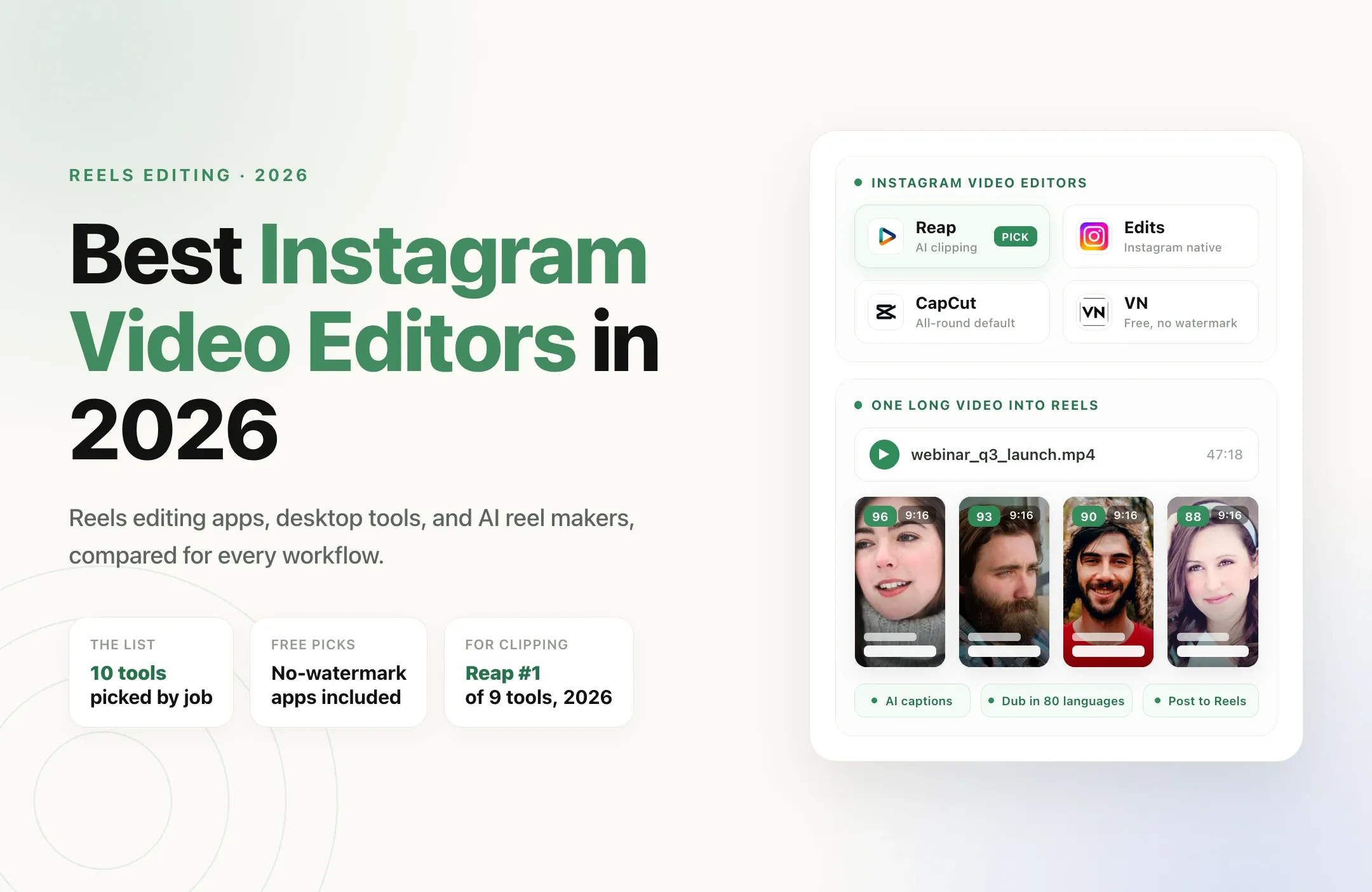
If you filmed a day out as twelve phone clips, First Draft is a sensible first step. If you recorded a 50-minute podcast and need ten self-contained clips, a long-form repurposing workflow is the better fit.
With Reap's AI video clipping tool, you can upload long-form content, identify candidate moments, reframe speakers for vertical video and generate captions before refining the selected clips. The goal is not to replace Instagram's native finishing tools. It is to avoid manually searching an entire recording for the useful moments in the first place.
Will using First Draft increase Reel reach?
Instagram has not said that using First Draft gives a Reel a distribution advantage. There is no credible basis for claiming that the platform rewards a video simply because it was edited with this feature.
The indirect benefit is workflow speed. If First Draft helps you publish a clearer video more consistently, test more hooks or remove obvious dead air, performance may improve because the content improved. The editing button itself is not the strategy.
Measure the finished Reel using signals that reveal attention and response:
- Watch time
- Average watch time
- Retention and drop-off points
- Replays
- Shares and sends
- Saves
- Profile visits or link actions
Use those results to improve the next cut. If viewers leave before the point is clear, move the payoff earlier. If they finish but do not act, strengthen the call to action. If a section is repeatedly replayed, consider turning that idea into a standalone Reel.
Common mistakes to avoid
Publishing the first output without watching it
An automatic cut can be technically clean and logically wrong. Watch from beginning to end before adding finishing elements.
Letting silence removal flatten the delivery
Keep intentional pauses. Natural speech often feels more trustworthy than a sentence with every gap removed.
Using a generic first clip
The first selected moment may not be the best hook. Reorder the draft so the value is clear immediately.
Adding text before the sequence is final
Lock the story first. Otherwise, every trim can force you to retime captions, labels and overlays.
Assuming native creation guarantees reach
Publish for the audience, not for a theory about what the algorithm prefers. The message, packaging and viewer response matter more than the editing path.
Reposting the same cut everywhere
A Reel can also work on Shorts or TikTok, but remove watermarks, check safe zones and adapt the hook or caption to each platform. Meaningful repurposing adds context or changes the presentation for a new audience. Our guide to original content versus reposted content explains that difference.
A practical First Draft publishing checklist
- The first two seconds state or show a clear reason to watch.
- The clip order creates a beginning, development and payoff.
- No necessary context disappeared during automatic trimming.
- Intentional pauses remain where they improve meaning.
- Captions are accurate and readable inside Instagram's safe area.
- Music supports the voice instead of covering it.
- B-roll explains or proves the spoken point.
- The cover communicates one specific idea.
- The caption adds useful context instead of repeating the video.
- The call to action matches the purpose of the Reel.
- The final video has been watched once with sound and once without it.
Final verdict
Instagram First Draft removes a real piece of editing friction. It can turn a group of clips into a workable sequence quickly, which is valuable when the hardest part is beginning.
Its best role is rough-cut assistant, not creative director. Use it to remove obvious dead air and create momentum, then apply human judgment to the story, accuracy, pacing and presentation.
For phone-shot montages and simple talking-head Reels, it may be all the starting help you need. For long podcasts, webinars, interviews and tutorials, use a workflow built to find complete, useful moments before you finish and publish them on Instagram.