Amazon affiliate marketing on YouTube now has two distinct workflows.
You can add a traditional Amazon affiliate URL to a clickable long-form video description. Eligible US creators can also connect an Amazon account to YouTube Shopping and tag products directly inside Shorts, videos and livestreams.
The second option is new. On August 27, 2026, YouTube announced that Amazon had joined the YouTube Shopping affiliate program. That gives qualifying creators a native product picker in YouTube Studio and a smoother path from a video to an Amazon product page.
Quick answer: For a long-form YouTube video, generate the affiliate link in Amazon Associates or your Amazon Influencer storefront, place it near the top of the description and add a clear disclosure. For a Short, do not rely on a normal description URL because YouTube makes URLs in Shorts descriptions and comments non-clickable. Eligible creators should tag the exact Amazon product through YouTube Shopping. Other creators can send viewers to a disclosed channel profile link or a related long-form video.
Availability note: The Amazon integration is currently for eligible creators in the United States. YouTube Shopping has broader retailer support in several countries, but the Amazon connection announced in August 2026 should not be assumed to be available everywhere.
What changed for Amazon affiliates on YouTube?
Before the native integration, most creators used Amazon affiliate links in video descriptions, pinned comments or channel profile links. That approach still works in locations where external links are clickable, but it asks the viewer to leave the video, open the description and find the correct URL.
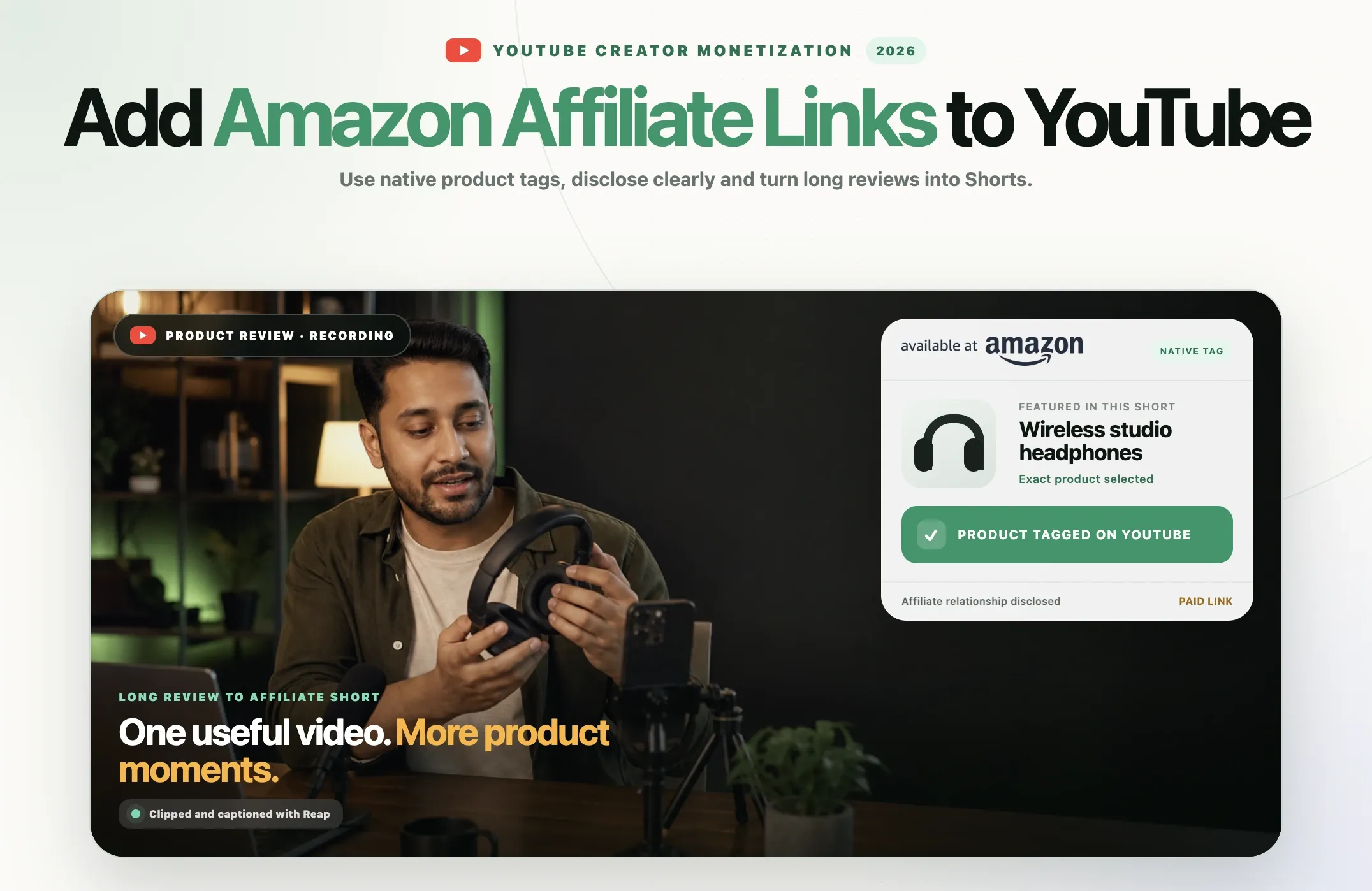
With YouTube Shopping, eligible creators can tag an Amazon listing directly. A viewer can open the product while continuing through YouTube's shopping experience. The tag can appear on:
- YouTube Shorts
- Long-form videos
- Livestreams
YouTube says videos with product tags alone received more than 110% more product clicks than videos using description links alone in an internal experiment conducted from July 14 to July 29, 2026. Treat that figure as platform research, not a promise that every video will double its clicks.
The useful conclusion is simpler: a relevant product presented where a viewer can act on it usually creates less friction than a URL buried below the fold.
Amazon product tags vs affiliate links in descriptions
These methods can support the same product recommendation, but they behave differently.
|
Feature |
Native Amazon product tag |
Amazon affiliate description link |
|---|---|---|
|
Where it appears |
YouTube Shopping product shelf or product button |
Long-form video description, profile link or another supported external-link location |
|
Shorts support |
Clickable for eligible creators |
A normal URL in a Shorts description or comment is not clickable |
|
Eligibility |
Requires YouTube Shopping and linked eligible Amazon account |
Requires an active Amazon affiliate account and compliance with YouTube link rules |
|
Tracking |
Clicks and estimated revenue appear in YouTube Studio |
Clicks, ordered items and earnings are normally reviewed in Amazon reporting |
|
Best use |
Reducing friction on product-focused videos and Shorts |
Detailed product lists, alternatives, kits and long-form buying guides |
You do not have to treat the two options as competitors. An eligible creator can tag the primary product natively and include a properly disclosed list of supporting products in a long-form description.
Who can tag Amazon products on YouTube?
YouTube's Amazon help page lists four main requirements. The creator must:
- Be enrolled in the YouTube Partner Program.
- Be enrolled in the YouTube Shopping affiliate program in the United States.
- Have an active Amazon Influencer Program or Amazon Associates Program account in good standing.
- Link that Amazon account to the YouTube channel.
YouTube also notes that only one YouTube channel can be eligible for each Amazon account. If you manage several channels, choose the connection deliberately before you build a publishing workflow around it.
Creators who linked their account before September 2024 may need to link it again. Activation is not always instant and can take a few days after the connection is completed.
Not eligible yet? You can still use Amazon Associates links in supported clickable locations if your Amazon account permits the traffic source and your YouTube channel is declared appropriately. You just will not have the native Amazon product picker until the YouTube Shopping requirements are met.
How to connect Amazon Associates or Amazon Influencer to YouTube
The linking process begins on Amazon rather than inside a video description.
- Sign in to the Amazon account associated with your Amazon Influencer storefront or Associates account.
- Open your Amazon Storefront.
- Select Edit profile.
- Choose the option to link your account.
- Select and verify the YouTube channel you want to connect.
- Complete any YouTube Shopping enrollment prompts shown in YouTube Studio.
- Wait for the product picker to become available. YouTube says activation can take a few days.
If the Amazon account was connected years ago, repeat the linking process so the current YouTube Shopping permissions are in place.
How to tag Amazon products in a YouTube Short or video
Once the account is eligible and connected, use YouTube Studio's product picker to attach relevant Amazon listings.
- Upload the Short, long-form video or livestream details in YouTube Studio.
- Open the video's monetization or Shopping controls.
- Choose the option to tag products.
- Search for the exact Amazon product shown or discussed in the video.
- Check the brand, model, size, color and listing before selecting it.
- Arrange the tagged products so the main recommendation appears first.
- Save the changes and preview the published experience.
Precision matters. Tagging a similar item that is not actually shown can confuse viewers and weaken trust. If you compare three microphones, tag those three microphones. Do not add twenty unrelated audio products simply because they carry commission.
YouTube may also offer automatic product tagging. Review automatically selected products before relying on them, especially when a video mentions several versions of the same item.
How to add Amazon affiliate links to a YouTube video description
Traditional affiliate links remain useful for long-form reviews, tutorials, setup tours, buyer's guides and videos that mention several accessories.
1. Create the correct affiliate link
Sign in to Amazon Associates or your Amazon Influencer account and generate a link for the exact product page. Make sure the link contains the correct tracking ID for the channel or campaign you want to measure.
Do not copy a normal retail URL and assume it will be attributed. Generate the link while signed in to the affiliate tools and test it in a private browser window before publishing.
2. Put the primary product near the top
Long-form descriptions can be collapsed. Place the most important product and its disclosure before a long summary, chapter list or group of social links. The viewer should not have to scan a wall of text to find the product discussed on screen.
3. Label every product clearly
Write the product name and its role, not “link 1” or “click here.” Clear labels make the description more useful and reduce accidental clicks.
4. Add the required disclosures
Amazon requires Associates to identify the relationship with this statement:
As an Amazon Associate I earn from qualifying purchases.
Amazon also requires a clear disclosure near the affiliate link. Examples offered by Amazon include “(paid link),” “#ad” and “#CommissionsEarned.” The FTC says the material connection should be hard to miss, not hidden below more text or mixed into a block of hashtags.
5. Test the published link
Clickable external links in long-form descriptions require access to YouTube's advanced features. After publishing, open the video as a viewer, expand the description and test the destination on desktop and mobile.
Can you add Amazon affiliate links to YouTube Shorts descriptions?
You can type a URL into a Shorts description, but YouTube says URLs placed in Shorts descriptions and Shorts comments are non-clickable. The restriction is intended to reduce spam and scams.
That means “link in description” is a weak call to action for a Short. The text may be visible, but the viewer cannot simply tap the ordinary external URL.
Use one of these routes instead:
- Native YouTube Shopping product tag: Best option for eligible creators because the product is clickable from the Short.
- Channel profile link: Add a clearly labeled Amazon storefront or landing page to the clickable links on your channel profile.
- Related video: Attach a related long-form review to the Short, then place the disclosed affiliate link in that video's clickable description.
- External brand deal link: Use YouTube's supported brand-deal link tools when the campaign and account have access.
You may still include a short disclosure in the Shorts description, but do not make a non-clickable URL the only path to the product.
How to disclose Amazon affiliate links in a YouTube video
A description disclosure alone may not be enough when the recommendation happens inside the video. The FTC advises creators to disclose material connections in the video itself and says visual and audio disclosure together is more likely to be noticed.
A practical disclosure can be brief:
- Spoken: “The product links are affiliate links, so I may earn a commission if you buy through them.”
- On screen: “Affiliate links. I may earn a commission.”
- Near each URL: “[Product name] (paid link)”
- In the description: “As an Amazon Associate I earn from qualifying purchases.”
If the video includes a sponsorship, free product, paid endorsement or another commercial relationship, review YouTube's paid product placement policy and select the paid promotion declaration when required.
Disclosure is not a footer exercise: Put the disclosure before or with the recommendation. Do not hide it after a “show more” break, below dozens of links or inside vague language such as “thanks to the brand.”
Turn long product videos into affiliate Shorts with Reap
A single product review can contain several useful moments: the problem, the setup, a feature demonstration, a comparison, a mistake to avoid and the final recommendation. Publishing only the full video leaves those smaller search and discovery opportunities unused.
Reap's AI video clipping tool can turn a long review, tutorial, webinar, interview or podcast into multiple short clips. The goal is not to publish random excerpts. It is to find self-contained moments where the viewer can understand the product and the reason it matters.
A practical Reap workflow
- Start with a useful long video. Record a genuine review, comparison, unboxing, tutorial or setup rather than a generic sales pitch. A product video maker can then cut that one review into several Shorts, each built around a single product moment.
- Upload the source to Reap. Let Reap identify moments that can stand on their own as short clips.
- Choose clips with a complete idea. A good affiliate Short should show a problem, demonstration, result or decision without requiring missing context.
- Reframe for 9:16. Keep the speaker, product and important action visible in a vertical frame.
- Add and correct captions. Product names, models, prices and technical terms should be checked manually.
- Strengthen the opening. Lead with the product outcome or decision, not a greeting copied from the full video.
- Export and upload to YouTube Shorts. Watch the full export once before publishing.
- Tag the exact Amazon product. Eligible creators can attach the listing through YouTube Shopping. Others can direct viewers to a disclosed profile link or related long-form review.
This workflow lets one well-researched video become a small content system instead of a single upload. It also keeps the Short connected to real product experience, which is more convincing than a clip created only to carry a link.
For more on the publishing side, see Reap's guides to automating YouTube Shorts creation, choosing the best video length for Shorts and improving short-form video SEO.
What makes an affiliate Short worth watching?
Affiliate content works only when the video is useful without the link. The commission is the business model, not the viewer's reason to watch.
Show the product early
If the title promises a microphone test, show or play the microphone quickly. Delaying the product behind a long introduction makes the Short feel less specific.
Build each clip around one decision
“Is this light bright enough for a small room?” is a clearer clip than “My full creator setup.” One question gives the viewer a simple reason to stay and a clear basis for the recommendation.
Demonstrate instead of repeating product-page claims
Show the item working in the environment where a buyer would use it. Compare audio, display the before and after result, show the setup time or explain the limitation that changed your decision.
State who should not buy it
A limitation can make a recommendation more credible. Explain the audience, budget or use case that the product does not suit. Trust compounds across videos, while a forced recommendation may earn one click and lose a returning viewer.
Use one clear call to action
For a tagged Short, “Tap the product tag to check the current price” is more accurate than “link in the description.” For a long-form video, tell viewers that disclosed product links are near the top of the description.
How to track Amazon product performance on YouTube
For native Amazon tags, YouTube Studio can show clicks and estimated revenue. YouTube says Amazon earnings are finalized and paid through AdSense after the reporting and return period.
There are important limitations:
- Amazon reporting inside YouTube is aggregated by day.
- You may not be able to identify the exact video or product responsible for every Amazon purchase.
- Returns can reduce finalized earnings and may create a negative balance.
- Payment is delayed. YouTube's example says earnings locked in January would be paid in March.
- Commission rates, eligible purchases and attribution rules can vary.
For traditional Amazon links, use separate tracking IDs where allowed to distinguish major content groups, such as tutorials, buying guides and studio setup videos. Avoid creating so many IDs that reporting becomes harder to interpret.
Judge the content on more than commission alone. Watch retention, product-tag clicks, click-through rate, comments asking purchase questions and the performance of the related long-form video.
Common mistakes to avoid
Saying “link in description” on a Short
Ordinary URLs in Shorts descriptions are non-clickable. Use a native product tag, profile link or related video instead.
Tagging a different variation
A similar model, color or storage size may have different specifications and price. Match the listing to the product shown.
Using vague disclosures
“Links below” does not explain that you may earn money. Use clear commission language and place it where viewers will see it.
Turning every clip into an advertisement
A channel that only pushes products can lose editorial trust. Mix product content with tutorials, comparisons, troubleshooting, industry updates and opinion grounded in experience.
Publishing clipped context that changes the claim
When a long review is shortened, keep qualifications that affect the recommendation. “Best for beginners under $100” should not become “best camera” after the surrounding sentence is removed.
Ignoring returns and delayed reporting
Estimated revenue is not final revenue. Plan around the payment schedule and expect some orders to be returned.
Pre-publish checklist
- The product shown matches the Amazon listing.
- The video gives useful information before asking for a click.
- The affiliate relationship is disclosed in the video.
- The description includes the required Amazon Associate statement.
- Each affiliate URL has a nearby label such as “paid link.”
- The primary product appears near the top of the long-form description.
- The creator has selected YouTube's paid promotion setting when required.
- Long-form external links have been tested while signed out.
- The Short uses a native tag, profile link or related video instead of depending on a non-clickable URL.
- Captions spell the brand, model and technical terms correctly.
- The recommendation includes meaningful limitations.
- The final clip has been watched on a phone with sound on and off.
Final verdict
Amazon's arrival in YouTube Shopping gives eligible creators a better way to connect product videos with purchase intent. Native tags are particularly useful for Shorts because ordinary external URLs in Shorts descriptions and comments are not clickable.
Description links still matter. They are useful in long-form reviews, tutorials and buying guides where a creator can organize several products, explain alternatives and give viewers more context. The best setup uses the right route for each format and discloses the commercial relationship clearly.
The sustainable strategy is not to attach more links to more videos. It is to create more genuinely useful product moments. Start with a complete review or tutorial, use Reap to find and format its strongest clips, then give each Short one clear idea and one accurate product path.