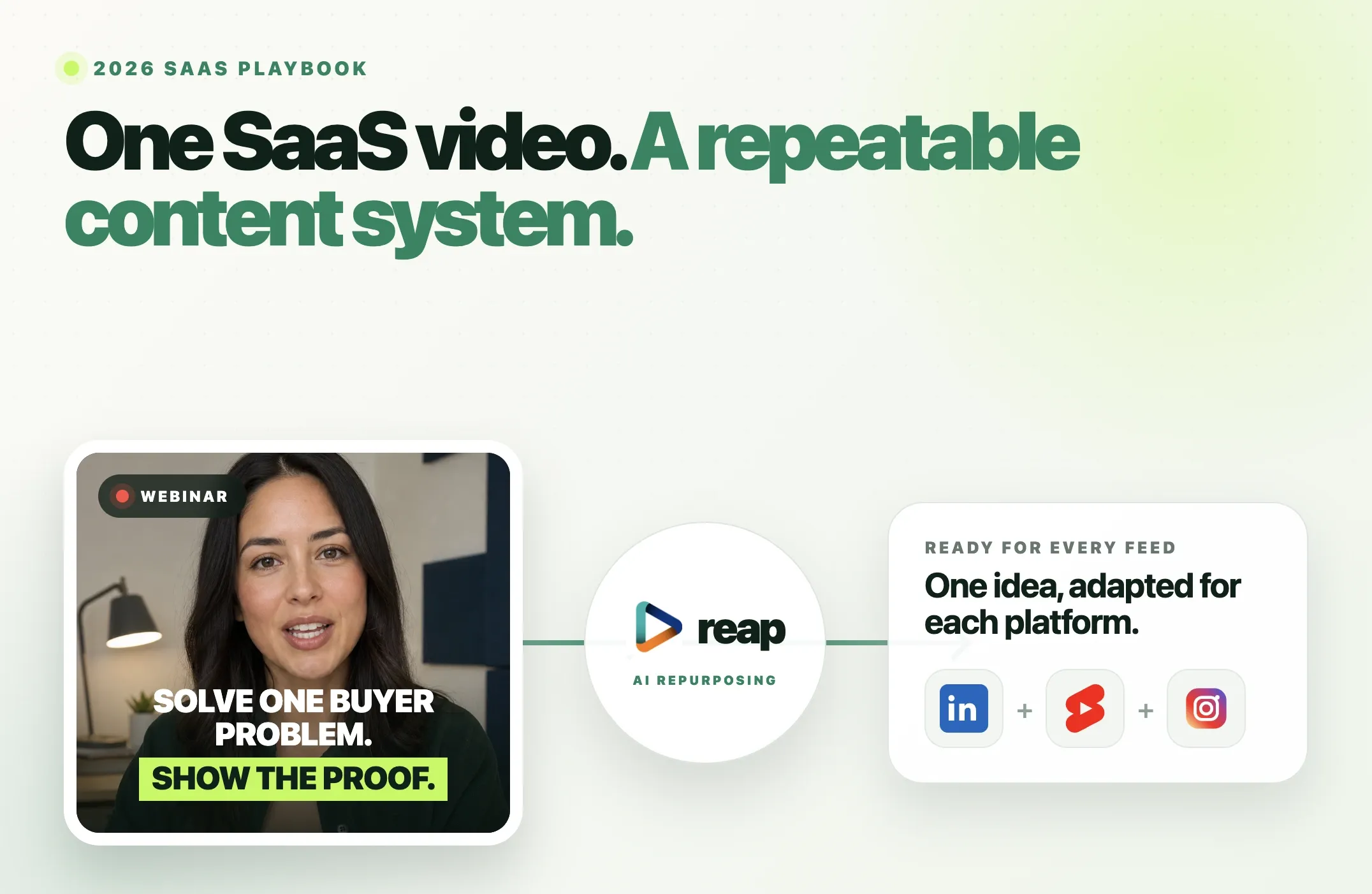
Your SaaS team probably has more useful video material than it realizes: a webinar that answers buyers' questions, a product demo that shows a difficult task becoming easier, a founder interview with a clear point of view, or a tutorial that helps new users get started.
Short-form video marketing for SaaS means turning those useful moments into focused videos for a specific audience and purpose. Start with a buyer problem, select a complete answer or demonstration, add accurate captions and appropriate framing, adapt the post for LinkedIn, YouTube Shorts or another relevant platform, and track what interested viewers do next.
The goal is not to post as many clips as possible or assume that views automatically become leads. It is to create a repeatable way to reach the right people, help them understand the product and learn which messages lead to qualified interest.
What Is Short-Form Video Marketing for SaaS?
Short-form video marketing is the practice of using concise videos to explain ideas, demonstrate a product, answer questions and introduce a business to relevant viewers. For SaaS, it is part of a broader content marketing and distribution process, not a substitute for a website, onboarding materials or sales conversations.
A founder's explanation might introduce a problem. A micro-demo might let a buyer inspect a feature. An onboarding clip might help an existing customer complete a task. These videos have different audiences and should not all be judged by signups.
This guide focuses on organic B2B video marketing and content repurposing, rather than paid video advertising. Short-form videos can support discovery and consideration, but exposure alone does not establish a pipeline contribution.
Start With the SaaS Videos You Already Have
Creating a separate recording for every post is not necessary. Review existing footage for useful, self-contained moments before scheduling another shoot.
|
Source video |
Potential short clips |
Main purpose |
|---|---|---|
|
Product demo |
One feature, a workflow before/after, a task completed |
Product evaluation |
|
Webinar |
Expert answer, framework, objection response |
Awareness and consideration |
|
Founder interview |
Category opinion, lesson, customer problem |
Awareness and trust |
|
Customer interview, with permission |
Problem, implementation lesson, accurately stated result |
Evidence during evaluation |
|
Tutorial or onboarding session |
One task, shortcut, common mistake |
Activation and retention |
|
Podcast or expert conversation |
A distinct insight, story or answer |
Awareness and consideration |
Choose the source by the audience question, not its length. A three-minute demonstration may contain a better standalone clip than a 90-minute webinar. If you have no long video, record one complete answer or demonstration and edit that directly. You do not need to manufacture a long recording just to use AI clipping.
Seven Useful Short-Form Video Formats for SaaS
These are formats to test, not guaranteed high-performing formulas. The examples are hypothetical and should be replaced with your team's actual product details and approved evidence.
|
Format |
Source and opening idea |
What to show |
Suggested next step |
Metric to inspect |
|---|---|---|---|---|
|
1. Product micro-demo |
Demo: “Here is how to assign an incoming request.” |
The actual action and result in the interface |
View the full product walkthrough |
Demo-page engagement |
|
2. Founder point of view |
Interview: “We stopped measuring onboarding only by signups.” |
Founder speaking with a relevant example |
Read the fuller explanation |
Relevant profile and site visits |
|
3. Customer-proof clip |
Approved interview: “Here is the implementation change we made.” |
Customer speaking, with context and permission |
Read the complete customer story |
Case-study engagement |
|
4. Objection answer |
Sales webinar: “Does this work with an existing workflow?” |
Direct answer plus a qualified demonstration |
Explore integrations or documentation |
Qualified product-page visits |
|
5. Tutorial or shortcut |
Help video: “Fix this setup problem in three steps.” |
Screen recording that preserves readable controls |
Open the full tutorial |
Help-content engagement |
|
6. Webinar insight |
Webinar: “One mistake we see in the handoff process.” |
One complete argument and supporting visual |
Watch the related session |
Relevant long-video viewers |
|
7. Feature or release explanation |
Launch walkthrough: “What changes for existing users?” |
Feature in action and clear availability details |
Read the release notes |
Feature-page engagement |
The strongest format is the one that matches the buyer's question
For example, a finance-team buyer evaluating software may care about permissions, reporting or implementation. A general motivational quote from the founder may earn views from a much broader audience without helping that buyer.
A good content brief therefore identifies three things before editing: who is this for, what should they understand, and what relevant action could follow? If you cannot answer those questions, reconsider the clip.
A Repeatable AI Video Repurposing Workflow
The system is straightforward:
Source video -> buyer-problem brief -> Reap clip candidates -> human review -> captions and reframing -> platform-specific post -> publish -> measure -> next test
1. Write a clip brief before generating anything
List three or four topics your audience actually asks about: a feature, an objection, a common workflow mistake or a customer implementation lesson. Ask a subject-matter expert or sales/support colleague which questions recur.
For example, a webinar on onboarding might contain segments about setup time, permissions and reporting. Those are three possible briefs, not a commitment to produce three clips.
2. Add the source to Reap
Use Reap's AI video clipping tool to upload a supported recording or add a supported source link. Reap can identify candidate moments; when you have precise editorial direction, you can also guide selection using topics or a prompt.
An example brief could be: Find complete answers about setup and permission controls. Preserve any stated prerequisites. Skip the event introduction and sponsor reads.
3. Review candidates for meaning and evidence
This is the step SaaS teams cannot outsource to an editing preset. Confirm that the clip includes the whole answer, that its opening makes sense without the webinar, and that any product claims match what is available today. Check whether a quoted customer gave permission for this use.
Reject an impressive-sounding cut if it drops “in our pilot,” “for eligible customers” or another qualification that changes the meaning.
4. Finish captions, cropping and branding
Use Reap captions to generate animated subtitles, then correct product names, numbers, speaker names and timing. Use Auto Reframe for a portrait or square composition and inspect the result when a screen share or product demonstration needs more space than the speaker's face.
Select a Brand Template on supported projects when consistent styling is useful. Keep captions, logos and CTAs clear of areas that platform controls may cover. Our short-form video safe zones guide covers the viewing check in more detail.
5. Adapt the post, not just the aspect ratio
A LinkedIn post can explain the professional situation in two or three sentences. A YouTube Short needs a clear standalone opening and may link to a relevant long video through YouTube's Related Video feature if the channel has advanced feature access. Instagram and TikTok may need different context and CTAs.
The related video must be from your channel and be public or unlisted. YouTube explains the feature here.
6. Approve, export and publish
Watch the exported clip, not just the editing preview. Check its opening, final sentence, audio, caption accuracy, crop and claims. Have the relevant teammate approve sensitive demos and customer stories. After approval, export or use the Reap social media scheduler with supported connected accounts.
7. Use the results to choose the next clip
Look at watch behavior, useful comments, qualified website sessions and subsequent product interest. Feed that evidence back into your next clip brief. More output creates more tests; it does not by itself produce more pipeline.
For a tool-selection comparison rather than this operating workflow, see our AI content repurposing tools guide.
Example: Turn One Webinar Into Three Useful Clips
Illustrative example, not a Reap customer case study or measured outcome.
Imagine a 45-minute SaaS onboarding webinar that covers configuration, team permissions, reporting and audience questions. Rather than asking for a dozen generic highlights, give each clip one distinct job.
|
Clip |
Opening |
Keep in the excerpt |
Potential destination |
|---|---|---|---|
|
Setup mistake |
“Check this setting before inviting your team.” |
The actual setting, reason and consequence |
YouTube Shorts tutorial |
|
Permissions question |
“What can an invited user see?” |
The complete answer and any plan/role limits |
LinkedIn objection answer |
|
Reporting demonstration |
“Here is where to find the handoff report.” |
Readable screen steps and final result |
LinkedIn or Reel micro-demo |
Review each clip against the current product. If the presenter mentions a feature that later changed, update the explanation or use a different segment. A clip about permissions should never become a testimonial or an outcome claim unless the original source genuinely supports that content.
A useful follow-up is to place the full webinar on a relevant product or resource page, then choose a destination-appropriate CTA for each short video. Do not assume a video-platform description always offers a clickable link.
How to Turn a SaaS Product Demo Into Short Videos
A SaaS product demo video is useful when viewers can see a specific task happen. A list of feature names with animated captions is not a demonstration.
For a short micro-demo, follow this sequence:
- Problem: State the task, such as finding a missed customer handoff.
- Action: Show the actual clicks or steps in the current interface.
- Result: Show what changes on screen, without inventing a speed or revenue improvement.
- Next step: Offer a full demo, relevant documentation or a trial when appropriate.
Screen recordings need special attention during vertical reframing. If a narrow crop makes buttons unreadable, choose a different layout, zoom intentionally or use a square/landscape version for the relevant destination. Test readability at normal phone size.
Avoid showing real customer information or internal workspace data in demos. Use a permitted, suitably sanitized account and confirm that the visual matches the product users can access.
For deeper production advice, see our guide to automating YouTube Shorts creation. It covers the clipping workflow rather than the broader SaaS strategy here.
LinkedIn vs YouTube Shorts vs Reels vs TikTok for SaaS
There is no universal platform winner. Start where your actual buyers, users or professional community already engage. These are useful editorial starting points, not platform algorithm rules.
|
Platform |
Job for SaaS content |
Good starting format |
Context and CTA |
What to measure |
|---|---|---|---|---|
|
|
Reach professional buyers and explain a point of view |
Founder lesson, objection answer, demo |
Explain the business problem; invite discussion or a relevant site visit |
Audience relevance, engagement and qualified visits |
|
YouTube Shorts |
Answer discoverable questions and introduce longer explanations |
One tutorial step or complete answer |
Deliver value first; use Related Video when eligible |
Engaged views, retention and related-video interest |
|
Instagram Reels |
Show visually understandable products and people |
Quick demo, behind-the-scenes moment, approved story |
Use a platform-fitting description and next step |
Saves, shares, profile and site activity |
|
TikTok |
Test creative angles where your target audience is active |
Pain-point explanation, workflow reveal |
Make context clear without a long corporate intro |
Watch behavior and relevant engagement |
For LinkedIn, official guidance explains video sharing, captions and keeping essential material clear of interface overlays. LinkedIn also provides post analytics that can help you assess reach, engagement and audience characteristics.
Do not assume that a TikTok format belongs on LinkedIn unchanged. The source idea can stay the same while the hook, description, CTA and crop vary. Also, a publisher connection does not remove the need for editorial approval.
How to Measure Qualified Traffic and SaaS Pipeline
Views are useful for diagnosing discovery, but they do not tell you whether the right people are interested. Separate content signals from business signals.
|
Signal |
What it helps answer |
Example next step |
|---|---|---|
|
Stayed to watch, average view duration, retention |
Was the opening useful, and where did viewers leave? |
Review the hook or remove repeated setup |
|
Shares, saves and substantive comments |
Did the idea help or prompt a relevant question? |
Make a follow-up answer |
|
Profile or channel visits |
Did viewers want more context? |
Improve the profile and related-content path |
|
Qualified website sessions |
Did interested people visit a relevant page? |
Compare destination and post angle |
|
Demo/trial-page engagement |
Did the clip help evaluation? |
Test a more specific CTA |
|
Sales conversations mentioning a video |
Is the content appearing in real buying discussions? |
Record qualitative feedback in CRM |
|
Assisted conversions or pipeline |
Is video part of a measurable journey? |
Review attribution assumptions with the team |
Track click destinations consistently. If your SaaS website uses Google Analytics, use UTM-tagged links where the platform supports clickable destinations. For example, a hypothetical LinkedIn post could link to:
Use the same campaign name across the experiment and change utm_content for each creative. UTM parameters identify tagged traffic; they do not prove that a specific video caused a deal. Google documents campaign URL tracking here.
For Shorts, distinguish public views from engaged views and retention. YouTube updated view counting across formats on August 24, 2026, so compare metrics with their definitions in mind. Its Analytics documentation explains the current reports.
Do not invent a universal lead-conversion benchmark. Establish your own baseline, segment by source and target customer, and treat long sales cycles and incomplete attribution as limitations.
A Simple 30-Day SaaS Video Test
|
Week |
What to do |
What to learn |
|---|---|---|
|
1: Source and brief |
Choose two recordings and four real buyer questions; identify candidate clips |
Which source material contains complete useful answers? |
|
2: Launch |
Publish a product micro-demo and founder insight on relevant channels |
Which problem and audience respond? |
|
3: Add evidence |
Publish an approved customer lesson or objection answer, plus a tutorial |
Does proof or practical help attract more qualified interest? |
|
4: Review |
Compare watch quality, site visits, demo interest and sales feedback |
Which clip job should the next month repeat? |
The schedule is an example, not a minimum posting requirement. If the sources yield only two accurate, useful clips, publish two. Change one major variable at a time when possible and give content enough time to collect meaningful data.
Common Mistakes to Avoid
Publishing clips without a job. Every clip should address a buyer problem, demonstrate something or help an existing user.
Opening with the company biography. Give the viewer a reason to care first, then add context that the explanation needs.
Removing qualifications. Do not edit a conditional customer result into a universal promise. Verify figures, availability and permissions.
Using the same CTA everywhere. A LinkedIn audience may want the business reasoning; a YouTube viewer may want the longer tutorial. Match the next step to the actual content.
Judging success by views alone. Relevant comments, qualified sessions and evaluation activity can be more informative than an unrelated spike in reach.
Publishing without review. AI helps prepare drafts; a human approves claims, captions, framing and sensitive footage before scheduling.
Where Reap Fits in a SaaS Video Workflow
Reap connects the production steps that SaaS teams often handle in separate tools: AI clipping, animated captions, automatic reframing, editing, optional caption translation, reusable Brand Templates and social publishing through supported connected accounts.
For developer-led teams, Reap also offers an API and MCP workflows to integrate supported creation and publishing actions into a larger process. Automation can prepare or queue work, but teams should still build an approval step before a customer story or product claim goes live. Use the Reap API documentation to check the current actions and requirements.
Have a webinar, interview or product walkthrough already recorded? Try creating candidate clips with Reap, then review the strongest moment, captions, crop and message before you publish.
Final Thoughts
A useful SaaS short-form system starts with existing expertise and recorded evidence, not a promise of viral reach. Choose source material that addresses a real buyer or user question, turn it into a focused clip, review the AI-assisted draft, adapt it to the platform and measure whether the right people take the next step.
One webinar can support several different tests when it contains several complete ideas. It can also support just one. Quality, context and qualified outcomes matter more than output volume.
Start with Reap AI Clipping when you have a webinar, demo or interview worth repurposing, and make the final publishing decision from the reviewed clip rather than the generated draft.