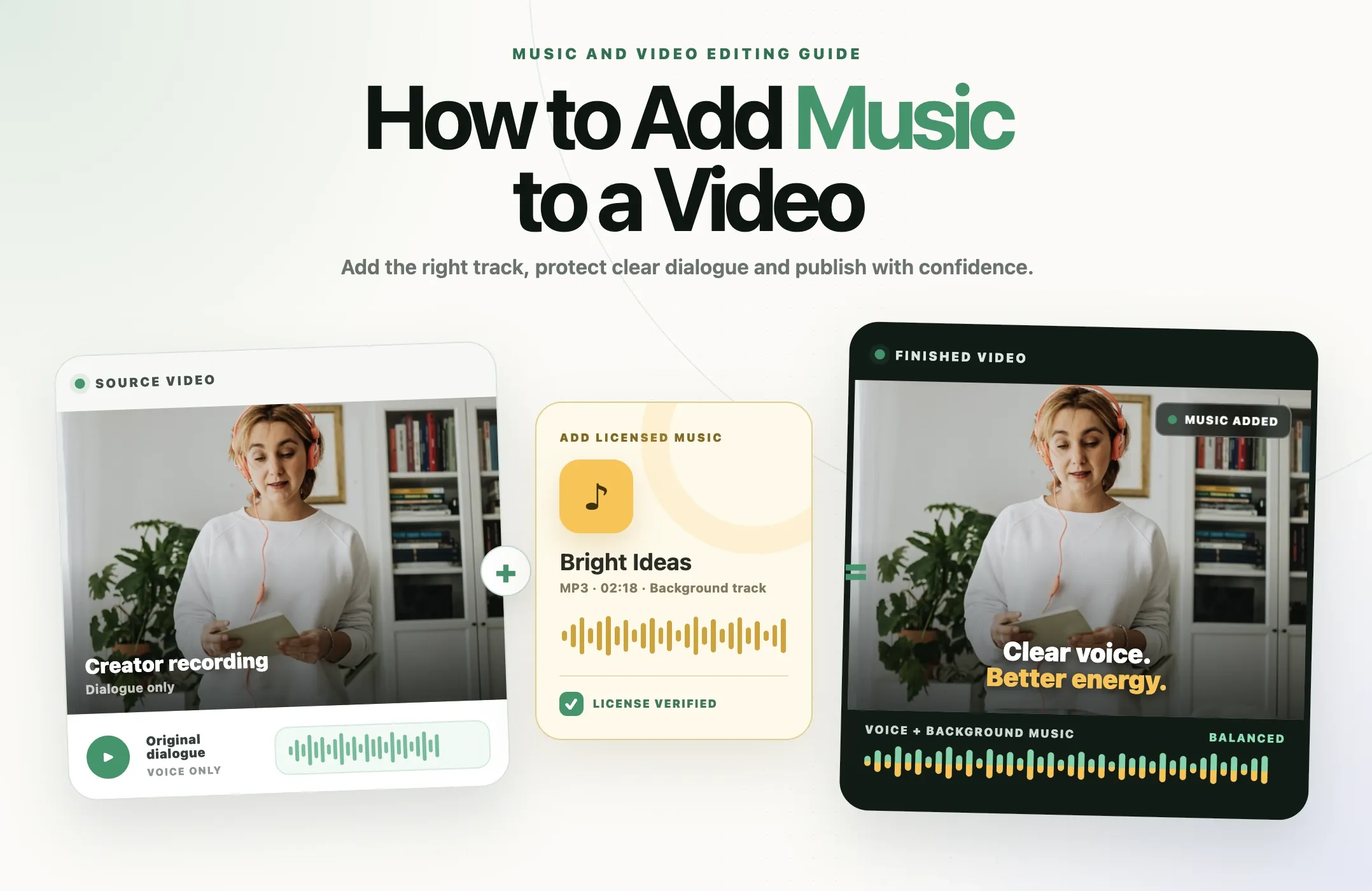
Music can make a tutorial feel easier to follow, give a product video momentum and turn a collection of clips into one coherent story. It can also make dialogue difficult to hear or trigger a copyright claim after the video is published.
The editing part is simple: import a track, place it below the video, trim it and adjust its volume. The harder part is choosing music you are allowed to use and understanding whether that permission still applies when the same video moves from YouTube to Instagram, TikTok or a paid advertisement.
This guide covers both parts. You will learn how to add music to a video, mix it around speech and select tracks that are appropriate for the way you plan to publish.
Quick answer: Import your video into an editor, add a licensed music file as a separate audio track, trim it to the scene, lower it beneath dialogue, preview the full mix and export. Before publishing, confirm that the license covers the platform, territory, monetization, advertising and client use you need.
Copyright note: This article provides general practical information, not legal advice. Music rights vary by track, license, country and type of use. When the permission is unclear, ask the rights holder or obtain legal advice before publishing.
What adding music to a video actually involves
Adding music is more than dropping an audio file onto a timeline. A usable result depends on three connected decisions:
- Rights: Do you have permission to synchronize this recording with your video and publish it in the intended places?
- Editorial fit: Does the music support the subject, pace and emotion without changing the message?
- Audio mix: Can viewers still understand speech, sound effects and important natural audio?
Handle the rights question first. Replacing a track after a finished edit can change every cut that was timed to its beat.
Before you edit, make sure you can use the music
Music normally involves rights in both the composition and the particular sound recording. Owning a copy, paying for a streaming subscription or finding a downloadable file does not automatically grant permission to place that music in a video.
These are the most common sources of usable music:
|
Music source |
What to verify |
Common risk |
|---|---|---|
|
Music you created |
Confirm that you control both the composition and recording, including any samples or collaborators. |
A beat, sample or performer agreement may contain rights you do not own. |
|
Paid stock or production music |
Read the license for social platforms, monetization, ads, client work, territories and duration. |
A creator plan may not cover paid media, broadcast or client accounts. |
|
Official platform music library |
Check whether the track is cleared for personal, commercial, organic or paid use. |
Permission may apply only inside that platform. |
|
Creative Commons music |
Follow the exact license conditions, including attribution and commercial-use restrictions. |
All Creative Commons licenses require attribution, and some prohibit commercial use or adaptations. |
|
Public-domain music |
Verify the status of both the composition and the recording in every relevant country. |
An old composition can be public domain while a newer recording remains protected. |
|
Direct permission |
Keep written permission that states the track, uses, platforms, territories and term. |
A casual message may not cover ads, monetized posts or future channels. |
Royalty-free does not mean copyright-free
Royalty-free usually describes a licensing model. You receive specified usage rights without paying a royalty for every view or play. The track can still be protected by copyright, and the license can still limit platforms, advertising, distribution or the number of projects.
Likewise, “no copyright music” is often a search or marketing phrase, not a legal status. Read the actual terms attached to the specific track. YouTube warns that a song labeled “free” can still be flagged by Content ID.
Credit is not a substitute for permission
Writing “music belongs to the owner” in a description does not create a license. Credit matters when a license requires attribution, but it does not make an unauthorized use lawful by itself.
How to add music to a video in seven steps
1. Define how the finished video will be used
List every intended destination before choosing a track. Include YouTube, Shorts, Instagram Reels, TikTok, websites, email, client accounts and paid advertising. Also decide whether the video will be monetized and whether other people will reuse the finished edit.
This prevents a common mistake: licensing music for an organic social post, then reusing the same video in an advertisement that the license does not cover.
2. Choose a track and save its license
Select music that fits the message, then download or save the license, receipt and required attribution text. Record the track title, creator, source URL and download date. If a platform or rights-management system questions the upload later, that evidence is far more useful than trying to find a page you visited months ago.
3. Import the video and music separately
Add the source video to your editor, then import the music as its own audio asset. Keeping the music separate allows you to move, trim, loop, replace and adjust it without changing the original dialogue.
Use a high-quality source file when possible. MP3, WAV and AAC are common formats, but a clean track at a sensible bitrate matters more than the file extension alone.
4. Position and trim the music
Place the track where it supports the story. A product reveal might begin on a beat. A tutorial may need a gentle bed from the opening frame. An interview clip may work better if music appears only in the intro and closing moment.
Trim on a musical phrase instead of cutting at an arbitrary second. If the track is shorter than the video, look for a natural loop point or use another section with a compatible rhythm. Avoid repeating a vocal phrase so often that it distracts from the message.
5. Lower the music beneath dialogue
Set the dialogue first. Then raise the music only until it provides the intended energy. There is no single volume setting that works for every recording because voices, arrangements and loudness vary.
Listen for masking. Vocals, guitars and bright percussion often compete with speech more than a simple instrumental arrangement. If lowering the track removes all its impact, choose less crowded music rather than forcing both elements into the same space.
6. Shape the entry, exit and important moments
Use short fades when a hard start or stop sounds accidental. Lower the music during dense explanations and let it rise during intros, B-roll or pauses without speech. This technique is often called ducking.
Do not make every cut follow the beat. Beat-matched edits can add momentum, but meaning should still control the sequence. A demonstration needs enough time to be understood even when the next beat arrives sooner.
7. Review, export and test the published version
Watch the complete export on headphones, phone speakers and a laptop. Check that the opening is not startling, dialogue remains clear, the ending is clean and no section becomes unexpectedly louder.
After uploading, review the platform’s copyright status before promoting the post. A successful export is not proof that the music is cleared.
How loud should background music be?
The right level is the lowest one that creates the intended effect without making the viewer work to understand the words. Start quietly and raise the music while listening to the dialogue, not while soloing the track.
Use this practical test:
- Can you understand every word on a phone at a normal volume?
- Does the music become distracting when the speaker lowers their voice?
- Do bass notes or vocals cover consonants and important terms?
- Does the level jump between sections or after a cut?
- Can a viewer hear the difference between deliberate silence and a missing audio track?
For dialogue-led video, the voice should remain the reference point. Music can take more space during a montage, trailer or visual sequence, but return it to the background when speech resumes.
How to choose background music for a video
Match the emotional direction
Choose the feeling the audience should have after the scene, not just the feeling of the raw footage. A bright track can make a difficult tutorial feel approachable. A restrained track can keep a customer story sincere. Music that is too dramatic can make a practical claim feel exaggerated.
Match the editing pace
Fast percussion supports quick demonstrations and lists, while a slower texture leaves space for explanations. The tempo does not need to match every cut, but it should not fight the natural pace of the speaker.
Prefer space beneath speech
Instrumental tracks are often easier to place under dialogue because lyrics compete for language processing. Simple arrangements with fewer midrange elements can also leave more room for the voice.
Consider the opening and ending
A track with a usable introduction and a clear ending is easier to edit than one that begins at full intensity and never resolves. If you are creating a series, a short recurring musical signature can build recognition without occupying the whole video.
Choose for the license as well as the sound
The perfect track is not useful if the license excludes your channel, client, country or advertising plan. Filter by permission before spending time on creative fit.
How to add music to a video with Reap
Reap can keep the music step inside the same workflow used to clip, caption, reframe and finish a video.
- Upload a source video or begin with a long-form recording already in your workspace.
- Open the clip in the editor.
- Open Assets and add a music file that you have permission to use.
- Use the audio asset in the edit, then preview it with the dialogue and visuals.
- Finish the captions, framing, text, B-roll and brand styling.
- Review the complete clip and export the platform-ready version.
Reap’s Asset Library supports audio files including MP3, WAV and AAC, with a documented limit of 250 MB per file. Assets remain available for reuse, which is useful for licensed theme music, recurring intros and approved brand audio.
Important: Uploading a track to an editor does not grant rights to it. Keep the music license and attribution requirements with the project, and confirm that they cover each publishing destination.
How music rules differ by platform
YouTube videos
YouTube recommends its Audio Library as one source of copyright-safe music and sound effects. Some tracks use a Creative Commons license and require attribution, while others can be filtered as attribution not required. YouTube also states that only music and sound effects from its own Audio Library are known to YouTube to be copyright-safe.
Eligible creators in the YouTube Partner Program may also have access to Creator Music in the United States. Depending on the track, a creator may be able to buy a license or share revenue. Always inspect the individual usage details before editing.
If you upload externally licensed music, Content ID can still detect it. A claim does not always mean a strike, but it can affect monetization, visibility or availability. Keep your proof of permission and use the platform’s dispute process only when your license genuinely covers the use.
YouTube Shorts
The safest route for popular music in a Short is usually to add it through YouTube’s Shorts creation tools and use the available Shorts audio library. YouTube warns that music added outside its creation tools can be eligible for standard copyright claims or removal requests.
Do not assume that music available for a Short is also cleared for a standard long-form upload, advertisement or repost on another platform. YouTube also notes that music that is safe in a Short may not be safe in a longer video.
Instagram Reels
Meta says Instagram’s licensed music library is intended for personal, non-commercial use. Access can be restricted for some business accounts and certain post types. For commercial content, Meta points creators and businesses to Sound Collection, which contains royalty-free songs and sounds that can be used in Reels and Stories, including commercial uses such as ads.
Meta also recommends shorter music clips and a clear visual component. A video with longer or denser use of recorded music is more likely to be limited, muted or blocked. Rights can change after publishing, so a Reel that works today can still be affected later.
TikTok
TikTok’s Commercial Music Library is the platform’s pre-cleared option for business content. TikTok says its library contains one million songs, and selected Commercial Sounds can be used in organic or paid content. Availability can vary by region and placement.
Business Accounts see Commercial Sounds when adding music. TikTok warns that the General Music Library available to personal accounts is not pre-cleared for commercial content posted by a brand or business. If a brand wants to use another sound, it needs the necessary permissions.
Can you use one music track on every platform?
Only when the license explicitly covers all of those uses. An in-app track can be cleared because the platform has negotiated specific rights for a particular product, territory or account type. Those rights do not automatically travel with a downloaded video.
If cross-posting is part of the plan, use one of these approaches:
- License a track directly for every required platform and use.
- Use music you fully own, including both the composition and recording.
- Export a clean master without music, then add platform-library music separately inside each app.
- Create platform-specific versions with different approved tracks.
The clean-master method often provides the best balance. It preserves captions, visuals and timing while allowing each platform to apply its own licensed music.
Common music copyright mistakes
Assuming a purchased song includes video rights
Buying a download or paying for Spotify, Apple Music or another listening service generally gives you access for listening, not a synchronization license for a published video.
Believing a few seconds are always safe
There is no universal safe number of seconds. A short extract can still be detected or disputed. Fair use and similar exceptions depend on the facts and jurisdiction, not a simple time limit.
Using personal-library music for a brand
Music available to a personal account may not be cleared for branded, sponsored or commercial content. This is especially important on Instagram and TikTok, where account type and content purpose can change the available library.
Cross-posting an in-app sound
A song added inside one app may be covered only there. Downloading that video and uploading it elsewhere can create a new use that lacks permission.
Ignoring advertising and client restrictions
Organic social publishing, paid promotion, client work, television and streaming distribution can require different license tiers. Read the permitted-use section instead of relying on the word “commercial.”
Failing to save proof
Licensing pages, catalogs and platform agreements change. Save the exact terms that applied when you downloaded the track, along with the invoice and attribution.
Where to find music for videos
- YouTube Audio Library: Music and sound effects for YouTube creators, with filters for attribution requirements.
- YouTube Creator Music: Track-specific licensing or revenue-sharing options for eligible US creators in the YouTube Partner Program.
- Meta Sound Collection: Music and sounds intended for commercial use across eligible Meta placements.
- TikTok Commercial Music Library: Pre-cleared Commercial Sounds for organic and paid TikTok content, subject to region and placement.
- Production-music services: Subscription or per-track catalogs with licenses that vary by provider and plan.
- Creative Commons catalogs: Music offered under a standardized license, provided you follow its exact conditions.
- Original commissions: Custom music with a written agreement covering ownership and intended usage.
Do not choose a source because it describes itself as free. Choose it because the terms clearly cover the specific video you are making.
Troubleshooting music in a video
|
Problem |
Likely cause |
Practical fix |
|---|---|---|
|
Dialogue is hard to understand |
The music is too loud or occupies the same frequency range as the voice. |
Lower the track, duck it during speech or choose a simpler instrumental. |
|
The music ends abruptly |
The track was cut between musical phrases. |
Move the edit to a phrase ending and add a short fade where appropriate. |
|
The post is muted |
The platform does not recognize permission for that use or region. |
Review the notice, replace the music or provide valid license evidence through the platform process. |
|
A YouTube Content ID claim appears |
The recording is registered in Content ID, even if it came from a third-party library. |
Check the claim against the exact license, then release, replace or dispute only with valid evidence. |
|
The repost fails on another app |
The original app’s music license did not travel with the exported video. |
Use a clean master and add an approved sound inside the destination app. |
|
The track feels repetitive |
A short loop or vocal phrase repeats too often. |
Use a longer edit, vary the sections or choose a track designed to loop. |
Music and video publishing checklist
- List every platform, account and paid placement where the video will appear.
- Confirm that the license covers the recording, not only the composition.
- Check commercial use, monetization, clients, ads, territories and license duration.
- Save the terms, receipt, creator name, source URL and required attribution.
- Import music as a separate audio asset.
- Trim on musical phrases and use fades when needed.
- Keep dialogue clear on headphones and small speakers.
- Export a clean master when platform-specific music will be added later.
- Review copyright notices after uploading and before promotion.
Good background music should support the idea
The best music choice is not always the most recognizable or dramatic. It is the track that supports the message, remains clear beneath speech and comes with rights that match the way the video will be used.
Start with permission, not the waveform. Build the mix around dialogue. Keep proof of the license. When one video will travel across several platforms, create a clean master or secure rights that clearly cover every destination.
Once those decisions are made, the technical workflow is straightforward. Editors such as Reap can bring the source video, audio assets, captions, reframing and visual finishing into one place, so you can spend more time judging the result and less time moving between tools.