AI video is changing quickly, but the most useful shift is not just text-to-video generation.
It is direction.
Creators and teams no longer want AI tools that simply make a random clip from a prompt. They want AI tools that understand the asset they are trying to create. A trailer has a different job than a podcast highlight. A product promo has a different rhythm than a webinar recap. A course preview needs a different structure than a TikTok clip.
That is where prompt clipping comes in.
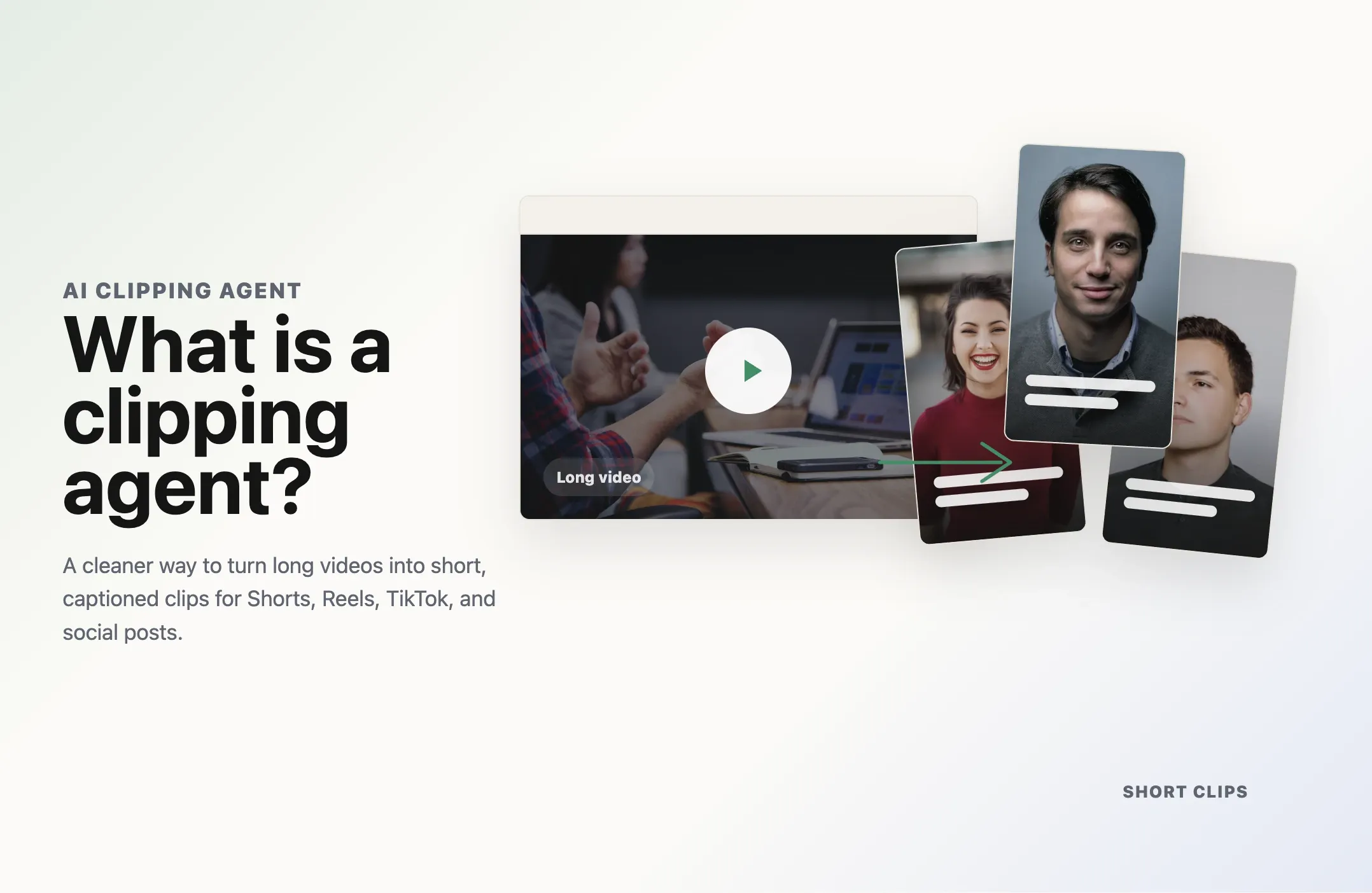
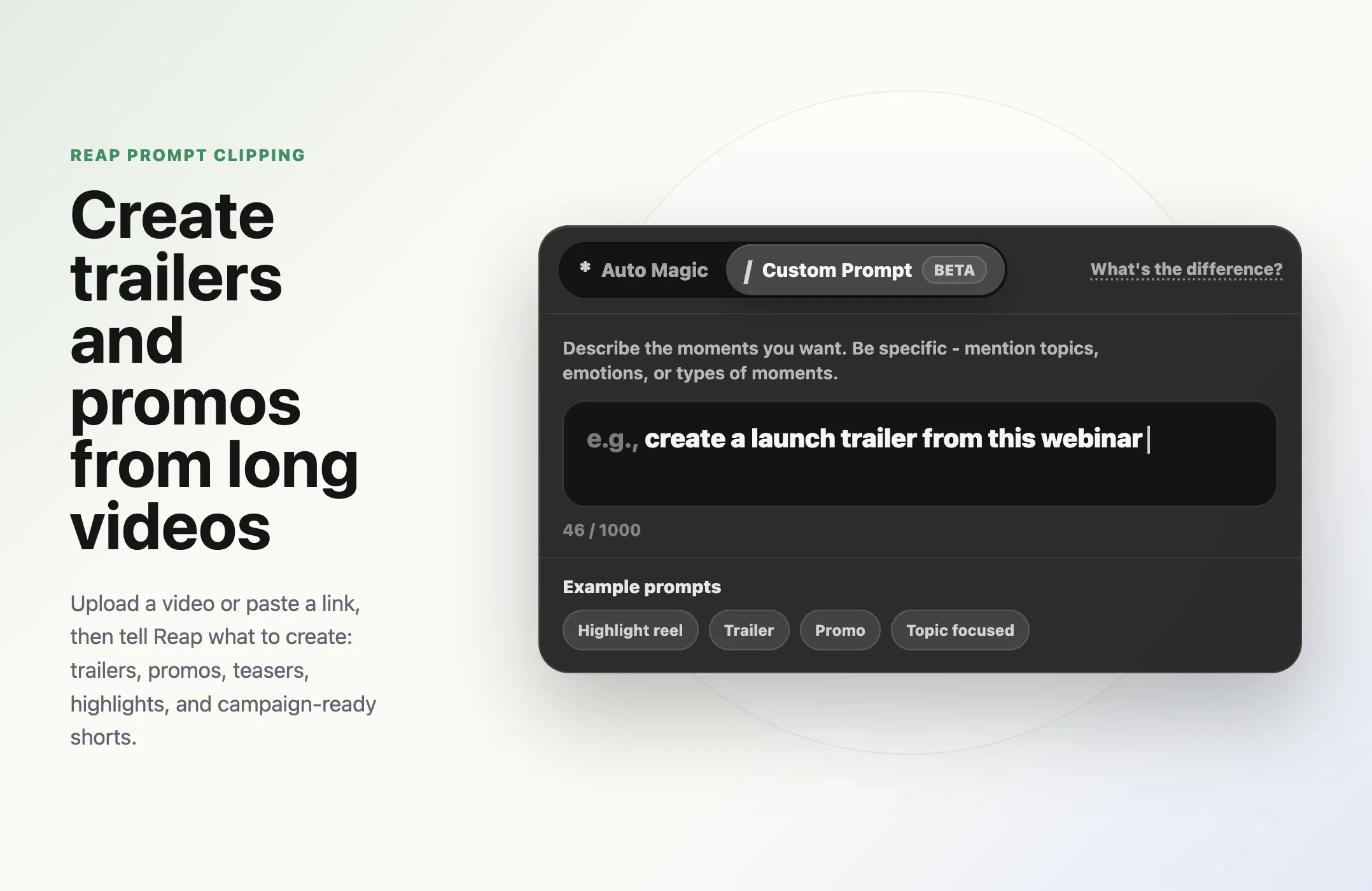
Prompt clipping lets you start with real source footage, then guide AI toward the kind of short-form video you want. Instead of asking AI to invent a video from nothing, you use your own podcast, webinar, demo, course, interview, launch video, livestream, or event recording as the source. Then you tell the clipping workflow what to look for.
For example:
- Create a trailer for this full episode.
- Find the strongest product promo moments.
- Pull clips about customer pain points.
- Create a launch teaser from this demo.
- Find the best founder quotes.
- Turn this webinar into short educational clips.
- Create a hype clip for LinkedIn.
- Pull funny moments for TikTok.
- Find clips that explain the main feature.
This is a more practical version of AI video for most creators and marketers.
The content already exists. The hard part is turning it into the right short-form assets quickly.
With Reap's AI video clipping tool, creators and teams can turn long videos into social-ready clips, guide the output with topics, choose platform-ready formats, add captions, reframe for vertical, and generate clips that are ready to review and edit.
The goal is simple: use AI to help you create the right clip, not just more clips.
Why prompt clipping is trending now
The AI video industry is moving from simple generation toward guided production workflows.
Google announced Gemini Omni at I/O 2026 and described it as a model that can create from any input, starting with video. In Google's I/O 2026 announcement roundup, the company said Gemini Omni is rolling into products like Google Flow, the Gemini app, YouTube Shorts Remix, and YouTube Create, making video creation and remixing more conversational inside mainstream creator surfaces.
Runway has also moved in this direction. The Runway changelog includes Runway Agent, described as an AI creative partner for developing and producing a finished video, plus Aleph 2.0 and Edit Studio for editing existing footage by changing frames and letting the model carry those edits across the video.
Adobe is pushing a similar idea with Firefly AI Assistant and a broader creative agent interface. Adobe's Firefly ecosystem now brings multiple top AI models into one place, including video and audio models, so creators can work with AI inside a production environment instead of jumping between disconnected tools.
The pattern is clear.
AI video is becoming less about a single prompt that creates a standalone synthetic clip. It is becoming a workflow where the creator gives direction, AI handles repetitive production work, and humans review the final output.
Prompt clipping fits that shift perfectly.
Most teams do not need a fully synthetic video for every campaign. They need to repurpose the real videos they already have:
- A 60-minute podcast
- A 45-minute webinar
- A product demo recording
- A customer interview
- A course module
- A launch event
- A founder AMA
- A conference talk
- A livestream
- A YouTube explainer
Those videos contain real context, real people, real proof, and real stories. Prompt clipping helps you turn that material into trailers, promos, and short-form clips without manually scrubbing through every minute.
What is prompt clipping?
Prompt clipping is the process of guiding AI video clipping with a topic, goal, theme, or natural-language direction.
Traditional clipping asks a human editor to watch the video, choose moments, trim them, caption them, format them, and export them.
Basic AI clipping asks software to find strong moments automatically.
Prompt clipping goes one step further. It lets you tell the system what kind of moments you want.
That direction can be simple:
- "Product launch"
- "Customer pain points"
- "Best funny moments"
- "Trailer"
- "Promo"
- "Founder story"
- "Sales objections"
- "Feature walkthrough"
- "Before and after"
Or it can be more specific:
- "Create short clips that explain why manual editing slows down content teams."
- "Find moments where the speaker talks about turning webinars into social clips."
- "Pull clips that would work as a teaser for our new feature launch."
- "Create a punchy trailer from the strongest moments in this episode."
- "Find high-energy moments that would work for TikTok and Reels."
In Reap's workflow, the closest product control is Clip Topics. Reap's guide to creating viral clips explains that Clip Topics let you guide Reap toward specific subjects you want included in the output. You can add keywords or topics separated by commas, or leave the field empty if you want Reap to choose freely from the full video.
That matters because the best clip is not always the same for every goal.
If you are creating a trailer, you want curiosity, pace, and a reason to watch the full video.
If you are creating a promo, you want the value proposition, proof, and urgency.
If you are creating a product teaser, you want the problem, reveal, and outcome.
If you are creating social shorts, you want hooks, retention, and standalone clarity.
Prompt clipping gives AI the context it needs to aim for the right outcome.
Prompt clipping vs text-to-video generation
Prompt clipping and text-to-video generation sound similar, but they solve different problems.
Text-to-video generation starts with an idea and creates synthetic footage. That can be useful for concept videos, ads, visual experiments, and creative scenes that do not exist yet.
Prompt clipping starts with real footage and turns it into new short-form assets.
That difference matters for creators and brands.
If you already have a podcast, webinar, demo, launch video, livestream, or course, you do not need AI to invent a new scene. You need AI to find the best parts of your existing video and shape them for distribution.
Text-to-video is useful when the asset does not exist.
Prompt clipping is useful when the asset already exists, but it is too long, too buried, or too slow to repurpose manually.
Here is the practical difference.
AI video workflow
From prompts to publish-ready clips
Three AI video workflows can look similar from the outside. The real difference is where the source comes from, how much direction the AI receives, and how much review the final clip needs.
Text-to-video generation
Best when the scene does not exist yet and the goal is visual exploration, concepting, or synthetic creative output.
Basic AI clipping
Best when speed matters and the main job is finding usable highlights from a long recording.
Prompt clipping
Best when you already have footage and want AI to create a specific asset, such as a trailer, promo, teaser, or topic-focused short.
| Workflow | Starts with | Best for | Main risk |
|---|---|---|---|
| Text-to-video generation | A text prompt | Synthetic scenes, visual concepts, creative experiments | Generic or low-trust output |
| Basic AI clipping | A long video | Fast highlight extraction | Clips may be too broad or unfocused |
| Prompt clipping | A long video plus direction | Trailers, promos, teasers, campaign clips, topic-specific shorts | Needs clear intent and review |
Text-to-video generation
Basic AI clipping
Prompt clipping
Prompt clipping is often the better workflow for teams that care about trust.
The speaker is real. The product is real. The story is real. The recording already happened. AI is not replacing the source material. It is helping you package it.
That is also why prompt clipping is a stronger defense against AI slop in video. Instead of flooding feeds with empty synthetic content, you are using AI to surface and polish real moments.
What can you create with prompt clipping?
Prompt clipping is useful whenever a long video contains multiple possible stories.
The same source video can become a trailer, promo, recap, highlight, short, sales asset, or educational clip depending on the prompt or topic direction.
Here are the strongest use cases.
1. Trailers for podcasts, webinars, and YouTube videos
A trailer does not need to summarize everything.
It needs to create a reason to watch.
For a podcast episode, prompt clipping can help find the moments with tension, curiosity, strong opinions, or surprising claims. For a webinar, it can pull the most useful promise or before-and-after moment. For a YouTube video, it can surface the section that best previews the full story.
Useful prompt directions include:
- "Create a trailer for the full episode."
- "Find the most surprising moments."
- "Pull clips that make viewers want to watch the full webinar."
- "Find the strongest hook from this YouTube video."
- "Create a teaser around the main outcome."
This is especially useful for teams that publish long-form content every week. A single full-length recording can produce a trailer for YouTube, a vertical teaser for Shorts, a LinkedIn highlight, and several Reels.
For broader tool comparisons, see Reap's guide to the best AI clipping tools.
2. Product promos from demos and launch videos
Product demos often contain the best marketing clips, but those clips are rarely cut in the moment.
A founder explains the problem. A product marketer shows the workflow. A customer sees the "aha" moment. A webinar host answers a common objection. A product lead explains why the feature exists.
Prompt clipping can help turn those moments into product promos.
Useful prompt directions include:
- "Find clips that show the new feature."
- "Create a promo around the main product benefit."
- "Pull moments where the speaker explains the customer problem."
- "Find clips that would work for a launch teaser."
- "Create a short product walkthrough."
This works because product promos do not always need new filming. Many teams already have the right footage in demos, onboarding calls, product webinars, and launch recordings.
Prompt clipping helps extract those moments before they get lost in the archive.
3. Social ads and UGC-style clips
Short-form ads increasingly look like creator content.
They are direct, fast, captioned, vertical, and built around one idea. The best clips often come from real spoken content rather than polished brand scripts.
Prompt clipping can help teams pull ad-ready moments from customer interviews, founder videos, testimonials, webinars, and product demos.
Useful prompt directions include:
- "Find customer pain point clips."
- "Pull clips that explain why this product matters."
- "Create UGC-style clips from this founder recording."
- "Find moments with a strong before-and-after."
- "Create short clips around objections and answers."
This is where Reap's AI video editor matters. The first AI-generated clip is a draft. Teams still need to review the hook, adjust captions, refine the crop, trim the ending, and make sure the clip matches brand standards.
Prompt clipping gives you a faster first pass. Editing gives you control.
4. Course previews and educational clips
Courses, tutorials, and training videos often contain dozens of valuable short clips.
A course creator can use prompt clipping to create preview clips for each module. An educator can turn a long explanation into short lessons. A B2B team can turn product training into LinkedIn clips. A coach can turn a workshop into a week of social content.
Useful prompt directions include:
- "Find the clearest teaching moments."
- "Create clips that explain one concept at a time."
- "Pull course preview moments."
- "Find clips that would make someone want to enroll."
- "Create educational shorts from this lesson."
The key is focus. A good educational clip should answer one question or explain one idea. Prompt clipping helps guide AI toward that level of specificity.
5. Event recaps and highlight reels
Events are expensive to produce and easy to underuse.
A team may record a full conference talk, product launch, internal event, webinar, or livestream, then publish the full replay once. But the replay may contain many smaller assets:
- Speaker highlights
- Audience reactions
- Product announcements
- Best quotes
- Key lessons
- Sponsor moments
- Recap clips
- Teasers for the next event
Prompt clipping can help turn one event recording into a campaign.
Useful prompt directions include:
- "Create an event recap."
- "Find the best speaker moments."
- "Pull clips about the product announcement."
- "Create a hype reel from this launch event."
- "Find clips that summarize the main takeaways."
For events, orientation and clip length matter. A LinkedIn recap may work better at 60 to 90 seconds. A TikTok teaser may need to be under 30 seconds. YouTube Shorts and Reels often need vertical framing, strong captions, and a clear opening hook.
Reap's clipping workflow gives teams control over orientation, resolution, clip length, and processing timeframe before generation.
6. Customer stories and testimonial clips
Customer interviews are one of the highest-value sources for prompt clipping.
They often include pain points, objections, outcomes, quotes, and emotional moments. The challenge is that customer calls are usually long, conversational, and not structured like finished testimonials.
Prompt clipping helps pull the usable moments.
Useful prompt directions include:
- "Find clips where the customer explains the problem."
- "Pull moments about measurable results."
- "Create testimonial clips."
- "Find before-and-after moments."
- "Pull clips where the customer describes the outcome."
These clips can support landing pages, sales decks, LinkedIn posts, ads, and email campaigns.
For teams that already use AI video repurposing, prompt clipping makes the workflow more intentional. You are not just asking for highlights. You are asking for clips that match a specific marketing job.
7. Founder and expert clips
Founder-led content works because it carries point of view.
The problem is that founders, executives, and subject matter experts rarely have time to cut their own clips. Their best ideas may be buried in calls, interviews, webinars, and off-the-cuff recordings.
Prompt clipping can help turn those long recordings into useful short-form assets.
Useful prompt directions include:
- "Find strong founder opinions."
- "Pull clips about the market shift."
- "Create thought leadership clips."
- "Find moments that explain our point of view."
- "Create LinkedIn clips from this recording."
This is where a clipping agent style workflow becomes valuable. The creator gives the direction, AI handles discovery and first-pass clipping, and the team reviews the clips before publishing.
How prompt clipping works in Reap
Reap's prompt clipping workflow is built around a simple idea: your long video is the source, and your prompt tells AI what kind of short-form asset to create from it.
Instead of only asking for generic highlights, you can ask for a specific outcome:
- "Create a trailer from this episode."
- "Create a product promo from this demo."
- "Create a teaser for this launch video."
- "Create short clips that explain the main feature."
- "Create a customer story clip from this interview."
- "Create social clips for LinkedIn from this webinar."
That prompt gives Reap creative direction before the clips are generated.
If you upload a webinar and ask for a promo, Reap should look for moments that explain the value, problem, proof, and outcome. If you upload a podcast and ask for a trailer, Reap should look for moments with curiosity, tension, strong opinions, or a reason to watch the full episode. If you upload a product demo and ask for a teaser, Reap should focus on the reveal, workflow, and benefit.
This is the difference between basic AI clipping and prompt clipping.
Basic AI clipping asks, "What are the best moments in this video?"
Prompt clipping asks, "What should this video become?"
That matters because a trailer, promo, teaser, highlight, and campaign clip are not the same asset. They need different moments, different pacing, and different context.
With Reap, the user does not need to manually search the full recording first. They can upload the video or paste the link, write the prompt, and generate clips from that source video. Reap turns the prompt into a clipping direction, then the team can review, edit, and publish the strongest outputs.
The prompt is the bridge between the long video and the finished asset.
You are not only asking for "clips." You are telling Reap what kind of clip you want to create.
Prompt clipping examples
Tell Reap what kind of clip to create
Start with a long video, then use a clear prompt to guide the output. These examples turn the same source material into trailers, promos, lessons, social clips, and proof-driven customer stories.
Trailer prompts
- Create a trailer from this episode using the strongest hook and best moments.
- Create an episode teaser that uses the most surprising claims.
- Create a webinar trailer around the main promise and key insight.
- Create a course trailer that shows the transformation and why it matters.
- Create an event trailer from the highest-energy speaker highlights.
Promo prompts
- Create a product promo that explains the customer problem and main benefit.
- Create a launch promo for the new feature using a before-and-after angle.
- Create a sales promo that shows the pain point, proof, and outcome.
- Create a brand promo using the founder's strongest quote about product value.
- Create a feature promo that shows the workflow and time savings.
Educational prompts
- Create short clips from the most practical step-by-step advice.
- Create beginner-friendly clips from the clearest explanation in this video.
- Create webinar takeaway clips with actionable advice.
- Create a course preview from the strongest lesson highlight.
- Create tutorial clips that explain a common mistake and the solution.
Social growth prompts
- Create short clips with a viral hook, strong opinion, or surprising moment.
- Create creator-style clips from the funniest or most relatable moments.
- Create fast-paced TikTok clips from the highest-energy parts of this video.
- Create LinkedIn thought leadership clips from the strongest founder insights.
- Create YouTube Shorts with a clear hook and one complete idea.
Customer story prompts
- Create testimonial clips that show the customer's problem and result.
- Create before-and-after clips from this customer interview.
- Create social proof clips using the strongest customer quote.
- Create case study clips that explain the measurable result.
- Create customer win clips that explain why they chose us.
Why prompt clipping is better than manual clipping for teams
Manual clipping is expensive because it starts with human search.
Someone has to watch the long video, decide what matters, find timestamps, cut each clip, add captions, reframe for each platform, export, review, and repeat.
That workflow works when you only need one polished asset. It breaks down when you need consistent short-form output every week.
Prompt clipping changes the first pass.
Instead of asking a human to find every possible clip from scratch, you give AI the source video and direction. Reap generates clips based on the settings and topics. The human team reviews, edits, and publishes the best outputs.
That means people spend less time searching and more time making decisions.
This is the same broader shift behind video MCP automation: teams want repeatable video workflows that can be guided, automated, reviewed, and scaled.
How to avoid low-quality prompt clipping
Prompt clipping is powerful, but it still needs taste.
If you give vague direction, choose the wrong timeframe, ignore captions, and publish every generated clip, the output will feel automated in the wrong way.
Here is how to keep quality high.
Start with real source material
Prompt clipping works best when the source video has substance.
Use recordings with clear explanations, real stories, useful insights, customer proof, product moments, or strong opinions. AI can help find and shape moments, but it cannot create substance that is not in the source.
Be specific with topics
Instead of using only broad topics like marketing or AI, use directional topics:
- how AI clipping saves editing time
- why creators need trailers from long videos
- customer problem before using the product
- launch teaser for prompt clipping feature
- turn webinars into LinkedIn clips
Specific topics make the output more useful.
Match clip length to the asset
Do not force every clip into the same length.
Trailers, promos, testimonials, educational clips, and event recaps each need different pacing. Choose a clip length range that fits the job.
Review before publishing
Prompt clipping should create strong drafts, not remove review.
Before publishing, check:
- Does the clip start with a clear hook?
- Does it make sense without the full video?
- Are captions accurate?
- Is the speaker framed well?
- Is the ending clean?
- Does the clip match the platform?
- Does the clip support the campaign goal?
AI speeds up production. Human review protects quality.
Use Reap's editor for polish
After generation, use Reap's editing workflow to refine the clip. Adjust captions, crop, layout, timing, branding, and final formatting.
That is the difference between AI output and publish-ready content.
Prompt clipping workflow
Turn one long video into a full campaign
A practical Reap prompt clipping workflow starts with one useful source video, adds clear creative direction, then turns the output into channel-ready clips for promotion, education, proof, and reach.
One long video
Start from a podcast, webinar, product demo, founder video, customer interview, course lesson, launch event, explainer, or livestream.
A campaign of clips
Use prompts to create trailers, promos, educational clips, objection-handling clips, customer proof, and social recaps.
Choose the source video
Start with a long-form asset that already has useful content.
- Podcast episode
- Webinar
- Product demo
- Founder video
- Customer interview
- Course lesson
- Launch event
- YouTube explainer
- Livestream
Decide the asset types
Before generating clips, decide what the campaign needs.
- One launch trailer
- Three product promos
- Two educational clips
- Two objection-handling clips
- One customer pain point clip
- One LinkedIn recap
Write the prompt
Tell Reap what to create from the video.
Launch campaign
- Create a launch trailer from this webinar.
- Create product promos that explain the new feature.
- Create short clips around customer pain points.
- Create social clips that show the before and after.
- Create a teaser for LinkedIn from the strongest feature reveal.
Podcast campaign
- Create a trailer for the full episode.
- Create clips from the strongest opinions in this conversation.
- Create short clips that make viewers curious about the guest.
- Create social clips from the most practical advice.
- Create teaser clips with surprising or memorable moments.
Generate clips
Let Reap turn the source video plus prompt into review-ready outputs.
Viral-ready clips should be available within a few minutes after generation begins.
Review and edit
Choose the clips that match the goal.
- Trim weak openings
- Fix captions
- Adjust crops
- Add brand styling
- Remove anything that feels out of context
Publish by channel
Use each clip where it belongs.
- Trailer on YouTube, LinkedIn, and email
- Promo on landing pages, ads, and social
- Educational clips on Shorts, Reels, TikTok, and LinkedIn
- Customer proof clips for sales and retargeting
- Event recaps for newsletters and community posts
Where prompt clipping fits in the AI video stack
Prompt clipping sits between AI generation and manual editing.
It is not fully synthetic video. It is not manual editing from scratch. It is a guided clipping workflow built around real source content.
That makes it useful for:
- Creators who want more Shorts from long videos
- Marketers who need trailers and promos
- Agencies managing multiple clients
- SaaS teams repurposing webinars and demos
- Educators turning lessons into clips
- Podcasters promoting full episodes
- Event teams turning talks into highlights
- Sales teams using customer proof clips
For teams comparing workflows, Reap's guide to the best AI video editing tools can help place prompt clipping inside the broader stack of clipping, captions, editing, dubbing, reframing, and publishing.
The future of prompt clipping
Prompt clipping will likely become a normal part of video production.
Creators will not only ask, "Can AI find clips from this video?"
They will ask:
- "Can AI create a trailer from this episode?"
- "Can AI pull promo clips from this demo?"
- "Can AI find sales objections from this webinar?"
- "Can AI turn this customer call into proof clips?"
- "Can AI create ten Shorts from this course?"
- "Can AI make a launch campaign from this recording?"
That is the real shift.
AI video is becoming more outcome-driven. The prompt is not just a creative idea. It is production direction.
Reap is built for that kind of workflow because it starts from real long-form video and helps teams move toward short-form assets that can be reviewed, edited, captioned, reframed, and published.
Final thoughts
Prompt clipping is one of the most practical AI video workflows for creators and teams right now.
It does not ask you to replace your footage with synthetic video. It helps you unlock the value already sitting inside your recordings.
Your podcast can become a trailer. Your webinar can become a promo campaign. Your product demo can become launch clips. Your customer interview can become social proof. Your course can become educational shorts. Your event recording can become a recap and a week of content.
The best part is that the workflow is simple.
Upload a video or paste a link. Choose the settings. Add topics to guide the output. Review your selections. Click Get Clips. Reap generates viral-ready clips in a few minutes. Then your team reviews, edits, and publishes the strongest clips.
That is the future of AI video for most teams: not more random generated content, but better direction from real source material.
You can also explore Reap's AI video clipping tool, polish outputs in the AI video editor, or use video MCP automation for repeatable AI-assisted workflows around video.