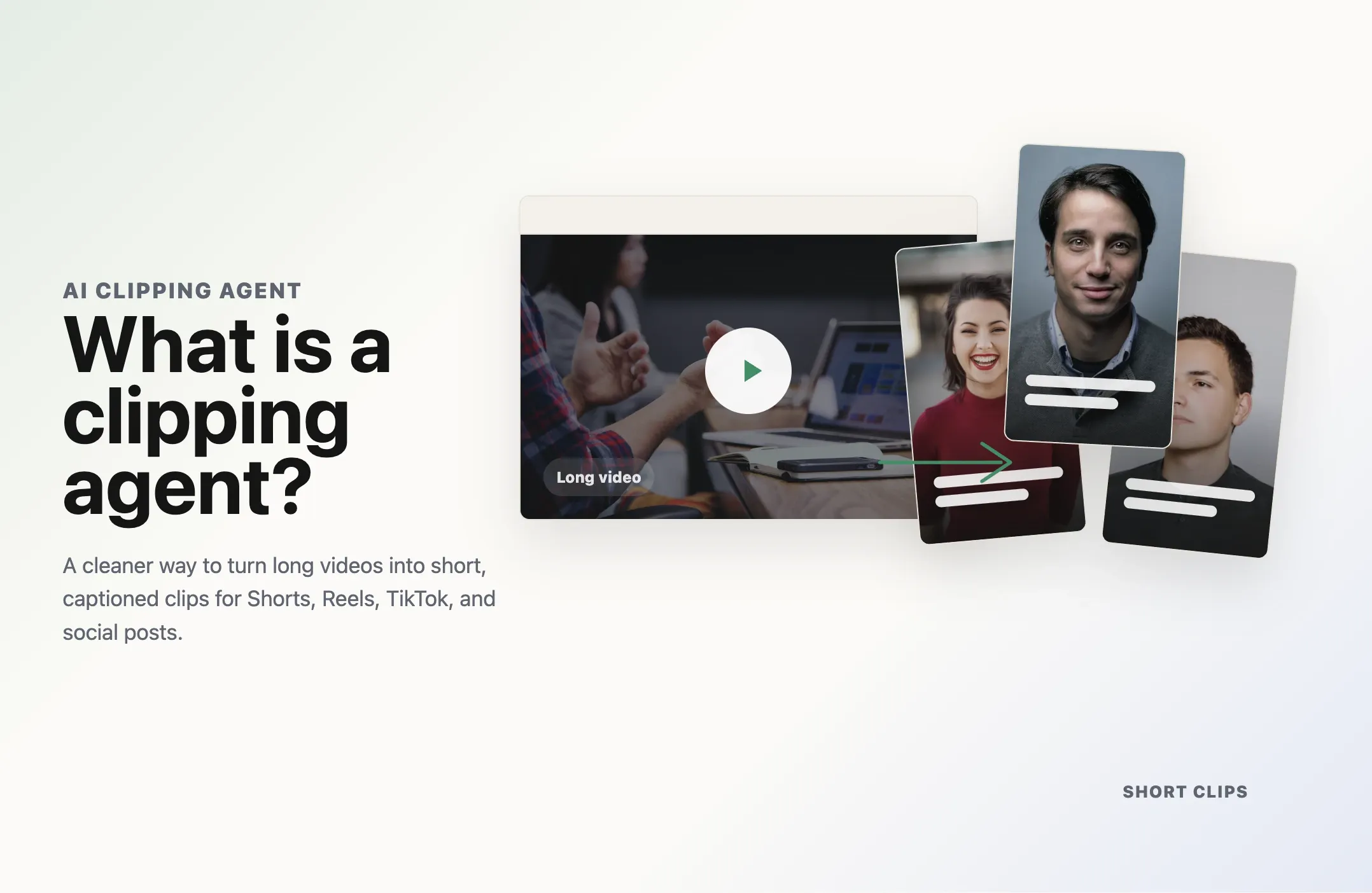
A clipping agent is a person or AI system that turns long-form video into short clips for platforms such as TikTok, Instagram Reels, and YouTube Shorts. A human clipping agent finds and edits moments manually, while an AI clipping agent can automate tasks such as highlight detection, trimming, captions, reframing, and publishing.
|
Term |
What it means |
|---|---|
|
Clipping agent |
A person or AI system responsible for turning long-form content into short clips |
|
Clipper |
A person who manually finds, edits, and prepares clips |
|
Clipping agency |
A company or team that provides clipping as a managed service |
|
AI clipping agent |
Software that can make clipping decisions and automate multiple steps in the workflow |
|
AI clipping tool |
Software that helps with one or more clipping tasks, often with more manual input |
What Does a Clipping Agent Do?
The job of a clipping agent is to find moments inside longer content that can work as standalone short videos.
A typical clipping workflow includes:
- Reviewing a long video, livestream, podcast, webinar, or interview.
- Finding moments with strong short-form potential.
- Choosing a clean starting point and ending point.
- Cutting the selected moment into a standalone clip.
- Adding captions or subtitles.
- Reframing horizontal footage for vertical platforms.
- Adding branding, hooks, overlays, or other edits when needed.
- Exporting, scheduling, or publishing the finished clip.
The goal is not simply to cut a video into smaller pieces.
A useful clipping agent should create clips that make sense without the viewer needing to watch the original video first.
That means a good clip usually needs:
- A clear opening
- Enough context to understand the point
- A strong idea, story, opinion, reaction, or payoff
- Natural clip boundaries
- Readable captions
- Framing that works on a phone screen
- A clean ending
For a broader explanation of the process itself, see what video clipping is and how it works.
Is a Clipping Agent a Person or AI?
It can be either.
The meaning of "clipping agent" has expanded as AI video tools have become more capable.
Traditionally, a creator might hire a person to watch long videos, identify highlights, edit clips, and prepare them for social media. That person may be called a clipper, video clipper, social media clipper, or clipping agent.
Today, the same phrase is also used for AI systems that can perform much of that work automatically.
The easiest way to think about it is:
- A human clipping agent uses judgment and editing skills to create clips.
- An AI clipping agent uses software and AI models to automate the clipping workflow.
- A clipping agency provides clipping through a team or managed service.
The right option depends on how much volume, control, automation, and creative judgment you need.
Human clipping agent
A human clipping agent or social media clipper usually works directly with long-form content.
They may:
- Watch podcasts, interviews, streams, or YouTube videos
- Mark potentially interesting moments
- Cut clips manually
- Rewrite or tighten hooks
- Add captions
- Crop or reframe the video
- Add music, B-roll, graphics, or branding
- Prepare different versions for different platforms
- Upload or schedule the finished clips
- Review performance and adjust future clips
Human clippers are especially useful when the work depends heavily on taste, humor, context, brand voice, or editorial judgment.
For example, a human may recognize that a quiet story near the end of a podcast is more valuable to a specific audience than a louder moment that an automated system scores highly.
The downside is scale. Watching and editing long videos manually takes time, especially when every long-form upload needs several short clips.
That is one reason creators and teams increasingly use AI to handle the repetitive parts of the workflow.
AI clipping agent
An AI clipping agent is software that can analyze long-form video, decide which moments are worth clipping, create those clips, and automate some or all of the steps needed to prepare them for publishing.
A basic AI clipper may only identify highlights and cut them.
A more complete AI clipping agent can handle a larger sequence:
long video -> content analysis -> moment selection -> trimming -> captions -> reframing -> review -> publishing
The important word is agent.
An agent should do more than respond to a single editing command. It should be able to make decisions across several steps of a workflow based on a goal.
For example, instead of manually saying:
- Cut this timestamp
- Add captions
- Make it vertical
- Export it
you might tell an AI clipping agent:
Find the strongest educational moments in this podcast, turn them into 30 to 60 second vertical clips, add captions, and prepare them for review.
The system then handles the intermediate decisions.
How Does an AI Clipping Agent Work?
Most AI clipping agents follow a similar process.
1. The agent receives the source video
You upload a video file or provide a supported video link.
Common inputs include:
- Podcasts
- Interviews
- Webinars
- YouTube videos
- Livestreams
- Courses
- Product demos
- Coaching videos
- Founder content
- Gaming footage
2. It analyzes the content
The system may transcribe the audio and analyze information such as:
- Topics
- Speaker changes
- Important statements
- Emotional moments
- Questions and answers
- Pacing
- Silence
- Visual changes
- Faces or active speakers
Different AI clipping systems use different signals.
This matters because the best moment is not always the loudest sentence or the line with the strongest keyword.
3. It finds clip-worthy moments
The agent looks for sections that can work as standalone content.
Good candidates may include:
- Strong opinions
- Practical advice
- Surprising claims
- Tutorials
- Stories
- Reactions
- Debates
- Emotional moments
- Clear explanations
- Memorable quotes
The key is context.
A sentence can sound interesting inside a 60-minute conversation but still make no sense when separated from the discussion around it.
4. It chooses clip boundaries
Once the system finds an interesting section, it needs to decide where the clip should start and end.
Strong clipping avoids:
- Starting halfway through a sentence
- Removing the setup needed to understand the point
- Ending before the payoff
- Leaving unnecessary pauses
- Including unrelated discussion
Natural boundaries are one of the biggest differences between a useful clip and an obviously automated cut.
5. It formats the clip
The next stage can include:
- Animated captions
- Subtitle correction
- Vertical reframing
- Active-speaker tracking
- Brand templates
- Logos
- Hooks
- Overlays
- B-roll
- Music
For short-form platforms, this step is often as important as choosing the moment itself.
6. It prepares the clip for publishing
Some AI clipping tools stop after export.
More complete agent workflows can continue into:
- Review
- Approval
- Scheduling
- Multi-platform publishing
- Workflow automation
For teams that want the entire process to run automatically, see our guide to automating video clipping with APIs, workflows, and AI agents.
Clipping Agent vs Clipper vs Clipping Agency
These terms are related, but they describe different ways of getting the work done.
|
|
Clipping agent |
Clipper |
Clipping agency |
|
What it is |
A human or AI system responsible for clipping |
Usually an individual editor |
A company or team providing clipping services |
|
How it works |
Manual, automated, or a mix of both |
Primarily manual |
Managed service using people, tools, or both |
|
Direct control |
Usually high |
High |
Depends on the service |
|
Scale |
High when AI is involved |
Limited by individual capacity |
Depends on team size and workflow |
|
Cost model |
Software fee, freelancer fee, or other arrangement |
Per clip, hourly, project, or retainer |
Usually project or retainer based |
|
Best for |
Creators and teams that want direct control |
Custom editorial work |
Teams that want to outsource the workflow |
Clipping agent
A clipping agent is the broadest term in this comparison.
It can describe the person or AI system responsible for producing clips.
Clipper
A clipper is usually a person.
They may work independently, for a creator, inside a media team, or as part of an agency.
Clipping agency
A clipping agency is a service business.
Instead of managing an individual clipper or AI tool directly, the customer gives the agency the content and receives finished clips or a managed distribution service.
Agencies can be useful when a business wants to outsource the process rather than build the workflow internally.
Is Clipping Agent a Job?
Yes, clipping can be a real content production role.
Job titles vary, so companies may use terms such as:
- Video clipper
- Social media clipper
- Short-form video editor
- Content repurposing editor
- Podcast clip editor
- Social video editor
- Content clipping specialist
The work usually involves finding strong sections in longer videos and converting them into shorter content for social platforms.
Some clippers only edit.
Others also handle:
- Content research
- Hook writing
- Captions
- Thumbnails
- Posting
- Account management
- Analytics
AI is changing the role, but it does not necessarily remove it.
A human can use an AI clipping agent to generate candidates quickly, then spend more time on judgment, storytelling, brand quality, and final review.
How Do Clipping Agents Get Paid?
There is no single payment model.
A human clipping agent may be paid:
- Per clip
- Per video
- Per project
- Hourly
- Through a weekly or monthly retainer
- As a salaried employee
- Through a performance-based arrangement
A clipping agency commonly charges for a package, project, or ongoing retainer.
An AI clipping agent usually follows a software pricing model based on things such as:
- Monthly subscription
- Processing minutes
- Credits
- Number of clips
- Exports
- Seats
- API usage
The best model depends on how much content you produce and how much manual work is still required after the initial clips are generated.
AI Clipping Agent vs AI Clipping Tool
The two terms overlap, but they are not always identical.
An AI clipping tool helps perform clipping tasks.
An AI clipping agent suggests a deeper level of decision-making and workflow automation.
For example:
|
AI clipping tool |
AI clipping agent |
|
Generates clips |
Decides which clips to generate |
|
May require repeated manual commands |
Can complete multiple steps from one goal |
|
Often stops after clip creation |
Can continue into formatting, review, or publishing |
|
User controls each step |
Agent can handle intermediate decisions |
|
Useful as an editing feature |
Useful as a workflow |
Not every product that uses the word "agent" will automate the entire process, so look at what the software actually does.
If you are comparing products primarily on clip quality, editing, localization, and automation, see our guide to the best AI clipping tools in 2026.
What Can an AI Clipping Agent Automate?
Depending on the platform, an AI clipping agent may automate:
Highlight detection
AI can scan a long video and identify sections that may work as standalone clips.
Prompt-based clipping
Instead of asking for generic highlights, you can give the system a specific goal.
For example:
- Find clips about pricing
- Find the strongest opinions
- Create educational clips
- Skip the sponsor section
- Find customer pain points
- Create a teaser
This makes clipping more useful when you already know what type of content you need.
Captions
The system can transcribe speech and add on-screen captions automatically.
Reframing
Horizontal footage can be converted into vertical or square formats, with the subject kept inside the frame.
Brand formatting
Reusable styles can keep captions, logos, intros, outros, and other assets consistent.
Localization
Some workflows can translate captions or dub the video for additional audiences.
Publishing
Finished clips can be scheduled or sent to connected social channels.
Workflow automation
APIs, automation platforms, or AI-agent connections can trigger clipping without someone opening a dashboard for every video.
Reap, for example, supports AI clipping, captions, reframing, editing, publishing workflows, API access, and MCP-based agent workflows. You can see the product-focused workflow on the Reap clipping agent page.
Who Uses Clipping Agents?
Clipping agents are useful anywhere long-form video is being underused.
Podcasters
A podcast episode can contain multiple short stories, opinions, lessons, or debate moments.
Instead of manually reviewing the full recording again, a clipping workflow can surface candidates for Shorts, Reels, TikToks, and other social posts.
YouTubers
Long YouTube videos can become short-form discovery content.
Clips can point new viewers toward the full video while creating more opportunities for distribution.
Streamers
Livestreams are often several hours long.
A clipping agent can help find reactions, funny moments, wins, failures, or other highlights without manually scrubbing through the entire recording.
Brands and marketing teams
Webinars, founder interviews, customer stories, product demos, and events can all produce short social assets.
This helps a team get more use from content it has already paid to create.
Educators and coaches
Courses, lessons, workshops, and coaching calls often contain short explanations that can work independently.
Agencies
Agencies can use clipping workflows to process more client content without asking editors to perform every repetitive step manually.
Common Clipping Agent Use Cases
Podcast to short clips
Turn a long episode into multiple clips around stories, advice, opinions, or key takeaways.
YouTube video to Shorts
Find standalone moments and prepare them for vertical short-form distribution.
Livestream to highlights
Identify the most useful or entertaining moments from a long stream.
Webinar to social content
Repurpose presentations, product discussions, and expert insights into shorter posts.
Course to educational clips
Extract self-contained lessons that can promote or support the full course.
Interview to thought-leadership clips
Turn a long interview into short statements, stories, and explanations that are easier to distribute.
Human Clipper, Clipping Agency, or AI Agent: Which Should You Choose?
Choose based on the workflow you actually need.
Choose a human clipper when:
- Editorial taste matters more than volume
- The content depends heavily on humor or cultural context
- Every clip needs custom editing
- You want a person to learn your style over time
- Output volume is manageable
Choose a clipping agency when:
- You want to outsource the complete process
- You do not want to manage individual editors
- You need a team to handle ongoing production
- Managed service is more important than direct workflow control
Choose an AI clipping agent when:
- You publish long-form content frequently
- You want more clips without adding the same amount of editing labor
- You need fast first drafts
- You want repeatable captions and formatting
- You want clipping connected to automation or publishing
- You still want the option to review and edit before posting
Many teams use a hybrid approach.
AI handles discovery, rough clipping, captions, and repetitive formatting. A person reviews the strongest outputs and makes the final creative decisions.
What Makes a Good AI Clipping Agent?
If you are evaluating AI options, do not compare them only by how many clips they generate.
Look at the quality of the entire workflow.
1. Moment quality
Do the clips actually make sense on their own?
2. Natural boundaries
Does the clip start with enough context and end after the payoff?
3. Caption accuracy
Can you easily correct names, technical terms, and timing?
4. Reframing quality
Does the vertical crop keep speakers and important visual information visible?
5. Editing control
Can you fix the AI output without exporting into another editor?
6. Batch workflow
Can you review and process many clips efficiently?
7. Brand consistency
Can you reuse caption styles, logos, intros, outros, and other brand settings?
8. Automation
Can you trigger clipping through an API, automation tool, or AI agent?
9. Publishing
Can the workflow move clips toward scheduling and distribution without unnecessary manual steps?
The best system is the one that removes repetitive work without removing the control you still need.
How Reap Works as an AI Clipping Agent
Reap is designed for creators and teams that want AI clipping to be part of a broader content workflow.
You can use Reap to:
- Generate multiple clips from long-form video
- Give the AI specific clipping instructions
- Add and edit captions
- Reframe clips for vertical or square formats
- Track speakers during reframing
- Apply reusable brand templates
- Edit generated clips
- Translate captions
- Dub videos into additional languages
- Schedule and publish clips
- Automate workflows through the Reap API
- Connect supported AI agents through MCP
The important difference is that clipping does not need to be the final step.
A generated clip can continue through editing, formatting, review, localization, and publishing inside the same broader workflow.
If that is the type of system you are looking for, explore the Reap AI clipping agent.
If you only want to compare clipping products first, see our AI clipping tools comparison.
Risks and Things to Check Before Using a Clipping Agent
Whether you use a person, agency, or AI system, the workflow still needs oversight.
Content rights and permission
Only repurpose footage you own or have permission to edit and distribute.
A clipping tool does not give you rights to someone else's video.
Context
Short clips remove information from the original conversation.
Review important clips to make sure the edit does not change the speaker's meaning.
Caption accuracy
Automatic transcription can make mistakes, especially with names, jargon, accents, overlapping speakers, or poor audio.
Brand safety
If clips are published automatically, decide whether a human should approve them first.
Account access
Be careful when giving people, agencies, or software access to social accounts. Use appropriate permissions and avoid sharing more access than the workflow requires.
Platform fit
A clip that works on one platform may not work equally well everywhere.
Review aspect ratio, caption position, duration, title, description, and other publishing settings for the channels you use.
Final Answer: What Is a Clipping Agent?
A clipping agent is a person or AI system that turns long-form content into shorter, publishable video clips.
Human clipping agents do that work manually.
AI clipping agents automate more of the process, including content analysis, moment selection, trimming, captions, reframing, and, in some workflows, publishing.
A clipping agency is different. It is a company or team that provides clipping as a service.
The best choice depends on whether you value hands-on editorial judgment, full outsourcing, or automation.
For creators and teams producing long-form content regularly, AI can handle much of the repetitive clipping work while leaving final creative control with a person.
To see what that workflow looks like in practice, explore Reap's AI clipping agent.