• AI video summarization uses artificial intelligence to understand a long video and produce a shorter representation of its most relevant information or moments.
  • A text summary, chapter list, highlight reel, and social clip are different outputs. The right summary depends on what the viewer or publisher needs.
  • Effective systems do more than scan a transcript. They can consider spoken meaning, visual activity, vocal tone, pacing, pauses, scene changes, and the relationship between moments.
  • Long videos are difficult because importance depends on context. A sentence may sound strong alone but become misleading when separated from the discussion around it.
  • Generic summarization asks the AI to choose broadly important moments. Prompt-directed summarization tells the AI what matters for a trailer, promo, recap, testimonial, educational clip, or campaign.
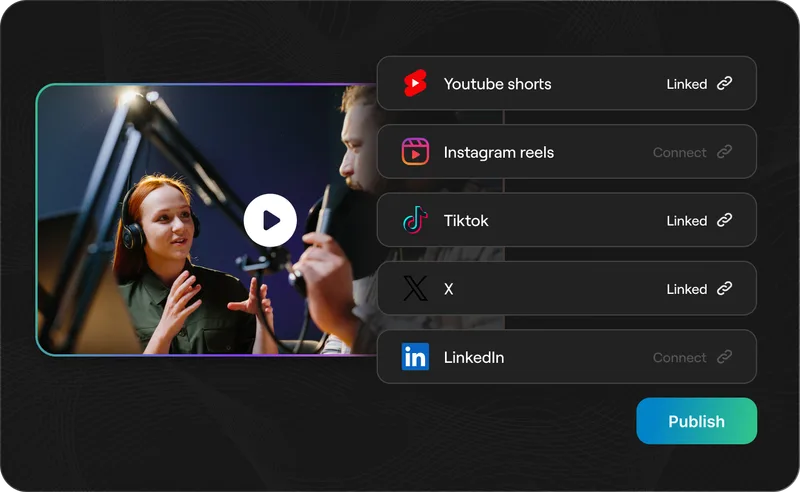
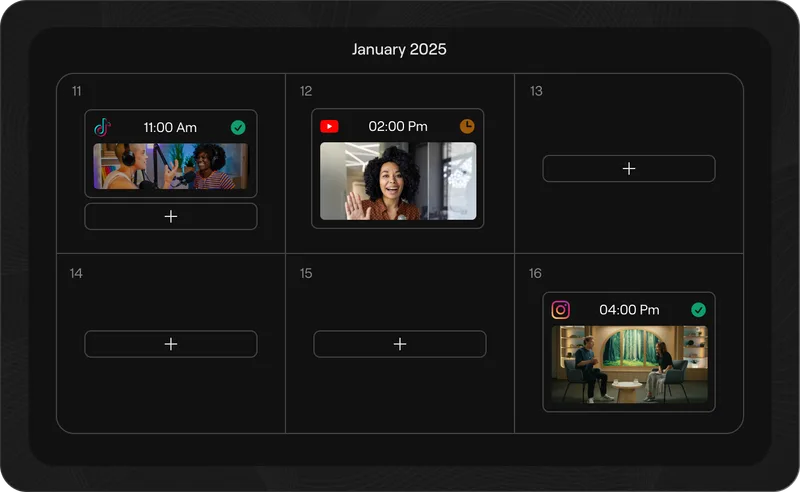
  • Reap combines AI video summarization and clipping by analyzing long videos, finding useful moments, and turning them into review-ready clips with captions, reframing, editing, and publishing tools.
  • Human review remains essential because importance is subjective, context can be lost, and the best moment for one audience may be wrong for another.
  • A one-hour webinar may contain three minutes that matter to a product buyer.

    A podcast may include one sharp opinion that deserves its own clip. A customer interview may contain a single quote that explains the value of a product better than an entire landing page. A course lesson may have one clear explanation that works perfectly as a YouTube Short.

    The useful moments are already inside the video.

    The difficult part is finding them.

    AI video summarization helps solve that problem. It analyzes a long recording, identifies the information or moments that appear most relevant, and turns them into a shorter output. Depending on the goal, that output may be a written summary, a list of chapters, timestamped highlights, a recap video, or short clips ready for social media and campaigns.

    This is becoming an important part of AI video editing because most businesses and creators do not need more raw footage. They need a faster way to understand, select, package, and distribute the footage they already have.

    What is AI video summarization?

    AI video summarization is the process of using artificial intelligence to analyze a video and create a shorter representation of its most important information or moments.

    The summary can be textual or visual.

    A text-based system might produce a paragraph, key takeaways, chapters, questions, action items, or timestamps. A video-based system might extract key scenes, assemble a highlight reel, or turn useful moments into standalone short clips.

    In simple terms:

    AI video summarization answers two questions: what matters in this video, and how should that information be shortened for a specific use?

    That second question is important.

    There is no single correct summary of a video.

    A sales team, social media manager, course creator, journalist, and podcast producer may all choose different moments from the same recording. The best summary depends on the audience, channel, and job the final asset needs to perform.

    How is AI video summarization different from video clipping?

    AI video summarization is the broader understanding and selection process. Video clipping is one way to turn that understanding into an output.

    AI Video Summarization Formats Comparison

    Five possible outputs

    Ways to summarize a video

    Video summarization can create anything from a written overview to purpose-built clips. The right format depends on what happens next.

    Output What it creates Best for Main limitation
    TXT Text summary A written overview of the video Research, learning, notes, and quick review Does not create a publishable video asset
    CH Chapters and timestamps A navigable map of topics and moments Long videos, courses, meetings, and archives The viewer still needs to watch the source
    HL Highlight reel A compressed sequence of important moments Events, sports, recaps, and entertainment May lack a focused message
    CLP Short video clips Standalone segments from the source video Shorts, Reels, TikTok, LinkedIn, sales, and campaigns Each clip needs context and editing
    PR Prompt-directed clips Moments selected for a stated purpose Trailers, promos, testimonials, educational clips, and specific campaigns The prompt and human review affect quality
    Summarization reduces. Direction decides. The more specific the intended asset, audience, and channel, the more useful prompt-directed selection becomes.

    A video summary tries to preserve what is important.

    A social clip has another responsibility: it must also make sense on its own, start strongly, hold attention, and fit the platform where it will be published.

    That is why a good AI video summarizer is not automatically a good AI clipping workflow. Summarization is about reduction. Clipping also requires editorial structure and production.

    Why is AI video summarization becoming important in 2026?

    Video libraries are growing faster than teams can review them.

    Businesses record webinars, product demos, customer calls, training sessions, launch events, interviews, meetings, podcasts, and livestreams. Creators publish long YouTube videos and podcasts while also trying to maintain a regular flow of Shorts, Reels, TikToks, and LinkedIn videos.

    The bottleneck is no longer recording.

    It is finding the moments worth reusing.

    Recent research shows why this remains a meaningful technical problem. The June 2026 SVHighlights study introduced a benchmark built from 320 long sports videos averaging two hours each. The researchers found that systems trained on short videos struggle with hour-long recordings because individual clip scores do not capture enough surrounding context.

    Their proposed approach divided videos into context-aware segments and considered multiple inputs, including visual captions, transcripts, and audio volume. The result supports a broader lesson: understanding a long video requires more than checking whether one sentence sounds interesting.

    Other research reaches a similar conclusion from different directions. Minimal Clips, Maximum Salience explored selecting a small set of key moments for long-video summaries. CLIP-It showed the value of language-guided summarization, where importance can be judged relative to a user-defined request. Lotus examined how creators can combine extracted source footage with newly structured narration when turning long videos into short videos.

    The direction is clear.

    AI video systems are moving from generic compression toward contextual, multimodal, and intent-driven selection.

    How does AI video summarization work?

    An AI video summarization workflow usually breaks a long recording into smaller units, interprets the available signals, scores or selects useful moments, and then assembles an output.

    The exact model and implementation vary, but the practical workflow often contains the following stages.

    1. The video is transcribed and indexed

    For videos with speech, the transcript provides a map of what was said and when it was said.

    The system can use that map to detect topics, questions, explanations, claims, stories, names, product mentions, objections, decisions, and changes in subject. Timestamps connect the words back to the matching sections of footage.

    Transcripts are especially valuable for podcasts, interviews, webinars, product demos, lectures, and meetings because much of the meaning is carried by speech.

    But a transcript alone is not the video.

    It may miss a visual demonstration, an audience reaction, an on-screen result, a slide, a gesture, or the difference between a serious statement and a joke. Effective video understanding needs additional signals.

    2. The video is divided into scenes and semantic segments

    A two-hour recording is too large and structurally complex to treat as one continuous block.

    The system may divide it using shot changes, pauses, speaker turns, topic transitions, transcript boundaries, or changes in visual activity. Adjacent moments that belong to the same idea can then be grouped into a larger semantic segment.

    This matters because a useful thought rarely fits perfectly inside an arbitrary 15-second window.

    A speaker may ask a question, explain the problem, give an example, and state the takeaway across several connected shots. Keeping those moments together helps the AI judge the complete idea instead of scoring disconnected fragments.

    The SVHighlights researchers found that segment-level analysis can provide better context for extremely long videos than treating each small clip independently.

    3. The AI evaluates spoken meaning

    The transcript can be analyzed for more than keywords.

    The system may look for a complete argument, a practical takeaway, a surprising claim, a clear answer, a change in viewpoint, a customer result, a memorable quote, or a statement that resolves a question introduced earlier.

    This is semantic analysis: understanding what the speaker means and how one statement relates to the rest of the discussion.

    Keyword matching alone is not enough.

    The word "pricing" might appear many times in a webinar. Only one section may clearly explain the pricing objection a buyer cares about. The phrase "new feature" may occur throughout a launch presentation, but the strongest clip may be the moment where the host demonstrates the feature and explains its result.

    4. The AI considers visual information

    Visual analysis can help identify what is happening on screen.

    That may include scene changes, speaker visibility, facial expressions, gestures, slides, screen shares, product interfaces, demonstrations, audience reactions, text overlays, or changes in camera composition.

    A visually active moment is not automatically important. However, visual evidence can strengthen the meaning found in the transcript.

    For example, a product claim becomes more useful when the feature is being demonstrated at the same time. A customer quote may become more emotionally credible when the speaker's expression supports the statement. An event highlight may depend on the reaction in the room, not only the words spoken on stage.

    5. The AI analyzes audio, delivery, and pacing

    Audio carries signals that are easy to lose in transcription.

    Changes in volume, vocal tone, emphasis, laughter, applause, silence, speaking speed, interruptions, and pauses can indicate that something important is happening.

    Reap's AI video clipping tool describes its workflow as multi-signal analysis that considers facial expressions, vocal tone, pauses, pacing, and topic relevance.

    Those signals help distinguish a routine sentence from a moment delivered with conviction, surprise, humor, tension, or emotion.

    Audio energy should not be confused with importance. The loudest moment is not always the best moment. A quiet customer statement can be more valuable than an energetic introduction. Audio works best when combined with meaning, visuals, and context.

    6. Each moment is judged against the goal

    Importance is relative.

    A generic video summarizer may try to represent the major topics of the full recording. A marketing workflow may search for product value. A trailer needs curiosity and momentum. A testimonial clip needs a credible problem and result. An educational clip needs one complete lesson.

    This is the difference between generic and query-focused summarization.

    Generic summarization asks:

    What are the most representative or important moments in this video?

    Prompt-directed summarization asks:

    Which moments best support the specific output I want to create?

    Research such as CLIP-It has explored this distinction by scoring video content relative to a language request. In practical creator workflows, prompt clipping applies the same principle: the user describes the desired editorial result instead of accepting generic highlights.

    7. The selected moments become a summary or first draft

    Once useful moments have been selected, the system can return them in several forms.

    It may create written takeaways, chapters, searchable timestamps, a short recap, a highlight reel, or separate video clips. A production-focused workflow may also add captions, adjust framing, target a clip length, and format the video for a publishing channel.

    This is where video summarization becomes video creation.

    The AI is not only saying what matters. It is preparing an asset based on that judgment.

    What makes a moment worth including?

    A strong summary moment usually contributes something the final viewer needs.

    It may introduce the central problem, explain a key idea, provide evidence, deliver a memorable line, show a transformation, resolve a question, or create an emotional response.

    Short-Form Video Quality Factors

    Standalone clip checklist

    What makes a moment worth clipping?

    A useful moment needs enough internal structure to make sense, create value, and hold attention outside the original recording.

    1. 01 Relevance
      The moment supports the requested topic, audience, or campaign goal.
    2. 02 Completeness
      The clip contains enough of the idea to stand alone.
    3. 03 Specificity
      Concrete claims, examples, and results are more useful than vague discussion.
    4. 04 Emotional or intellectual value
      The moment creates curiosity, surprise, trust, clarity, or recognition.
    5. 05 Visual support
      The footage reinforces what is being said.
    6. 06 Strong boundaries
      The clip begins and ends naturally without cutting away essential context.
    7. 07 Platform fit
      The length, opening, framing, and pace suit the destination.

    The strongest clips satisfy several qualities at once. A relevant moment still needs context, a natural edit, and the right format for its destination.

    The same moment can score differently depending on the intended output.

    A detailed explanation may be excellent for a course recap but too slow for a launch trailer. A dramatic claim may be useful as a teaser but incomplete as an educational clip. A customer quote may build trust in a sales follow-up even if it is not broadly entertaining.

    Why are long videos difficult for AI to summarize?

    Long videos create problems of scale, context, subjectivity, and continuity.

    Important moments can be far apart

    A question may appear near the beginning of a webinar and receive its best answer 30 minutes later. A podcast guest may introduce a story, leave it temporarily, and return to the conclusion later.

    A system that analyzes only nearby clips may miss those relationships.

    The strongest sentence may depend on what came before

    A short statement can sound impressive when isolated but mean something different in context.

    It may be a joke, a hypothetical example, a quotation of someone else's view, or a claim the speaker later corrects. Extracting it without the surrounding explanation can create a misleading clip.

    Repetition makes importance harder to judge

    Long-form speakers often repeat ideas in different ways.

    The AI must decide whether to choose the first explanation, the clearest explanation, the most energetic explanation, or the version with the strongest visual support. A good summary should reduce redundancy without losing essential context.

    Different users define “best” differently

    Highlight detection is subjective.

    The most entertaining moment may not be the most commercially useful. The most informative section may not have the strongest hook. The most emotional story may not support the campaign message.

    Clear direction helps resolve that ambiguity.

    AI has limited attention and imperfect understanding

    Even advanced models can miss visual details, misunderstand speakers, depend too heavily on transcripts, or lose information when a long recording must be sampled or compressed.

    The SVHighlights paper illustrates this challenge: if a model can process only a limited number of frames from a two-hour video, uniform sampling may leave large gaps between the frames it sees. A key event can happen entirely inside one of those gaps.

    That is why segment-based processing, multimodal signals, and human review matter.

    Generic highlights vs prompt-directed video summarization

    Automatic summarization is useful when you want a broad overview and do not yet know what matters.

    Prompt-directed summarization is stronger when the final asset already has a job.

    Consider one 60-minute product webinar. A generic system might choose the energetic introduction, the feature announcement, a demonstration, and the closing summary. Those may be reasonable highlights, but they are not automatically a campaign.

    AI Video Editorial Prompt Paths

    One source, six editorial paths

    Clear prompts change what the AI looks for

    The same recording can support several campaigns. The prompt defines which moments become important for each output.

    Goal Example direction What the AI should prioritize
    01 Launch trailer Create a trailer around the main product promise and strongest reveal.
    Curiosity Energy Product reveal Momentum
    02 Product promo Create a promo showing the customer problem, feature, and outcome.
    Pain point Demonstration Proof Result
    03 Educational clips Create short clips from the most practical explanations.
    Complete lessons Clarity Actionable advice
    04 Sales enablement Find moments that answer pricing and implementation objections.
    Buyer questions Credible answers Reassurance
    05 LinkedIn recap Summarize the webinar into concise thought-leadership clips.
    Strong ideas Professional context Standalone insight
    06 Customer proof Find statements that show the problem before the product and the result after it.
    Specific pain Change Evidence Trust

    Prompt direction changes the definition of “best.” A launch trailer and a customer-proof clip should not select the same moments from the same source.

    This is why prompt direction is not a cosmetic setting.

    It changes what “important” means.

    How does Reap use AI video summarization?

    Reap turns long-video understanding into a practical clipping and publishing workflow.

    According to Reap's clipping workflow documentation, users can upload a local video or paste a supported link, configure the desired output, and generate ready-to-edit clips. Reap can analyze videos as long as three hours, while the processing timeframe control can narrow the analysis to a specific section when needed.

    Reap's product workflow combines several parts of AI video summarization:

    1. It analyzes the long source video for useful moments.
    2. It lets the user define intent through prompt-first clipping.
    3. It turns selected moments into review-ready video clips.
    4. It adds production tools such as captions, speaker reframing, aspect ratios, editing, branding, and publishing.

    The important distinction is that Reap is not only a text summarizer.

    It creates usable video outputs.

    That makes it useful when the goal is not simply to understand the recording but to turn it into assets for Shorts, Reels, TikTok, LinkedIn, YouTube, sales, education, events, or campaigns.

    A practical Reap workflow for summarizing a long video

    The workflow starts with the intended result, not the AI.

    Step 1: Choose a source with useful material

    Strong source videos contain distinct ideas, stories, demonstrations, questions, or proof.

    Podcasts, webinars, interviews, product demos, customer stories, course lessons, launch events, conference talks, YouTube explainers, and livestreams are good candidates.

    The AI can accelerate selection, but it cannot create substance that is missing from the recording.

    Step 2: Decide what “summary” means for this project

    Before generating clips, define the output.

    Do you need a broad recap, a trailer, five educational clips, a product promo, customer proof, objection-handling clips, or one concise social video?

    This decision determines which moments matter and prevents “best highlights” from becoming an overly broad request.

    Step 3: Upload the video or paste a supported link

    Add the long-form source to Reap.

    If only one part of the recording is relevant, narrow the processing timeframe. A webinar may include housekeeping, introductions, a demonstration, Q&A, and a closing offer. Processing the right section can improve focus and avoid spending time on irrelevant material.

    Step 4: Generate and review the clips

    Let Reap analyze the source and generate first drafts.

    Then check whether each clip answers the actual brief. Review the opening, context, accuracy, ending, duration, and emotional tone. Confirm that the clip does not change the speaker's meaning.

    AI should reduce search and assembly time. Review protects quality.

    Step 5: Finish the clips for their channels

    Add or correct captions, adjust the crop, apply branding, refine the edit, and export in the appropriate aspect ratio.

    Portrait 9:16 works for Shorts, Reels, and TikTok. Square 1:1 can suit some LinkedIn, Instagram, and Facebook placements. Landscape 16:9 remains useful for YouTube, websites, presentations, and standard video placements.

    One source recording can then become several intentional assets instead of one generic summary.

    AI Video Summarization Examples by Source Type

    Source-to-summary guide

    AI video summarization examples by source type

    Different source videos contain different kinds of value. Match the requested output and prompt to the material already in the recording.

    Source video Useful summary outputs Example prompt
    01 Podcast
    Episode trailer Opinion clips Practical advice Guest teaser
    Create clips from the guest's strongest opinions and most practical advice.
    02 Webinar
    Recap Educational clips Product promos Objection handling
    Create a webinar recap using the main promise, demonstration, and takeaway.
    03 Product demo
    Feature clips Launch promo Workflow explanation Before-and-after
    Create a product promo showing the problem, workflow, and time saved.
    04 Customer interview
    Testimonial Case-study clips Proof points Sales assets
    Find the clearest problem-and-result statements from the customer.
    05 Course lesson
    Lesson preview Key concept Common mistake Practical tutorial
    Create beginner-friendly clips from the clearest explanations.
    06 Event recording
    Trailer Speaker highlights Recap Announcement clips
    Create an event recap using the highest-energy and most meaningful moments.
    07 Founder interview
    Brand story Product vision Category insight Launch teaser
    Find the founder's strongest explanation of why the product exists.

    Strong prompts name both the content and the purpose. Tell the AI what to find and what the finished asset should achieve.

    What are the limitations of AI video summarization?

    AI video summarization is useful, but it is not objective or infallible.

    It can select a strong line without enough context

    A moment may sound complete while depending on an earlier question or later qualification. Review the source around every extracted clip, especially for sensitive, technical, legal, medical, or financial content.

    It can overvalue obvious signals

    Loudness, fast speech, laughter, and dramatic wording are easy to detect. Quiet expertise, subtle emotion, or a visually important demonstration may be harder to score.

    Multimodal analysis reduces this problem but does not eliminate it.

    It may misunderstand specialized language

    Names, acronyms, product terms, accents, and industry-specific vocabulary can affect transcription and topic analysis. Correcting transcripts and captions may be necessary.

    It does not know the business goal unless you explain it

    The AI cannot infer every campaign strategy, audience concern, brand constraint, or publishing plan.

    A clear prompt gives the system a better definition of relevance.

    It still needs editorial judgment

    Human reviewers decide whether a clip is accurate, useful, on-brand, appropriately paced, and worth publishing.

    The best workflow is not AI alone or manual editing alone. It is AI for scale and first drafts, followed by human judgment for meaning and quality.

    Best practices for better AI video summaries

    Start with a clear source, a clear goal, and a clear definition of what should be included.

    Use a focused prompt when the summary has a specific job. Ask for one complete idea per clip. Name the audience or platform when it changes the selection. Add exclusions when certain topics should not appear. Narrow the timeframe when only part of the recording matters.

    During review, check the moments immediately before and after each clip. Make sure the speaker's meaning survives the cut. Prefer specific explanations, examples, demonstrations, and results over vague statements.

    Finally, finish the output for its actual destination. A useful moment still needs readable captions, correct framing, a clean opening, natural boundaries, and brand consistency.

    For teams comparing workflows, our guide to AI clipping tools explains what to look for across clipping, captions, reframing, localization, and production. The AI video clipping report provides broader context on where the category is heading.

    The future of AI video summarization

    AI video summarization is moving from generic recaps toward controllable video understanding.

    Future systems will likely become better at following long narratives, connecting distant moments, recognizing visual proof, understanding audience intent, and producing different summaries from the same source for different channels.

    Agentic workflows will also make summarization more repeatable. Instead of manually starting every job, teams can use tools such as Reap MCP to connect video processing to AI agents and internal workflows.

    The larger shift is from:

    “Summarize this video.”

    To:

    “Understand this video, find the moments that support this goal, and prepare the right assets for this audience.”

    That is a much more useful version of AI video.

    Final thoughts

    AI video summarization is not only about making a long video shorter.

    It is about deciding what deserves attention.

    The strongest systems combine transcript meaning, visual information, audio signals, scene structure, surrounding context, and user direction. The strongest workflows then turn those decisions into assets that are accurate, useful, and ready for review.

    For creators and businesses, that means a webinar can become a campaign, a podcast can become a week of social clips, a customer interview can become proof for sales, and a course lesson can become a library of educational shorts.

    Reap brings those steps together. Upload a video or paste a link, use the clipping workflow to find and direct the moments you need, then add captions, reframe, edit, brand, and publish the results.

    Start summarizing long videos into useful clips with Reap's AI video clipping tool.

    Last Updated:
    June 15, 2026