Reap and OpusClip are both AI video repurposing tools built to turn long videos into short clips for TikTok, Instagram Reels, YouTube Shorts, LinkedIn, and other social channels. Both can help creators move faster, but they are built around different strengths.
OpusClip is a polished AI clipping product for creators who want a simple way to generate short clips from long videos. Reap is a broader AI video automation platform for creators, agencies, and teams that need clipping, captions, dubbing, reframing, scheduling, API access, and agent-ready workflows in one system.
This 2026 comparison breaks down Reap vs OpusClip across pricing, free plans, processing limits, captions, multilingual support, dubbing, API access, automation, collaboration, and publishing workflows.
Quick Answer: Is Reap Better Than OpusClip?
Reap is better than OpusClip for teams, agencies, multilingual creators, and automation-heavy workflows because it combines AI clipping, captions in 100+ languages, AI dubbing in 80+ languages, auto-reframing, scheduling, API access, and MCP-ready automation. OpusClip is a good choice for solo creators who want a polished clip generator with fast setup and a simple editing experience.
Both promise to turn long videos into viral-ready shorts, but how do they really stack up? In this comprehensive comparison, we’ll break down their strengths and differences across eight critical categories:
- Free trial & first impressions
- Pricing & credit limits
- AI clipping accuracy
- Captions & dubbing (localization power)
- Analytics & virality insights
- Reframing & scheduling
- API & automation capabilities
- User experience & overall polish
By the end, you’ll know which tool offers the most value, scalability, and global readiness for today’s creators.
1. Free Trial & Export Experience
A free trial is the first handshake between a platform and a creator. If it feels restrictive, adoption suffers.
- Reap: Offers a free plan with 7-day trial that allows watermark-free exports. This means you can immediately test and publish clips without worrying about credibility damage or lower engagement due to watermarks.
- OpusClip: While it has a free plan, all exports are watermarked. This forces users to upgrade early just to produce usable content.
This distinction influences the testing phase: creators can test Reap without artificial barriers.
2. Pricing & Processing Limits
Pricing matters, but processing limits matter more for creators who publish consistently.
Reap's has a Free plan with 1 hour/month of AI clipping and captions, a Creator plan with up to 10 hours/month, and a Studio plan with up to 20 hours/month. The Creator and Studio plans also include watermark-free exports, premium caption styles, auto-reframed clipping, scheduling, 100+ caption languages, and API access.
OpusClip's has s a Free plan with 1 hour/month and watermarked exports, plus a Starter plan with 150 processing minutes/month, faster processing, more import sources, editing capability, and social posting.
The practical difference is workflow depth. OpusClip is easier to evaluate as a simple clipping product. Reap gives teams more room to build a repeatable production system that includes clipping, captions, dubbing, translation, scheduling, and automation.
3. AI Clipping Accuracy & Workflow
The quality of clipping is where creators decide if they can trust the tool.
- Reap: Uses multi-signal AI evaluating facial expressions, vocal tone, pauses, and pacing. The result: clips that start and end naturally, without abrupt mid-sentence cuts. You get conversation hooks that flow seamlessly.
- OpusClip: Relies more heavily on keyword spotting. While often effective, it can cut in the middle of sentences or miss contextual flow, requiring manual adjustments in editing software.
This affects the time saved metric. With Reap, clips are closer to publish-ready straight out of the box.
4. Captions, Subtitles, and Language Support
Both tools can generate captions for short-form clips, but Reap has a stronger multilingual workflow.
Reap supports captions and subtitle translation in 100+ languages, plus romanized script support for formats such as Hinglish, Romanized Urdu, and Arabizi. This helps global creators publish captioned clips for audiences that use non-Latin scripts or mixed-language social content.
OpusClip says it supports English, German, Spanish, French, Portuguese, and 20+ other video languages. That is enough for many creator workflows, but Reap is stronger if multilingual publishing is a core requirement.
5. AI Dubbing and Translation
Reap includes AI dubbing and translation workflows for creators who want to localize clips beyond subtitles. The current Reap pricing page lists AI dubbing in 80+ languages and subtitle translation in 100+ languages.
This matters for teams publishing educational content, webinars, podcasts, product demos, and marketing videos across regions. Captions help viewers read the video; dubbing helps viewers hear it in their language.
6. Virality & Analytics Insights
Creators need to know not just what to clip but what will resonate.
- Reap: Both reap and opus provides a Virality Score, highlighting spikes of engagement. This allows creators to choose better clips at a glance.
- OpusClip: Features a Virality Score, assigning numerical values to clips based on predicted performance (Hook / Flow / Engagement). While data-rich, it requires scrolling to align timestamps with scores.
Both approaches are same and good at the same time but data-driven creators may prefer Opus’s scoring.
7. Auto-Reframing & Scheduling
A good clipping tool isn’t just about editing it’s about publishing workflows.
- Reap: Automatically AI reframing feature exports multiple formats (9:16 vertical, 1:1 square) in a single pass, saving manual effort. Its scheduler integrates with TikTok, YouTube, Instagram, and LinkedIn.
- OpusClip: Requires manual cropping for each new aspect ratio. Scheduler functionality is also present here.
This impacts scaling. Agencies managing multiple brands benefit from Reap’s ability to generate all formats at once.
8. API, MCP, and Automation
Automation is one of the biggest differences between a simple clipping tool and a scalable content system.
Reap is built around API-first video workflows. Teams can use Reap's API, CLI, webhooks, and MCP-ready workflows to create projects, generate clips, add captions, translate subtitles, create dubs, reframe videos, and connect video production to AI agents or internal tools.
OpusClip also references API workflows in its public product and API documentation, but the fit is different. Reap puts automation, MCP, and agent-ready workflows closer to the core product positioning, which makes it a better fit for teams that want to connect video repurposing directly into content operations, SaaS workflows, or AI assistant workflows.
9. User Experience & Overall Polish
So why do many creators still find Opus visually appealing?
- OpusClip:
- Sleek, minimal UI that’s beginner-friendly.
- Animated captions with bold fonts, colors, and emojis that feel native to TikTok/Reels.
- Virality Score dashboard provides a professional, data-driven touch.
- AI B-roll and smooth transitions add production value instantly.
- Reap:
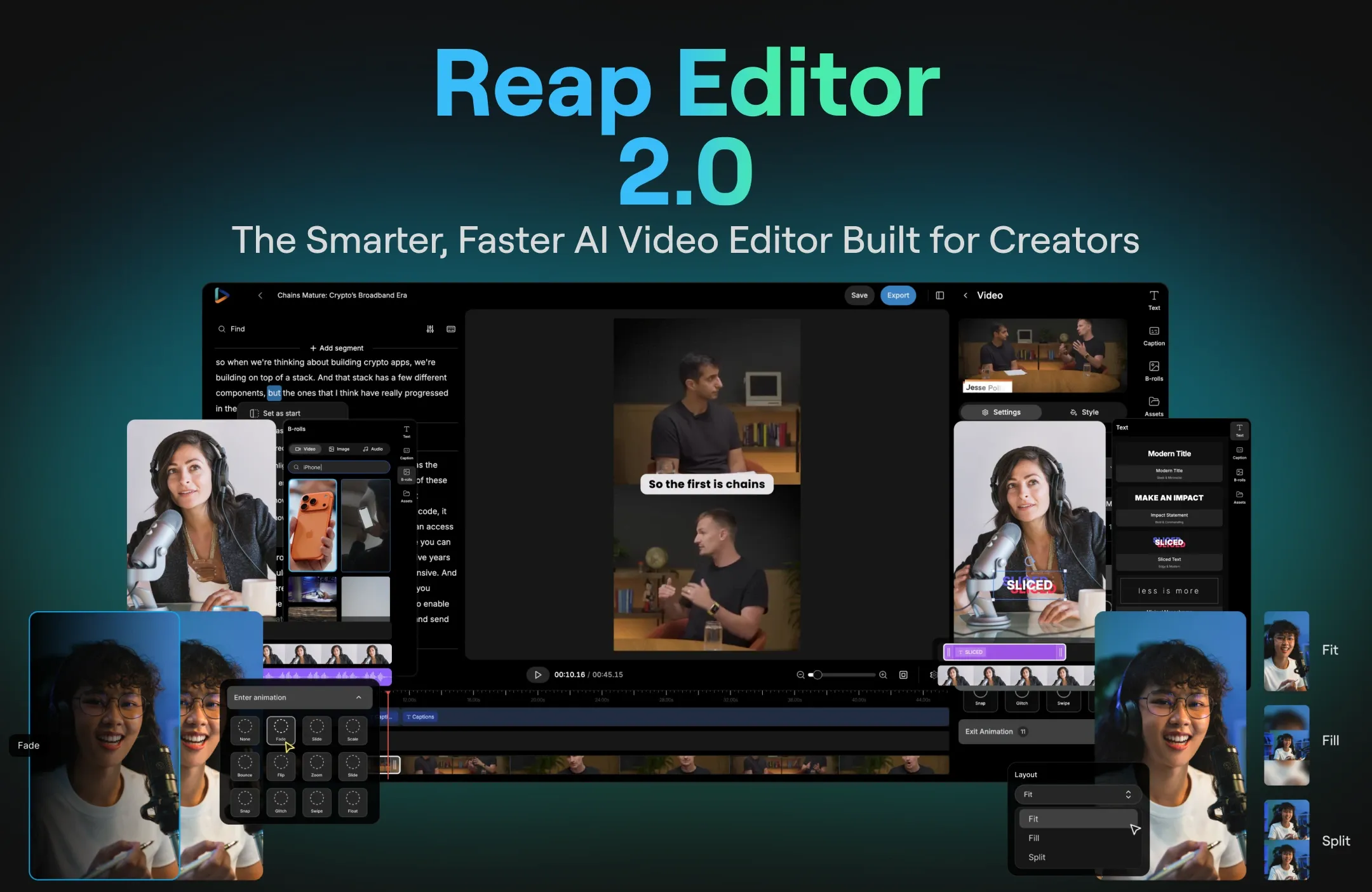
- Intuitive dashboard designed for workflow depth clipping, captions, dubbing, reframing, scheduling, all under one roof.
- Also sleek, minimal UI that's beginner-friendly too.
- Collaboration-focused features (Studio sharing, templates) appeal to agencies and teams.
- Multilingual dubbing and API automation make it enterprise-ready.
Opus looks sleek and polished for solo creators, while Reap feels more robust and scalable for teams who need precision + automation.
Reap vs OpusClip Feature Comparison
Compare AI clipping, captions, dubbing, scheduling, API access, and automation workflows side by side.
Built for teams that need multilingual captions, dubbing, API access, MCP-ready automation, and repeatable short-form workflows.
A polished choice for solo creators who want quick AI clipping and a simpler short-form editing workflow.
| Feature | Reap | OpusClip |
|---|---|---|
| Best for | Teams, agencies, global creators, and automation workflows | Solo creators and simple AI clipping workflows |
| Free plan | 1 hour/month watermarked | 1 hour/month watermarked |
| Paid entry workflow | Creator plan includes up to 10 hours/month of credits | Starter plan includes 150 processing minutes/month |
| Caption languages | 100+ languages | 25+ video languages |
| AI dubbing | 80+ languages | Not a core public workflow |
| Subtitle translation | 100+ languages | Supported for selected workflows/languages |
| Animated captions | 50+ premium styles on paid plans | Yes |
| Auto-reframing | Yes | Yes |
| Scheduler/publisher | TikTok, Reels, Shorts, LinkedIn, X, Facebook depending on plan | YouTube, TikTok, and Instagram on Starter according to help docs |
| API and automation | REST API, CLI, webhooks, and MCP-ready workflows | API referenced publicly; fit depends on plan/access |
| Agentic workflows | MCP-ready for AI agents | Not the core positioning |
| Best choice if... | You need a repeatable, global, API-ready video workflow | You want a polished AI clip generator for fast solo use |
Final Verdict: Reap vs OpusClip in 2026
OpusClip is a strong AI clipping tool for creators who want a good simple and basic way to turn long videos into short clips. It is easy to understand, supports AI captions, and works well for straightforward creator workflows.
Reap is the better choice for creators, agencies, and teams that need more than clipping. If your workflow includes captions, multilingual subtitles, dubbing, reframing, scheduling, API access, and AI-agent automation, Reap gives you a broader production system in one place.
Choose OpusClip if you want simple AI-powered video repurposing. Choose Reap if you want a scalable video automation workflow for short-form content across languages, platforms, and teams.