AI video is having a loud year.
Every week, a new model promises better motion, better realism, better character consistency, better editing, better image-to-video, better text-to-video, or better cinematic control. The demos are impressive. A few years ago, most of them would have felt impossible.
But for most businesses, the practical question is simpler:
What can we actually use this for today?
The answer is still short-form video.
Not because short-form video is new. It is not. Teams have been publishing Shorts, Reels, TikToks, LinkedIn clips, teasers, ads, product snippets, and founder videos for years.
Short-form video remains practical because it solves a real business problem. Most teams already have useful video content, but it is trapped inside long recordings:
- Webinars
- Podcasts
- Product demos
- Founder interviews
- Customer interviews
- Course lessons
- Launch events
- Livestreams
- YouTube explainers
- Sales calls
- Community sessions
- Conference talks
The content exists. The hard part is turning it into the right short-form assets quickly enough to use.
That is why the most useful AI video workflow for many teams is not generating a synthetic scene from scratch.
It is turning one real video into trailers, promos, teasers, social clips, educational clips, sales clips, customer proof, and campaign assets.
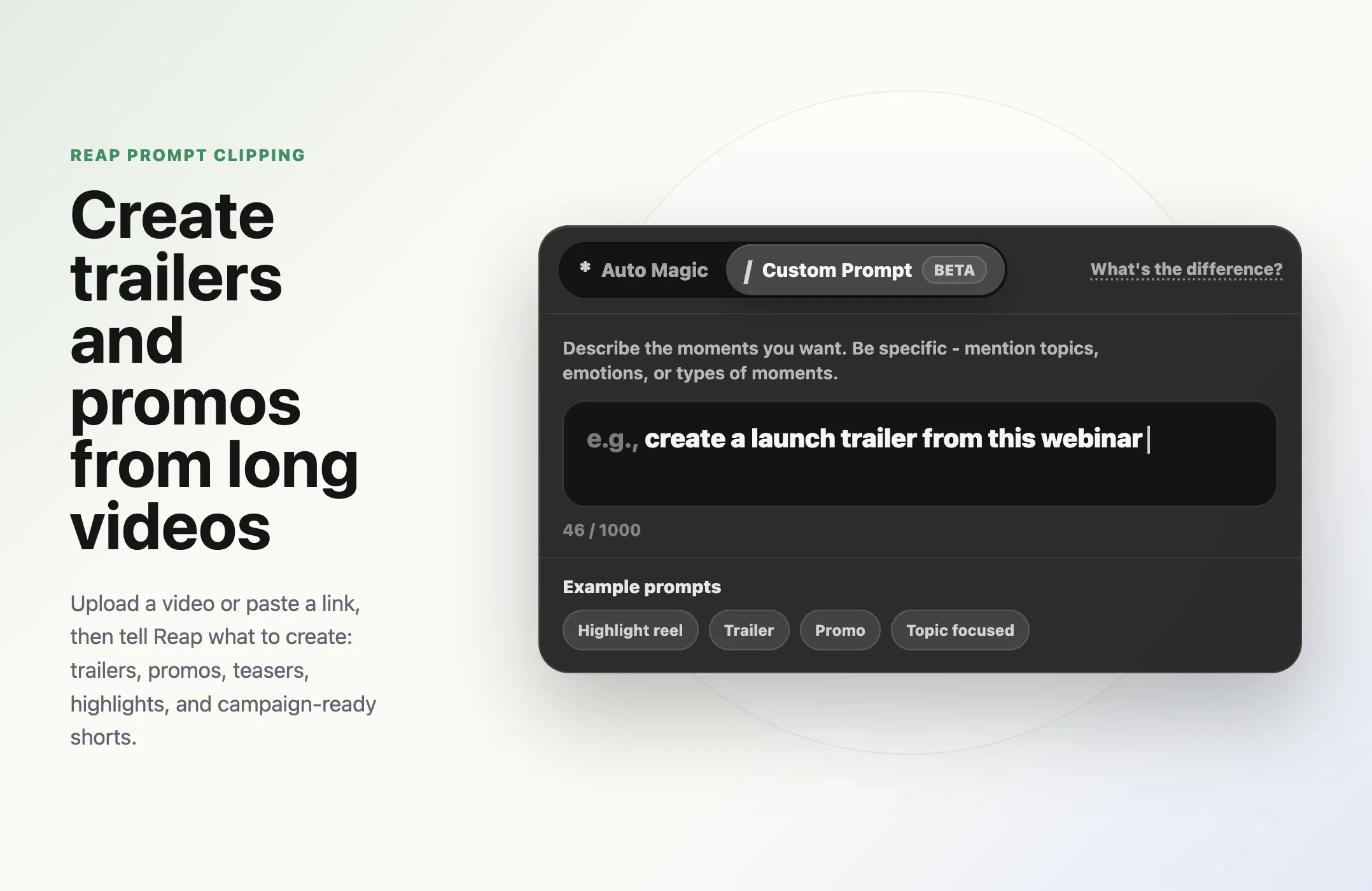
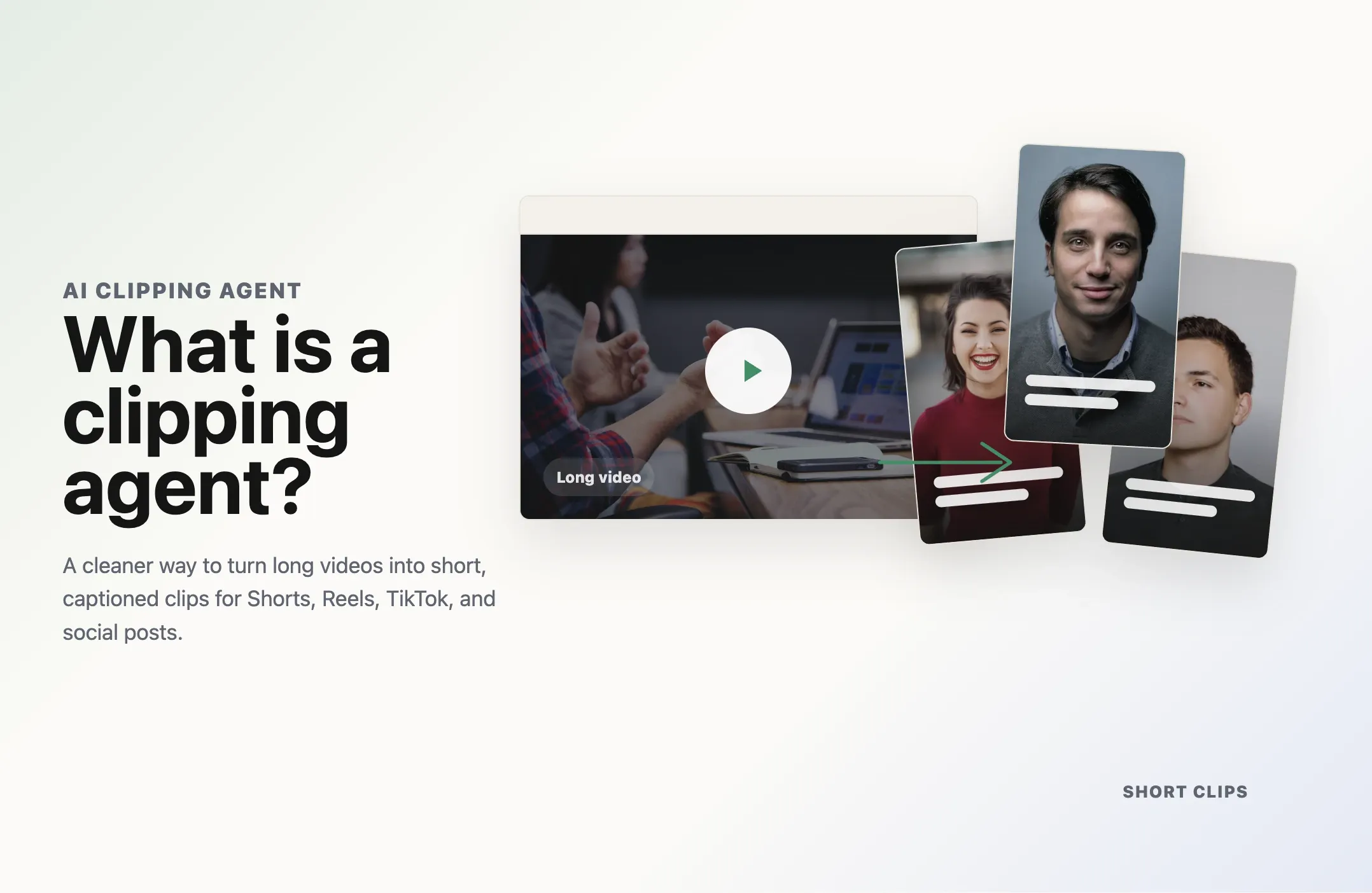
With Reap's AI video clipping tool, teams can repurpose long videos into short-form clips faster. And with Reap's prompt clipping workflow, teams can go further: upload a video or paste a link, then ask for the kind of short-form asset they need from that specific source video.
For businesses, that is where AI video gets practical.
AI video is moving fast, but business video needs are still practical
The AI video industry is clearly moving toward more powerful creative workflows.
At Google I/O 2026, Google introduced Gemini Omni as a model that can create from different inputs, starting with video, and edit video through conversation. Google also said Gemini Omni Flash is rolling into surfaces including the Gemini app, Google Flow, YouTube Shorts, and YouTube Create. That matters because AI video creation is moving into mainstream creator workflows, not staying inside specialist tools.
Runway is moving in a similar direction. Its Aleph 2.0 and Edit Studio launch focused on editing existing footage, preserving the original video, and helping teams create the version of a video they actually need. Runway's own examples include campaign variations, seasonal versions, background changes, product swaps, and short-form content.
Runway also introduced Runway Agent as an agentic creative partner that can take a user from idea to ready-to-publish video through conversation. Adobe's Firefly AI Assistant points in the same direction: creators describe the outcome, and AI helps orchestrate multi-step creative work across tools.
The trend is clear.
AI video is becoming more conversational, more agentic, and more workflow-driven.
But the day-to-day business need is still very grounded.
A marketing team does not always need a fully synthetic cinematic scene. A SaaS team does not always need an AI-generated product fantasy. A creator does not always need a new fictional visual universe.
Most teams need useful short videos from the content they already have.
They need:
- A trailer from a podcast episode
- A product promo from a webinar
- A teaser from a launch event
- A customer proof clip from an interview
- A thought leadership clip from a founder video
- A tutorial clip from a course lesson
- A sales objection clip from a demo
- A recap clip from a livestream
- A LinkedIn clip from a conference talk
That is the practical layer of AI video, and it is one of the trends we track more broadly in the State of AI Video Clipping 2026 report.
The source footage is real. The speaker is real. The product is real. The context is real. AI helps the team package that source material into something people will actually watch.
Why short-form video is still the business use case that matters
Short-form video works because it matches how modern distribution works.
A long webinar may be valuable, but most viewers will not watch the full replay. A 60-minute podcast may have excellent ideas, but the best moment might be buried at minute 42. A 30-minute product demo may contain the perfect sales clip, but nobody on the marketing team has time to watch the whole thing every week.
Short-form video solves that problem by making the useful moments easier to discover, share, test, and reuse.
For businesses, short-form clips can support many jobs:
- Awareness: hooks, opinions, founder clips, podcast moments, event highlights
- Demand generation: product promos, launch teasers, campaign clips, webinar trailers
- Education: tutorial clips, how-to moments, tactical advice, course previews
- Trust: testimonials, customer stories, proof clips, before-and-after moments
- Sales: objection-handling clips, demo snippets, feature walkthroughs, comparison clips
- Retention: customer education, product tips, community recaps, update videos
That range is why short-form video is not just a social media format.
It is a business asset format.
A good clip can live on TikTok, Instagram Reels, YouTube Shorts, LinkedIn, a landing page, an email campaign, a paid ad, a sales follow-up, a help center page, or an internal enablement library.
One long video can become many useful assets.
That is the part AI can make dramatically easier.
The real bottleneck is not ideas. It is repurposing.
Most teams are not short on raw content.
They are short on edited assets.
The webinar is recorded. The podcast is published. The product demo is sitting in a folder. The founder interview has useful quotes. The customer story has a strong proof point. The course lesson has practical advice.
But turning those recordings into short-form video still requires work:
- Watch the full recording
- Find moments that can stand alone
- Cut the clip cleanly
- Remove weak openings
- Add captions
- Reframe for vertical
- Adjust pacing
- Add brand styling
- Export for each platform
- Review for context and accuracy
- Publish or schedule
That is a lot of manual work for one clip.
Now multiply it by 10 clips per week.
This is where AI video clipping becomes useful. It gives teams a faster first pass. Instead of starting from a blank timeline, they can start from AI-generated clip candidates and spend their time reviewing, editing, and publishing.
The best workflows do not remove human judgment. They move human judgment to the right part of the process.
AI can help find and format the moments.
The team still decides what is on-brand, what is accurate, what is worth publishing, and what supports the campaign.
Text-to-video is exciting. Short-form repurposing is practical.
Text-to-video generation is useful when the video you need does not exist yet.
It can help with synthetic scenes, concept visuals, creative experiments, visual ads, storyboards, and imaginative brand work. For the right use case, that is valuable.
But many businesses are not starting from zero.
They already have videos full of product context, founder insight, customer proof, teaching moments, and campaign material. In that situation, the practical question is different.
It is not:
"Can AI create a video from a prompt?"
It is:
"Can AI turn this existing video into the short-form assets we need?"
That is why AI video repurposing remains one of the most practical parts of the category. It is also why the broader AI video editing tools market is shifting toward workflows that help teams reuse, edit, caption, and publish real content faster.
Here is the difference
AI video workflows are not all solving the same problem.
Text-to-video creates from scratch. Clipping workflows start with real footage. Prompt clipping adds direction, which makes it stronger for trailers, promos, teasers, and campaign-ready short-form assets.
| Workflow | Starts with | Best for | Main business risk |
|---|---|---|---|
| Text-to-video generation | A written prompt | Synthetic scenes, concepts, visual experiments | Output may feel generic, inaccurate, or low-trust |
| Manual clipping | A long video and an editor | High-control campaigns and polished edits | Slow turnaround and limited volume |
| Basic AI clipping | A long video | Fast highlight extraction | Clips can be too broad or unfocused |
| Prompt clipping Most campaign-ready | A long video plus direction | Trailers, promos, teasers, social clips, campaign assets | Needs clear intent and human review |
Text-to-video generation
Manual clipping
Basic AI clipping
Prompt clipping
The most practical business workflow is often the last one.
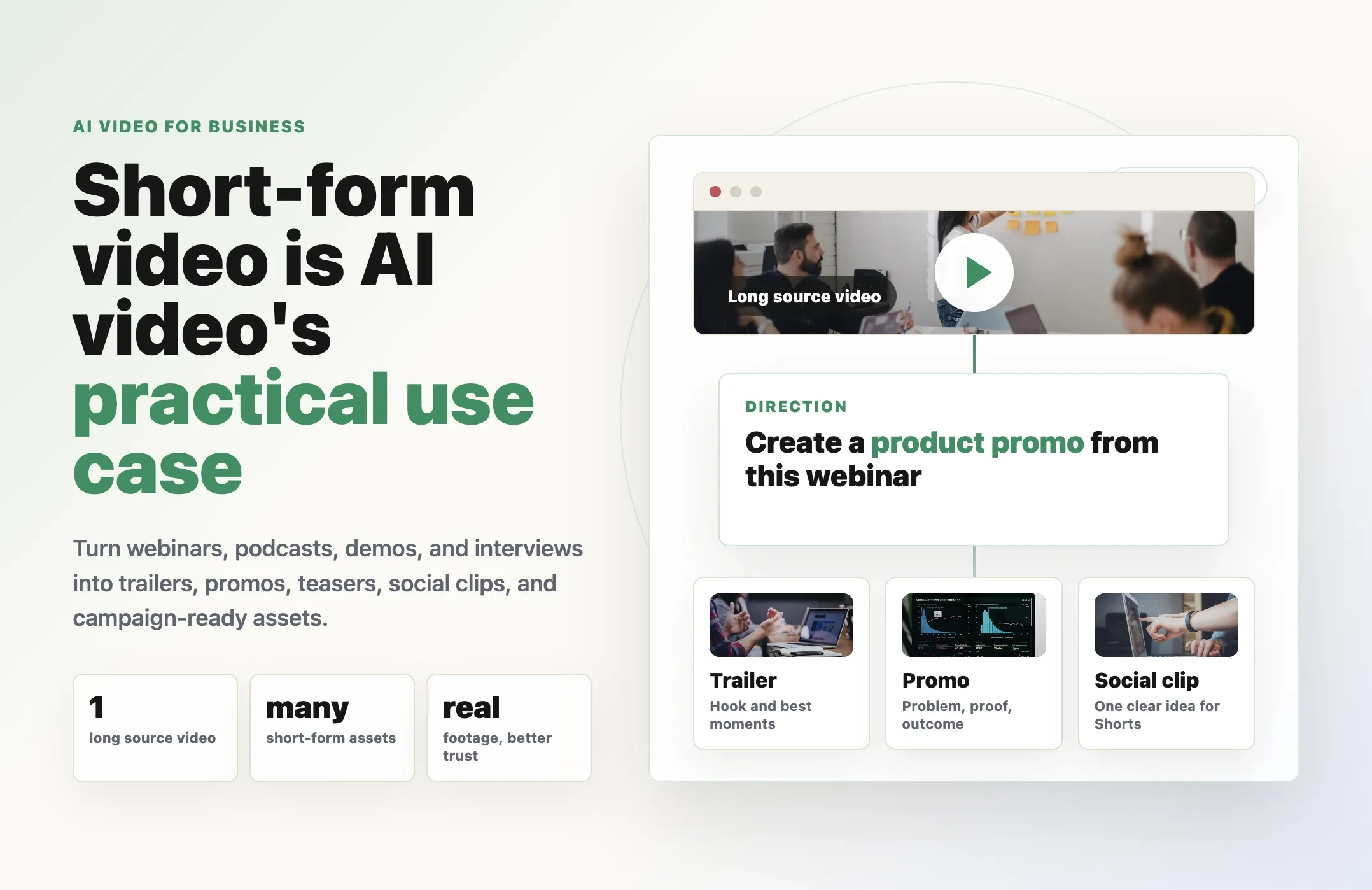
Start with real footage. Add direction. Generate short-form clips. Review and publish.
That is a useful AI video workflow because it connects directly to distribution, campaigns, and revenue.
Where prompt clipping fits
Prompt clipping is a more directed version of AI video clipping.
Instead of asking AI to find generic highlights, you tell the system what kind of clips you want from the source video.
For example:
- "Create a launch trailer from this webinar."
- "Create product promos that explain the new feature."
- "Create short clips around customer pain points."
- "Create a teaser for LinkedIn from the strongest feature reveal."
- "Create educational clips from the clearest step-by-step advice."
- "Create customer proof clips from the strongest testimonial moments."
- "Create social clips with a strong hook and one complete idea."
This matters because different short-form assets have different jobs.
A trailer should create curiosity.
A promo should communicate value.
A teaser should make people want the full version.
An educational clip should teach one clear idea.
A customer proof clip should build trust.
A sales clip should answer a buying question.
When you use prompt clipping, you are not only saying "make clips."
You are giving AI an editorial target.
Reap's guide to creating viral clips explains that Reap's clipping workflow starts with a video upload or pasted link, then generates social-ready clips from that source. With prompt clipping live in Reap, you can describe in plain language what kinds of clips you want before generation.
That is the bridge between long-form content and business-ready short-form assets.
You can start with one long video and ask Reap to create the specific assets you need for the campaign.
What one long video can become
The practical power of short-form AI video is easier to see when you start with one source video.
Imagine a 45-minute product webinar.
Without AI, the team may publish the replay and maybe one edited clip later.
With a short-form AI workflow, that same webinar can become:
- One launch trailer
- Three product promos
- Two educational clips
- Two objection-handling clips
- One customer pain point clip
- One feature reveal teaser
- One LinkedIn recap
- One sales enablement clip
That is not just more content.
It is better use of the same source material.
Now imagine the same workflow applied to a podcast episode.
One episode can become:
- A trailer for the full conversation
- Opinion clips for LinkedIn
- High-energy clips for Reels and TikTok
- Educational clips from the strongest advice
- Guest teaser clips
- Quote clips for social proof
- Newsletter embeds
- YouTube Shorts
Or apply it to a customer interview.
One customer story can become:
- A short testimonial
- A before-and-after clip
- A pain point clip
- A measurable result clip
- A why-they-chose-us clip
- A sales follow-up asset
- A retargeting ad clip
That is why short-form video is the practical AI video use case.
The content does not need to be invented from nothing. It needs to be unlocked.
Why short-form AI video is useful for marketing teams
Marketing teams need more than "content."
They need assets that match campaigns.
A launch campaign needs teasers, reveal clips, product demos, founder quotes, proof points, and follow-up clips. A webinar campaign needs trailers before the event and recap clips after the event. A demand generation campaign needs educational content, social hooks, and product value clips.
Short-form video gives marketers more ways to package the same message.
For example:
- A product launch can become a trailer, demo clip, founder quote, and customer pain point clip.
- A webinar can become pre-event teasers, post-event recaps, and educational clips.
- A podcast can become thought leadership clips and guest-driven social posts.
- A customer interview can become proof for landing pages, sales emails, and retargeting.
- A course lesson can become educational clips that lead viewers back to the full content.
AI helps because it reduces the cost of testing.
Instead of betting everything on one polished hero video, teams can create multiple short-form clips and learn which angles work.
That is especially useful for teams that need to publish across several channels with different audience expectations.
The same moment may need a different format for YouTube Shorts, LinkedIn, Reels, TikTok, email, and paid social.
Short-form AI video makes that testing loop more realistic.
Why short-form AI video is useful for creators and educators
Creators and educators have a different version of the same problem.
They may publish long videos consistently, but the best moments are not always easy for new viewers to discover.
A podcast guest says something sharp 38 minutes into the episode.
A course instructor explains the key concept halfway through a lesson.
A livestream has a great Q&A moment near the end.
A YouTube explainer has three strong clips, but only one headline.
Short-form video helps creators turn those moments into discovery assets.
For creators, clips can help viewers decide whether to watch the full episode.
For educators, clips can preview the value of a lesson.
For coaches, consultants, and subject-matter experts, clips can turn long explanations into trust-building moments.
For communities, clips can make live sessions useful after they end.
This is where prompt clipping becomes especially useful. It also connects to the rise of the clipping agent: AI systems that can understand video goals, produce clips, and reduce repetitive editing work.
Instead of asking for generic highlights, a creator can ask for:
- "Clips with the strongest opinions."
- "Beginner-friendly explanations."
- "Surprising moments from the guest."
- "Practical advice clips."
- "Funny or relatable moments."
- "A trailer for the full episode."
That direction helps AI find clips that match the creator's actual publishing goal.
Why short-form AI video is useful for sales teams
Short-form video is not only for marketing.
Sales teams can use clips too.
A long demo may contain a perfect explanation of a feature, but reps do not want to send a 30-minute recording to every prospect. A customer interview may include the exact proof point a buyer needs, but it has to be easy to share. A webinar may answer a common objection, but the answer is buried in the Q&A.
Short-form clips turn those moments into sales assets.
Useful sales clips include:
- Feature walkthroughs
- Objection-handling clips
- Customer proof clips
- Before-and-after moments
- Pricing or ROI explanations
- Use-case clips by industry
- Integration walkthroughs
- Demo highlights
This is one of the strongest business cases for AI clipping.
The content already exists. AI helps package it into shorter, more useful pieces.
Then sales teams can use those clips in follow-ups, nurture sequences, deal rooms, enablement libraries, and retargeting campaigns.
How to keep short-form AI video from becoming AI slop
More clips is not automatically better.
The risk with any AI content workflow is volume without taste.
If teams publish every AI-generated clip without review, they can end up with weak hooks, confusing context, repetitive captions, awkward crops, or clips that technically look fine but do not say anything useful.
That is how short-form AI video turns into AI slop in video.
The solution is not to avoid AI.
The solution is to keep the workflow intentional.
Before generating clips, define the job:
- Is this clip supposed to create curiosity?
- Is it supposed to explain a feature?
- Is it supposed to build trust?
- Is it supposed to teach one idea?
- Is it supposed to support a launch?
- Is it supposed to help sales answer a question?
- Is it supposed to drive viewers to the full video?
Then review the output with that goal in mind.
Good short-form AI video still needs human judgment:
- Does the clip make sense without the full video?
- Is the opening strong?
- Is the caption readable?
- Is the crop clean?
- Is the speaker represented accurately?
- Is the claim safe to publish?
- Is there enough context?
- Does this clip serve the campaign?
AI can speed up production, but the team still owns quality.
That balance is what makes short-form AI video practical instead of noisy.
Practical Reap workflow
From one long video to a short-form campaign.
A useful short-form AI video workflow does not need to be complicated. Teams with repeatable production needs can also connect this workflow to video MCP automation when they want AI agents and internal tools to help generate video assets at scale.
Start with a strong source video
Choose a long-form video that already has useful material. The better the source video, the better the clips.
Decide what assets the business needs
Before generating clips, decide what you are trying to create. "Best moments" is too broad. The best moment for a trailer may not be the best moment for a product promo.
Use prompt clipping for specific outputs
With Reap prompt clipping, the goal is to tell Reap what to create from the source video. The prompt gives direction. The source video gives substance.
Example prompts
- "Create a launch trailer from this webinar."
- "Create product promos that explain the new feature."
- "Create short clips around customer pain points."
- "Create social clips that show the before and after."
Review and polish
AI should give you a faster first draft, not remove review. Choose the clips that match the goal, trim weak openings, fix captions, adjust crops, add brand styling, and remove anything that feels out of context.
Publish by channel
Different clips belong in different places. One long video becomes a campaign, not just a replay.
The business case: more useful clips from work you already did
The strongest argument for short-form AI video is simple.
Your team already spent time creating the long video.
You hosted the webinar. You recorded the podcast. You filmed the demo. You interviewed the customer. You ran the launch event. You taught the course.
Short-form AI video helps you get more value from that work.
Instead of publishing once and moving on, you can turn the recording into a library of usable assets.
That helps teams:
- Publish more consistently
- Test more angles
- Support more channels
- Repurpose expensive content
- Reduce manual editing time
- Keep campaigns active longer
- Give sales more proof assets
- Make long-form content easier to discover
This is why short-form video is still the practical AI video use case.
It connects AI to a business outcome.
Final thought
AI video will keep getting more impressive.
Models will generate better scenes. Creative agents will handle more production steps. Editing tools will become more conversational. Synthetic media will become more flexible.
But for most businesses, the useful question is not "What is the flashiest AI video demo?"
The useful question is:
"How can we turn the videos we already have into assets we can actually use?"
That is where short-form video still wins.
It is practical. It is measurable. It fits real workflows. It helps marketing, sales, education, and creator teams get more value from every long-form video they publish.
And with prompt clipping, the workflow gets more directed.
You do not just ask AI for clips. You ask for the trailer, promo, teaser, customer proof, educational short, or campaign asset you actually need.
Try Reap prompt clipping to turn one long video into trailers, promos, teasers, customer proof clips, educational shorts, and campaign-ready assets.