MCP Server
Video Editing MCP Server. Clip, Caption & Dub from Any AI Agent
Connect reap to Claude, Cursor, Windsurf, or VS Code and clip, caption, dub, and translate videos through natural conversation. The first video editing MCP server with AI clipping, 100+ caption languages, and 80+ dubbing languages.
 Claude
 Cursor
 ChatGPT
 VS Code
 Gemini CLI
How to set up the reap MCP server
Connect the reap video editing MCP server to any AI agent in under 30 seconds. Three steps: install, connect, create.
Install
One command. No build step, no local server.
npx add-mcp https://mcp.reap.video/mcp
Connect
Add to Claude, Cursor, Windsurf, VS Code, or any MCP client.
"reap": { "url": "https://mcp.reap.video/mcp" }Create
Tell your agent what you need. Clips, captions, dubbing. Done.
"Clip the best moments and add Spanish captions"
Quick setup
Choose your AI client and add the config. done in 30 seconds.
Or install from the command line:
npx add-mcp https://mcp.reap.video/mcpWhy choose the reap MCP server?
The reap MCP server for video is built for AI agents from the ground up: hosted, async, machine-readable, and compatible with every major MCP client.
Hosted MCP Endpoint
No local server. One URL to connect.
AI-Optimized Responses
Structured markdown and tables for agent readability.
Async Processing
Submit-poll-retrieve. No blocking.
Works Where You Already Work
Any MCP-compatible AI client.
Machine-Readable Docs
llms.txt, OpenAPI, and agent skills.
Same REST API Under the Hood
Switch between MCP and REST anytime.
Agent Skills Support
One command to install into 30+ agents.
What MCP tools does the reap server expose?
The reap MCP server exposes 10 tools that AI agents can call through natural conversation. Each tool maps to a production API endpoint.
Create AI clips from any video URL. Prompt-first: describe topics, moments, or vibes.
Add animated captions and subtitles in 100+ languages, including romanized scripts.
Dub video audio in 80+ languages with natural AI voices.
Translate existing subtitles to any target language.
Transcribe video to text with word-level timestamps and speaker diarization.
Reframe video for different aspect ratios: 9:16, 1:1, or 16:9.
Check processing progress. percentage complete and current step.
Retrieve generated clips with download URLs and metadata.
Browse caption style presets: Karaoke, Bold, Minimal, and 50+ more.
Export in any format and resolution: MP4, WebM, 720p to 4K.
How the reap video editing MCP pipeline works
AI agents orchestrate the full video repurposing workflow through the reap MCP server. Drag the nodes to explore the pipeline.
YouTube URL, upload, or direct link
Detect hooks, score virality, extract moments
100+ languages, 50+ styles, romanized scripts
80+ languages, natural voices, lip-aware
9:16, 1:1, 16:9. TikTok, Reels, Shorts
Drag nodes to explore the pipeline
AI video clipping, captioning, and dubbing, powered by MCP
The reap video clipping MCP server lets AI agents clip videos, generate subtitles, and dub audio. Drop a YouTube link into Claude MCP or Cursor MCP and get publish-ready shorts with auto captions.
AI Video Clipping via MCP
Try prompts like
“Find the spiciest takes, add bold captions, export as TikTok shorts”
“Go through these 20 YouTube links, extract product demos”
Animated Captions & Subtitles
Try prompts like
“Make this interview into Reels, Shorts, and LinkedIn clips with matching captions”
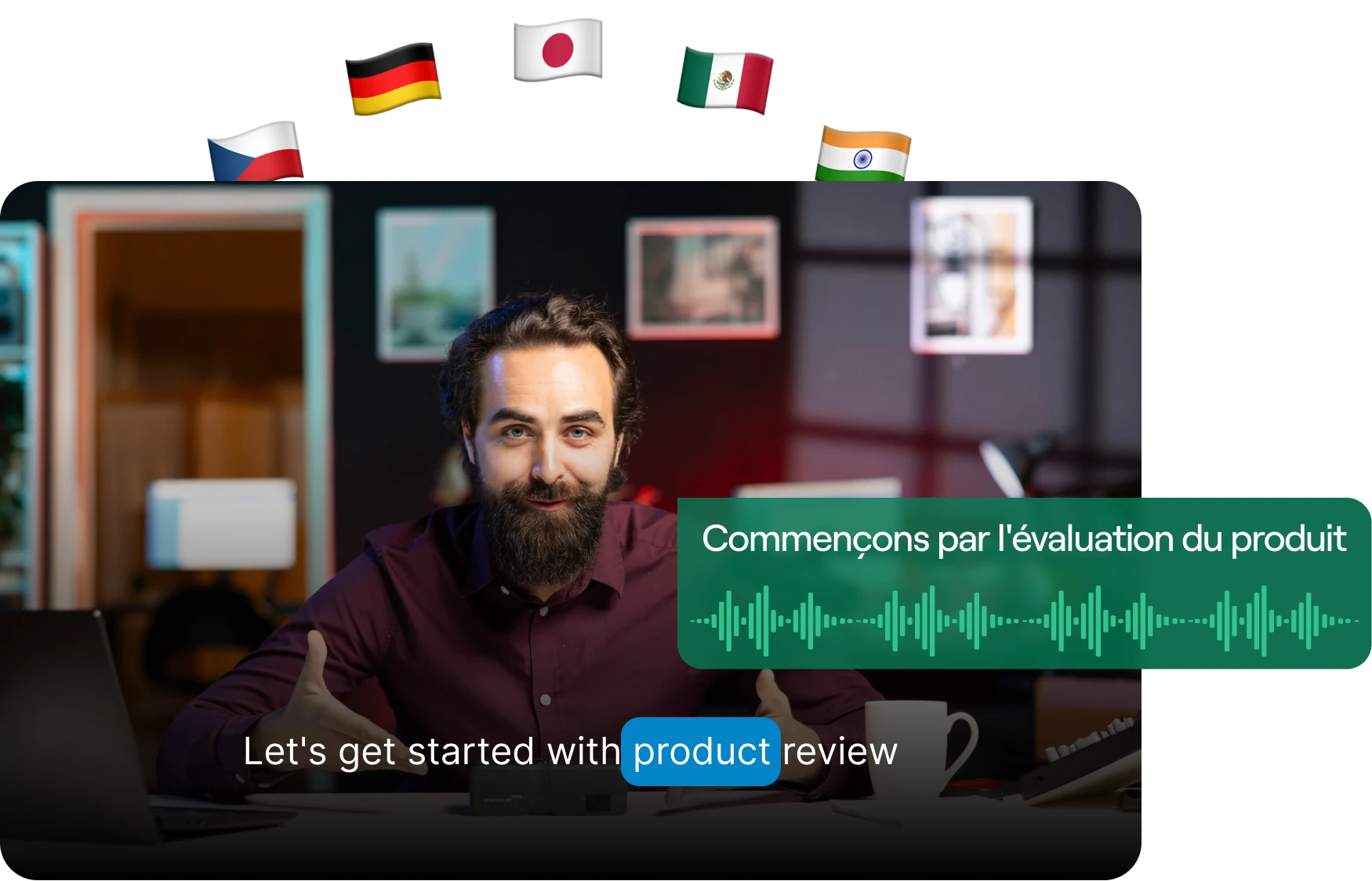
AI Dubbing & Translation
Try prompts like
“Take this English webinar, add Hinglish captions and dub in Spanish”
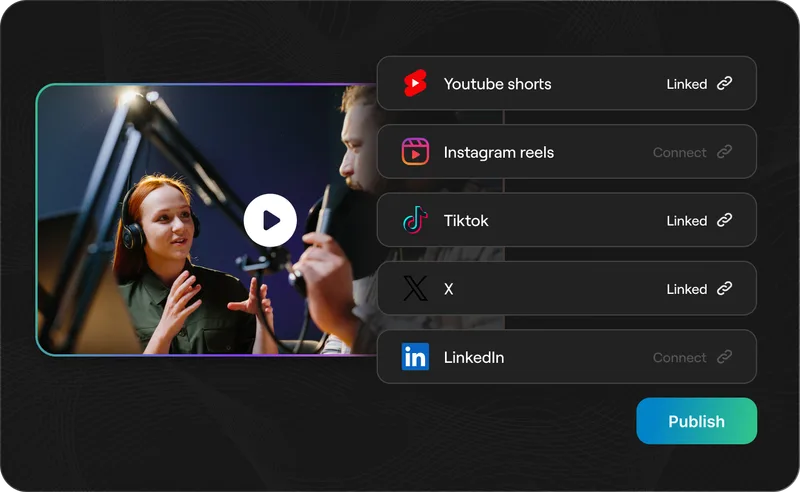
One-Click Social Publishing
Try prompts like
“Post these clips to TikTok and YouTube Shorts, schedule for best times this week”
Brand Templates & Presets
Try prompts like
“Use our brand template, clip this webinar, and add the company intro”
Add Reap API knowledge to your AI coding agent
Install the Reap agent skill so your coding agent has full context on every endpoint, schema, and workflow. Also integrates with n8n, Zapier, and Make for no-code automation pipelines. Also available: REST API docs
npx skills add https://docs.reap.videoLive tool access
The MCP server gives AI agents the ability to perform video actions. clipping, captioning, dubbing. through tool calls.
Docs context for coding
The agent skill gives Cursor, Claude Code, Codex CLI, and other coding agents full API documentation so they generate correct integration code on the first try.
“Write a Python script that creates a caption project with the Reap API”
“Integrate Reap clipping into my Express backend”
“Build a pipeline that uploads a video, creates clips, and polls for completion”
Machine-readable docs for AI agents
Three discovery surfaces so agents understand the full docs set before writing integration code.
https://mcp.reap.video/mcp
Hosted MCP endpoint. connect any MCP-compatible AI agent
https://docs.reap.video/llms.txt
Documentation index. agents discover every page before exploring
https://docs.reap.video/openapi.json
Full spec for endpoints, schemas, and request/response formats
Who uses the reap MCP server?
Any team or individual that wants AI agents to handle video repurposing.
Content Creators
Turn long videos into viral TikTok, Reels, and Shorts clips from Claude or Cursor.
Agencies
Batch-process client videos at scale with captioned, branded clips.
Developers
Build agentic video pipelines with the MCP server and custom agent stacks.
Podcasters
Extract highlight clips with animated captions and speaker reframing.
AI Agent Builders
Add video editing to any MCP-compatible agent.
Educators
Create bite-sized study clips from lectures with captions in 100+ languages.
Frequently asked questions
MCP is an open protocol that lets AI agents connect to external tools via a single standard interface. The reap MCP server uses it to give agents agentic video editing capabilities across Claude, Cursor, and more.
The official hosted endpoint is https://mcp.reap.video/mcp. Add this URL to your MCP client configuration—no local installation required. Or install via CLI: npx add-mcp https://mcp.reap.video/mcp
Claude Desktop, Claude Code, Cursor, VS Code, Windsurf, Gemini CLI, and any MCP-compatible client. The MCP integration works with all supported clients out of the box via the hosted endpoint.
Yes. Drop a YouTube link into Claude or Cursor and ask it to find viral moments, add captions, and export shorts. The reap MCP server handles clipping, captioning, reframing, and delivery automatically.
Reap exposes a machine-readable index at docs.reap.video/llms.txt and an OpenAPI spec at docs.reap.video/openapi.json. Combined with the MCP endpoint, agents have full discovery of every endpoint and workflow.
Agents can detect viral moments, clip shorts, add animated captions in 100+ languages, dub in 80+ languages, translate subtitles, reframe for any aspect ratio, and batch-process content libraries from a single prompt.
Yes. Sign up free at app.reap.video to get your API key. The MCP server authenticates requests with it. The free plan includes 1 hour of video processing.
Same AI video API, different interface. The REST API is for programmatic backend integrations. The MCP server lets AI agents call the same endpoints through natural conversation in Claude, Cursor, or any MCP client.
MCP gives your AI agent live tool access for video actions. The Reap agent skill gives coding agents full documentation context to generate correct integration code faster. Use both together for the best experience.
The MCP endpoint is free to connect. Video processing uses credits from your reap plan. Free includes 1 hour; paid plans start at $9.99/month with higher resolution, dubbing, translation, and all premium features.
reap is the only MCP server combining AI video clipping, animated captioning in 100+ languages, dubbing in 80+ languages, subtitle translation, and aspect-ratio reframing in one tool. HeyGen focuses on avatars; Ssemble is clipping only.
Video editing MCP server from $9.99/month
Every paid plan includes MCP, API, and CLI access. Free plan includes 1 hour of processing. No enterprise-only gating. No per-minute surcharges.
View Pricing- ✓AI clipping via MCP
- ✓Animated captions in 100+ languages
- ✓AI dubbing in 80+ languages
- ✓Subtitle translation
- ✓Video transcription
- ✓Hosted MCP endpoint
- ✓REST API + CLI access
- ✓Agent skills for Cursor & Claude Code
- ✓Webhook callbacks
- ✓Free plan available
Connect your AI agent to video editing
MCP server for clipping, captioning, dubbing, and translation. Set up in under 30 seconds.