CapCut is still a capable short-form editor. It gives creators a familiar timeline, effects, templates, captions and mobile-first editing in one place.
But not every creator needs the same thing from a video editor.
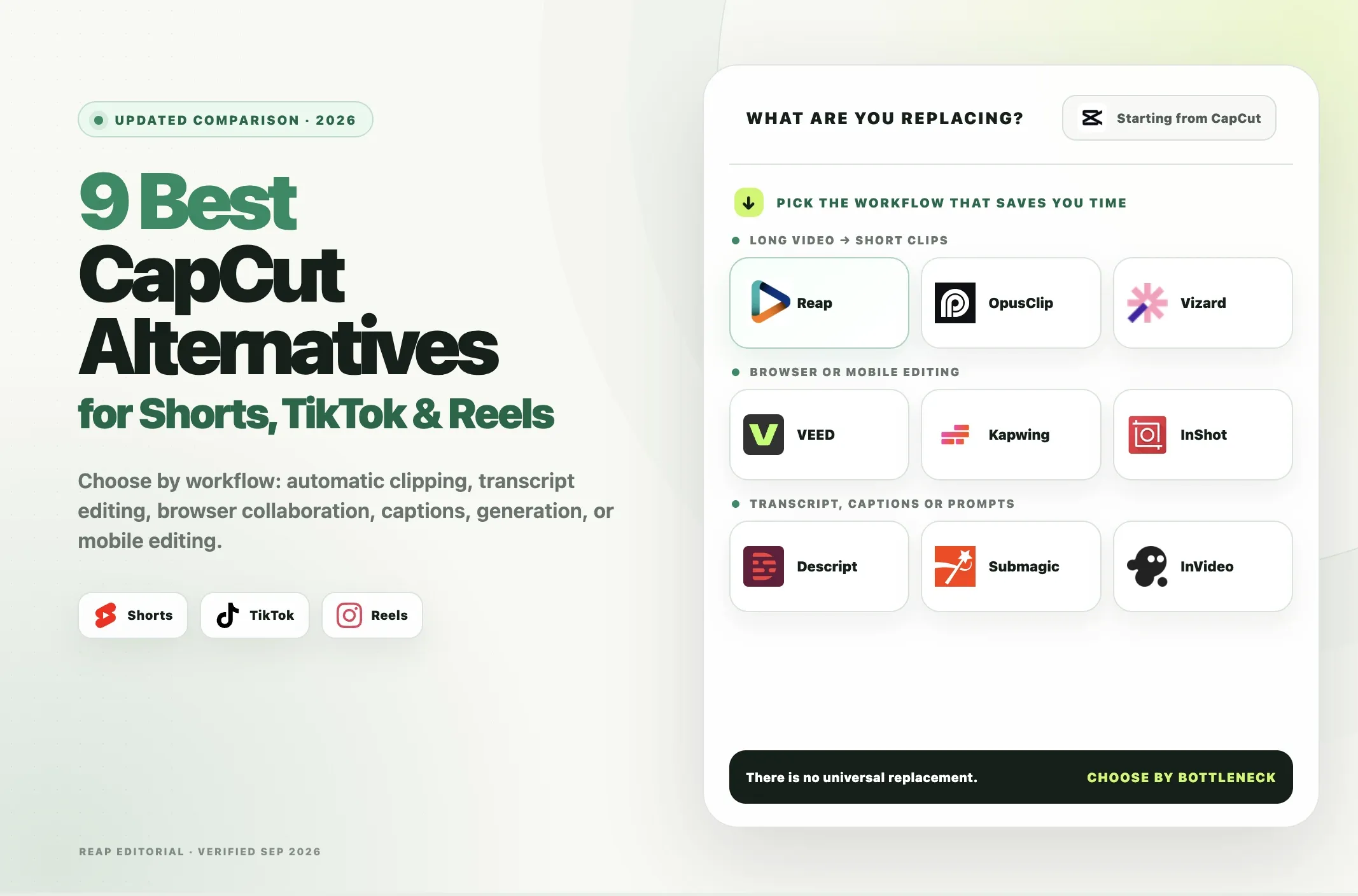
If your bottleneck is turning a one-hour podcast into multiple Shorts, a dedicated AI clipper may fit better. If you want to edit by transcript, Descript may be easier. If you want a browser editor for a team, VEED, Kapwing or Vizard may make more sense. If you mainly want a mobile editing experience, InShot is closer to the way many creators use CapCut.
This guide compares nine CapCut alternatives for YouTube Shorts, TikTok and Instagram Reels by what they are actually best at rather than claiming that one tool replaces CapCut for every workflow.
Quick Answer: The Best CapCut Alternative by Use Case
|
If you need... |
Best fit |
|---|---|
|
Turn long videos into multiple Shorts automatically |
Reap |
|
Browser-based general video editing |
VEED |
|
Transcript-first editing |
Descript |
|
Automatic highlight clipping |
OpusClip |
|
Caption-heavy short-form polish |
Submagic |
|
Browser-based team repurposing |
Vizard |
|
Collaborative browser editing |
Kapwing |
|
Generate social videos from prompts |
InVideo |
|
Mobile-first manual editing |
InShot |
Best overall for long-video repurposing: Reap
Best traditional CapCut-style mobile option: InShot
Best for transcript editing: Descript
Best dedicated automatic clipper alternative: OpusClip
Why Creators Look for a CapCut Alternative
Searching for CapCut alternatives can mean several different things.
Some creators want another mobile editor.
Others want:
- a CapCut alternative for PC or browser;
- automatic captions;
- no watermark;
- more collaboration;
- better long-form-to-short automation;
- a transcript-based workflow;
- a clearer team workspace;
- an API;
- automated reframing;
- scheduling and publishing;
- generative video.
Those are different buying decisions.
If you are searching for apps better than CapCut, the useful question is not whether an app has more features overall. It is whether it handles your specific workflow better.
That is why a useful CapCut comparison should separate the tools into categories rather than rank every product on the same axis.
What CapCut Still Does Well
CapCut should be the benchmark, not the villain.
It remains useful when you want:
- mobile, desktop and web editing;
- a traditional timeline;
- effects and transitions;
- social templates;
- text and captions;
- hands-on edits;
- quick social exports;
- an ecosystem built around short-form creation.
CapCut also continues to expand its paid AI features and cloud storage. Its own help center says subscription pricing can vary by region, device, platform, promotions and taxes, so there is no single global Pro price we would treat as universal.
That makes CapCut a good choice when manual social editing is the job.
Where another tool can make more sense is when the job changes.
For example:
CapCut workflow:
Open video -> manually find the moment -> trim -> reframe -> caption -> style -> export
AI clipper workflow:
Add long video -> generate candidate moments -> review -> caption/reframe -> export or schedule
If you make one heavily edited TikTok at a time, CapCut may still be the better fit.
If you process several podcasts, webinars, interviews or customer videos every week, an automatic clipping tool can remove a different kind of work.
How We Compared These CapCut Alternatives
We compared the tools around the decisions that matter for short-form creators:
- primary use case;
- web, desktop and mobile availability;
- automatic long-video clipping;
- manual editing;
- captions and subtitle tools;
- auto reframing;
- export quality;
- watermark restrictions;
- free-plan limits;
- collaboration;
- publishing or scheduling;
- API or automation;
- current paid-plan structure;
- main limitation.
We also separated generative video tools from editing and clipping tools.
A product that can generate a video from a prompt is not automatically a replacement for a tool that lets you cut a specific source video frame by frame.
Likewise, a dedicated AI clipper may be much faster at turning a webinar into multiple candidate Shorts but less suitable for detailed motion effects.
CapCut Alternatives Comparison
|
Tool |
Best for |
Platform |
Long video to Shorts |
Manual editing |
Captions |
Reframe |
Free plan |
Paid starting point* |
Main limitation |
|---|---|---|---|---|---|---|---|---|---|
|
Reap |
Automatic long-video repurposing |
Web/mobile browser |
Yes |
Yes, browser editor |
100+ languages |
Yes |
1 hr/mo, 720p, watermark |
$9.99/mo annual or $24 monthly |
Not a frame-level mobile-effects editor |
|
VEED |
General browser editing |
Web |
Yes, AI tools available |
Yes |
Yes |
Yes |
Yes |
Paid plans available |
Less specialized than dedicated clippers |
|
Descript |
Transcript-first editing |
Web/desktop |
Yes, Create Clips |
Yes, transcript-first |
25 transcription languages |
Limited vs dedicated clippers |
1 media hr/mo |
$16/mo annual or $24 monthly |
Workflow is text-first, not mobile-effects-first |
|
OpusClip |
Automatic highlight clipping |
Web |
Yes |
Basic editor |
20+ languages |
Yes |
60 credits/mo, watermark |
$15/mo |
Free clips expire from export after 3 days |
|
Submagic |
Captions and social polish |
Web |
Yes, Magic Clips |
Text-based trimming |
Yes |
Social-focused |
Trial/limited access |
$19/mo |
Less suitable for complex general editing |
|
Vizard |
Team repurposing in browser |
Web |
Yes |
Yes |
Auto subtitles + translation |
Yes |
60 credits/mo, 720p |
Usage-based Creator plan |
Paid price changes with selected credits |
|
Kapwing |
Collaborative online editing |
Web |
Repurposing tools available |
Yes |
Yes |
Yes |
720p, watermark, 4-min export |
$16/mo annual or $24 monthly |
Free watermark and short export limit |
|
InVideo |
Prompt-generated social video |
Web |
Not its main strength |
AI-guided editing |
Yes |
Template/output driven |
Limited free credits |
$17/mo annual effective |
Not a direct CapCut timeline replacement |
|
InShot |
Mobile-first manual editing |
iOS/Android |
No dedicated long-video clipper |
Yes |
Multilingual auto captions |
Manual/social tools |
Yes |
Price shown in app/region |
Limited team and automation workflow |
*Pricing changes. Annual effective prices require annual billing where stated.
The table is intentionally not a single score. The right alternative depends on what you are replacing in CapCut.
Among AI-powered video editing tools for YouTube Shorts, the biggest difference is whether the product starts from a long source video, a transcript, a blank prompt, or a manual timeline.
1. Reap: Best for Turning Long Videos Into Multiple Shorts Automatically
Reap AI Clipping is the strongest fit in this list when your real problem is not "I need another timeline editor."
It is:
"I have long videos and need publish-ready short-form versions without manually hunting for every moment."
Reap can take podcasts, interviews, webinars, presentations, tutorials and other long-form footage and generate multiple candidate clips.
What Reap does well
Reap supports:
- automatic AI clipping;
- prompt-based clip requests;
- topic targeting;
- multiple clip-duration ranges;
- portrait, square and landscape output;
- speaker-aware reframing;
- animated captions in 100+ languages;
- caption translation;
- 50+ premium caption styles on paid plans;
- Brand Templates;
- text-based editing;
- 1080p Creator exports and 4K Studio exports;
- social publishing and scheduling;
- REST API, CLI and MCP workflows on paid plans.
The free plan includes up to one hour of AI clipping or captioning per month with 720p watermarked exports.
Creator is currently $24 per month or $9.99 per month when billed annually. Studio is $50 monthly or $29 per month on annual billing.
A practical Reap workflow
For a podcast, webinar or interview:
- Add the source video or a supported video link.
- Let Reap identify candidate moments, or specify topics with a prompt.
- Review the selected clips rather than publishing them automatically.
- Reframe suitable clips to 9:16 for Shorts, TikTok or Reels.
- Correct the animated captions.
- Apply a Brand Template if you use one.
- Export the finished clips or schedule them to supported connected accounts.
Example input: a 45-minute founder interview.
Instead of opening a timeline and manually scrubbing through 45 minutes, you can ask for candidate clips around specific topics such as pricing lessons, hiring mistakes or customer acquisition.
The output is still a draft selection. A person should check whether the clip has enough context, whether the hook is truthful and whether the ending completes the thought.
Where Reap is a better fit than CapCut
Use Reap when the repetitive work is:
- finding moments in long videos;
- making several short-form versions;
- adding consistent captions;
- reframing speakers;
- processing multilingual content;
- scheduling multiple finished clips;
- automating video workflows via API or MCP.
Where CapCut can still be better
CapCut may be the better choice when you need:
- detailed mobile effects;
- heavy transition work;
- frame-level manual timing;
- trend-driven templates;
- intricate motion edits.
Reap has a browser video editor, but it is not designed to imitate every mobile effect in CapCut.
Best for: podcasters, agencies, B2B marketers, webinar teams and creators repurposing long-form video.
2. VEED: Best Browser-Based General Editor
VEED is closer to a general-purpose online editor than a dedicated clipping product.
It combines a browser timeline with AI tools including subtitles, Magic Cut, background removal, text-to-speech, templates and other editing features.
Why choose VEED?
VEED makes sense if you want:
- a browser-first editor;
- no desktop installation;
- a conventional editing interface;
- auto subtitles;
- AI editing assistance;
- templates and stock elements;
- team-oriented workflows.
It can cover more traditional editing work than a pure AI clipper.
Free and paid plans
VEED offers a free tier and paid plans. Pricing and plan packaging can change, so check the current VEED pricing page before subscribing.
Main limitation
If your only goal is to take hour-long recordings and produce many candidate Shorts automatically, a dedicated clipper can be more direct.
VEED is broader. That is an advantage when you want one browser editor for many tasks and a disadvantage when you want the most specialized repurposing workflow.
Best for: creators and marketing teams that want an all-purpose browser editor.
3. Descript: Best for Transcript-First Editing
Descript approaches editing differently.
Instead of treating the timeline as the primary interface, Descript lets you edit much of the video by editing the transcript.
Delete a sentence from the transcript and the associated media is edited too.
Why choose Descript?
Descript is especially useful for:
- podcasts;
- interviews;
- talking-head videos;
- screen recordings;
- editorial cleanup;
- text-based editing;
- generating clips from recorded content.
Its Create Clips feature can help repurpose longer material, while tools such as Studio Sound and filler-word removal fit spoken content.
Current pricing
Descript currently offers:
- Free: 1 media hour per month;
- Hobbyist: $24 monthly or $16 per person/month on annual billing;
- Creator: $35 monthly or $24 per person/month on annual billing.
Hobbyist exports up to 1080p without a watermark. Creator supports 4K.
Descript lists multi-language transcription in 25 languages.
Main limitation
Descript does not feel like a CapCut-style mobile effects editor.
Its advantage is the transcript.
If your content is dialogue-heavy, that can make editing much faster. If you want rapid visual effects, beat edits and mobile templates, it may feel less natural.
Best for: podcasts, interviews, educators and creators who think in words more than timelines.
4. OpusClip: Best for Automatic Highlight Clipping
OpusClip is one of the closest direct competitors to Reap in automatic long-form-to-short clipping.
Its workflow centers on finding highlight moments, reframing them and adding animated captions.
What OpusClip does well
Current plans include features such as:
- AI clipping;
- Virality Score;
- animated captions in 20+ languages;
- auto reframe;
- an editor on paid plans;
- brand templates;
- social posting;
- a scheduler on Pro;
- multiple aspect ratios on Pro;
- limited API access on Pro.
Free and paid plans
The current OpusClip pricing page lists:
- Free: 60 credits per month, up to 1080p, watermark, no editing, and clips stop being exportable after three days;
- Starter: $15 per month with 150 credits;
- Pro: $29 monthly, with a lower effective monthly rate on annual billing.
OpusClip vs CapCut
Choose OpusClip when you want AI to do the first pass of finding moments.
Choose CapCut when you already know which footage you want and need detailed manual social editing.
OpusClip vs Reap
Both focus on long-form repurposing.
OpusClip is a strong choice for automatic highlight clipping and a mature clip-first workflow.
Reap is particularly strong when you also need prompt-first clipping, 100+ caption languages, Romanized scripts, 4K Studio exports, Brand Templates, publishing and API/CLI/MCP automation in the same workflow.
Best for: creators who want a dedicated AI highlight clipper.
5. Submagic: Best for Caption-Heavy Social Polish
Submagic focuses heavily on making short social videos look polished quickly.
Its current feature set includes AI auto captions, text-based trimming, b-roll options, clean audio, hook titles, bad-take and silence removal on higher plans, caption translation and social publishing features.
Current pricing
Submagic currently lists:
- Starter: $19 per month;
- Pro: $39 per month;
- Business: $69 per member/month on the current monthly plan presentation.
Annual billing lowers the effective monthly price.
Starter currently supports 15 videos per month up to two minutes each, 1080p exports and no watermark. Higher plans increase duration, output and brand/publishing features.
When Submagic fits better than CapCut
Use Submagic when the primary job is:
- captioning;
- text-based cleanup;
- fast social polish;
- b-roll assistance;
- turning talking-head footage into a more finished social post.
Main limitation
Submagic is not a broad replacement for every CapCut timeline workflow.
If you need detailed multi-layer effects or complex manual editing, a general editor is still more appropriate.
Best for: short-form creators who care more about captions and social polish than deep timeline control.
6. Vizard: Best for Browser-Based Team Repurposing
Vizard combines AI clipping, a browser editor, auto subtitles, subtitle translation, auto reframe and publishing tools.
Its paid plans also add more social connections, storage and team features.
Current free plan
Vizard's current pricing page lists:
- 60 credits per month;
- 720p exports;
- one social account;
- access to its video editor;
- three-day storage.
Creator and Business start from 600 credits, with pricing changing based on the selected credit allowance.
Paid plans add:
- no watermark;
- 4K export;
- scheduling;
- more social accounts;
- more storage;
- team and brand features on Business.
Why choose Vizard?
Vizard is a good fit if you want:
- long-form repurposing;
- browser editing;
- subtitle translation;
- scheduling;
- team workflows;
- API access on paid plans.
Main limitation
Because paid pricing depends on the selected usage level, comparison shopping is less simple than a single fixed subscription price.
Best for: teams that want browser-based repurposing and collaboration.
7. Kapwing: Best for Collaborative Browser Editing
Kapwing is a broad web-based content editor with collaboration built around shared workspaces.
It supports timeline editing, templates, subtitles, dubbing, stock media, brand assets and collaborative projects.
Current pricing
Kapwing currently lists:
Free
- 10 credits;
- watermarked exports;
- videos up to 4 minutes;
- 720p export.
Pro
- $24 per member/month;
- or $16 per member/month on annual billing;
- no watermark;
- 4K exports;
- projects up to two hours;
- Brand Kit;
- shared workspace;
- 100 GB cloud storage.
When Kapwing fits better than CapCut
Kapwing is useful when the project needs to live in a shared browser workspace rather than one creator's phone.
It is especially practical for:
- social teams;
- agencies;
- marketing departments;
- collaborative review;
- browser-based content production.
Main limitation
Its free plan is restrictive for serious video use because of the watermark, 720p resolution and four-minute export limit.
It is also a broader editor rather than a specialist long-video clipper.
Best for: teams that value browser collaboration.
8. InVideo: Best for Generating Social Videos From Prompts
InVideo belongs in this comparison because creators often compare it with CapCut, but the products solve different problems.
InVideo's current positioning is heavily generative. Its plans provide access to a large collection of image, video, audio and music models and AI workflows.
Current pricing
InVideo currently offers a free tier with limited credits.
Its paid Plus plan is listed at an effective $17 per month when billed annually at the time of this update, with higher Max, Generative and Elite tiers for heavier usage.
Paid plans include watermark-free exports.
InVideo vs CapCut
Use InVideo when you want to create a video from:
- a prompt;
- generated media;
- stock assets;
- AI models;
- an AI agent workflow.
Use CapCut when you want hands-on editing of source footage.
Use Reap, OpusClip or Vizard when you specifically want to find moments inside an existing long video and turn them into Shorts.
Main limitation
InVideo is not the closest substitute for CapCut's traditional timeline editing.
It is better thought of as a generative-video platform that overlaps with some social-video use cases.
Best for: creators who want prompt-led generation more than long-form clipping or manual timeline work.
9. InShot: Best Mobile-First CapCut Alternative
InShot is the closest option in this list for someone who says:
"I like editing on my phone. I just want an app other than CapCut."
InShot is available on mobile and includes:
- manual video editing;
- auto captions in multiple languages;
- effects and transitions;
- text and stickers;
- speed controls;
- music tools;
- AI Cut;
- video stabilization;
- tracking;
- other social-editing features.
Pricing
InShot offers free access with paid features and subscriptions.
Its official terms say subscription amounts vary by product and are shown at purchase, so check the price displayed in the app for your platform and region.
InShot vs CapCut
This is the most direct mobile-editor comparison in the list.
Choose InShot when you want a simpler mobile-first manual editing workflow.
Choose CapCut when its specific templates, effects or ecosystem are a better match.
Choose a dedicated AI clipper if your main problem is processing long videos rather than editing one clip by hand.
Main limitation
InShot is not built around team repurposing, long-video highlight extraction or developer automation.
Best for: solo mobile creators who want a straightforward CapCut-style editing alternative.
Which CapCut Alternative Should You Choose?
Use the workflow, not the brand name, to decide.
Choose Reap if long-video-to-short automation is the bottleneck
Best when you regularly start with:
- podcasts;
- interviews;
- webinars;
- presentations;
- customer calls;
- long tutorials;
- recorded events.
The advantage is not a bigger effects library. It is reducing the work required to find and prepare short-form moments.
Choose VEED if you want a broad browser editor
VEED is a good middle ground when you want a familiar editing experience without installing desktop software.
Choose Descript if the content is mostly spoken words
For dialogue-heavy video, editing the transcript can be more natural than editing a timeline.
Choose OpusClip if you want a dedicated AI clipper
OpusClip is one of the strongest alternatives when automatic highlight selection is the main requirement.
Choose Submagic if captions are the visual centerpiece
Submagic is designed around fast short-form polish, particularly animated captions and talking-head cleanup.
Choose Vizard if a team needs to repurpose in a browser
Vizard combines clipping with browser editing, collaboration and publishing.
Choose Kapwing if collaboration is more important than automated clipping
Kapwing is a stronger fit when multiple people need to create and edit assets in a shared workspace.
Choose InVideo if you want to generate rather than repurpose
If the input is a prompt instead of an existing long recording, InVideo belongs higher on the list.
Choose InShot if you want a mobile CapCut substitute
For hands-on editing on a phone, InShot is the most direct alternative in this comparison.
What Is the Best Free CapCut Alternative?
There is no single free winner because free plans limit different things.
Here is the practical comparison:
|
Tool |
Useful free access |
Main free limitation |
|---|---|---|
|
Reap |
1 hour/month of clipping or captions |
720p watermarked exports |
|
VEED |
Free editor available |
Feature/export restrictions vary |
|
Descript |
1 media hour/month |
Limited media/AI usage |
|
OpusClip |
60 credits/month |
Watermark, no editing, 3-day export window |
|
Vizard |
60 credits/month |
720p and 3-day storage |
|
Kapwing |
Browser editor + 10 credits |
Watermark, 720p, 4-minute videos |
|
InVideo |
Limited AI credits |
Generation limits |
|
InShot |
Free mobile editor |
Paid assets/features remain locked |
If you only want to cut and style one short video on a phone, InShot can be a strong free starting point.
If you want to test automatic long-video clipping, Reap, OpusClip and Vizard all offer free ways to try the workflow.
If you need collaborative browser editing, Kapwing or VEED may make more sense even if the free export restrictions are stricter.
Best CapCut Alternative for PC or Browser
If you are specifically searching for a CapCut alternative for PC or editing software like CapCut, first decide whether you want a desktop install or a browser workflow.
For browser editing:
- VEED is a broad general editor.
- Kapwing is strong for collaboration.
- Reap is stronger for long-video automation.
- Vizard combines repurposing and team workflows.
- Descript is strongest for transcript-based editing.
The browser route has a practical advantage for teams because projects do not depend on one person's phone.
It also makes it easier to move between a laptop and desktop setup without rebuilding an editing environment.
Best CapCut Alternative for TikTok, Reels and YouTube Shorts
If you need an AI video editor for TikTok, first decide whether you are editing one clip manually or generating clips from longer footage.
For one manually edited TikTok or Reel, use a mobile or general editor such as CapCut, InShot or VEED.
For repeated short-form production from long content, use a clipper such as Reap, OpusClip or Vizard.
For caption-first polish, consider Submagic.
For transcript-heavy content, Descript is a better fit.
The destination platform matters less than the source workflow.
A YouTube Short created from a webinar has more in common with a TikTok created from that same webinar than it does with a fully generated TikTok ad.
How to Turn a Long Video Into Shorts Without CapCut Using Reap
This is the use case where switching away from CapCut can save the most repetitive work.
Suppose you have:
Input: a 60-minute webinar.
You want:
- 30-60 second Shorts;
- vertical framing;
- captions;
- consistent branding;
- several publishable options.
A practical Reap workflow is:
1. Add the source video
Upload the video or use a supported video source.
2. Tell Reap what you want
You can let Reap find candidate moments automatically or guide the process with topics and prompts.
For example:
Find clips where the speaker explains pricing mistakes, onboarding lessons and customer retention. Prioritize complete 30-60 second answers.
A concrete prompt is more useful than simply saying "make this viral."
3. Review the candidate moments
AI selection is not final editorial judgment.
Check:
- Does the clip make sense alone?
- Is the opening clear?
- Is the statement accurate in context?
- Does the ending complete the idea?
- Is there a stronger nearby moment?
4. Reframe for short-form video
Use portrait output for TikTok, Reels and Shorts.
Speaker-aware reframing can help keep the active speaker visible, but review the crop when the source includes screen shares, products or multiple people.
5. Correct the captions
Reap can generate animated captions in 100+ languages.
Review:
- names;
- numbers;
- product terms;
- acronyms;
- punctuation;
- timing.
If the source audience is multilingual, caption translation can also be part of the workflow.
6. Apply branding
Use a Brand Template when you want consistent fonts, caption treatment, logo or other supported brand elements.
7. Export or schedule
Export the clips or use Reap's publishing and scheduling workflow for supported connected accounts.
For a deeper comparison of dedicated clippers, see our AI clipping tool comparison.
Should You Use an AI Clipper and CapCut Together?
Yes. They solve different layers of the workflow.
You do not need to choose one tool for everything.
A hybrid workflow can look like:
Reap -> find clips, reframe and caption -> CapCut -> add detailed effects or trend-specific finishing -> publish
Or:
OpusClip -> find highlights -> CapCut -> manual polish
Or:
Descript -> clean dialogue -> CapCut -> visual effects
The right stack depends on where the time is being spent.
If finding moments takes hours, start with an AI clipper.
If the moments are already selected but the video needs advanced visual treatment, use a manual editor.
What to Check Before Switching From CapCut
Do not switch because a landing page says "AI."
Check the workflow details.
Export quality
Ask:
- Is 1080p included?
- Is 4K available?
- Does the free plan add a watermark?
- Is there a maximum export duration?
Platform support
Check whether the tool is:
- browser-only;
- desktop;
- iOS;
- Android;
- mobile-browser friendly.
A tool that is excellent on desktop can still be the wrong choice if you edit exclusively on Android.
Automatic clipping
If you start with long videos, check whether the tool actually identifies multiple moments or merely provides a normal editor with AI features.
Caption limits
Compare:
- caption languages;
- translation;
- custom styles;
- timing correction;
- export formats.
For a dedicated comparison, see our video caption generator guide.
Collaboration
Teams should check:
- number of seats;
- shared workspaces;
- review links;
- brand controls;
- storage;
- permissions.
Publishing and scheduling
"Share to social" is not always the same as a true scheduler.
Check whether the tool can connect accounts, select destinations and schedule posts for later.
API and automation
For agencies or product teams, browser automation may not be enough.
Reap includes API, CLI and MCP access on paid plans. OpusClip provides limited API access on Pro. Vizard includes API access on paid plans. Submagic includes API allowances in its current paid plans.
Privacy, ownership and cloud processing
Before uploading client or confidential footage, review the vendor's current terms and privacy documentation.
Check:
- how uploaded media is processed;
- storage and retention;
- team access;
- whether the service requires cloud upload;
- what rights you grant the service;
- how to delete projects and data.
Do not assume two editors have identical data practices because they have similar features.
The Bottom Line
The best CapCut alternative depends on what you are actually replacing.
Choose Reap when you want to turn long videos into multiple captioned, reframed Shorts automatically.
Choose VEED for broad browser editing.
Choose Descript for transcript-first workflows.
Choose OpusClip for dedicated highlight clipping.
Choose Submagic for caption-heavy social polish.
Choose Vizard for browser-based team repurposing.
Choose Kapwing for collaborative online editing.
Choose InVideo for prompt-generated video.
Choose InShot for mobile-first manual editing.
And keep using CapCut when CapCut still solves the job better.
The goal is not to replace one logo with another. It is to remove the part of your short-form workflow that costs you the most time.
If that bottleneck is turning long recordings into publish-ready Shorts, try Reap on your own video.