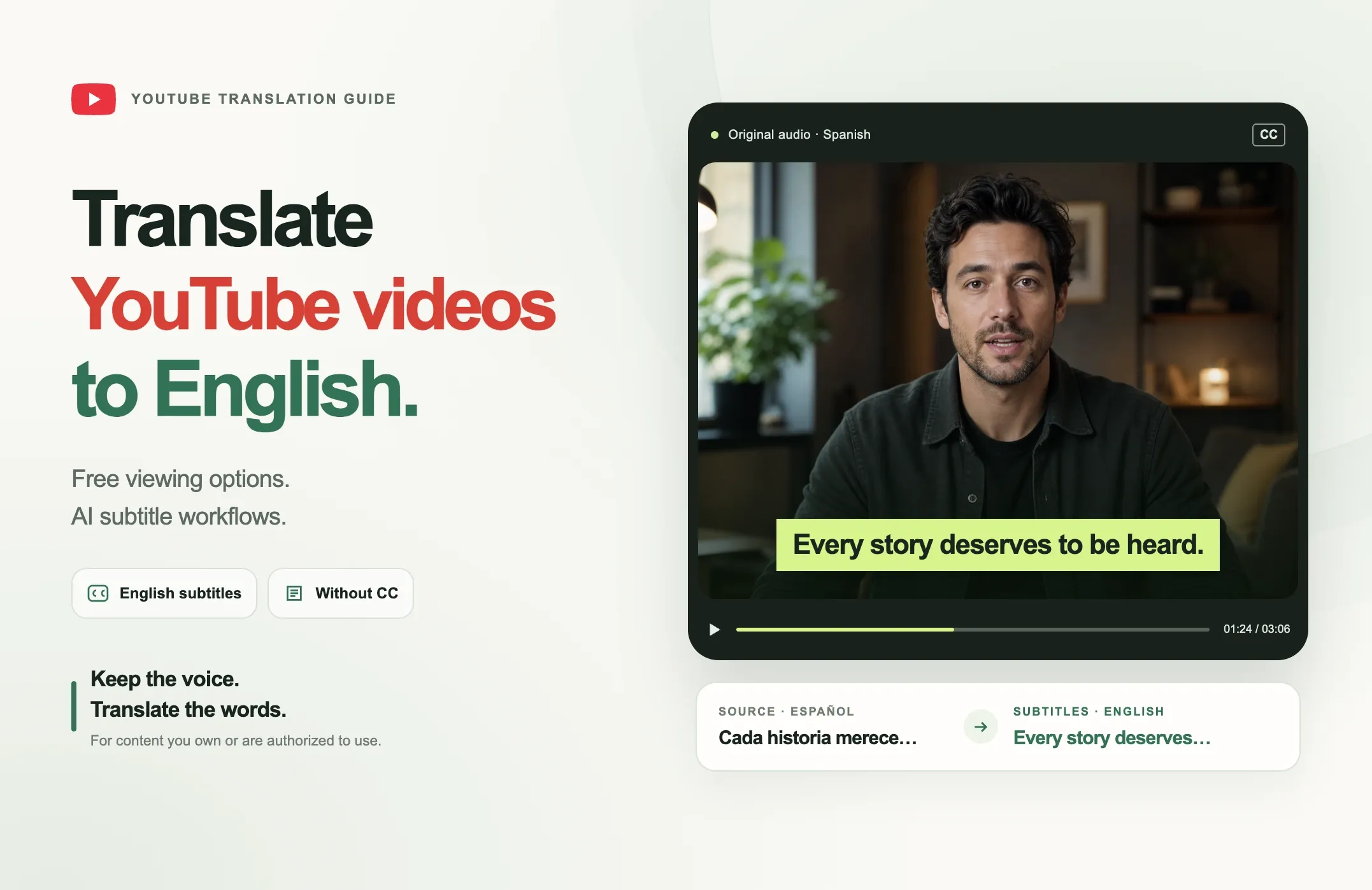
You can translate a YouTube video to English in two main ways.
If the video already has captions, the fastest free option is to use YouTube's own subtitle and auto-translate controls while watching. That changes what you see during playback, but it does not give you a new translated video or a reusable subtitle file.
If you own the video or are authorized to process it, an AI translation workflow can create English captions from the source audio, even when the YouTube video has no CC. You can then review the translation, export or publish the translated captions, or create a new version of the video with English subtitles.
Quick Answer: How Do You Translate a YouTube Video to English?
Choose the method based on what you need:
|
What you need |
Best route |
|---|---|
|
Watch a video with English subtitles for free |
Use YouTube captions and Auto-translate when available |
|
Translate existing YouTube subtitles to English |
Select English through YouTube playback controls, or use an authorized subtitle workflow for editable output |
|
Translate a YouTube video without CC |
Transcribe the source audio first, then translate the transcript/captions to English |
|
Create English subtitles you can edit or publish |
Use an AI subtitle/caption translation workflow |
|
Translate clips from a longer YouTube video |
Use a clipping workflow that can translate the captions of each generated clip |
|
Translate an audio-first video or audiogram |
Use an audiogram workflow with caption translation |
|
Translate the spoken voice, not just subtitles |
Use a separate AI dubbing workflow |
How to Translate a YouTube Video to English for Free
The easiest free method is YouTube's own caption interface.
This works best when the video already has a caption track or YouTube has generated automatic captions for it.
Free viewer method
When translation controls are available:
- Open the YouTube video.
- Turn on captions.
- Open the video's caption or subtitle settings.
- Select Auto-translate.
- Choose English.
You can then watch the video with English subtitles.
This is useful when your goal is simply to understand the video.
What this free method does not give you
The built-in viewer option should not be confused with a full YouTube video translator workflow.
It usually does not give you:
- a newly rendered video with English captions burned in;
- an editable English transcript for your own content workflow;
- a reusable subtitle file for publishing elsewhere;
- a translated version of the spoken voice;
- control over caption styling, branding or export.
That difference matters for creators.
A viewer who wants to understand a foreign-language video can often use YouTube's free playback controls.
A creator who wants to republish, edit, subtitle or localize their own video needs a workflow that produces a reusable translated output.
How to Translate YouTube Subtitles to English
If a video already has subtitles, translating the subtitle track is easier than starting from raw audio.
There are two common use cases.
1. You only want to watch the subtitles in English
Use YouTube's built-in caption and Auto-translate controls when available.
This is the fastest route and does not require you to create a separate file.
2. You need editable English subtitles
If the video is yours or you are authorized to use it, create or import the subtitle/transcript in a translation workflow and choose English as the target language.
Then review:
- speaker names;
- company and product names;
- numbers;
- dates;
- technical terminology;
- idioms;
- punctuation;
- subtitle timing;
- line breaks.
The translation should be treated as a first draft, especially when the content is technical, legal, medical, financial or highly specialized.
English subtitles should preserve meaning, not just words
Literal translation can be technically correct but still sound unnatural.
The goal is to preserve:
- meaning;
- tone;
- context;
- speaker intent.
That is why human review still matters even when the initial translation is generated automatically.
How to Translate a YouTube Video to English Without CC
A video without CC can still be translated.
The difference is that you first need to create the text.
The workflow is:
source audio -> transcription -> English translation -> subtitle review -> export or publish
Step 1: Get the authorized source media
If the video is yours, use the original source file whenever possible.
If you are working for a customer, client, employer or creator, make sure you have permission to process the content.
Do not assume that a publicly viewable YouTube video automatically gives you the right to download, republish or modify it.
Step 2: Transcribe the spoken language
The transcription step converts speech into written text in the original language.
For example:
Spanish speech -> Spanish transcript
Arabic speech -> Arabic transcript
Hindi speech -> Hindi transcript
Step 3: Translate the transcript or captions into English
After transcription, choose English as the target language.
That creates an English text layer while the original voice can remain unchanged.
Step 4: Review the translated captions
Check names, numbers, terminology and context.
If the speaker uses slang, regional expressions or specialized vocabulary, pay extra attention to whether the English version still communicates the same idea.
Step 5: Export or publish the translated version
Depending on the workflow, you may use the English result as:
- on-video captions;
- an SRT or VTT subtitle file;
- a transcript;
- social clips with translated captions;
- an audiogram with translated captions.
This is the practical answer to translate YouTube video to English without CC: missing captions means you need transcription first. It does not mean you need to dub the audio.
How to Use an AI YouTube Video Translator
An AI YouTube video translator usually combines two separate tasks:
- understanding the spoken language;
- translating the resulting text into the target language.
A good workflow should make those steps clear rather than hiding them behind a single "translate" button.
Step 1: Identify the source language
If you know the spoken language, select it.
If the tool supports automatic language detection, you may be able to leave it on Auto.
Step 2: Choose English as the target language
The target language determines the translated text output.
If you want English captions, the setup is:
Source: Spanish, Arabic, French, German, Urdu, Hindi or another supported language
Target: English
Step 3: Generate the translated captions or transcript
The system transcribes and translates the spoken content.
Step 4: Review the result
Do not publish immediately.
Check names, brands, acronyms, dates, numbers, quoted material, proper nouns, tone and timing.
Step 5: Choose what to publish
You may want:
- translated captions on the original video;
- a translated subtitle file;
- translated short clips;
- a translated transcript;
- an audiogram with translated captions.
Those are different outputs, even though the underlying translation task is similar.
How to Translate YouTube Video Captions with Reap
Reap supports caption translation across multiple workflows instead of limiting translation to one standalone tool.
That means the right Reap workflow depends on what you want to create.
Translate captions while creating clips
With Reap AI Clipping, you can turn a longer video into short clips and choose a target translation language for the captions.
This is useful when you want to repurpose a long foreign-language YouTube video you own into English-captioned Shorts, Reels or other social clips.
The workflow is:
long video -> AI clip selection -> English caption translation -> reframe -> review -> export or publish
You can also combine translation with other clipping controls such as clip length, portrait or square reframing and active-speaker tracking.
Translate captions on an existing video
With Reap Captions, you can add captions to a video and select a target translation language.
This is useful when you already have the finished video and do not need AI clipping.
The workflow is:
video -> source-language captions -> English translation -> caption styling -> review -> export
This keeps the original spoken voice while changing the subtitle language.
Translate during transcription
Reap's Transcription workflow can transcribe the source audio and translate the resulting text into a selected target language.
This is especially useful for the without CC use case.
For example:
Spanish source -> Spanish speech recognition -> English translated transcript/captions
The completed transcription workflow can provide text and subtitle outputs for review and reuse.
Translate captions in an audiogram
For audio-first content, Reap's Audiogram Maker can also use translated captions.
This is useful for:
- podcasts;
- interviews;
- voice recordings;
- audio clips;
- other content where the visual is built around the audio.
The workflow is:
audio -> transcript/captions -> English translation -> waveform/visual layout -> review -> export
This means a creator does not need to create a full dubbed video just to make English-readable content from an audio source.
Which Reap Workflow Should You Use?
|
Goal |
Reap workflow |
What gets translated |
|
Turn a long YouTube video into translated social clips |
Clipping |
Captions on the generated clips |
|
Add translated subtitles to an existing video |
Captions |
Caption/subtitle text |
|
Convert foreign-language speech into English text |
Transcription |
Transcript and subtitle text |
|
Make an English-captioned visual from audio |
Audiogram |
Captions on the audiogram |
|
Translate the spoken voice itself |
Dubbing |
Audio/voice rather than only text |
The first four workflows are about text translation.
Dubbing is the separate route when you want the English translation spoken aloud.
Caption Translation vs Dubbing
This distinction matters because "translate a YouTube video" can mean two different things.
Caption translation
Caption translation changes the written text.
Example:
Original audio: Spanish
On-video captions: English
Speaker voice: still Spanish
This is the right choice when you want:
- English subtitles;
- a YouTube subtitle translator workflow;
- translated social clips;
- an English transcript;
- an English-captioned audiogram.
Dubbing
Dubbing changes the spoken audio.
Example:
Original audio: Spanish
New spoken audio: English
Captions: optional
Use dubbing when the viewer should hear the translated language, not just read it.
Choose subtitle translation if you want English text while keeping the original voice.
Translate YouTube Video to Text vs Translate the Language
Transcription and translation are related, but they produce different results.
Video to text
This means transcription.
Example:
English audio -> English transcript
Spanish audio -> Spanish transcript
Video translation
This means converting the language.
Example:
Spanish audio -> English translated text
Video to translated text
This combines both.
Example:
Spanish audio -> Spanish speech recognition -> English transcript/subtitles
If your goal is only to convert a YouTube video into text in the same language, use transcription.
If your goal is to understand or publish the content in English, add the translation step.
Can You Translate YouTube Audio to English?
Yes, but first decide whether you need text or voice.
If you want to read the English translation, translate the transcript or captions.
If you want to hear the English translation, use an audio or dubbing workflow.
Dubbing should remain optional because it changes more of the original content and usually requires additional processing and review.
How to Review AI-Translated YouTube Captions
AI translation can remove a large amount of manual work, but the finished captions should still be reviewed.
Use this checklist.
|
Check |
What to review |
|
Names |
People, companies, products, places |
|
Numbers |
Prices, dates, percentages, measurements |
|
Terminology |
Industry-specific or technical vocabulary |
|
Meaning |
Does the English sentence preserve the original point? |
|
Tone |
Is humor, formality or emphasis preserved? |
|
Timing |
Do subtitles appear with the correct spoken segment? |
|
Line breaks |
Are captions easy to read on screen? |
|
Context |
Did the translation miss something implied by the previous sentence? |
|
Rights |
Are you authorized to process and publish the material? |
Pay special attention to names and numbers
Translation systems can be strong at ordinary language while still making damaging mistakes with a proper noun or number.
Examples:
15becoming50;- a company name being translated as an ordinary word;
- a person's surname being replaced by a similar-sounding word.
Those errors should be corrected before publishing.
How to Translate Captions on YouTube
There are two different interpretations of this question.
As a viewer
Use YouTube's caption settings and Auto-translate when available.
This changes your playback experience.
As a creator
Translate the subtitle or caption track before publishing, or use an AI workflow that lets you review and export the translated text.
For creator use, an AI subtitle workflow is more useful because you can edit and reuse the English result.
Free YouTube Video Translator vs AI Translation Workflow
"Free" can mean several different things.
|
Need |
Free viewer option |
AI creator workflow |
|
Understand the video while watching |
Often yes, if captions/Auto-translate are available |
Yes |
|
Create editable English captions |
Usually no |
Yes |
|
Translate a video without CC |
Not with playback translation alone |
Yes, by transcribing first |
|
Export translated subtitles |
Not the main viewer workflow |
Available in supported creator workflows |
|
Style translated captions |
No |
Yes |
|
Translate clips from a long video |
No |
Yes |
|
Create translated audiograms |
No |
Yes |
|
Dub the spoken voice |
Separate feature/workflow |
Separate AI dubbing workflow |
The best free option depends on whether you are a viewer or a creator.
If you only need to understand a video, start with YouTube.
If you need a reusable English output for content you own, use a creator translation workflow.
Common YouTube Video Translation Mistakes
1. Assuming no CC means the video cannot be translated
It can.
Fix: transcribe the source audio first, then translate the text.
2. Confusing subtitles with dubbing
English subtitles do not require English voice replacement.
Fix: choose caption translation when you want to keep the original voice.
3. Publishing AI translation without review
The translation may mishandle names, numbers or specialized terminology.
Fix: perform a final human review.
4. Using a viewer-only translation method when you need an export
YouTube Auto-translate is useful for watching, but it is not the same as a reusable creator output.
Fix: use a subtitle or transcription translation workflow for editable content.
5. Translating content you are not authorized to republish
Public visibility does not automatically grant republishing rights.
Fix: use your own content or content you are authorized to process.
6. Treating transcription and translation as the same thing
They are separate operations.
Fix: first determine whether you need source-language text, translated text or both.
Final Recommendation
If you only want to understand a YouTube video, start with YouTube's free caption and Auto-translate controls when they are available.
If you need English subtitles you can edit, export or publish, use an AI translation workflow.
For videos without CC, the correct process is:
source audio -> transcription -> English translation -> review -> subtitle/video output
And if you already use Reap, you do not need a separate translation workflow for every content type. Caption translation can be part of Clipping, Captions, Transcription and Audiogram workflows, while Dubbing remains available when you want the spoken voice translated too.
The important decision is not simply "Which translator should I use?"
It is:
Do I need translated playback, editable English subtitles, translated social clips, an English transcript, an audiogram, or English spoken audio?
Once that output is clear, the right translation workflow becomes much easier to choose.