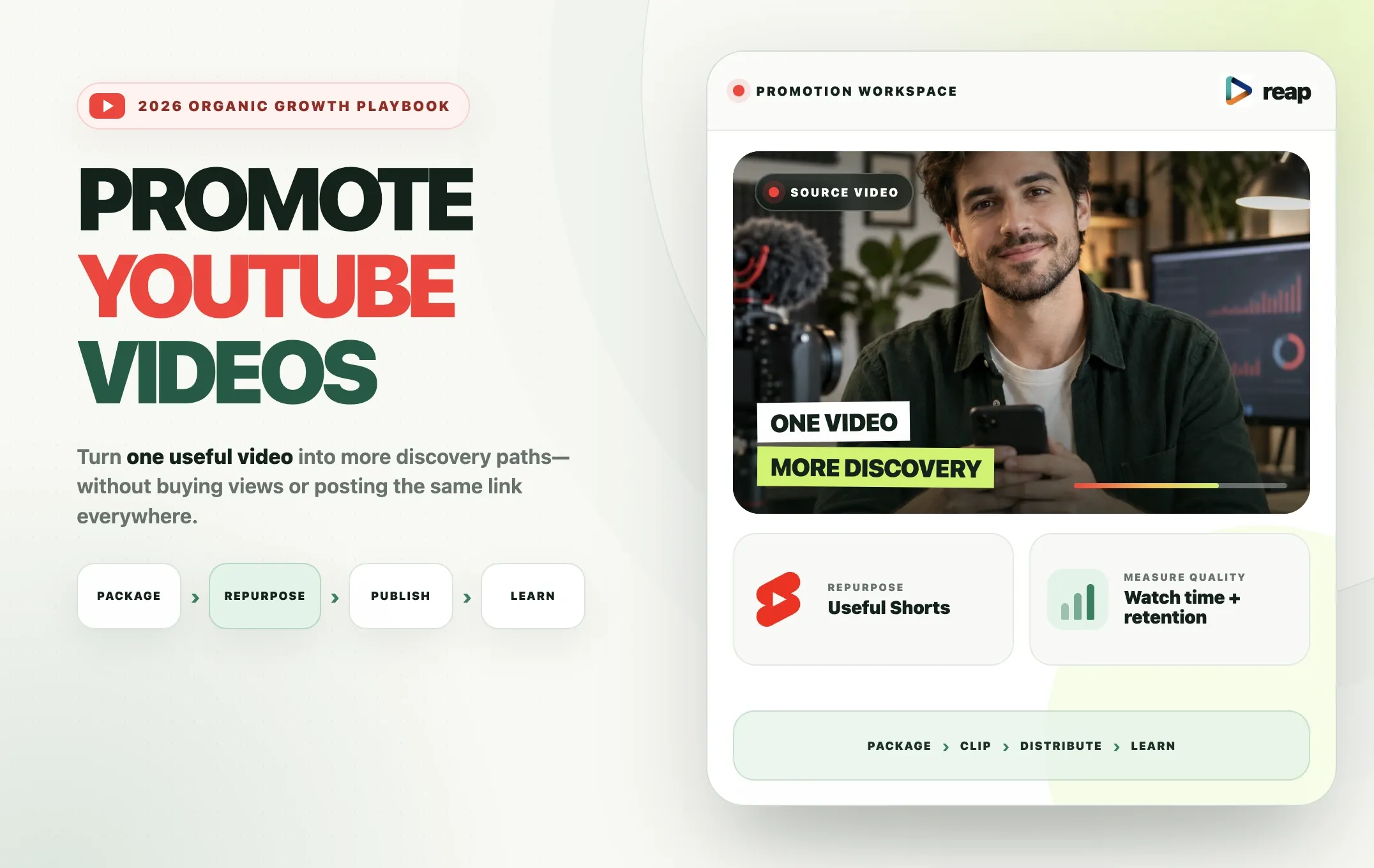
To promote a YouTube video, first make its title, thumbnail, and opening work together. Then help interested viewers discover it through YouTube Shorts, related videos, Community posts, relevant collaborators, email, and other platforms. Use YouTube Analytics to learn which sources bring people who watch, not just click.
You do not need to share the same link everywhere or buy views. A more useful approach is to turn one strong video into several distinct promotion assets, each with a clear audience and purpose. No promotion tactic guarantees views or subscribers, but you can improve your process and learn from the response.
Here are nine practical promotion strategies, a Reap Shorts workflow, and a 30-day plan.
A Checklist Before You Promote
Before sharing a video, check whether a new viewer can understand its value. More exposure will not make a confusing video more useful.
- Audience: Can you explain who this video is for and what question it answers?
- Packaging: Does the thumbnail communicate the same promise as the title, including on a phone?
- Opening: Does the first 30 seconds begin fulfilling that promise rather than repeating a long introduction?
- Navigation: Is the description accurate? Would chapters help someone using a longer tutorial?
- Accessibility: Are the subtitles corrected, especially names, numbers, and specialist terms?
- Next step: Is there an appropriate playlist, end screen, card, or related video where available?
- Measurement: Do you know what you will check after publishing?
YouTube's video optimization guidance starts with clear titles, descriptions, and thumbnails. Improve these before spending money or asking partners to share the upload.
9 YouTube Video Promotion Strategies That Work in 2026
Choose channels that fit your video and audience.
1. Improve the title and thumbnail
A title should give the viewer a concrete reason to click without promising something the video does not deliver.
Too vague: My Thoughts on Video Editing
Clearer: How to Turn a Podcast Into Short Clips: The Full Workflow
For stories, use a truthful question or contrast, not invented results.
Check that the thumbnail is legible on mobile and adds something to the title.
Revisit the packaging when enough relevant impressions arrive but few lead to views. YouTube explains why source, audience, and sample size matter in its impressions and CTR guidance.
2. Make the opening and search information match the promise
A good thumbnail can earn a click. The video must then deliver the experience viewers expected.
Show a tutorial's first useful step early. Establish an interview question before its answer. Remove preamble, not meaning-changing context.
Make the description explain what the video covers in natural language. If the video teaches caption editing, for example, a useful opening might be:
Learn how to add captions to an interview, correct timing and names, and prepare a vertical version for Shorts.
Add helpful links and chapters, and correct subtitles. Keyword repetition and tags cannot replace clarity.
3. Connect the video inside YouTube
You already have several ways to guide interested YouTube viewers toward a new upload:
- Playlists: Put the video next to genuinely related lessons or episodes.
- End screens and cards: Recommend a relevant next video when your upload is eligible. End screens are generally available in the final 5 to 20 seconds of eligible videos; see YouTube's requirements.
- Community posts: Share a question, example, poll, or practical takeaway alongside the video instead of posting only “new upload.” See YouTube's Posts guide.
- Pinned comments: Answer a recurring question or point to a genuinely useful next resource.
A recording tutorial might lead to a playlist on editing and repurposing podcasts. Keep the recommendations genuinely related.
4. Use useful Shorts to introduce the long video
A long recording often contains several standalone ideas. A tutorial might yield one mistake to avoid, one demonstration, and one answer to a common question. A podcast might have a concise story or a complete explanation worth watching by itself.
Give every Short a clear hook and payoff. Do not make it a hollow teaser whose only value is “watch the full video.” If the longer video has genuinely relevant additional detail, offer that as the next step.
For eligible channels with advanced feature access, YouTube's Related Video feature creates a clickable link in the Shorts player. In YouTube Studio, select the Short under Content, choose Related Video, select the relevant public or unlisted video from your channel, and save. YouTube explains the setup.
Do not rely on a pasted URL in a Shorts description or comment: YouTube says those URLs are not clickable. See its link rules. The detailed Reap workflow appears below.
5. Adapt selected clips for other social platforms
Adapt the caption and CTA to each platform.
|
Platform |
Useful clip angle |
Next action |
|---|---|---|
|
YouTube Shorts |
Complete answer that connects to the long video |
Watch the Related Video if available |
|
Instagram Reels |
Relatable insight, tip, or visual demonstration |
Save, share, or visit the profile when appropriate |
|
TikTok |
Clear topic with immediate context |
Respond to a question or explore related content |
|
|
Business lesson, expert observation, or case study |
Discuss the insight or watch the full analysis |
Check the caption placement after reframing, remove irrelevant corporate intros, and write a new post description when the audience differs. These are useful starting points, not platform rules.
For production-specific guidance, see our article about the ideal video length for Shorts, Reels, and TikTok.
6. Promote through email and your website
Email a video when its topic matches what subscribers signed up for.
Weak: New video is live. Watch here: [link]
Stronger: We recorded a walkthrough on turning interviews into short videos without losing context. It covers clip selection, captions, and framing. If you're publishing interviews this month, here's the complete tutorial: [link].
If you publish articles, embed or link the video beside a relevant explanation. A tutorial video on a tutorial page can help someone already trying to solve that problem; embedding is not a guarantee of additional YouTube recommendations. YouTube lists relevant websites among its promotion options.
7. Share in communities and collaborate with relevant creators
A niche forum, professional group, Discord server, or subreddit can introduce a video to the right viewers when you contribute something useful first. Read the community's rules, answer the question in your own words, and add the video only if it provides helpful detail and self-promotion is allowed.
Collaborations work on the same principle: an adjacent audience matters more than a partner's follower count alone. A podcast editor and podcast host, for example, might jointly explain how they turn a recording into publishable clips. Agree on permissions, the topic, who posts which assets, timing, and applicable sponsorship disclosures. Supply reviewable clips and captions rather than expecting a partner to share footage blindly.
Avoid mass link dropping. Uninterested clicks are not the same as building an audience.
8. Use your existing video library and channel structure
Related older videos may already attract viewers who would value the new upload. Review them for natural opportunities to update a relevant end screen, card, playlist, or description. Do not insert the newest video into every old upload regardless of topic.
For channel promotion, build recognizable series around a shared audience need. A recording tutorial can lead to editing, clipping, captions, and publishing tutorials. This creates a useful path through the channel rather than asking people to subscribe without explaining what comes next.
9. Review results and change one important thing
Identify the obstacle before changing the plan.
If qualifying impressions are arriving but CTR is low, inspect the title and thumbnail alongside traffic sources. If viewers click but leave near the start, check whether the opening fulfills the promise. If external traffic produces views but little watch time, reconsider where and how you shared the link.
Test the most plausible explanation first. Changing the title, thumbnail, Short, and distribution strategy simultaneously makes the outcome harder to interpret.
Turn One YouTube Video Into Shorts With Reap
For podcasts, interviews, webinars, or tutorials, create distinct clips rather than repeatedly sharing one long-video link.
Illustrative source: a 40-minute podcast on operating an online business. These are illustrative examples, not test results.
|
Clip angle |
Source moment |
Value on its own |
|---|---|---|
|
Common mistake |
A pricing decision that went wrong |
Explain the mistake and consequence |
|
Demonstration |
A customer-onboarding change |
Show one usable step or example |
|
Contrasting view |
A hiring assumption the speaker challenges |
Include the reasoning and qualification |
Use only complete ideas; clip counts and virality are not guaranteed.
Step 1: Add the recording and generate candidates
Upload the long video or add a supported YouTube source to Reap AI clipping. Let Reap identify candidate moments or guide the selection with specific topics when that option suits your workflow. “Find complete answers about pricing and onboarding” is more useful editorial direction than “make this go viral.”
Step 2: Review each moment as a new viewer
Check that the opening explains the subject, the clip delivers one idea, and the ending provides the payoff. Preserve qualifications and context. A cut that turns “this worked under these conditions” into “this always works” is not an acceptable promotional shortcut.
Step 3: Prepare the vertical version
Use automatic vertical reframing and inspect the crop when the focus moves from a speaker to a product, screen share, or second person. Generate on-video captions, then correct names, figures, specialist words, and timing. Apply a Brand Template for consistent styling on supported projects.
Step 4: Give the Short a complete payoff and a next step
Publish the clip as a useful standalone Short. If your channel is eligible, attach the full video through Related Video. The CTA can explain what is available in the longer recording, but only promise material it actually contains.
For example: “That was the first pricing mistake. The full interview covers the other two and how we changed the process.”
Step 5: Publish, compare, and refine
Publish at a sustainable pace. Compare topics, hooks, engaged views, retention, and interest in the long video.
The workflow: Long video -> Reap candidate clips -> human review -> captions and vertical reframe -> useful Short -> Related Video -> Analytics -> next test.
If you want a deeper explanation of the production process, read what a clipping agent does and how to automate video clipping.
How do you get more views on YouTube Shorts?
Start with the Short itself. Check whether the opening is understandable, whether it delivers a complete idea, and whether captions or cropping interfere. Test different topics and hooks using YouTube Analytics. No hashtag, editing preset, or posting time guarantees reach. Use YouTube Shorts hashtags to describe the clip, not replace its value.
For more on hook and retention testing, see our guide to making viral YouTube Shorts. If you need software comparisons instead, see the best YouTube Shorts maker.
Organic vs Paid YouTube Promotion
The word promotion can mean audience development or advertising. They serve different objectives.
|
Method |
Use |
Limitation |
|---|---|---|
|
Organic promotion |
Improve packaging; connect related videos; publish Shorts; share with relevant audiences |
Discovery depends on viewer interest and response |
|
YouTube Promote |
Run a simplified paid campaign through YouTube |
Paid campaign performance does not improve organic recommendations |
|
Google Ads video campaigns |
Use more advanced advertising options for a defined business goal |
Requires budget and measurement; cannot repair weak content |
YouTube explains Promote and states that Promote performance does not affect organic recommendations. Subscribers and watch time obtained through Promote do not count toward YouTube Partner Program eligibility; see its campaign performance guidance.
Consider paid distribution if you can specify your audience, objective, budget, and how you will measure a result. Do not sell it as an organic ranking shortcut. Also avoid buying views or subscribers, bots, and sub-for-sub schemes: YouTube's fake engagement policy prohibits artificial metric inflation.
How to Measure YouTube Promotion
Use YouTube Studio's Analytics reports to separate a discovery problem from a packaging problem or a video problem. The Content performance documentation describes available reports.
|
Metric |
What to investigate |
|---|---|
|
Impressions |
Is YouTube showing the thumbnail to qualifying viewers? |
|
Impressions CTR |
Do those viewers choose the video? Compare by source and with enough data. |
|
Average view duration / percentage viewed |
Are viewers staying, considering video length and audience? |
|
Audience retention |
Where do viewers leave, skip, or rewatch? |
|
Traffic sources |
Do Search, Browse, Shorts, and external visitors behave differently? |
|
Returning viewers |
Are people coming back for related content? |
|
Shorts engaged views and stayed to watch |
Are viewers choosing and continuing to watch your clips? |
There is no universal CTR or retention benchmark that applies to all topics, video lengths, and traffic sources. Compare similar videos and meaningful time windows rather than making large changes from an early spike.
Tracking outside YouTube: If a clip links to a page on your own website, UTM parameters can distinguish campaigns in your website analytics. For example: https://example.com/tutorial?utm_source=linkedin&utm_medium=organic_social&utm_campaign=podcast_launch&utm_content=clip_pricing. Do not assume a UTM attached to a YouTube watch URL creates a per-clip YouTube watch-time report. For direct YouTube links, inspect the External traffic reports and accept the attribution limits. Google's campaign URL guide explains UTM parameters.
A Practical 7-Day YouTube Promotion Plan
This is an adaptable launch example, not a rule that the first week determines a video's lifetime performance.
|
Day |
Action |
|---|---|
|
0 |
Publish with an accurate title, thumbnail, description, corrected captions, relevant playlist, and eligible end screen. |
|
1 |
Share a topic-led email with interested subscribers and publish one complete Short; attach Related Video if eligible. |
|
2 |
Adapt a distinct clip for one relevant platform, such as LinkedIn, TikTok, or Instagram. |
|
3 |
Answer useful comments and note repeated audience questions. |
|
4 |
Publish a second Short based on a different complete moment. |
|
5 |
Add a relevant path from an older video or playlist where it helps viewers. |
|
6 |
Share a useful Community post, example, or behind-the-scenes insight. |
|
7 |
Review traffic sources, CTR, retention, and Shorts response; select one next test. |
Search-led videos can attract viewers long after launch; allow time before judging performance.
A Simple 30-Day Follow-Up System
- Week 1: Launch the long video and introduce two different clip angles if the source supports them.
- Week 2: Answer the strongest audience question through a Short or Community response.
- Week 3: Share a concrete example, demonstration, or companion article.
- Week 4: Test another relevant hook and compare traffic quality and watch time across the month.
Do not repost the same link 20 times or force a fixed number of clips from a weak source. Each asset should provide standalone value. Change one major variable at a time where possible. For podcast-specific examples, see turning podcast episodes into short clips.
Common YouTube Promotion Mistakes
Promoting weak packaging. Fix vague titles, confusing thumbnails, and an opening that does not fulfill the promise before adding distribution.
Dropping links without context. Explain why the video is useful to that particular audience, and follow community rules.
Making empty Shorts trailers. Deliver a complete idea before suggesting the full video. Use Related Video where available instead of assuming URLs in Shorts descriptions are clickable.
Reposting the identical asset everywhere. Adjust the hook, written context, caption placement, and next step for each audience.
Cutting away essential context. A more dramatic hook is not worth changing the speaker's meaning.
Buying artificial engagement or treating ads as organic growth. Separate legitimate advertising from organic performance and reject fake views or subscribers.
Measuring only raw views or changing everything at once. Inspect watch time and sources, then run a focused test.
Final Thoughts: Promote the Video, Not Just the Link
To promote YouTube videos effectively, connect a genuinely useful video with people who have a reason to watch it. Improve its title, thumbnail, and opening; create a path through relevant YouTube content; repurpose long recordings into complete Shorts; and adapt selected moments for appropriate audiences outside YouTube.
If producing those clips is the bottleneck, try Reap AI clipping. Review its candidate moments, refine them with captions and vertical reframing, and use the social media scheduler for supported connected accounts after approving the clips.
The objective is not to promise virality or distribute the same link everywhere. It is to build a repeatable promotion system that respects the viewer's time and gives you useful evidence for the next video.