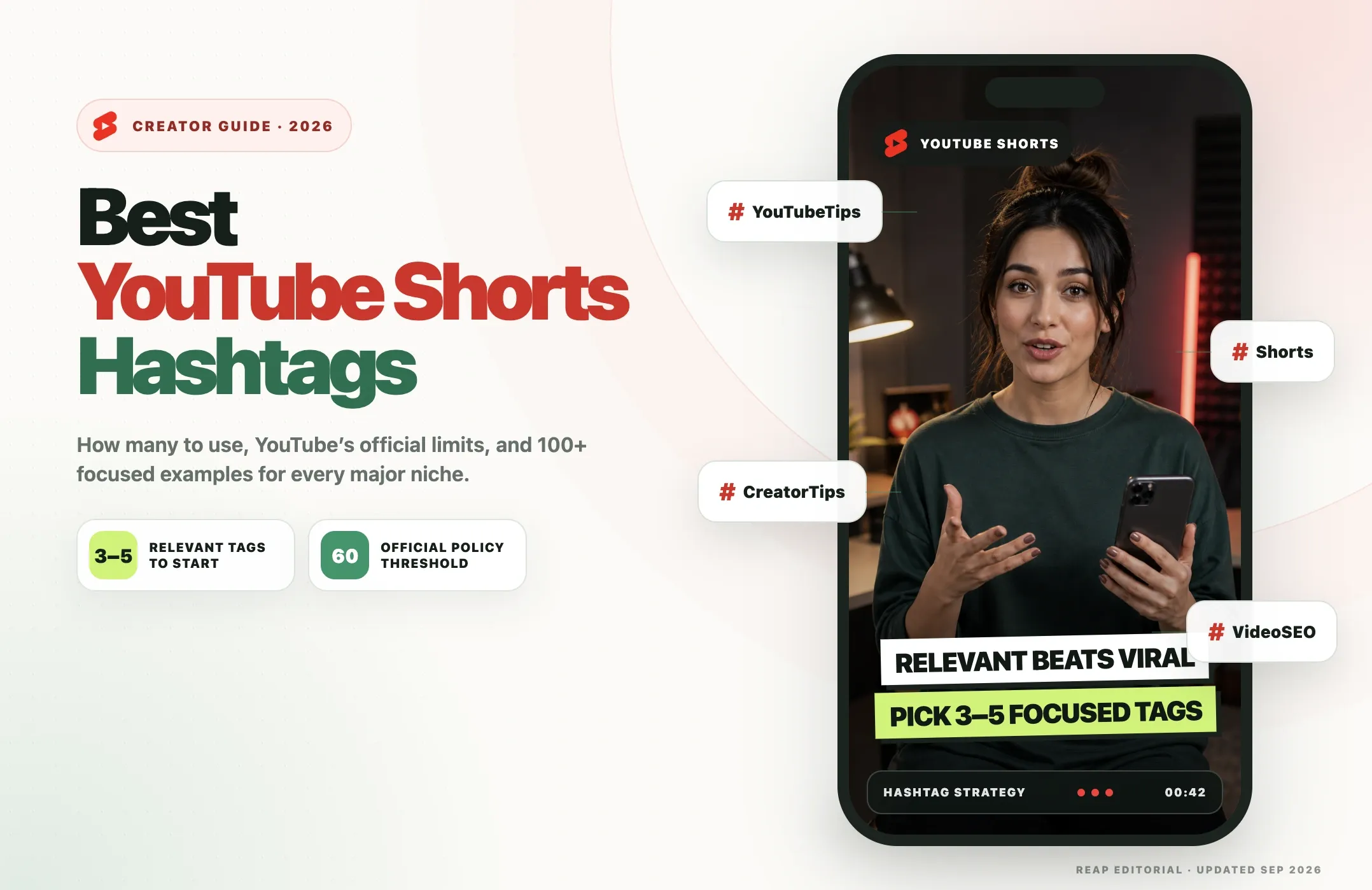
If you want a practical starting point for YouTube Shorts hashtags, use 3-5 highly relevant hashtags: one broad topic tag, one or two niche tags, and one or two tags that describe the exact subject of the Short.
That is an editorial starting formula, not an official YouTube requirement.
YouTube's current hashtag policy says that if a video or playlist has more than 60 hashtags, YouTube ignores every hashtag on that content. YouTube may also remove over-tagged or misleading content from uploads or search.
Hashtags can help viewers find related content and can support topic and search relevance, but they do not guarantee Shorts-feed reach. Shorts recommendations depend much more on viewer personalization, video performance, topic interest, competition and seasonality.
Quick Answer: YouTube Shorts Hashtag Rules in 2026
|
Question |
Direct answer |
|---|---|
|
Do hashtags work on YouTube Shorts? |
Yes, mainly for topic/search discovery and hashtag pages. They do not guarantee Shorts-feed distribution. |
|
How many hashtags should I use? |
Start with 3-5 highly relevant hashtags and test what works for your channel. |
|
What is YouTube's official hashtag limit? |
More than 60 hashtags causes YouTube to ignore all hashtags on that content. |
|
Is |
No. Eligible format and duration determine whether a video is categorized as a Short. |
|
Title or description? |
Usually place most hashtags at the end of the description and keep the title focused on the viewer-facing promise. |
|
How long can a YouTube Short be? |
Eligible square or vertical videos uploaded after October 15, 2024 can be categorized as Shorts when they are up to three minutes long. |
Verification note: This guide was updated on September 2, 2026 using current YouTube Help documentation for hashtags, three-minute Shorts, Shorts discovery and YouTube Analytics. The 3-5 hashtag formula in this article is a practical editorial recommendation, not an official YouTube limit or requirement.
Do Hashtags Actually Work on YouTube Shorts?
Yes, but their role is smaller than many "viral hashtag" guides imply.
YouTube hashtags are clickable topic labels. They can help viewers find videos related to a subject and can help YouTube understand the topic of a video in search and hashtag-based discovery.
But hashtags are not the main driver of Shorts recommendations.
YouTube's own Shorts discovery guidance emphasizes factors such as:
- viewer personalization;
- whether viewers choose to watch or ignore the Short;
- average view duration and retention;
- engagement and satisfaction signals;
- topic interest;
- competition from other Shorts;
- seasonality.
That means adding #Viral, #Trending or twenty unrelated high-volume tags cannot rescue a Short that viewers do not want to watch.
What hashtags can do
Relevant hashtags can help:
- describe the topic;
- connect a Short to a niche;
- support YouTube Search relevance;
- make the video discoverable through a hashtag page;
- create a consistent branded or event tag;
- clarify the format or community around a video.
What hashtags cannot do
Hashtags cannot guarantee:
- Shorts-feed distribution;
- virality;
- a ranking position;
- higher retention;
- more subscribers;
- more views.
A better way to think about hashtags is:
Hashtags support discovery. The video earns distribution through relevance and viewer response.
If you are turning long-form content into Shorts, Reap AI Clipping can help with the video-production side of the workflow by finding short-form moments, reframing them for vertical video and adding captions before you prepare the YouTube title, description and hashtags.
Official YouTube Hashtag Rules in 2026
There are several rules creators commonly get wrong.
More than 60 hashtags causes YouTube to ignore all hashtags
YouTube's current official help documentation says that when a video or playlist has more than 60 hashtags, YouTube ignores every hashtag on that content.
This replaces the outdated advice that hashtags are ignored after 15.
Using a large number of hashtags can also make content look spammy. YouTube says over-tagging can lead to removal from uploads or search.
Up to three description hashtags may appear above the title
YouTube says that up to three hashtags from the video description may appear above the video title.
That does not mean you should choose exactly three, and it does not mean those three receive guaranteed ranking value.
It simply describes how YouTube may display them.
Misleading hashtags can violate policy
Do not use unrelated hashtags just to reach a larger audience.
For example, adding #Minecraft to a cooking Short because Minecraft is popular would be misleading.
The hashtag should genuinely describe the topic, subject, niche, person, event, location or format.
#Shorts is not required
YouTube identifies Shorts based on eligible video characteristics, not because the description contains #Shorts.
Eligible square or vertical videos uploaded after October 15, 2024 can be categorized as Shorts when they are up to three minutes long.
You can still use #Shorts as a format tag if it is useful for your content organization, but it is not a technical requirement.
How Many Hashtags Should You Use on YouTube Shorts?
A practical starting point is 3-5 relevant hashtags.
That is not YouTube's official recommendation. It is an editorial formula designed to keep the hashtags focused.
Try:
- One broad topic hashtag
- One or two niche hashtags
- One or two exact-subject hashtags
Example: founder advice Short
Suppose the Short is a podcast clip where a SaaS founder explains how they found their first ten customers.
A focused set could be:
#Entrepreneurship #StartupAdvice #FirstCustomers #PodcastClips #SaaSFounder
That gives YouTube and viewers several layers of context:
#Entrepreneurship= broad topic#StartupAdvice= niche#FirstCustomers= exact lesson#PodcastClips= content format#SaaSFounder= specific audience/context
Do not add #SaaSFounder if the Short is not actually about a SaaS founder.
Why not use 20 or 30 tags every time?
You can legally use more, but more is not automatically better.
A long list can dilute topical focus, encourage irrelevant tagging, make the description harder to scan, create a spammy appearance and make it difficult to understand which tags were actually necessary.
Start focused. Expand only when the extra tags are genuinely relevant.
Are #Shorts, #Viral, #Trending, and #FYP Necessary?
No.
#Shorts
Optional. Use it if you want a general format tag, but it does not determine Shorts classification.
#Viral
Usually unnecessary. A video does not become viral because the description says #Viral.
Use it only if the concept of virality is genuinely the subject of the video.
#Trending
Do not use it as a generic growth tactic.
If the Short is actually about a current trend, event or trending subject, a relevant trend-specific hashtag can make sense.
#FYP
#FYP is strongly associated with TikTok culture and does not have a special YouTube distribution function.
For a strength-training Short, prefer:
#StrengthTraining #SquatForm #LegWorkout
over:
#FYP #Viral #Trending
Should YouTube Shorts Hashtags Go in the Title or Description?
In most cases, keep the title focused on the content and place the hashtags at the end of the description.
Why the description is usually better
Your title has limited space and should first answer:
Why should someone watch this Short?
Better title:The pricing mistake that almost killed our startup
Less useful title:The pricing mistake that almost killed our startup #Startup #Business #SaaS #Shorts
The second version uses valuable title space for metadata the viewer can already find in the description.
When a title hashtag can make sense
A title hashtag can be useful when it is part of the viewer-facing context, such as a branded campaign, named event, challenge, community hashtag or recurring series.
Example:
3 lessons from #SXSW2026
Here the hashtag is part of the subject, not just metadata.
YouTube Tags vs Hashtags
YouTube tags and hashtags are different features.
|
Feature |
Hashtags |
YouTube Tags field |
|
Visible to viewers |
Yes |
No |
|
Clickable |
Yes |
No |
|
Written with |
Yes |
No |
|
Can lead to hashtag pages |
Yes |
No |
|
Used in title/description |
Yes |
No |
|
Added in YouTube Studio metadata |
No special field required |
Yes |
|
Discovery role |
Topic/search and hashtag discovery |
Limited; YouTube says tags mainly help with common misspellings |
YouTube says the normal Tags field plays a minimal role in discovery compared with the title, thumbnail and description.
That means you should not spend more time filling the Tags field than improving the actual video and its viewer-facing metadata.
Best YouTube Shorts Hashtags by Niche: 100+ Examples
The examples below are designed as starting ideas.
Do not copy an entire niche list into every Short.
Choose the tags that genuinely match the specific video.
Gaming
Broad: #Gaming
Niche: #GamingTips #GamingClips
Specific examples: #Minecraft #FortniteTips #ValorantClips
Use a game-specific tag only when that game is actually shown or discussed.
Fitness
Broad: #Fitness
Niche: #WorkoutTips #StrengthTraining
Specific examples: #SquatForm #HomeWorkout #LegDay
Avoid generic fitness tags when the Short is actually about nutrition, recovery or another separate topic.
Food and Cooking
Broad: #Cooking
Niche: #EasyRecipes #HomeCooking
Specific examples: #ChickenRecipe #AirFryerRecipes #MealPrep
Choose the specific dish, ingredient or technique whenever possible.
Comedy
Broad: #Comedy
Niche: #ComedyShorts #SketchComedy
Specific examples: #OfficeHumor #DadJokes #StandupComedy
Do not tag a serious video as comedy just because one line is funny.
Beauty and Skincare
Broad: #Beauty
Niche: #SkincareTips #MakeupTutorial
Specific examples: #AcneCare #SunscreenTips #NaturalMakeup
Use ingredient or condition tags carefully and only when the Short actually addresses them.
Education
Broad: #Education
Niche: #StudyTips #LearningTips
Specific examples: #MathTips #EnglishGrammar #ExamPrep
Prefer the subject or skill being taught over vague motivation tags.
Technology and AI
Broad: #Technology
Niche: #ArtificialIntelligence #TechTips
Specific examples: #ChatGPTTips #AITools #Cybersecurity
Avoid TikTok-native tags such as #techtok when a clearer YouTube topic tag exists.
Travel
Broad: #Travel
Niche: #TravelTips #BudgetTravel
Specific examples: #JapanTravel #SoloTravel #PackingTips
Use the exact destination when location is central to the Short.
Podcasts and Interviews
Broad: #Podcast
Niche: #PodcastClips #InterviewClips
Specific examples: #FounderPodcast #BusinessPodcast #CreatorInterview
Do not use #PodcastClips for a scripted talking-head video that did not come from a podcast or interview.
Business and Marketing
Broad: #Business
Niche: #MarketingTips #Entrepreneurship
Specific examples: #CustomerAcquisition #ContentMarketing #StartupAdvice
Choose the actual business lesson instead of filling every post with all-purpose startup tags.
Finance
Broad: #Finance
Niche: #PersonalFinance #MoneyTips
Specific examples: #BudgetingTips #InvestingBasics #CreditScore
Be especially careful with financial claims. A hashtag does not replace accurate context or disclosures.
Music
Broad: #Music
Niche: #MusicProduction #Songwriting
Specific examples: #GuitarTips #VocalTraining #BeatMaking
Use artist, song or genre tags only when they are actually relevant.
Sports
Broad: #Sports
Niche: #SportsTraining #SportsHighlights
Specific examples: #BasketballTips #FootballTraining #CricketSkills
Use the specific sport rather than generic sports tags whenever possible.
DIY and Crafts
Broad: #DIY
Niche: #DIYCrafts #CraftIdeas
Specific examples: #Woodworking #CrochetTips #HomeDIY
Use the actual material or project type to make the topic clearer.
Photography and Filmmaking
Broad: #Photography
Niche: #PhotographyTips #Filmmaking
Specific examples: #PortraitPhotography #VideoLighting #CameraSettings
Use equipment-specific tags only when the gear is important to the lesson.
Local Businesses
Broad: #SmallBusiness
Niche: #LocalBusiness #SmallBusinessTips
Specific examples: #RestaurantMarketing #SalonMarketing #LocalSEO
Add a city or neighborhood hashtag only when location is genuinely relevant.
Product Demos and Ecommerce
Broad: #Ecommerce
Niche: #ProductDemo #OnlineBusiness
Specific examples: #ShopifyTips #ProductLaunch #ConversionRate
Avoid adding competitor or marketplace tags that do not match the product being shown.
Events and Seasonal Content
Broad: #Events
Niche: #EventHighlights #SeasonalContent
Specific examples: #BlackFriday2026 #HolidayMarketing #ConferenceTips
Use a dated event tag only while the event or season is actually relevant.
More Specific Hashtag Ideas
These additional tags can expand your options when they genuinely match the Short:
#YouTubeTips #CreatorTips #VideoEditing #ContentStrategy #SocialMediaTips #BrandStrategy#SalesTips #LeadershipTips #CareerAdvice #ProductivityTips #RemoteWork #Freelancing#PublicSpeaking #InterviewTips #PodcastTips #YouTubeShorts #ShortFormVideo #VideoMarketing
Do not use all of these together. Select only the ones that accurately describe the individual Short.
Copy-Ready Hashtag Examples by Use Case
Podcast or interview Short
Example topic: A founder explains how they found their first ten customers.
Suggested starting set:
#Entrepreneurship #StartupAdvice #FirstCustomers #PodcastClips #SaaSFounder
Why it works:
#Entrepreneurshipgives the broad topic.#StartupAdvicenarrows the audience.#FirstCustomersdescribes the exact takeaway.#PodcastClipsdescribes the source format.#SaaSFounderis relevant only if the speaker or story is actually about SaaS.
Gaming Short
Example topic: A Minecraft building shortcut.
Suggested starting set:
#Gaming #GamingTips #Minecraft #MinecraftBuilds #BuildingTips
The exact game matters more than generic growth tags.
Fitness Short
Example topic: Fixing squat depth.
Suggested starting set:
#Fitness #StrengthTraining #SquatForm #LegWorkout #GymTips
Do not use #WeightLoss unless weight loss is genuinely part of the video.
Food Short
Example topic: A quick air-fryer chicken recipe.
Suggested starting set:
#Cooking #EasyRecipes #AirFryerRecipes #ChickenRecipe #QuickMeals
This combines topic, niche, method and exact dish.
Education Short
Example topic: A fast way to remember a math formula.
Suggested starting set:
#Education #StudyTips #MathTips #ExamPrep #LearningTips
AI or tech Short
Example topic: Using ChatGPT to summarize meeting notes.
Suggested starting set:
#ArtificialIntelligence #AITools #ChatGPTTips #ProductivityTips #TechTips
How to Choose Hashtags for One Specific Short
Use this simple five-step process.
1. Write the topic in one sentence
Example:
This Short explains three mistakes creators make when writing YouTube titles.
2. Pick one broad category
Possible tag:
#YouTubeTips
3. Pick one or two niche tags
Possible tags:
#CreatorTips#YouTubeSEO
4. Pick one or two exact-subject tags
Possible tags:
#YouTubeTitles#VideoTitles
5. Remove anything that is not directly relevant
Your final set might be:
#YouTubeTips #CreatorTips #YouTubeSEO #YouTubeTitles
That is more focused than:
#YouTubeTips #CreatorTips #Viral #Trending #FYP #Success #Motivation #SocialMedia #Content #Growth
Myth vs Fact: YouTube Shorts Hashtags
|
Claim |
Verdict |
Correct explanation |
|
YouTube ignores hashtags after 15 |
False/outdated |
Current official policy says more than 60 causes all hashtags to be ignored. |
|
|
False |
Shorts classification depends on eligible video format and duration. |
|
Hashtags make a Short go viral |
False |
They can support discovery, but recommendations depend much more on viewers and performance. |
|
More hashtags are always better |
False |
Relevance matters more than filling the description with extra tags. |
|
Popular tags should be added even when unrelated |
False |
Misleading hashtags can violate YouTube policy. |
|
YouTube tags and hashtags are the same |
False |
Hashtags are visible and clickable. The Tags field is separate. |
|
Analytics shows a simple per-hashtag report |
False |
Analytics shows discovery sources and search terms, not a universal per-hashtag attribution report. |
How to Measure and Test Your YouTube Shorts Hashtags
Do not change hashtags every day just for the sake of changing them.
Test them as part of a broader metadata and content strategy.
What YouTube Analytics can show
YouTube Analytics can help you understand:
- how viewers found your Shorts;
- which traffic sources contribute views;
- YouTube Search terms;
- viewer engagement and retention;
- which Shorts lead to channel growth.
That can help you evaluate whether your topic strategy is attracting the right viewers.
What Analytics does not give you
Do not expect a simple report that says:
#Fitness = 327 views#WorkoutTips = 212 views
YouTube does not provide a universal dedicated per-hashtag attribution report like that.
A better testing process
For a group of similar Shorts:
- Keep the content topic consistent.
- Use a focused set of 3-5 relevant hashtags.
- Track YouTube Search terms and traffic sources.
- Watch retention and engagement.
- Note which topics repeatedly earn search visibility.
- Reuse relevant topic patterns, not necessarily the exact same hashtag list.
The objective is to learn what your audience responds to, not to find a magical tag combination.
For recurring publishing workflows, Reap's social media scheduler can be used after the Short is reviewed to prepare and publish the finished clip with its title, description and relevant hashtags.
Common YouTube Shorts Hashtag Mistakes
1. Using irrelevant popular hashtags
#Viral does not make an unrelated video more relevant.
Fix: use tags that actually describe the Short.
2. Treating 3-5 as an official YouTube rule
It is not.
Fix: describe 3-5 as a practical starting formula and keep the official 60-hashtag threshold separate.
3. Repeating the same generic hashtags on every Short
If every Short uses exactly the same broad tags, the metadata provides little information about the actual subject.
Fix: keep one or two recurring niche or brand tags, then change the exact-topic tags.
4. Filling the title with hashtags
A hashtag-heavy title can be harder to read.
Fix: keep the title focused on the viewer-facing promise and place most hashtags at the end of the description.
5. Using TikTok-native tags automatically
Tags such as #FYP, #gymtok, #techtok and #studytok are not necessary for YouTube.
Fix: prefer YouTube-relevant topic language such as #StrengthTraining, #TechTips or #StudyTips.
6. Using the wrong game, product or location
Specific hashtags can attract the wrong audience when they do not match the content.
Fix: use exact entities only when they are genuinely part of the Short.
7. Assuming hashtags are the reason a Short performed well
The Short may have succeeded because of the topic, opening, retention, timing, audience fit or competition.
Fix: evaluate hashtags alongside the content itself.
8. Ignoring YouTube's over-tagging rule
More than 60 hashtags causes YouTube to ignore them all.
Fix: stay far below the policy threshold and focus on relevance.
A Simple YouTube Shorts Hashtag Checklist
Before publishing, ask:
- Does every hashtag genuinely describe the Short?
- Do I have one broad topic tag?
- Do I have one or two niche tags?
- Do I have one or two exact-subject tags?
- Have I removed irrelevant
#Viral,#Trendingor#FYPtags? - Is the title still readable?
- Are most hashtags placed at the end of the description?
- Am I below YouTube's 60-hashtag threshold?
- Have I avoided misleading or unrelated tags?
- Will I judge performance using retention, discovery and search data rather than hashtags alone?
If the answer is yes, publish the Short and spend more time improving the actual video than searching for another twenty hashtags.
Create and Publish YouTube Shorts with Reap
Once you know which hashtags fit a Short, Reap can handle the video workflow around them.
With Reap AI Clipping, you can turn a long podcast, interview, webinar or other video into short-form clips, automatically reframe them for vertical video and add on-video captions in 100+ languages.
Reap also generates a social caption for each clip, including a ready-to-use social description and relevant hashtag suggestions. That gives you publishing copy to review instead of starting from a blank description every time.
For a YouTube Short, you can review the generated social caption, keep or edit the description, remove hashtags that are too broad or irrelevant, and narrow the final set using the focused 3-5 hashtag strategy in this guide.
It is useful to separate these two types of captions:
- Video captions: the subtitles displayed inside the Short.
- Social caption: the publishing copy for the clip, including its description and suggested hashtags.
You can then apply your Brand Template and publish or schedule the clip to YouTube and other connected social accounts.
A practical workflow looks like:
Long video -> AI clip -> vertical reframe -> video captions -> generated social description + hashtags -> review -> publish
The important part is that Reap handles the repetitive video-production and publishing preparation while you keep editorial control over the final title, description and hashtags.
If you already have finished Shorts and only need hashtag guidance, the rest of this article still applies. Reap is most useful when the video also needs to be clipped, reframed, captioned, prepared for social publishing or scheduled.