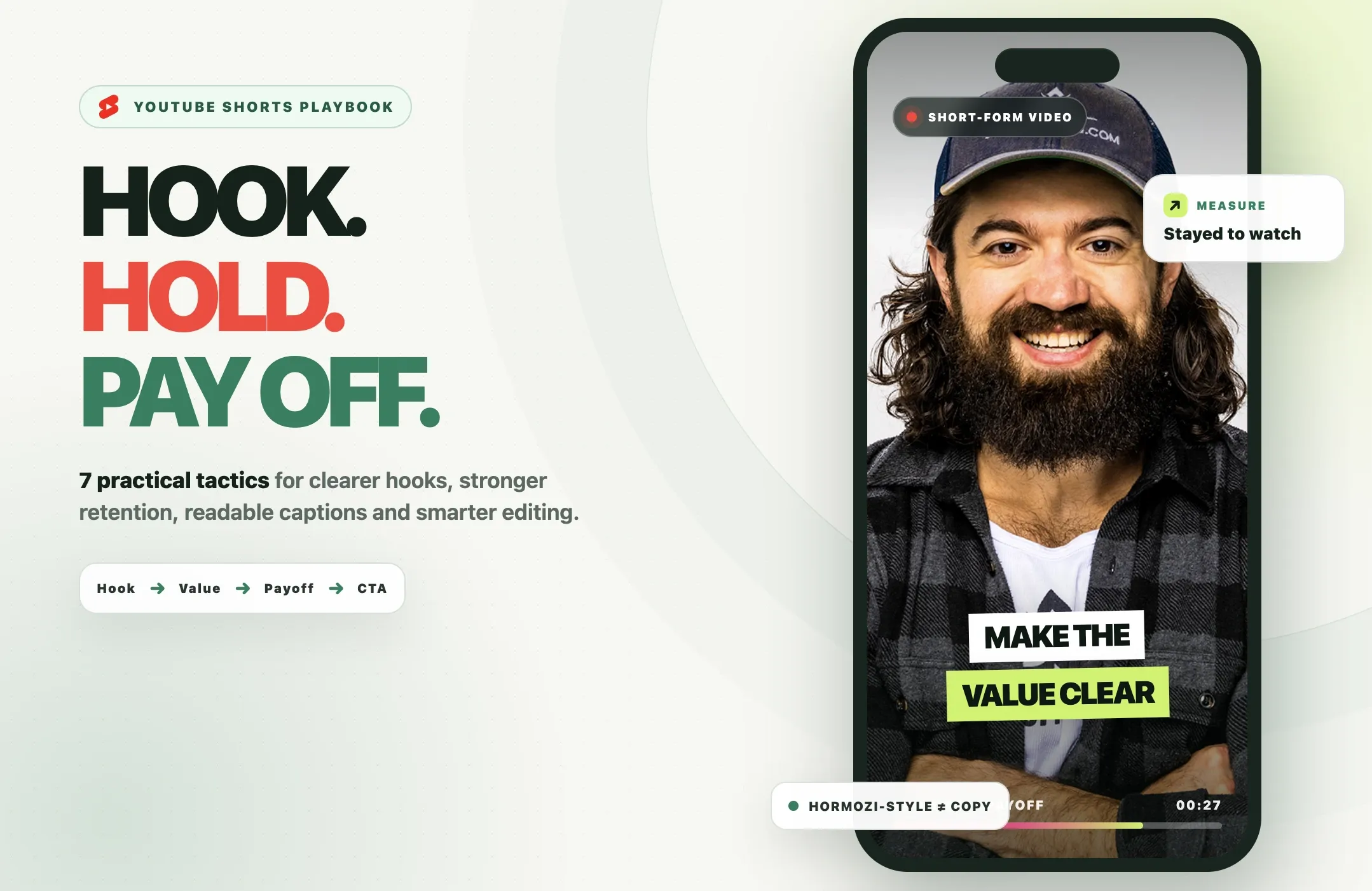
There is no hook, caption style, posting schedule, or AI tool that can guarantee a viral YouTube Short.
What you can build is a repeatable process for making each Short easier to understand, harder to swipe away from, and more useful to the audience you want to reach.
That process starts with a clear hook, one focused idea, a payoff that fulfills the opening promise, readable captions, and editing that removes friction without turning every second into visual noise.
Alex Hormozi's short-form style is a useful case study because it often uses direct language, compressed ideas, prominent captions, and fast delivery. The goal is not to copy his voice, visual identity, or exact editing pattern. It is to understand the principles and adapt them to your own content.
This guide breaks that process into seven practical tactics, shows how to repurpose long videos into Shorts with Reap, and explains which YouTube Analytics metrics are actually worth watching.
Quick Answer: How Do You Make YouTube Shorts Go Viral?
You cannot force a Short to go viral, but you can improve the factors that make it easier for viewers to choose, watch, and enjoy it.
A strong process looks like this:
- Hook: make the promise or problem clear immediately.
- Focus: build the Short around one idea.
- Retention: remove unnecessary setup and keep the story moving.
- Captions: make the speech easy to follow.
- Editing: use cuts, reframing, screenshots, or B-roll only when they improve clarity.
- Payoff and CTA: fulfill the opening promise, then give one relevant next action.
- Analytics: compare engaged views, stayed to watch, average view duration, average percentage viewed, and retention drop-offs.
YouTube says Shorts recommendations consider whether viewers choose to watch, whether they keep watching, average view duration, average percentage viewed, likes, viewer feedback, personalization, topic interest, competition, and seasonality. That is why no single editing trick can guarantee distribution.
Read YouTube's current Shorts search and discovery guidance.
The Hormozi-Style Shorts Framework at a Glance
|
Stage |
Job |
Example |
|---|---|---|
|
Hook |
Make the promise or problem obvious |
"If your Shorts lose viewers immediately, fix this first." |
|
Setup |
Give only the context needed |
Name the mistake or desired result |
|
Value |
Deliver one useful idea |
Explain, demonstrate, compare, or prove |
|
Payoff |
Resolve the opening promise |
Give the answer, result, or lesson |
|
CTA |
Point to one relevant next step |
Subscribe, comment, or watch the full video |
The style is not the strategy.
Large captions, quick cuts, and direct delivery can help presentation, but a weak idea remains weak after editing.
The goal is to make the viewer understand the value faster.
1. Write Hooks Viewers Understand Instantly
A YouTube Shorts hook has one job:
Help the right viewer understand why this Short is worth watching.
That does not mean every hook needs a dramatic claim.
It does mean the opening should quickly answer one of these questions:
- What problem is this about?
- What result is coming?
- What mistake are we fixing?
- What surprising idea will be explained?
- What will I know by the end?
Avoid intros such as:
- "Hey guys, welcome back..."
- "So today I wanted to talk about..."
- "I get this question a lot..."
- "Before we start..."
- "This is something I've been thinking about..."
Those lines may be natural in a long-form video, but they often delay the reason to keep watching.
Five adaptable YouTube Shorts hook formulas
These are formulas, not scripts. Rewrite them in your own voice.
Mistake + consequence
"If your Shorts lose viewers immediately, check this first."
Specific result + unexpected method
"The easiest way to make this Short stronger isn't adding more edits."
Contrarian claim + proof
"Your Short may need fewer cuts, not more. Here's why."
Pain point + fast fix
"If your captions are hard to read, fix these two things."
Open loop + concrete payoff
"This one edit changes how the entire Short feels."
What is the Alex Hormozi hook formula?
There is no official single "Alex Hormozi hook formula" that guarantees performance.
A useful way to describe the style is:
specific problem or claim -> compressed context -> direct explanation -> concrete payoff
The important part is specificity.
Compare:
Weak: "Here's some advice for content creators."
Stronger: "If your Shorts get views but no subscribers, check what happens after the payoff."
The second version gives the viewer a clearer reason to continue.
Do not over-optimize the first second
The opening matters, but rigid rules such as "every hook must be under two seconds" are not useful for every topic.
A tutorial may need a little more setup than a reaction clip. A financial explanation may need a qualification before a claim. A product demo may need the viewer to see the product before the hook makes sense.
The better rule is:
Make the promise clear in the opening moments, then test whether viewers stay.
2. Build Retention With Promise, Progress, and Payoff
A hook earns attention. Retention determines whether the viewer keeps watching.
The simplest retention framework is:
promise -> progress -> payoff
Promise
The hook creates an expectation.
For example:
"Three caption mistakes make Shorts harder to watch."
Now the viewer expects three useful mistakes.
Progress
The middle should make visible progress toward that promise.
That might mean:
- mistake 1;
- mistake 2;
- mistake 3;
- a demonstration;
- a before-and-after comparison;
- a sequence of steps;
- an example that proves the claim.
Progress gives the viewer a reason to stay because the video is moving somewhere.
Payoff
The Short should resolve what the opening promised.
If the hook says:
"The easiest way to make your captions easier to read..."
the Short should actually show the viewer what to change.
Do not replace the payoff with:
"Comment if you want part two."
A CTA is not a substitute for delivering the value.
One Short, one main idea
A common mistake is trying to compress an entire long-form argument into 45 seconds.
Instead, separate the ideas.
A 20-minute interview may contain:
- one pricing lesson;
- one hiring mistake;
- one product story;
- one growth tactic;
- one customer insight.
Those can become separate Shorts.
The narrower the idea, the easier it is to create a clear hook and payoff.
Remove preamble, not meaning
Retention editing is not the same as deleting every pause.
Remove:
- repeated setup;
- duplicated phrases;
- unnecessary disclaimers;
- filler that adds no meaning;
- tangents unrelated to the point.
Keep:
- important qualifications;
- the condition behind a result;
- the sentence that explains why;
- natural pauses that make speech understandable;
- context needed to avoid a misleading clip.
The goal is clarity and momentum, not maximum cuts per second.
Use pattern changes when they serve the idea
A pattern change can be:
- a crop change;
- screenshot;
- B-roll;
- on-screen example;
- visual emphasis;
- text highlight;
- camera change.
Use one when it proves something, resets attention, explains a concept, or keeps the important visual in frame.
Do not add movement simply because the timeline has been visually static for two seconds.
3. Use Hormozi-Style Captions Without Copying the Look
"Hormozi-style captions" usually refers to large, high-contrast animated captions with selective emphasis.
That style works because the words are easy to scan.
You can apply the principle without copying another creator's exact font, colors, animation, or visual identity.
Keep caption chunks short
A phone screen is narrow.
Long subtitle blocks force viewers to read instead of watch.
Shorter caption groups are usually easier to follow.
Highlight only important words
If every word is highlighted, nothing is emphasized.
Use emphasis for:
- the result;
- the number;
- the contrast;
- the key noun;
- the important action.
Prioritize contrast
Captions need to remain readable over changing backgrounds.
Use enough contrast through:
- text color;
- outline;
- shadow;
- background treatment;
- placement.
Keep captions away from important visuals
Do not cover:
- the speaker's mouth;
- a product;
- a chart;
- a screen recording;
- a demonstration;
- YouTube interface elements.
Review the full Short, not just the first frame.
Correct automatic captions before publishing
AI transcription is useful, but names and numbers can still be wrong.
Review:
- names;
- brands;
- technical terms;
- amounts;
- dates;
- percentages;
- acronyms;
- words such as "not" and "don't."
A visually impressive subtitle is still a bad caption if it changes the meaning.
With Reap AI Captions, you can generate animated captions, review the transcript, choose a caption style, and translate captions when needed.
For a broader tool comparison, see our guide to video caption generators.
4. Edit YouTube Shorts for Clarity, Not Constant Motion
The best YouTube Shorts editing is usually invisible.
The viewer feels that the video moves quickly and makes sense without noticing every cut.
Start with a clean first frame
The first frame should help the viewer understand what they are looking at.
Avoid:
- blank frames;
- half-finished transitions;
- tiny text;
- captions covering the subject;
- an unrelated visual before the hook begins.
Reframe the subject for 9:16
Vertical video changes what stays visible.
A landscape podcast frame may show two people comfortably. A 9:16 crop may cut one person out.
A product demo may need the product instead of the speaker centered.
A software walkthrough may need the shared screen to remain readable.
Reap Auto Reframe can help adapt footage to portrait output, including speaker-aware tracking when appropriate.
Review the crop when the visual subject changes.
Cut repeated language
Spoken content often includes repeated setup, restated questions, and filler phrases.
Some can be removed.
But listen across every cut.
An edit that saves half a second but creates an unnatural sentence is not automatically better.
Use screenshots and B-roll as evidence
Add supporting visuals when they make the claim easier to understand.
Examples:
- show the analytics screen while explaining a metric;
- show the product while describing the feature;
- show the before-and-after while discussing an edit;
- show the article or study when referencing evidence.
B-roll should support the idea, not decorate empty seconds.
Do not turn every Short into the same template
A strong visual system can improve consistency.
A rigid template can make every clip feel identical.
Use Brand Templates to keep recurring caption and brand choices consistent, but let the content determine the pacing and visual treatment.
What about YouTube Shorts editing tools?
If the main question is which software to use, see our guide to the best AI tools for YouTube Shorts.
This page is about the strategy behind the edit.
The tool should support the strategy, not become the strategy.
5. Turn One Long Video Into Multiple Shorts With Reap
Long-form content is often the easiest place to find strong Shorts because the ideas already exist.
A podcast, webinar, interview, tutorial, founder conversation, or presentation may contain several standalone moments.
Reap can help turn that source into candidate short-form clips.
Step 1: Add the long-form video
Start with a supported source video or source link.
For example:
- podcast episode;
- interview;
- webinar;
- tutorial;
- customer conversation;
- presentation.
Step 2: Let Reap find candidate moments
For a general clipping workflow, Reap can identify promising moments automatically.
If you have specific editorial direction, you can guide selection around concrete topics or prompts.
For example:
Find clips where the speaker explains pricing mistakes, hiring lessons, and customer retention. Prioritize complete answers that can stand on their own.
That is more useful than asking for "viral clips."
No AI tool can know with certainty what will go viral after publishing.
Step 3: Review the selected clips
Check each candidate for:
- a clear opening;
- enough context;
- one main idea;
- a complete ending;
- accurate meaning;
- a worthwhile payoff.
Do not publish every generated candidate.
Selection is still an editorial decision.
Step 4: Reframe vertically
For Shorts, use a vertical output.
Check whether speaker-aware reframing keeps the right visual subject in view.
A speaker may be important in one scene and a product, screen share, chart, or second person may become more important in the next.
Step 5: Add and correct captions
Use readable captions and correct the transcript.
If you use a saved Brand Template, apply it after you know the clip itself is worth publishing.
Step 6: Review the hook
The best excerpt from a long video does not always begin at the best point for a Short.
Sometimes the clip needs:
- an earlier sentence;
- a later starting point;
- a text hook;
- removal of repeated setup.
Do not change the speaker's meaning just to make the hook stronger.
Step 7: Export and publish
Once approved, export the Short.
If you are managing multiple clips, Reap's publishing workflow can help schedule finished content to supported connected accounts.
For a more detailed production workflow, see how to automate YouTube Shorts creation.
A practical repurposing loop
Long video -> candidate clips -> human review -> vertical reframe -> captions -> hook review -> export -> publish -> YouTube Analytics -> next test
That loop matters more than trying to predict a viral result before the video has an audience.

6. Choose a CTA That Fits the Short
A CTA is not mandatory in every YouTube Short.
If the Short is complete without one, forcing a CTA can make the ending weaker.
When you do use one, put it after the payoff and match it to the goal.
Subscribe
Use "subscribe" when the Short represents the kind of content the viewer can expect regularly.
Better:
"Subscribe if you want more breakdowns like this."
Comment
Use a comment CTA when the question is genuinely relevant.
For example:
"Which hook would you test first?"
Avoid generic engagement bait when the answer has nothing to do with the topic.
Watch the full video
This works naturally for repurposed Shorts.
For example:
"The full interview breaks down all five mistakes."
The CTA extends the value instead of interrupting it.
Click or visit
For product-led content, direct the viewer to the next step only when the Short has earned it.
A 30-second tip does not need three CTAs.
Pick one.
What does Alex Hormozi do with CTAs?
The useful principle is not "copy the exact CTA."
It is that the CTA should follow the value, not replace it.
For YouTube, use YouTube-native language such as subscribe, not "follow."
7. Measure the Metrics YouTube Actually Provides
A viral Shorts strategy without Analytics becomes guesswork.
YouTube currently provides several metrics that are more useful than looking at public views alone.
Engaged views
YouTube defines engaged views for Shorts as the number of times viewers stayed to watch past the initial seconds, excluding loops.
This matters because YouTube changed Shorts view counting on March 31, 2025.
A public view now counts when a Short starts to play or replay, with no minimum watch time requirement. The previous Shorts view methodology remains available as engaged views in Analytics.
See YouTube's view-count update.
Stayed to watch vs swiped away
YouTube's "stayed to watch" metric shows how often viewers stayed past the opening instead of swiping away.
Use it to evaluate whether the topic and opening earned attention.
Do not interpret it in isolation.
A Short can have a strong opening and weak middle.
Average view duration
For Shorts, YouTube calculates average view duration from engaged views and their corresponding watch time.
Use it to compare how long engaged viewers stayed.
Average percentage viewed
This tells you what percentage of the Short engaged viewers watched on average.
A shorter Short may naturally produce a different percentage than a longer one, so compare similar formats and topics where possible.
Audience-retention drop-offs
Look for moments where viewers leave.
Then inspect the content around that point.
Possible causes include:
- the hook already gave away the answer;
- the video changed topic;
- the explanation slowed down;
- the promised payoff did not arrive;
- a CTA interrupted the value;
- the Short became repetitive.
Do not assume every drop means "add another jump cut."
Likes, comments, shares, and subscribers
These provide context for whether viewers enjoyed or acted on the Short.
YouTube also says likes and post-watch survey signals can contribute to understanding viewer satisfaction.
See YouTube's Shorts discovery guidance.
External factors still matter
YouTube says reach is also affected by:
- personalization;
- topic interest;
- competition;
- seasonality.
A well-edited Short about a narrow topic may receive fewer impressions than a strong Short about a topic with much broader demand.
That does not automatically mean the editing failed.

A 30-Day YouTube Shorts Testing Plan
The goal is not to find one "viral formula."
The goal is to learn which structures work for your audience.
Week 1: Establish a baseline
Publish three Shorts built around different ideas.
Keep the production quality reasonably consistent.
Track:
- engaged views;
- stayed to watch;
- average view duration;
- average percentage viewed;
- subscriber gain;
- retention shape.
Do not declare a winner from one hour of data.
Week 2: Test hooks
Choose one type of content and test different hook structures.
For example:
Version A: mistake + consequence
Version B: contrarian claim
Version C: result + unexpected method
Keep the core payoff similar.
That makes it easier to learn whether the opening changed viewer behavior.
Week 3: Test caption density and pacing
Keep the content style similar and change one major presentation variable.
Examples:
- shorter caption chunks;
- fewer highlighted words;
- fewer cuts;
- one additional supporting screenshot;
- slightly tighter pauses.
Do not change the hook, topic, captions, editing style, CTA, and length all at once.
You will not know what caused the result.
Week 4: Repeat the best structure on a new topic
Take the strongest pattern from the previous tests and use it on a different idea.
This helps answer a more useful question:
Did the structure work, or did the original topic do most of the work?
Compare complete windows
Shorts can continue gaining distribution after publishing.
Avoid making major strategy changes from a few minutes of performance.
Use comparable time windows and look for repeated patterns.
Common YouTube Shorts Mistakes
A dramatic hook with no payoff
The opening creates curiosity, but the Short never answers the question.
Fix: write the payoff before finalizing the hook.
Too much setup
The Short spends 10 seconds explaining why the speaker is qualified before reaching the idea.
Fix: move only the necessary context into the opening.
Copying another creator's voice
"Hormozi-style" becomes an imitation of wording, typography, pacing, or personality.
Fix: borrow principles such as clarity and compression, then use your own voice and visual identity.
Captions covering the important visual
The subtitles sit over a product, chart, face, or interface.
Fix: review the full vertical composition before export.
Highlighting every caption word
Everything is emphasized.
Fix: reserve emphasis for the most important words.
Treating every pause as dead space
The edit becomes unnatural.
Fix: remove pauses that hurt pacing, not every breath.
Adding an unrelated CTA
The Short teaches one thing and suddenly asks viewers to buy something unrelated.
Fix: use one CTA that logically follows the value.
Judging performance only by views
A public view now counts differently than before March 31, 2025.
Fix: compare engaged views, stayed to watch, watch duration, percentage viewed, retention, and audience actions.
Assuming a specific posting schedule makes Shorts viral
YouTube does not require a minimum number of Shorts per week.
Fix: choose a cadence you can sustain without sacrificing ideas, editing quality, or review.
How Long Can a YouTube Short Be in 2026?
For standard YouTube channels, square or vertical videos uploaded on or after October 15, 2024 can be categorized as Shorts when they are up to three minutes long.
That does not mean every Short should be three minutes.
Use the length needed to deliver the idea without unnecessary setup or repetition.
YouTube also notes that Shorts over one minute with an active copyright claim can be blocked globally.
Read YouTube's current three-minute Shorts guidance.
For a broader platform comparison, see our guide to the best video length for YouTube Shorts, Reels, and TikTok.
The Bottom Line
The useful lesson from Alex Hormozi-style Shorts is not that every creator needs the same captions, cuts, or delivery.
It is that strong short-form content makes the value obvious quickly.
Start with a clear hook.
Build the Short around one focused idea.
Show progress toward a payoff.
Use captions that are easy to read.
Edit for clarity instead of constant motion.
Then use YouTube Analytics to decide what to test next.
If you already have long-form content, Reap AI Clipping can help turn interviews, podcasts, webinars, and tutorials into candidate Shorts. Review the selected moments, use AI captions for Shorts, apply automatic vertical reframing, and publish only the clips that work as complete videos.
For the production side, see our guide to automating YouTube Shorts creation. For distribution, use a focused YouTube Shorts hashtag strategy.
The goal is not to predict virality.
It is to build a repeatable system for making better Shorts, publishing them, learning from real viewer behavior, and improving the next one.